
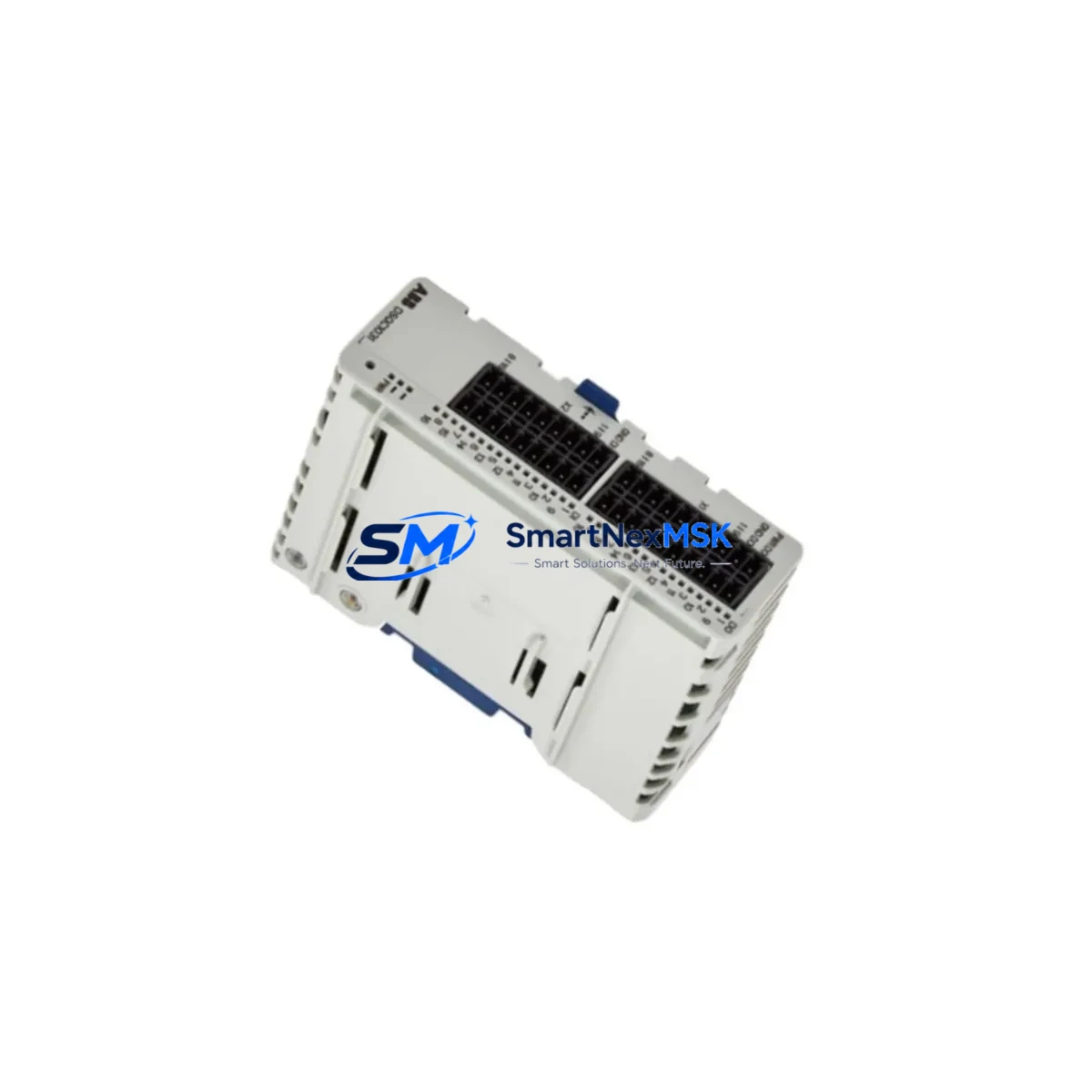
ABB DSQC1032 3HAC058665-001 Retrofit-Ready Digital I/O Module for IRC5 Control Systems
The ABB DSQC1032 (part number 3HAC058665-001) is a Digital I/O Module engineered for seamless integration into ABB IRC5 robot controller cabinets. As production lines age and original spare parts become increasingly scarce, the DSQC1032 has emerged as a critical retrofit component for facilities managing legacy ABB robotic cells. Whether you are replacing a failed DSQC378B, upgrading from an older DSQC652 digital I/O board, or consolidating I/O capacity during a control cabinet overhaul, the DSQC1032 delivers the signal density, backplane compatibility, and firmware alignment required for a smooth, low-risk transition.
Each unit supplied by SMARTNEXMSK undergoes pre-shipment functional verification, including digital input/output channel testing, backplane communication handshake confirmation, and firmware version logging. All units are covered by a 12-month warranty from the date of delivery, with documented test records available upon request.
Upgrade Compatibility Table
| Parameter | DSQC1032 (3HAC058665-001) | Notes |
|---|---|---|
| Compatible Controller | ABB IRC5 (Single / Dual Cabinet) | Fits M2004 and later IRC5 variants |
| Backplane Interface | IRC5 internal DeviceNet backplane | Plug-and-play with standard IRC5 rack |
| Digital Inputs | 16 DI channels (24 VDC) | Compatible with existing field wiring |
| Digital Outputs | 16 DO channels (24 VDC, 0.5 A) | Verify load current per output channel |
| Common Replacements | DSQC378B, DSQC652, DSQC651 | Confirm I/O mapping before swap |
| Communication Protocol | DeviceNet (internal IRC5 bus) | No external DeviceNet master required |
| Installation Format | DIN-rail / IRC5 backplane slot | Matches standard IRC5 cabinet layout |
| Firmware Compatibility | RobotWare 5.x / 6.x | Verify RobotWare version before install |
| Debugging Requirement | I/O signal re-mapping via FlexPendant | Update I/O configuration in system parameters |
| Warranty | 12 Months | From date of delivery, with test record |
Retrofit Planning for Existing Automation Systems
Successful integration of the DSQC1032 into an existing IRC5-based robotic cell requires a structured pre-installation audit. Begin by documenting the current I/O assignment table from the IRC5 system parameters, noting every signal mapped to the outgoing module — whether that is a DSQC378B handling conveyor interlocks, a DSQC652 managing gripper solenoids, or a DSQC651 interfacing with safety relays. The DSQC1032 uses the same 24 VDC logic levels and the same IRC5 internal DeviceNet backplane, so physical wiring at the terminal blocks can typically be transferred directly, provided the terminal layout of the replacement module is cross-referenced against the original wiring diagram.
Power budget verification is a mandatory step before installation. The IRC5 controller’s internal 24 VDC supply — distributed through the DSQC609 power distribution board — must have sufficient headroom to support the DSQC1032’s current draw alongside other installed modules such as the DSQC1000 main computer unit, the DSQC679 teach pendant interface, and any DSQC377B or DSQC374 axis computer boards. If the cabinet is already near its power budget ceiling, consider whether a DSQC608 or equivalent power supply upgrade is warranted before proceeding.
For cells where the IRC5 communicates upstream with a Siemens S7 PLC or an Allen-Bradley ControlLogix system via PROFIBUS or EtherNet/IP, the I/O module swap does not affect the external communication link — that interface is managed by a dedicated fieldbus adapter such as the DSQC688 PROFIBUS adapter or the DSQC690 EtherNet/IP module. However, any changes to I/O signal names or unit numbers within the IRC5 system parameters must be reflected in the PLC’s I/O mapping table to avoid process faults at restart.
HMI screens connected to the robotic cell — whether a standalone DSQC679 FlexPendant or an external operator panel — should be reviewed for any hardcoded signal references. If the original RAPID program references signals by name rather than by unit address, the transition is straightforward: retain the same signal names in the new I/O configuration and the RAPID code requires no modification. If signals were addressed by unit number, update the system parameters accordingly and perform a cold restart to allow the IRC5 to re-enumerate the backplane.
Downtime Control During System Migration
Minimizing unplanned downtime during an IRC5 I/O module replacement begins with a complete system backup taken immediately before the swap. Use the IRC5 FlexPendant to generate a full system backup to a USB drive — this captures the RAPID programs, system parameters, I/O configuration, and safety configuration in a single archive. If the replacement goes smoothly, this backup serves as a rollback point; if complications arise, the system can be restored to its pre-swap state within minutes.
Schedule the physical swap during a planned maintenance window. Power down the IRC5 cabinet using the main disconnect, wait for the internal capacitors to discharge (typically 30 seconds), then remove the failed module from its backplane slot. The DSQC1032 seats into the same slot position as the DSQC378B and DSQC652 without mechanical modification. Reconnect the terminal block wiring, referencing the documented wiring diagram prepared during the pre-installation audit.
On power-up, the IRC5 will detect the new module during its backplane enumeration sequence. Navigate to the I/O configuration in the system parameters via the FlexPendant and verify that the DSQC1032 is recognized with the correct unit number and signal assignments. Run a manual jog cycle to confirm all digital inputs and outputs respond correctly before releasing the cell to automatic production. For cells with safety-rated I/O, a functional safety test of all emergency stop, safeguard, and enabling device signals is mandatory before resuming automatic operation. Total planned downtime for a straightforward swap — excluding pre-work and documentation — is typically under two hours for an experienced controls engineer.
Retrofit Support FAQ
Q1: Is the DSQC1032 (3HAC058665-001) a direct drop-in replacement for the DSQC378B and DSQC652?
A: The DSQC1032 is compatible with the same IRC5 backplane slot and uses the same 24 VDC I/O logic levels. Terminal block wiring is generally transferable, but the I/O unit configuration in the IRC5 system parameters must be updated to reference the new module. Signal names can be retained to avoid RAPID program modifications.
Q2: What RobotWare version is required for the DSQC1032?
A: The DSQC1032 is supported under RobotWare 5.x and 6.x. Verify your IRC5 controller’s installed RobotWare version via the FlexPendant before installation. If your system runs an earlier RobotWare release, contact our technical team to confirm compatibility.
Q3: How is the unit tested before shipment?
A: Every DSQC1032 unit undergoes pre-shipment functional verification covering all 16 digital input channels, all 16 digital output channels, and backplane communication handshake. A test record is generated for each unit and is available upon request. All units are covered by a 12-month warranty from the date of delivery.
Q4: Can I use the DSQC1032 in an IRC5 cabinet that also runs a DSQC1000 main computer and DSQC679 FlexPendant?
A: Yes. The DSQC1032 coexists with the DSQC1000 main computer, DSQC679 FlexPendant interface, and other standard IRC5 backplane modules. Confirm the cabinet’s 24 VDC power budget via the DSQC609 power distribution board before adding any additional modules to an existing installation.
© 2026 SMARTNEXMSK. All rights reserved.
Original Source: https://smartnexmsk.com
Contact: [email protected] | +86 18259474341



