
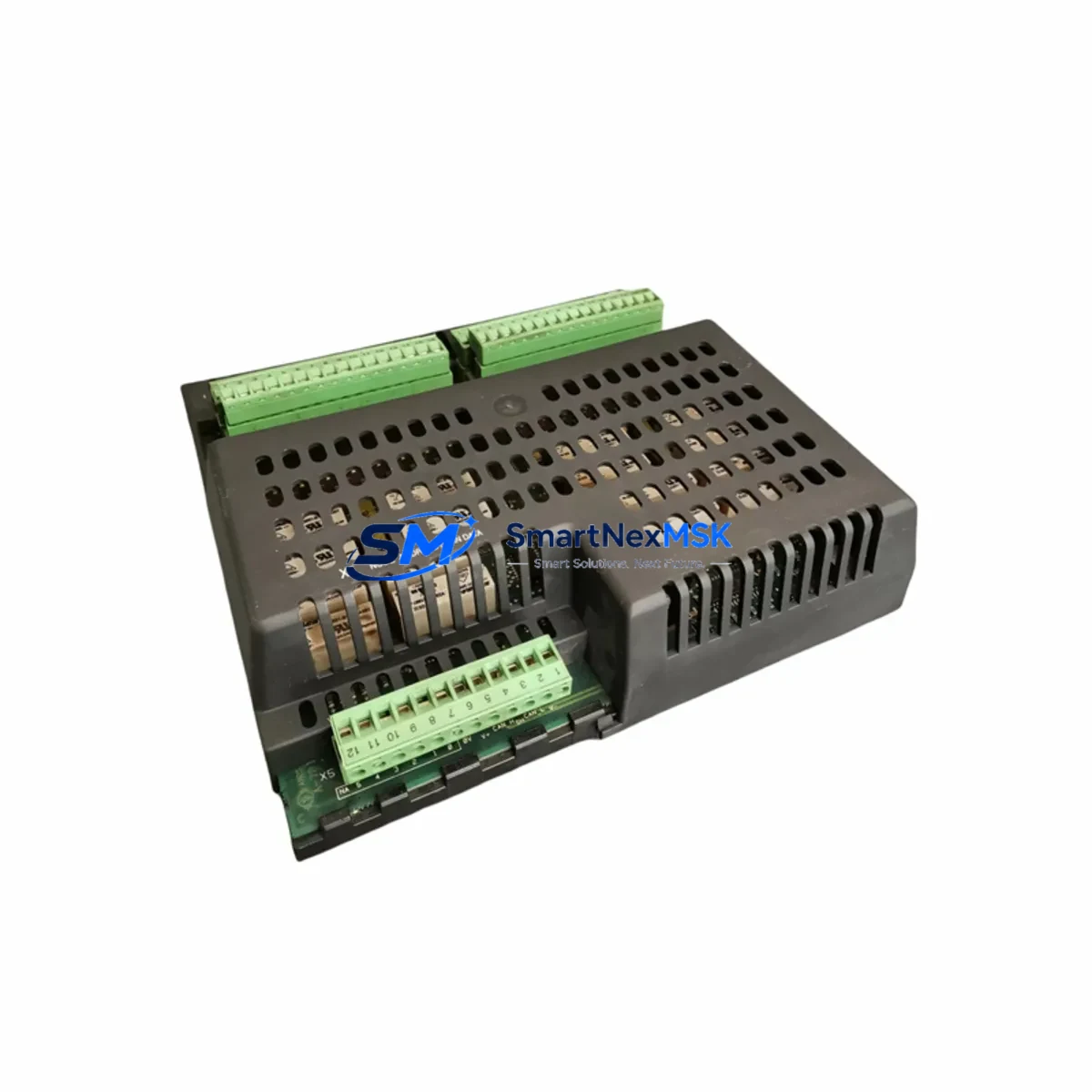
ABB DSQC332 3HAB9669-1 Spare for IRC5 Automation: Spare Replacement & Industrial Downtime Risk Control
The ABB DSQC332 (part number 3HAB9669-1) is a 16-channel digital input / 16-channel digital output I/O board designed for the ABB IRC5 robot controller platform. As a core signal-processing component within the IRC5 control cabinet, this module manages discrete I/O communication between the robot controller and field devices including sensors, actuators, safety relays, and end-of-arm tooling. When this board fails or degrades, the entire robot cell is at risk of unplanned downtime — making a verified, ready-to-ship spare an essential element of any industrial maintenance strategy.
Our DSQC332 units are sourced as original ABB spare parts, individually tested prior to dispatch, and backed by a 12-month warranty. Each unit is inspected for connector integrity, board-level continuity, and firmware compatibility before shipment. We maintain standing stock to support urgent replacement requests with short lead times, reducing mean time to repair (MTTR) for robot maintenance teams operating IRC5-based automation lines.
Spare Maintenance Table
| Parameter | Specification |
|---|---|
| Part Number | DSQC332 / 3HAB9669-1 |
| Brand | ABB Robotics |
| Compatible Platform | ABB IRC5 Robot Controller (all variants) |
| Module Type | Digital I/O Board — 16DI / 16DO |
| Operating Voltage | 24 VDC |
| Digital Inputs | 16 channels, 24 VDC sink/source |
| Digital Outputs | 16 channels, 24 VDC, max 0.5 A per channel |
| Communication Interface | Internal IRC5 backplane bus |
| Mounting | IRC5 controller cabinet DIN rail / backplane slot |
| Operating Temperature | 0°C to +55°C |
| Origin | Sweden (Original ABB manufacture) |
| Condition | Original spare — tested before shipment |
| Warranty | 12 Months |
| Lead Time | In stock — ships within 1–3 business days |
| Compatibility Note | Verify IRC5 cabinet variant and RobotWare version before installation |
Maintenance Planning for Continuous Operation
For maintenance engineers managing IRC5-based robot cells, the DSQC332 rarely fails in isolation. A degraded or failed I/O board is often accompanied by — or caused by — issues in adjacent components within the same control cabinet. When replacing the DSQC332, a thorough inspection of the following components is strongly recommended to prevent repeat failures and ensure full system restoration:
Power Supply (DSQC604 / DSQC661): Unstable 24 VDC supply voltage is a leading cause of I/O board damage. Verify output voltage stability and ripple on the DSQC604 or DSQC661 power supply unit before installing the replacement DSQC332. A failing PSU will damage a new board within hours of operation.
I/O Bus Communication (DSQC328 / DSQC351): The DSQC332 communicates via the IRC5 internal I/O bus. If bus errors persist after board replacement, inspect the DSQC328 DeviceNet gateway or DSQC351 I/O bus adapter for communication faults. Bus termination resistors and cable shielding should also be verified.
Safety Relay Module (DSQC400): The DSQC400 safety relay board interfaces directly with the digital I/O layer for emergency stop, safeguarding, and mode-selection signals. During a DSQC332 replacement, confirm that all safety relay outputs are correctly mapped and that the DSQC400 is not generating latched fault conditions that could mask I/O errors.
Backplane and Connector Integrity: Inspect the IRC5 backplane connector for bent pins, oxidation, or mechanical damage. A damaged backplane slot will cause intermittent I/O faults even with a new DSQC332 installed. Clean connector contacts with appropriate contact cleaner before re-seating the board.
Field Wiring and Terminal Blocks: Inspect all 24 VDC field wiring connected to the DSQC332 I/O terminals. Loose terminal block connections, incorrect wire gauges, or missing ferrules are common sources of intermittent digital signal faults. Verify that all input and output circuits are within rated current limits.
Signal Isolation and Surge Protection: In environments with high electrical noise — welding cells, press lines, or conveyor systems — consider adding signal isolators or surge protection modules on high-risk I/O channels. This protects the DSQC332 from transient voltage spikes originating from field devices.
Fuse and Circuit Protection: Check all 24 VDC fuses within the IRC5 cabinet, particularly those protecting the I/O supply rail. A blown fuse on the I/O power circuit is a common symptom of a shorted output channel on a failed DSQC332 — replace fuses as part of the corrective maintenance procedure.
HMI and FlexPendant Connectivity: After restoring I/O functionality, verify that the FlexPendant (IRC5 teach pendant) correctly reflects updated I/O status. Persistent HMI alarms related to I/O configuration may indicate that the system configuration (RAPID program or EIO.cfg) requires re-mapping to match the replacement board’s slot assignment.
Site Replacement Workflow
Step 1 — Pre-Replacement Verification: Before removing the failed DSQC332, document the current I/O configuration using RobotStudio or the FlexPendant I/O configuration menu. Export the EIO.cfg file as a backup. Confirm the replacement unit’s part number (3HAB9669-1) matches the installed board label.
Step 2 — Safe Isolation: Power down the IRC5 controller using the main disconnect switch. Follow lockout/tagout (LOTO) procedures. Allow the capacitor bank to discharge (minimum 5 minutes) before opening the cabinet door.
Step 3 — Board Removal and Inspection: Disconnect all field wiring from the DSQC332 terminal connectors, labeling each connector for reinstallation. Remove the board from the backplane slot. Inspect the backplane connector and cabinet interior for signs of overheating, moisture ingress, or contamination.
Step 4 — Replacement Installation: Insert the new DSQC332 into the correct backplane slot. Reconnect all field wiring per the original labeling. Verify terminal torque specifications for all connections.
Step 5 — System Restart and Validation: Power up the IRC5 controller. Confirm that the system recognizes the new I/O board without configuration errors. Test all 16 digital inputs and 16 digital outputs using the FlexPendant I/O monitor or RobotStudio I/O simulation. Verify that the robot program resumes normal operation without I/O-related faults.
This replacement workflow is designed to minimize downtime and ensure that the root cause of the original failure is identified and corrected — not simply masked by a board swap.
Spare Parts Support FAQ
Q1: Is this DSQC332 compatible with all IRC5 controller variants, including the IRC5 Compact and IRC5 Panel Mounted Controller?
The DSQC332 (3HAB9669-1) is designed for the standard IRC5 controller platform. Compatibility with IRC5 Compact or Panel Mounted Controller variants depends on the specific cabinet configuration and backplane slot availability. We recommend confirming your cabinet variant and RobotWare version before ordering. Our technical team can assist with compatibility verification based on your robot serial number or system configuration file.
Q2: What testing is performed on each DSQC332 unit before shipment?
Each unit undergoes board-level continuity testing, connector integrity inspection, and functional I/O channel verification prior to dispatch. Units that do not pass all test criteria are not offered for sale. A test report is available upon request for critical applications. All units are shipped with ESD-protective packaging to prevent damage in transit.
Q3: How should I manage DSQC332 spare inventory for a multi-robot facility?
For facilities operating three or more IRC5 robots, we recommend maintaining a minimum of one DSQC332 spare per five robots, with at least one unit always available on-site. Given the board’s role as a single point of failure for robot I/O, a stockout during an unplanned failure event can result in extended downtime. We offer volume pricing and reserved stock agreements for facilities requiring guaranteed availability.
Q4: What does the 12-month warranty cover, and what is the claims process?
The 12-month warranty covers manufacturing defects and functional failures under normal operating conditions. It does not cover damage resulting from incorrect installation, overvoltage events, physical impact, or use outside the specified operating environment. To initiate a warranty claim, contact our support team with the order reference, a description of the fault, and any available diagnostic data from the IRC5 controller. Replacement units are dispatched upon fault confirmation, with return shipping of the defective unit required.
© 2026 SMARTNEXMSK. All rights reserved.
Original Source: https://smartnexmsk.com
Contact: [email protected] | +86 18259474341



