
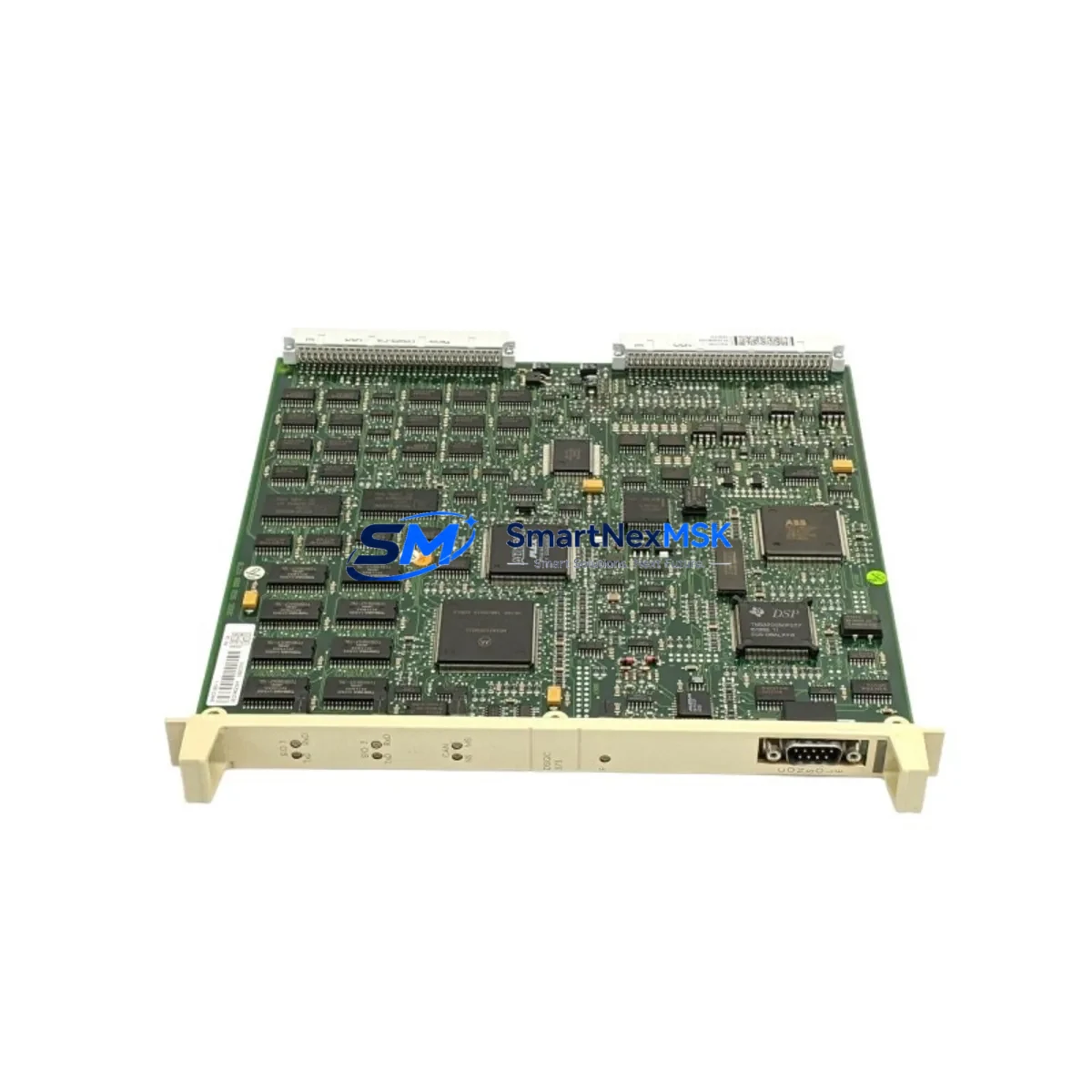
ABB DSQC373 Maintenance-Ready Spare for IRC5 Automation
The ABB DSQC373 is an original axis computer board designed for ABB IRC5 robot controller cabinets. In industrial environments where robotic welding, material handling, and precision assembly lines depend on continuous uptime, an unplanned failure of the axis computer board can halt an entire production cell within minutes. Sourcing a verified, tested DSQC373 spare in advance is the single most effective strategy for minimizing mean time to repair (MTTR) and protecting your OEE targets.
This unit is supplied as an original ABB spare part, sourced from authorized channels and subject to full functional testing prior to shipment. Each DSQC373 is inspected for firmware integrity, connector condition, and board-level electrical performance before dispatch. A 12-month warranty is included, covering manufacturing defects and functional failures under normal operating conditions. Fast worldwide shipping ensures that even emergency replacement orders can reach your facility within the shortest possible lead time.
For maintenance engineers managing IRC5 single-cabinet or dual-cabinet systems, the DSQC373 axis computer board is a critical node in the robot’s motion control architecture. It interfaces directly with the drive units (DSQC661 or DSQC662 series), the main computer (DSQC639), and the I/O system. When planning a replacement, it is essential to verify that the surrounding components — including the axis computer power supply rail, the SMB (Serial Measurement Board, DSQC233 or DSQC501), and the teach pendant cable (DSQC679 FlexPendant) — are all in serviceable condition before commissioning the new board.
Spare Maintenance Table
| Parameter | Specification / Value |
|---|---|
| Part Number / SKU | DSQC373 |
| Brand | ABB Robotics |
| Compatible Series | IRC5 Single Cabinet, IRC5 Dual Cabinet, IRC5 Compact |
| Function | Axis Computer Board — motion control and axis coordination |
| Supply Voltage | 24 VDC (internal backplane supply) |
| Communication Interface | Internal IRC5 backplane bus; DeviceNet / PROFIBUS optional |
| Operating Temperature | 0°C to +55°C (cabinet interior) |
| Country of Origin | Germany (DE) |
| Condition | Original spare — fully tested before shipment |
| Compatibility Verification | Confirm IRC5 cabinet revision and RobotWare version before installation |
| Installation Note | ESD precautions required; power down and lockout/tagout before replacement |
| Warranty | 12 Months — covers manufacturing defects and functional failures |
Maintenance Planning for Continuous Operation
A structured maintenance plan for any IRC5-based robot cell should treat the DSQC373 axis computer board as a Tier-1 critical spare. When this board is scheduled for replacement — whether due to a fault code, a predictive maintenance trigger, or end-of-life rotation — the maintenance window should also be used to inspect and, where necessary, replace adjacent components that share the same failure risk profile.
Start with the DSQC639 main computer board, which communicates directly with the DSQC373 over the internal backplane. A degraded main computer can cause intermittent axis faults that are misdiagnosed as axis computer failures. Next, inspect the DSQC661 or DSQC662 drive units for capacitor aging, fan condition, and DC bus voltage stability — these are the most common co-failure components in high-cycle IRC5 installations.
The DSQC233 or DSQC501 Serial Measurement Board (SMB) should be checked for resolver signal integrity and battery backup condition. A failing SMB battery will cause axis calibration loss after every power cycle, which is frequently misattributed to the axis computer. The DSQC679 FlexPendant and its cable assembly should also be inspected for connector wear and cable jacket integrity, as a damaged teach pendant cable can generate spurious E-stop signals that stress the axis computer’s I/O logic.
For the power distribution side, verify the condition of the DSQC604 or DSQC609 power supply unit within the IRC5 cabinet. Voltage ripple or dropout on the 24 VDC rail is a leading cause of premature axis computer board failure. Terminal blocks, fuse holders, and the internal cabinet wiring harness should be inspected for heat discoloration, loose crimps, and insulation degradation. If the robot cell includes external I/O via DSQC651 or DSQC652 I/O modules, confirm that all field wiring is correctly terminated and that no ground loops are present, as these can introduce noise that corrupts axis position data.
For facilities running older IRC5 systems approaching end-of-support, maintaining a small buffer stock of DSQC373 boards — alongside the SMB, drive units, and power supply — is the most cost-effective strategy for extending system life without a full controller upgrade.
Site Replacement Workflow
Before beginning the DSQC373 replacement, perform a full system backup using RobotStudio or the FlexPendant backup function. This preserves the robot’s calibration data, program files, system parameters, and I/O configuration. Confirm the RobotWare version installed on the IRC5 system, as the DSQC373 firmware must be compatible with the installed RobotWare release. If the replacement board ships with a different firmware version, a RobotWare reinstallation or firmware update may be required before the system will boot correctly.
Power down the IRC5 cabinet using the main disconnect switch and apply lockout/tagout per your site safety procedure. Allow the DC bus capacitors in the drive units to discharge fully (minimum 5 minutes) before opening the cabinet. Remove the DSQC373 using ESD-safe tools, noting the backplane slot position and any jumper or DIP switch settings on the outgoing board. Install the replacement DSQC373 in the same slot, confirm all backplane connectors are fully seated, and restore power. Perform a warm-start and verify that all axes home correctly and that no fault codes are present before returning the robot to production.
This workflow is applicable whether you are replacing a failed board on an emergency basis or rotating a board out during a planned shutdown. The same procedure applies when upgrading from an older DSQC373 revision to a current production revision, ensuring backward compatibility with existing IRC5 cabinet hardware and RobotWare configurations.
Spare Parts Support FAQ
Q1: What is the expected service life of the DSQC373, and when should I plan a proactive replacement?
The DSQC373 axis computer board typically operates reliably for 8–12 years under normal duty cycles. Proactive replacement is recommended when the board approaches 10 years of service, when intermittent axis faults increase in frequency, or when the IRC5 system is scheduled for a major overhaul. Maintaining at least one spare unit in your parts inventory eliminates lead-time risk during unplanned failures.
Q2: How do I verify compatibility between the DSQC373 and my specific IRC5 cabinet revision?
Compatibility is determined by the IRC5 cabinet generation (standard, compact, or dual) and the installed RobotWare version. Check the cabinet nameplate for the hardware revision code and cross-reference with the ABB spare parts catalog or your ABB service documentation. Our team can assist with compatibility verification before shipment if you provide your cabinet serial number and RobotWare version.
Q3: What pre-shipment testing is performed on each DSQC373 unit?
Every DSQC373 supplied by SMARTNEXMSK undergoes functional testing that includes power-on verification, backplane communication check, and I/O signal integrity testing. Units that do not pass all test criteria are not dispatched. A test report is available upon request for quality-critical procurement processes.
Q4: What does the 12-month warranty cover, and how is a warranty claim processed?
The 12-month warranty covers manufacturing defects and functional failures under normal operating conditions. It does not cover damage caused by incorrect installation, overvoltage events, or physical mishandling. To initiate a warranty claim, contact our sales team with the order reference, a description of the fault, and any available fault codes from the IRC5 system. Replacement or repair will be arranged within the warranty period at no additional cost.
© 2026 SMARTNEXMSK. All rights reserved.
Original Source: https://smartnexmsk.com
Contact: [email protected] | +86 18259474341



