
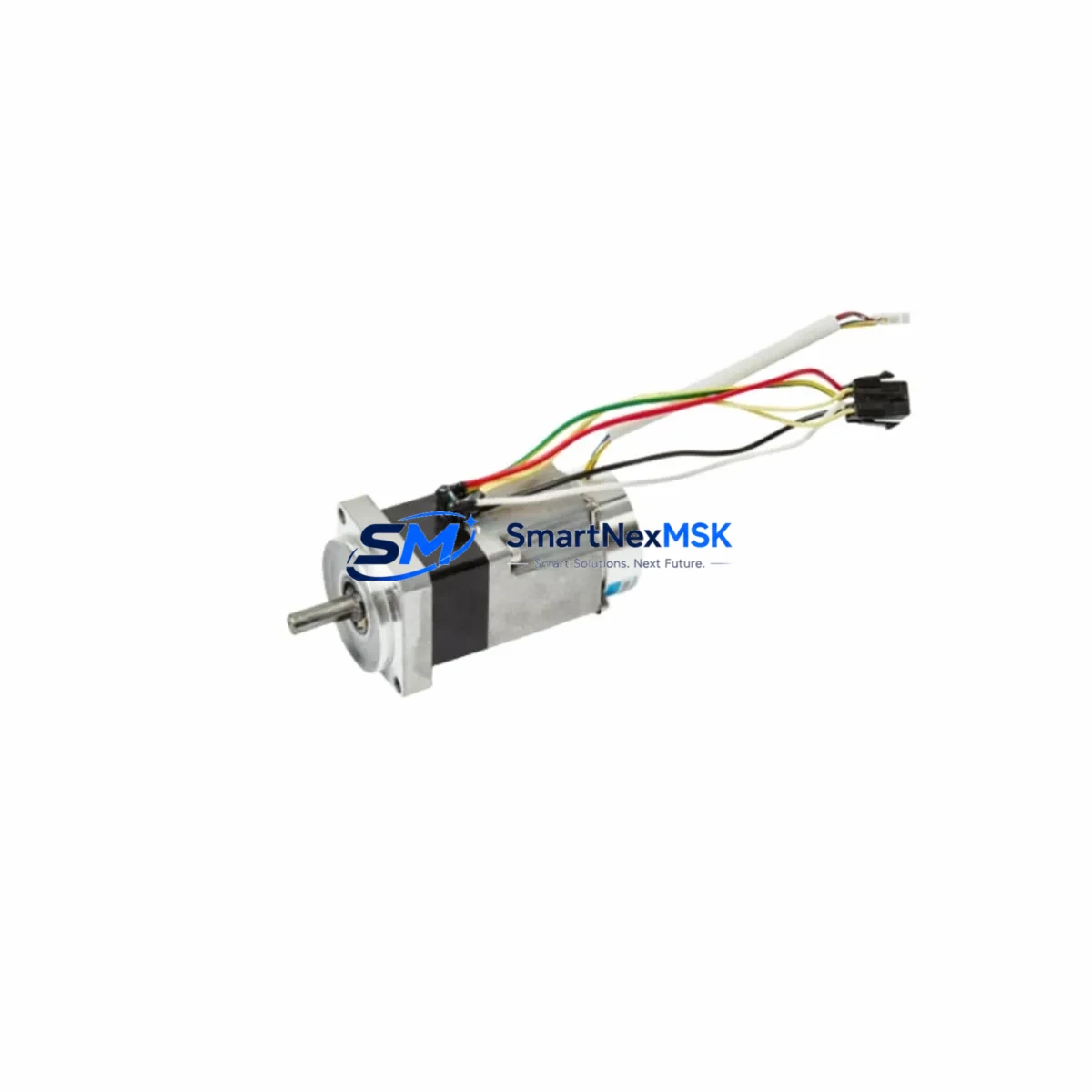
ABB DSQC378B Retrofit-Ready Servo Drive for IRB 6600 Control Systems
The ABB DSQC378B is a high-performance servo drive module engineered for seamless integration into IRB 6600, IRB 6650, and IRB 7600 robotic control systems. As a direct retrofit replacement for the discontinued DSQC377B and cross-reference part 3HNE00421-1, this module addresses the growing demand for reliable spare parts in aging robot installations across automotive, heavy manufacturing, and process automation environments. Whether you are managing a planned upgrade cycle or responding to an unplanned drive failure, the DSQC378B delivers verified compatibility, reduced commissioning time, and a 12-month warranty backed by pre-shipment functional testing.
Industrial facilities operating legacy ABB robot cells frequently encounter the challenge of sourcing discontinued servo drive components. The DSQC378B serves as the authoritative retrofit solution for control cabinets originally equipped with the IRC5 controller platform, maintaining full compatibility with the S4C+ and IRC5 backplane architecture. Its drive interface aligns with the standard ABB axis computer communication protocol, ensuring that existing robot programs, teach pendant configurations, and HMI screen layouts remain intact without requiring reprogramming of motion paths or safety zones.
Upgrade Compatibility Table
| Parameter | DSQC377B (Legacy) | DSQC378B (Retrofit) |
|---|---|---|
| Compatible Robot Series | IRB 6600, IRB 6650 | IRB 6600, IRB 6650, IRB 7600 |
| Controller Platform | S4C+ / IRC5 | IRC5 (primary), S4C+ compatible |
| Backplane Interface | Standard ABB drive bus | Standard ABB drive bus (direct fit) |
| Communication Protocol | PROFIBUS-DP / DeviceNet | PROFIBUS-DP / DeviceNet (ABCC-DPV1 compliant) |
| Terminal Wiring | Original harness compatible | Pin-for-pin compatible, no rewiring required |
| Module Address Setting | DIP switch / software | DIP switch / software (identical procedure) |
| Installation Format | Rack-mount, IRC5 cabinet | Rack-mount, IRC5 cabinet (same footprint) |
| Commissioning Requirement | Full axis calibration | Axis fine-tune recommended; base cal retained |
| Warranty | End-of-life / no support | 12-Month Warranty, pre-shipment tested |
| Cross-Reference Parts | 3HNE00421-1, DSQC377B | 3HAC036859-001, AB6200-B-A01CA700 |
Retrofit Planning for Existing Automation Systems
Successful integration of the DSQC378B into an existing robot cell begins well before the module arrives on-site. Engineers should start by auditing the IRC5 control cabinet power supply capacity — the DSPU power distribution unit must confirm sufficient headroom for the drive’s rated current draw, particularly in multi-axis configurations where the DSQC378B shares a common DC bus with adjacent axis modules. Verify that the cabinet’s 24 VDC logic supply, typically sourced from the DSQC609 power unit or equivalent, remains within tolerance before powering the new drive.
Terminal block wiring should be documented from the original DSQC377B installation using the robot’s electrical schematic. The DSQC378B maintains an identical connector layout, meaning the motor feedback cable, resolver harness, and brake control wiring transfer directly without modification. However, technicians should inspect the condition of the DSQC332 I/O module and DSQC345 fieldbus adapter mounted in the same rack — degraded connectors on neighboring modules are a common source of intermittent faults that surface only after a drive replacement.
For facilities running PROFIBUS-DP networks, the ABCC-DPV1 communication stack embedded in the DSQC378B supports direct node address assignment via the existing GSD file configuration in the PLC master — typically a Siemens S7-300 or S7-400 series controller. No GSD file update is required when replacing like-for-like. DeviceNet installations should confirm the MAC ID setting on the replacement module matches the original before energizing the network segment.
The DSQC501 axis computer and DSQC503 serial measurement board communicate with the servo drive over the internal drive bus. After physical installation, the IRC5 FlexPendant will prompt a drive identification sequence — this is normal behavior and does not indicate a program loss. The robot’s RAPID motion programs, work object definitions, and tool data stored in the DSQC373 memory unit remain unaffected. Technicians should perform a fine calibration on the affected axis using the calibration pendulum or resolver offset procedure documented in the IRC5 Product Manual before returning the cell to production.
HMI screens connected via the teach pendant or external SCADA panels referencing axis status signals will resume normal display once the drive identification is complete and the axis is enabled. No screen reconfiguration is required for standard installations. If the facility uses a third-party HMI communicating via OPC-UA or Ethernet/IP, verify that the robot controller’s DSQC688 Ethernet board firmware is current to avoid handshake delays during restart.
Downtime Control During System Migration
Minimizing production downtime during a servo drive replacement on an IRB 6600 or IRB 7600 cell requires a structured swap procedure. Begin by creating a full system backup from the IRC5 FlexPendant — this captures all RAPID programs, system parameters, I/O configurations, and safety settings to the DSQC373 memory module or an external USB drive. This backup is your insurance policy: even if the replacement drive triggers an unexpected system parameter reset, full restoration takes under ten minutes.
Power down the robot controller using the main disconnect, then discharge the DC bus capacitors by waiting the manufacturer-specified interval (typically 5 minutes) before opening the drive compartment. Remove the DSQC377B by releasing the rack latch and sliding the module free — the DSQC378B installs in the same slot with no mechanical modification. Reconnect all harnesses, confirm the module address DIP switches match the original configuration, and restore main power.
The IRC5 controller will perform a self-test sequence lasting approximately 90 seconds. If the system reports a drive configuration mismatch, navigate to the Service menu on the FlexPendant and run the Drive Module Configuration wizard — this resolves the majority of post-swap fault codes without requiring a full system restore. Once the axis is enabled and fine calibration is confirmed, run the robot through its programmed path at reduced speed (10–20%) before returning to full production speed. Total planned downtime for a prepared team is typically under two hours, including documentation and test cycles.
For facilities that cannot tolerate any unplanned downtime, maintaining a pre-tested DSQC378B as a cold-standby spare — stored in anti-static packaging with the DIP switches pre-configured to match the installed unit — reduces emergency response time to under 30 minutes.
Retrofit Support FAQ
Q: Is the DSQC378B a direct drop-in replacement for the DSQC377B without any wiring changes?
A: Yes. The DSQC378B is pin-for-pin compatible with the DSQC377B. All existing motor feedback cables, brake wiring, and resolver harnesses connect directly to the replacement module without modification. Verify the DIP switch address settings match the original before powering up.
Q: Will my existing RAPID programs and calibration data be lost during the drive swap?
A: No. RAPID programs, tool data, work objects, and system parameters are stored in the DSQC373 memory unit or the IRC5 controller’s main computer — not in the servo drive itself. A precautionary system backup via the FlexPendant is strongly recommended before any hardware change, but the drive replacement does not erase program memory.
Q: What commissioning steps are required after installing the DSQC378B?
A: After installation, the IRC5 controller will run a drive identification sequence automatically. If a Drive Module Configuration prompt appears, complete the wizard via the Service menu. Follow this with a fine calibration on the affected axis using the resolver offset or calibration pendulum method. Run the robot at reduced speed through its full program path before resuming production.
Q: What does the 12-month warranty cover, and how is the module tested before shipment?
A: Every DSQC378B unit undergoes pre-shipment functional testing covering power-on self-test, communication interface verification, and drive output checks. The 12-month warranty covers manufacturing defects and functional failures under normal operating conditions. Contact [email protected] for warranty claims or technical support.
© 2026 SMARTNEXMSK. All rights reserved.
Original Source: https://smartnexmsk.com
Contact: [email protected] | +86 18259474341



