
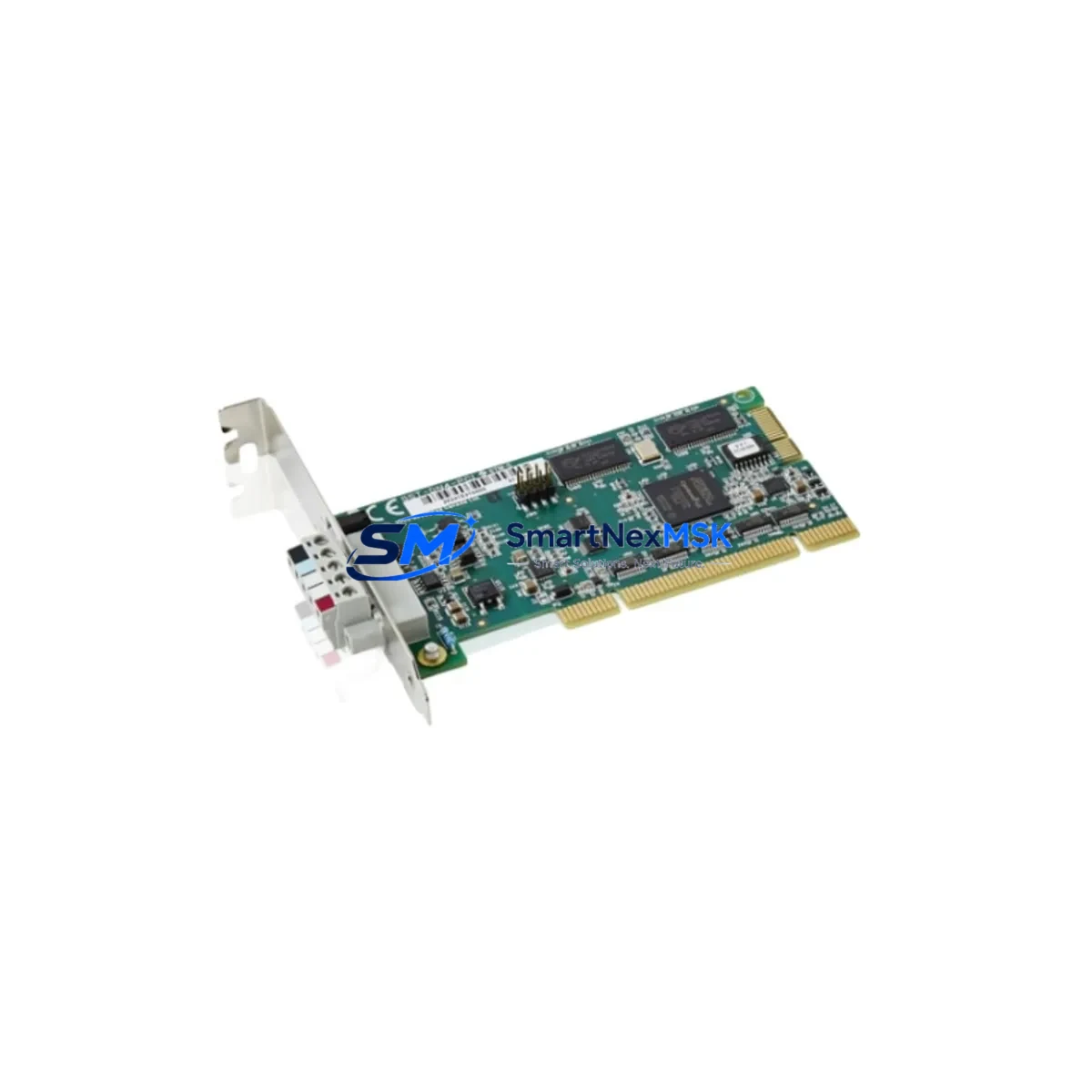
ABB DSQC504 3HAC5689-1/04 Maintenance-Ready Spare for IRC5 Automation
The ABB DSQC504 (part number 3HAC5689-1/04) is a critical AC drive control board designed for ABB IRC5 robot controller cabinets. As a maintenance-ready original spare, this module supports rapid fault isolation and system restoration in industrial robotic automation environments. Whether you are managing a planned shutdown, responding to an unscheduled drive fault, or building a strategic spare parts inventory for a multi-robot cell, the DSQC504 provides a verified, drop-in replacement that eliminates compatibility risk and minimizes production downtime.
Maintenance engineers and procurement teams working with ABB IRC5 systems recognize the DSQC504 as a high-priority spare. Drive control board failures are among the most disruptive fault categories in robotic automation — they can halt an entire production line within seconds. Stocking a tested DSQC504 unit ensures that when a drive fault is confirmed during routine inspection or emergency diagnostics, the replacement cycle is measured in hours rather than days or weeks.
Spare Maintenance Table
| Part Number | DSQC504 / 3HAC5689-1/04 |
| Brand | ABB |
| Series | IRC5 Robot Controller |
| Compatible System | ABB IRC5 Single Cabinet, Dual Cabinet, Paint Variant |
| Module Function | AC Drive Control Board — axis drive regulation and motor power management |
| Revision | /04 (confirmed production revision) |
| Origin | Sweden (ABB Robotics) |
| Weight | 420 g |
| Installation | Direct board-level replacement; DIN rail or backplane mount per IRC5 cabinet layout |
| Application Environment | Industrial robotic cells, automotive welding lines, material handling, paint booths |
| Compatibility | IRC5 M2004 and later; verify firmware revision before installation |
| Pre-shipment Testing | Functional test performed; power-on verification completed |
| Warranty | 12 Months from date of shipment |
| Maintenance Recommendation | Inspect drive board connectors and bus capacitors during annual cabinet service; replace at first sign of thermal discoloration or intermittent axis faults |
Maintenance Planning for Continuous Operation
When a DSQC504 drive control board fault is confirmed in an IRC5 cabinet, experienced maintenance engineers know that the drive board rarely fails in isolation. A thorough cabinet inspection during the replacement window significantly reduces the risk of repeat downtime. The following components should be evaluated as part of the same maintenance event.
Begin with the DSQC609 Axis Computer Board, which works in close coordination with the DSQC504 to manage axis motion commands. A degraded DSQC609 can cause recurring drive faults even after a board replacement. Next, inspect the DSQC662 or DSQC663 Main Computer Unit for firmware integrity and communication health — a corrupted system software state can misdiagnose a healthy replacement board as faulty.
Check the DSQC508 I/O Board for signal integrity on digital inputs and outputs connected to the drive enable and fault reset circuits. Faulty I/O signals are a common root cause of drive board stress. The DSQC611 Power Supply Unit should be load-tested; an under-voltage or ripple condition on the 24 VDC bus is a known contributor to premature drive board failure in IRC5 systems.
Inspect all motor power cables and encoder cables for insulation breakdown, connector corrosion, or intermittent contact — particularly on axes 1 through 3, which carry the highest mechanical load. Damaged cables can cause overcurrent events that stress the drive board. Review the DSQC643 Brake Control Board if any axis brake release anomalies were logged prior to the fault, as brake circuit faults can create back-EMF spikes that damage drive electronics.
For cabinets with fieldbus communication, verify the DSQC688 DeviceNet/Profibus Communication Board is seated correctly and that termination resistors are intact — communication noise can trigger spurious drive faults. Finally, check all terminal blocks, fuse holders, and 24 VDC distribution rails inside the cabinet for loose connections or blown fuses, and confirm that the IRC5 FlexPendant teach pendant cable connector is undamaged, as a faulty pendant connection can interfere with drive enable logic.
Site Replacement Workflow
Replacing the DSQC504 in an IRC5 cabinet follows a structured sequence to ensure system compatibility and minimize restoration time. Before beginning, confirm the exact IRC5 cabinet variant (single, dual, or paint) and cross-reference the installed firmware version against the replacement board revision (/04). Mismatched firmware revisions are the most common cause of post-replacement commissioning failures.
Power down the IRC5 cabinet using the main isolator switch and allow the drive bus capacitors to discharge for a minimum of five minutes before opening the drive section. Document the existing board’s connector positions and cable routing with photographs before removal. Install the DSQC504 replacement, reconnect all drive bus connectors and signal cables in the original sequence, and restore power. Use ABB RobotStudio or the FlexPendant service menu to run a drive calibration sequence and verify that all axes report normal status before returning the robot to production.
For legacy IRC5 systems running older M2004 software, confirm that the replacement DSQC504 /04 revision is backward-compatible with the installed system software. In most cases it is, but a firmware update may be required for full feature parity. This workflow reduces mean time to repair (MTTR) and ensures the robot returns to full production capacity without residual faults.
Spare Parts Support FAQ
Q: Is the DSQC504 3HAC5689-1/04 compatible with all IRC5 cabinet variants?
A: The DSQC504 /04 revision is compatible with IRC5 Single Cabinet, Dual Cabinet, and Paint variants running M2004 system software and later. Always verify the installed firmware version before installation to confirm full compatibility.
Q: What is the recommended spare parts inventory strategy for DSQC504?
A: For facilities operating three or more IRC5 robots, maintaining one DSQC504 unit per robot cell is the industry-standard approach. For larger installations, a centralized spare pool of two to three units is recommended to cover simultaneous faults during peak production periods.
Q: How is the DSQC504 tested before shipment?
A: Each unit undergoes a functional power-on test and visual inspection for component integrity, connector condition, and board-level damage before shipment. A test report is available upon request.
Q: What does the 12-month warranty cover?
A: The 12-month warranty covers manufacturing defects and functional failures under normal operating conditions from the date of shipment. It does not cover damage caused by incorrect installation, overvoltage events, or physical mishandling. Warranty claims are processed with full technical support.
© 2026 SMARTNEXMSK. All rights reserved.
Original Source: https://smartnexmsk.com
Contact: [email protected] | +86 18259474341



