
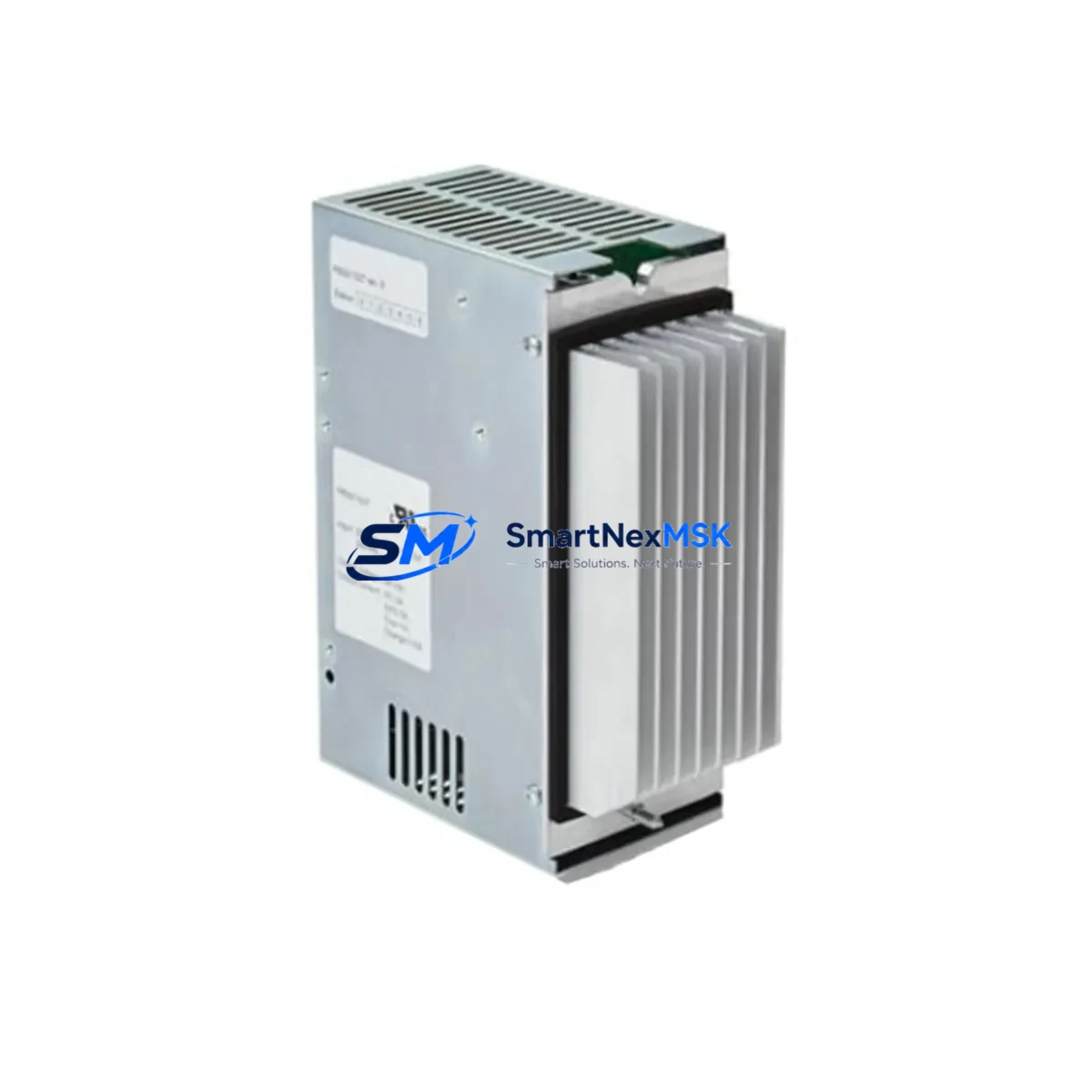
ABB DSQC604 Retrofit-Ready Power Supply for IRC5 Control Systems
The ABB DSQC604 is a 24 VDC system power supply unit designed for use within the IRC5 robot controller cabinet. As ABB’s IRC5 platform continues to serve as the backbone of countless industrial robot installations worldwide, the DSQC604 remains one of the most critical retrofit and replacement components for system integrators, maintenance engineers, and automation upgrade teams managing aging production lines. Whether you are replacing a failed unit, upgrading a refurbished IRC5 cabinet, or migrating from an older S4C+ architecture to the IRC5 platform, the DSQC604 provides the regulated DC power distribution required to sustain controller logic, I/O modules, and communication interfaces without interruption.
Upgrade Compatibility Table
| Parameter | Details |
|---|---|
| Compatible Controller | ABB IRC5 Single Cabinet, Dual Cabinet, Panel Mounted Controller |
| Replaces / Supersedes | DSQC604 (direct), compatible path from S4C+ power supply configurations |
| Mounting Interface | Standard IRC5 backplane rail; DIN-compatible bracket installation |
| Output Voltage | 24 VDC regulated system bus |
| Communication Compatibility | DeviceNet, PROFIBUS-DP, EtherNet/IP via IRC5 communication modules |
| I/O Compatibility | Compatible with DSQC651, DSQC652 I/O modules on IRC5 backplane |
| Retrofit Recommendation | Direct swap; verify terminal block wiring and backplane connector seating |
| Commissioning Notes | Confirm RobotWare version compatibility; re-run system power-on diagnostics via FlexPendant |
| Warranty | 12 Months — covers manufacturing defects and functional failure under normal operating conditions |
Retrofit Planning for Existing Automation Systems
When planning a retrofit around the DSQC604, the scope of work typically extends well beyond the power supply itself. In a standard IRC5 cabinet, the DSQC604 interfaces directly with the computer unit (DSQC1000 or DSQC600 series), the I/O distribution modules such as the DSQC651 digital I/O module and DSQC652 analog I/O module, and the axis computer board. Before pulling the failed unit, engineers should document the existing terminal block assignments on the X1 and X2 connectors, as wiring configurations can vary between robot models and installation vintages.
For sites running DeviceNet or PROFIBUS-DP fieldbus topologies, the DSQC378B or DSQC667 communication boards installed in the IRC5 cabinet must remain powered and addressed correctly throughout the swap. A power interruption that resets the node address table can cause downstream PLC communication faults — particularly on Siemens S7-300 or S7-400 host controllers that rely on cyclic polling of the robot’s I/O map. Coordinating the power-down sequence with the PLC program hold state is strongly recommended before disconnecting the DSQC604.
Sites that are migrating from the older S4C+ platform to IRC5 will also need to account for the DSQC503 or DSQC532 power supply differences in the legacy cabinet. The IRC5 DSQC604 is not a direct physical swap for S4C+ units, but the migration path is well-documented and typically involves replacing the entire drive module assembly alongside the controller computer. In these cases, the DSQC609 drive system power supply and the DSQC611 axis computer are commonly ordered together with the DSQC604 to complete the IRC5 cabinet build-out.
For panel-mounted IRC5 configurations used in compact workcells, the DSQC604 installation requires attention to the 24 VDC bus load budget. Engineers should calculate the combined current draw of all installed I/O modules, the FlexPendant interface unit, and any third-party safety relay modules before confirming that the DSQC604’s rated output capacity is sufficient. If the load budget is marginal, an additional DSQC604 or a supplementary 24 VDC DIN-rail power supply may be required to maintain stable operation.
All units supplied by SMARTNEXMSK are pre-tested under load conditions prior to shipment. Each DSQC604 is verified for output voltage regulation, ripple performance, and connector integrity. Units are shipped with original or equivalent connector hardware and are accompanied by a 12-month warranty covering manufacturing defects and functional failure under normal operating conditions.
Downtime Control During System Migration
Minimizing unplanned downtime during a DSQC604 replacement is achievable with proper pre-staging. Before the maintenance window opens, engineers should back up the IRC5 system configuration using RobotStudio or the FlexPendant backup utility, capturing the RAPID program, system parameters, I/O configuration, and safety controller settings. This backup ensures that if the replacement procedure triggers an unexpected system reset or parameter loss, the robot can be restored to its pre-maintenance state within minutes rather than hours.
During the physical swap, the IRC5 cabinet should be de-energized at the main disconnect, and the 24 VDC bus should be verified as discharged before handling the DSQC604 connectors. The replacement unit should be seated firmly on the backplane rail and all terminal block connections re-torqued to specification. After power restoration, the FlexPendant will display the system startup sequence — any fault codes related to the power supply or I/O modules should be cleared and logged before returning the robot to automatic mode.
For production environments where even a brief stop is costly, a hot-standby IRC5 cabinet pre-loaded with a tested DSQC604 and a current system backup can reduce the effective changeover time to under 30 minutes. SMARTNEXMSK maintains stock of DSQC604 units to support urgent same-day dispatch requirements for customers with critical production schedules.
Retrofit Support FAQ
Q: Is the DSQC604 a direct replacement for the unit currently installed in my IRC5 cabinet?
A: Yes, the DSQC604 is a direct replacement for existing DSQC604 units in all IRC5 cabinet variants, including single cabinet, dual cabinet, and panel-mounted configurations. No firmware changes or parameter modifications are required for a like-for-like swap.
Q: What wiring checks should I perform before installing the replacement DSQC604?
A: Inspect the X1 and X2 terminal block connectors for corrosion, loose crimps, or damaged insulation. Verify that the 24 VDC input feed from the drive system power supply (DSQC609) is within specification before energizing the new unit. Re-torque all terminal screws to the values specified in the IRC5 Product Manual.
Q: How do I confirm compatibility with my current RobotWare version?
A: The DSQC604 is compatible with all RobotWare versions supported on the IRC5 platform (RobotWare 5.x and 6.x). After installation, run the system diagnostics from the FlexPendant Control Panel to confirm that all I/O modules and communication boards are recognized correctly.
Q: What does the 12-month warranty cover, and how is it handled?
A: The 12-month warranty covers manufacturing defects and functional failure under normal operating conditions. If a unit fails within the warranty period, SMARTNEXMSK will arrange a replacement dispatch after fault verification. Contact [email protected] with your order reference and a description of the fault to initiate a warranty claim.
© 2026 SMARTNEXMSK. All rights reserved.
Original Source: https://smartnexmsk.com
Contact: [email protected] | +86 18259474341



