
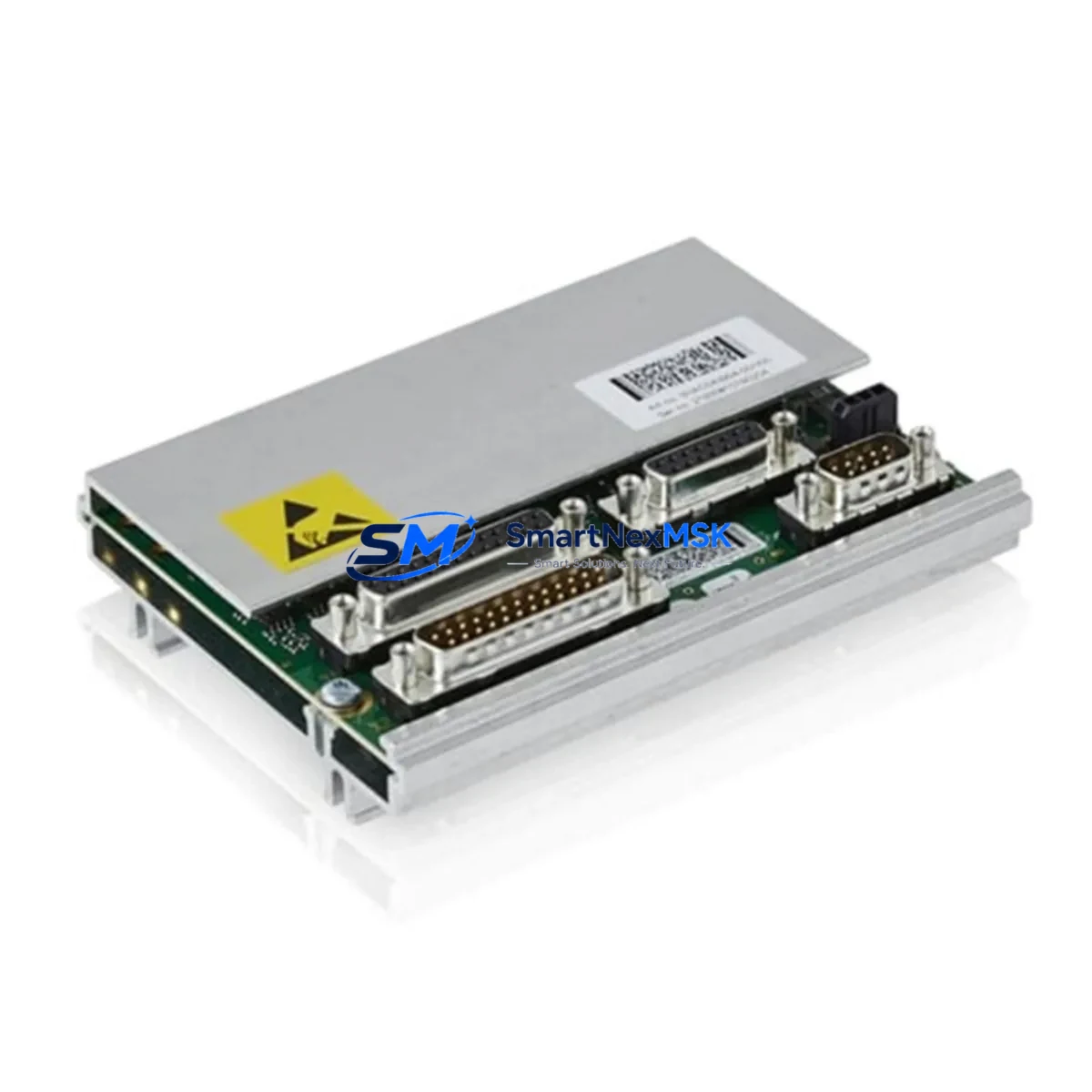
ABB DSQC633 3HAC022286-001 Retrofit-Ready Serial Measurement Unit for IRC5 Control Systems
The ABB DSQC633 (part number 3HAC022286-001) is a Serial Measurement Unit (SMU) designed for use in ABB IRC5 robot controller cabinets. As legacy IRC5 installations age and OEM support windows close, the DSQC633 has become one of the most sought-after retrofit and replacement modules for industrial robot system integrators, maintenance engineers, and automation upgrade teams worldwide. Whether you are restoring a production line after an unexpected failure, executing a planned control system modernization, or sourcing a verified spare to reduce unplanned downtime risk, the DSQC633 offers a direct, drop-in upgrade path with no firmware re-engineering required.
The DSQC633 interfaces directly with the IRC5 single-cabinet and dual-cabinet controller architectures. It communicates via the internal ABB DeviceNet-based measurement bus and is responsible for acquiring axis position data from the robot’s resolver or encoder feedback chain. When replacing a failed DSQC618 or an earlier DSQC378 in an upgraded IRC5 environment, engineers must verify that the axis calibration offsets stored in the RAPID program and the SMB (Serial Measurement Board) memory are correctly transferred or re-calibrated using RobotStudio or the IRC5 FlexPendant. Skipping this step is the most common cause of post-replacement axis drift and TCP (Tool Center Point) deviation.
Before installation, confirm that the IRC5 main computer board — typically a DSQC1000 or DSQC639 — is running a compatible RobotWare version (RobotWare 5.x or 6.x). The DSQC633 is not compatible with the older S4C+ controller family; customers migrating from S4C+ to IRC5 will need to replace the entire controller backplane and power distribution module (DSQC609) in addition to the SMU. For IRC5 Compact installations, verify the physical form factor and connector pinout against the DSQC633 datasheet before ordering.
Upgrade Compatibility Table
| Parameter | Details |
|---|---|
| Part Number | 3HAC022286-001 |
| Module Designation | DSQC633 |
| Compatible Controller | ABB IRC5 (Single Cabinet, Dual Cabinet, IRC5 Compact) |
| Replaces / Upgrades | DSQC618, DSQC378 (in IRC5 retrofit context) |
| Interface / Bus | Internal ABB Serial Measurement Bus (DeviceNet-based) |
| Connector Type | Standard IRC5 backplane connector — no adapter required |
| RobotWare Compatibility | RobotWare 5.x / 6.x |
| Calibration Requirement | Axis offset re-calibration via FlexPendant or RobotStudio recommended |
| Installation Type | Direct backplane mount — no bracket modification |
| Commissioning Tool | ABB FlexPendant (IRC5), RobotStudio 6.x |
| Warranty | 12 Months — covers manufacturing defects and functional failure |
| Outgoing Test | Function-tested prior to shipment; test report available on request |
Retrofit Planning for Existing Automation Systems
A successful DSQC633 retrofit begins well before the module arrives on-site. The first step is a full audit of the existing IRC5 cabinet: document the current DSQC633 or DSQC618 firmware label, photograph all terminal wiring on the X1 and X2 connectors, and export the current RAPID module backup using the IRC5 FlexPendant backup function. This backup preserves your RAPID routines, tool data, work object definitions, and — critically — the SMB axis calibration data that will need to be restored after the new module is seated.
Power supply integrity is the next checkpoint. The IRC5 cabinet’s DSQC609 power distribution unit supplies 24 VDC to the SMU rail. Before installing the DSQC633, measure the output voltage under load at the SMU connector. Voltage sag below 22.5 VDC under peak axis load is a known cause of SMU communication faults and should be resolved by inspecting or replacing the DSQC609 before the new DSQC633 is commissioned. In multi-robot cells sharing a common power distribution panel, also verify that the DSQC652 I/O module and any DSQC651 digital I/O expansion boards are not drawing excess current that could affect SMU rail stability.
For systems that include a DSQC688 fieldbus adapter or a DSQC679 teach pendant interface, confirm that the DeviceNet node address assignments in the IRC5 configuration files (EIO.cfg) do not conflict with the replacement SMU’s default address. Node address conflicts are a frequent commissioning issue in multi-axis IRC5 systems where additional DSQC377B resolver boards or DSQC508 axis computer modules have been added over the system’s service life.
If the retrofit is part of a broader control system upgrade — for example, migrating from an older IRC5 to a new IRC5 with DSQC1000 main computer — plan for a full RobotWare re-installation and system parameter migration. The DSQC633 will be recognized automatically by RobotWare 6.x during the boot sequence, but the axis calibration fine-tuning must be performed manually using the calibration pendulum or laser tracker method depending on the robot model (IRB 1600, IRB 2600, IRB 4600, IRB 6700, etc.).
Downtime Control During System Migration
Minimizing production downtime during an IRC5 SMU replacement requires a structured hot-swap preparation protocol. Begin by scheduling the replacement during a planned maintenance window and pre-staging all required tools: a grounded ESD wrist strap, a Torx T20 screwdriver for backplane fasteners, the FlexPendant, and a laptop with RobotStudio installed and licensed.
Before powering down the IRC5 cabinet, perform a full system backup via the FlexPendant (Backup & Restore → Backup Current System). Save the backup to both the controller’s internal memory and an external USB drive. This backup contains the RAPID programs, system parameters, I/O configuration, and SMB calibration data — all of which must survive the module swap intact.
Power down the IRC5 using the main isolator switch and wait a minimum of 5 minutes for capacitors in the DSQC609 power supply and the axis drive units to discharge. Seat the new DSQC633 firmly into the backplane slot, ensuring the connector is fully engaged before tightening the retention screws. Power the system back on and monitor the IRC5 boot sequence on the FlexPendant display. The system should recognize the new SMU within 60–90 seconds. If a “SMU Communication Error” or “Axis Calibration Required” warning appears, restore the system backup and re-run the axis calibration routine before returning the robot to automatic mode.
For production environments where even a 2-hour maintenance window is difficult to schedule, consider maintaining a pre-tested DSQC633 spare in the control cabinet’s spare parts drawer. A function-tested, shelf-ready spare reduces mean time to repair (MTTR) from hours to under 30 minutes and is the single most effective downtime-reduction strategy for IRC5-based production cells.
Retrofit Support FAQ
Q1: Is the DSQC633 (3HAC022286-001) a direct drop-in replacement for the DSQC618?
A: In most IRC5 installations, yes. The DSQC633 uses the same backplane connector and occupies the same slot position as the DSQC618. However, axis calibration offsets must be verified and re-entered after replacement, as the new module does not retain the previous unit’s calibration memory. Always restore a full system backup before returning the robot to production.
Q2: What commissioning steps are required after installing the DSQC633?
A: After seating the module and powering on the IRC5, restore the pre-swap system backup via the FlexPendant. Navigate to Calibration → SMB Memory Update to synchronize the axis calibration data. If the robot was in service for more than 12 months since the last calibration, a full axis calibration using the calibration pendulum is recommended to ensure TCP accuracy within specification.
Q3: How do I verify wiring compatibility before installation?
A: Compare the X1 and X2 connector pinouts on the existing module against the DSQC633 wiring diagram (available in the IRC5 Product Manual, document 3HAC021313-001). In standard IRC5 cabinets, no rewiring is required. For customized cabinets where additional resolver cables or DSQC377B boards have been added, verify that all signal pairs are correctly terminated and shielded before powering on.
Q4: What does the 12-month warranty cover, and is a test report available?
A: The 12-month warranty covers all manufacturing defects and functional failures under normal operating conditions. Each DSQC633 unit is function-tested prior to shipment, and a test report confirming communication bus integrity and resolver signal output can be provided on request. Warranty claims are processed within 5 business days; replacement units are dispatched from stock to minimize your system downtime.
© 2026 SMARTNEXMSK. All rights reserved.
Original Source: https://smartnexmsk.com
Contact: [email protected] | +86 18259474341



