
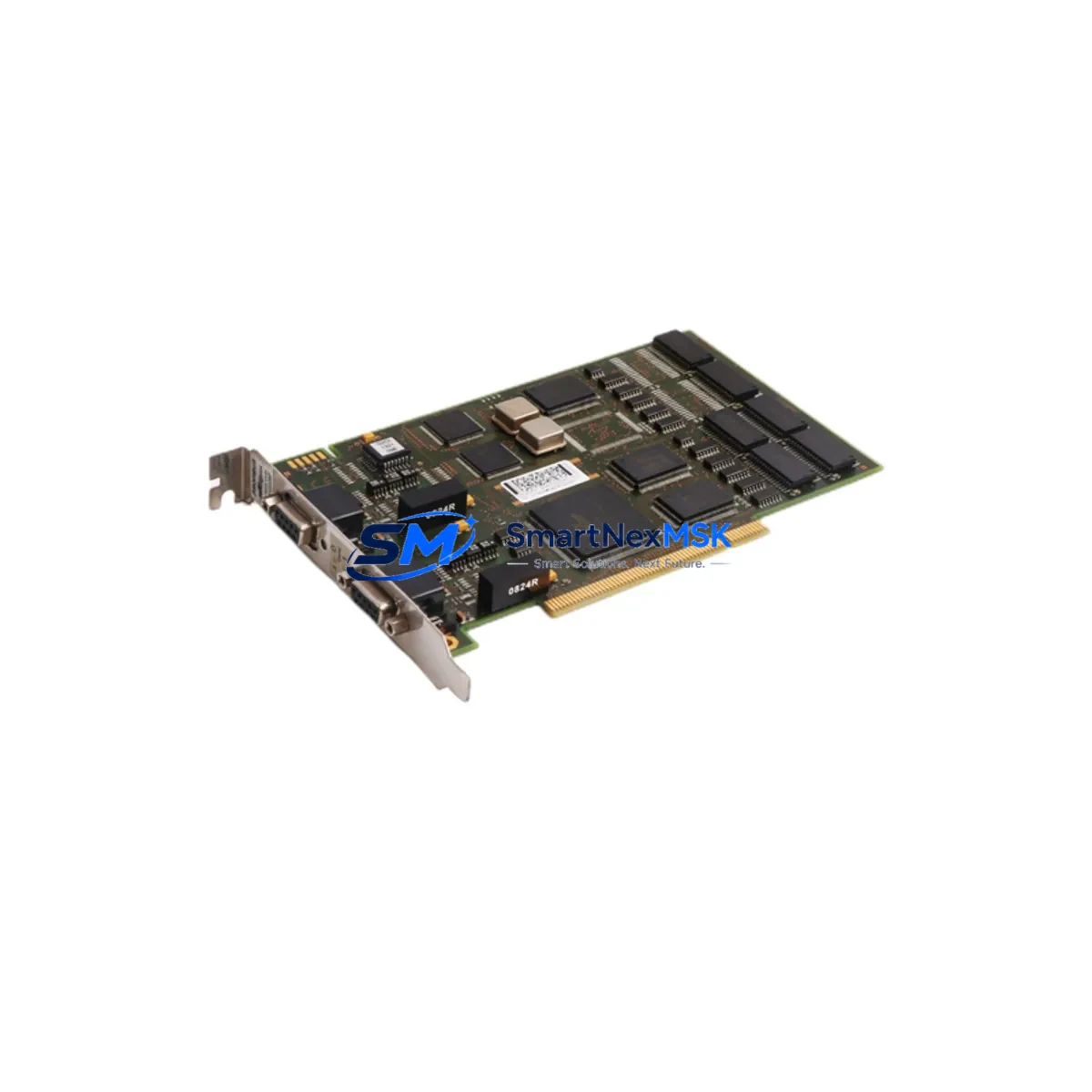
ABB DSQC637 3HAC023047-001 Retrofit-Ready Profibus Adapter for IRC5 Control Systems
The ABB DSQC637 (3HAC023047-001) is a Profibus-DP fieldbus communication adapter designed for integration into ABB IRC5 robot controller cabinets. As legacy automation lines face increasing pressure to modernize, this module serves as a critical bridge component — enabling smooth migration from discontinued fieldbus architectures to current control platforms without requiring full cabinet replacement or PLC reprogramming from scratch.
Whether you are replacing a failed unit on an active production line, upgrading a multi-robot cell, or consolidating spare parts inventory for a long-running IRC5 installation, the DSQC637 provides a verified drop-in solution backed by a 12-month warranty and pre-shipment functional testing.
Upgrade Compatibility Table
| Parameter | Details |
|---|---|
| Compatible Controller | ABB IRC5 Single / Dual Cabinet |
| Replaced Part Number | 3HAC023047-001 (OEM equivalent) |
| Communication Protocol | Profibus-DP (EN 50170) |
| Backplane Interface | IRC5 internal DSQC bus slot |
| Installation Type | Direct slot-in, no bracket modification |
| Node Address Configuration | Rotary switch, 0–99 |
| Power Supply Requirement | 24 VDC via IRC5 backplane (no external PSU needed) |
| Firmware Compatibility | RobotWare 5.x / 6.x |
| Commissioning Tool | RobotStudio or IRC5 FlexPendant |
| Warranty | 12 Months — covers functional failure under normal operating conditions |
Retrofit Planning for Existing Automation Systems
Integrating the DSQC637 into an existing IRC5 cabinet requires a structured approach to avoid unplanned downtime. Before installation, engineers should verify the available slot position on the IRC5 backplane — the DSQC637 occupies a dedicated fieldbus adapter slot and must not be confused with the DSQC643 (DeviceNet adapter) or the DSQC658 (EtherNet/IP adapter), which share similar form factors but serve different protocol stacks.
Power budget confirmation is essential. The IRC5 main computer unit — typically the DSQC639 or DSQC662 — distributes 24 VDC across the backplane. Adding the DSQC637 draws an additional load; confirm the DSQC661 power supply unit or equivalent is within its rated output capacity before insertion. In high-density cabinets running multiple I/O modules such as the DSQC652 (16DI/16DO) or DSQC651 (16AI/2AO), total backplane current draw must be recalculated.
Terminal wiring on the Profibus-DP side follows the standard DB9 pinout (Pin 3: B-line, Pin 8: A-line, Pin 5: GND). Confirm that the upstream PLC or master device — commonly a Siemens S7-300/S7-400 with a CP 342-5 or CP 443-5 Profibus card, or an equivalent master from the existing control architecture — is configured to recognize the new slave node address set on the DSQC637 rotary switch. GSD file import into the master’s configuration tool (STEP 7 or TIA Portal) may be required if the slave profile is not already present.
For systems migrating from an older DSQC532 or DSQC510 fieldbus adapter on an S4C+ controller, note that the IRC5 backplane is not backward-compatible. A full cabinet swap or a hybrid migration using an IRC5 Panel Mounted Controller (PMC) may be necessary. In these cases, the DSQC637 is typically commissioned alongside a new DSQC679 FlexPendant and updated RobotWare license.
Downtime Control During System Migration
Minimizing production interruption during a fieldbus adapter replacement requires pre-staging and parallel validation. Before powering down the IRC5 cabinet, back up the complete robot system — including RAPID program modules, system parameters, I/O configuration, and safety settings — using RobotStudio or a USB backup via the FlexPendant. This backup preserves all motion paths, signal mappings, and communication parameters, ensuring that post-swap restoration is a controlled restore rather than a manual re-entry process.
During the physical swap, label all Profibus cable connectors and document the existing node address on the outgoing DSQC637 before removal. Set the replacement unit to the identical node address using the rotary switch prior to insertion. After seating the module in the backplane slot, restore power and allow the IRC5 main computer to complete its boot sequence before initiating a warm start.
Validate Profibus communication status via the IRC5 event log and confirm that all slave devices — including remote I/O racks, safety PLCs, and HMI panels connected on the same Profibus segment — are reporting correctly. If the upstream SCADA or HMI system uses OPC-DA or OPC-UA to read robot status, verify that tag mappings remain intact after the controller restart. In most IRC5 installations, a successful adapter swap with pre-backed configuration results in less than 90 minutes of controlled downtime.
Retrofit Support FAQ
Q1: Is the DSQC637 a direct replacement for 3HAC023047-001 without any hardware modification?
Yes. The DSQC637 and its OEM part number 3HAC023047-001 are identical references. The module installs directly into the IRC5 fieldbus adapter slot with no bracket, cable, or firmware modification required, provided the target controller runs RobotWare 5.x or 6.x.
Q2: What pre-shipment testing is performed on each unit?
Every DSQC637 unit undergoes functional power-on verification and Profibus communication handshake testing before dispatch. Units are inspected for connector integrity, rotary switch operation, and backplane contact condition. A test report is available upon request.
Q3: Can this module be used in an IRC5 Compact controller as well as a standard IRC5 cabinet?
Yes. The DSQC637 is compatible with both the IRC5 standard cabinet and the IRC5 Compact variant, provided the fieldbus adapter slot is available and not occupied by another protocol adapter. Confirm slot availability in your specific cabinet layout before ordering.
Q4: What is covered under the 12-month warranty?
The 12-month warranty covers functional failure under normal operating conditions, including Profibus communication faults attributable to the module itself. It does not cover damage resulting from incorrect installation, overvoltage, or physical impact. Warranty claims are processed with return shipping coordination and replacement dispatch within 5 business days of fault confirmation.
© 2026 SMARTNEXMSK. All rights reserved.
Original Source: https://smartnexmsk.com
Contact: [email protected] | +86 18259474341



