
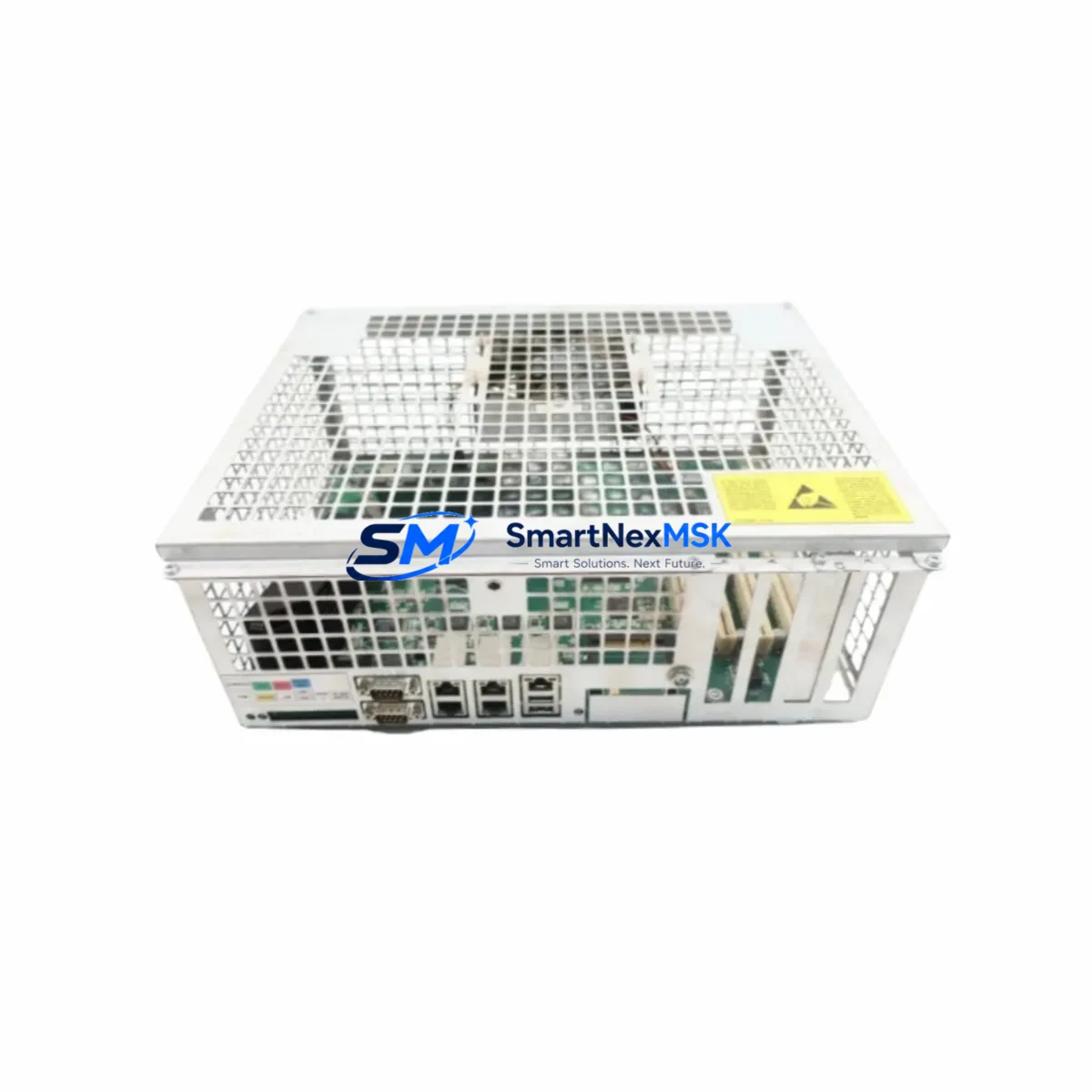
ABB DSQC639 3HAC025097-001/16 Retrofit-Ready Main Computer for IRC5 Control Systems
The ABB DSQC639 (part number 3HAC025097-001/16) is the primary main computer unit for the ABB IRC5 robot controller cabinet. Designed as a direct retrofit replacement for aging or failed IRC5 main computers, this module restores full system functionality without requiring changes to the existing cabinet wiring, backplane layout, or RobotWare software configuration. Whether you are managing a planned upgrade cycle or responding to an unplanned controller failure on the production floor, the DSQC639 provides a verified, compatible solution backed by a 12-month warranty and pre-shipment functional testing.
The IRC5 controller platform has been deployed across automotive, foundry, food processing, and general manufacturing environments for over two decades. As original equipment ages and OEM support windows close, sourcing a reliable DSQC639 replacement becomes critical to maintaining uptime. This unit is compatible with the full IRC5 single-cabinet and dual-cabinet configurations, including M2004 and M2006 variants, and supports RobotWare versions 5.x through 6.x depending on firmware state at time of shipment.
Before installation, engineers should confirm the existing IRC5 cabinet’s power supply module — typically the DSQC609 or DSQC661 — is delivering stable 24 VDC to the main computer slot. A degraded power supply is a common root cause of main computer failures and should be inspected or replaced concurrently to avoid repeat failures. The DSQC639 connects to the IRC5 backplane via a dedicated edge connector; verify that the backplane itself, often referenced as the DSQC500 or DSQC501 series, shows no signs of corrosion or mechanical damage before seating the replacement unit.
Terminal wiring on the IRC5 main computer slot is fixed and does not require re-termination when swapping the DSQC639 on a like-for-like basis. However, if the replacement is part of a broader cabinet upgrade — for example, migrating from an older M2000 IRC5 variant to a current M2006 configuration — engineers must audit the I/O module assignments. The DSQC652 digital I/O module and DSQC651 analog I/O module addresses are stored in the system parameters and must match the physical slot assignments after the main computer swap. Failure to verify module addressing will result in I/O mapping errors during the first controller boot.
Communication link integrity is another critical checkpoint during IRC5 main computer replacement. The DSQC639 manages the internal Ethernet switch that connects the teach pendant (FlexPendant), the DSQC688 or DSQC690 fieldbus adapter modules, and any external PROFIBUS or DeviceNet network interfaces. After installation, verify that the FlexPendant cable is firmly seated and that the IRC5 system log shows no Ethernet link errors before proceeding to program restore. If the system uses a DSQC378B or DSQC679 panel board for operator interface, confirm that the panel communication path is re-established during commissioning.
Program and configuration backup is mandatory before any main computer replacement. The existing RAPID program, system parameters, and calibration data should be backed up to a USB drive or network share using RobotStudio or the FlexPendant backup utility. After installing the DSQC639, restore the backup and perform a full warm start. Verify that all tool data, work object coordinates, and safety configuration parameters — including those managed through the SafeMove or Electronic Position Switches modules — are intact before releasing the robot to production.
HMI screen layouts and operator panel configurations linked to the IRC5 system should also be reviewed post-replacement. If the facility uses a third-party SCADA or HMI system communicating with the IRC5 via OPC-UA or a dedicated fieldbus, re-establish the communication link and confirm that all process variables are reading correctly. Downtime during this phase can be minimized by pre-staging the replacement DSQC639 with the correct RobotWare license file and system configuration before the maintenance window begins.
For facilities managing multiple IRC5 cabinets, it is advisable to maintain at least one DSQC639 as a cold spare alongside other high-failure-risk components such as the DSQC609 power supply, DSQC679 teach pendant interface board, and DSQC652 I/O modules. Establishing a documented spare parts matrix aligned to your robot fleet’s age and duty cycle significantly reduces mean time to repair (MTTR) during unplanned outages.
All units supplied by SMARTNEXMSK undergo pre-shipment functional verification including power-on self-test, communication port integrity check, and visual inspection for component damage. Each DSQC639 ships with a 12-month warranty covering manufacturing defects and functional failures under normal operating conditions. Expedited shipping options are available for urgent production recovery situations.
Upgrade Compatibility Table
| Parameter | Details |
|---|---|
| Compatible Controller | ABB IRC5 Single Cabinet, Dual Cabinet (M2004, M2006) |
| Part Number | DSQC639 / 3HAC025097-001/16 |
| RobotWare Compatibility | 5.x – 6.x (firmware-dependent) |
| Backplane Interface | IRC5 Main Computer Slot (DSQC500/DSQC501 backplane) |
| Power Input | 24 VDC via IRC5 cabinet power supply (DSQC609 / DSQC661) |
| Communication Ports | Internal Ethernet switch; FlexPendant, fieldbus adapter, external LAN |
| Installation Type | Direct drop-in replacement; no cabinet rewiring required |
| Replacement Recommendation | Inspect DSQC609 power supply concurrently; verify I/O module addressing post-swap |
| Commissioning Checkpoint | Restore RAPID backup, verify SafeMove parameters, confirm FlexPendant link |
| Warranty | 12 Months — covers manufacturing defects and functional failures |
| Pre-Shipment Testing | Power-on self-test, communication port check, visual inspection |
| Origin | Germany (OEM-grade) |
Retrofit Planning for Existing Automation Systems
A successful IRC5 main computer retrofit begins with a thorough audit of the existing cabinet inventory. In a typical IRC5 installation, the DSQC639 main computer works in concert with the DSQC609 or DSQC661 power supply module, the DSQC500 or DSQC501 backplane, and a set of DSQC652 digital I/O and DSQC651 analog I/O modules. If the retrofit is part of a broader system modernization — for example, adding a DSQC688 PROFINET adapter or upgrading from a legacy DSQC378B panel board to a current DSQC679 interface — the main computer replacement provides a natural integration point for these additions.
Facilities migrating from older IRC5 M2000 or M2004 variants to the M2006 platform should note that the DSQC639 is compatible across these generations, but the DSQC690 fieldbus adapter and DSQC652 I/O module firmware versions must be aligned with the RobotWare release loaded on the replacement main computer. Mismatched firmware between the main computer and fieldbus adapters is a common source of communication faults during first boot after a retrofit. Pre-staging the DSQC639 with the correct RobotWare version and verifying adapter firmware before the maintenance window eliminates this risk.
For systems using a DSQC679 teach pendant interface or a FlexPendant with a custom operator screen, the HMI configuration files should be backed up separately and restored after the main computer swap. If the facility is also upgrading the FlexPendant cable or replacing the DSQC679 panel board as part of the same maintenance event, sequence these tasks carefully to avoid compounding commissioning variables.
Downtime Control During System Migration
Minimizing production downtime during an IRC5 main computer replacement requires disciplined pre-staging and a clear commissioning sequence. Begin by performing a full system backup — RAPID programs, system parameters, calibration data, and SafeMove configuration — at least 24 hours before the planned maintenance window. Verify the backup integrity by restoring it to a RobotStudio offline simulation before the physical swap.
During the maintenance window, power down the IRC5 cabinet following the standard shutdown procedure, seat the replacement DSQC639, and restore power. The controller should complete its boot sequence and reach the “Motors Off” state within approximately 90 seconds if the backup restore is clean. If the system fails to boot or displays persistent fault codes, check the DSQC609 power supply output voltage and verify that all I/O module connectors are fully seated on the DSQC500 backplane before escalating to a deeper diagnostic.
Once the system is online, run a slow-speed dry cycle of the robot program before re-enabling full production speed. This step confirms that all tool data, work object references, and I/O signal mappings are intact and that the RAPID program executes without motion errors. For systems with SafeMove or Electronic Position Switches configured, a safety validation run is mandatory before returning the robot to unattended operation. Keeping a pre-tested DSQC639 cold spare on-site reduces the total replacement window to under two hours for experienced maintenance teams.
Retrofit Support FAQ
Q: Is the DSQC639 3HAC025097-001/16 a direct replacement for all IRC5 main computer variants?
A: The DSQC639 is compatible with IRC5 single-cabinet and dual-cabinet configurations across M2004 and M2006 generations. For M2000-era cabinets, confirm the backplane revision and RobotWare version before ordering. Our technical team can assist with compatibility verification based on your cabinet serial number.
Q: Do I need to re-terminate any wiring when replacing the DSQC639?
A: No. The DSQC639 installs into the dedicated main computer slot on the IRC5 backplane without requiring any terminal re-wiring. The backplane edge connector handles all internal signal routing. External cables — FlexPendant, Ethernet, and fieldbus — reconnect to the same ports as the original unit.
Q: What commissioning steps are required after installing the replacement DSQC639?
A: Restore your system backup via the FlexPendant or RobotStudio, verify I/O module addressing in the system parameters, confirm FlexPendant communication, re-establish any fieldbus links (PROFIBUS, DeviceNet, or PROFINET via DSQC688/DSQC690), and perform a slow-speed dry cycle before returning to production. SafeMove validation is required if safety functions are configured.
Q: What does the 12-month warranty cover, and is pre-shipment testing performed?
A: Every DSQC639 supplied by SMARTNEXMSK undergoes power-on self-test, communication port integrity verification, and visual inspection before shipment. The 12-month warranty covers manufacturing defects and functional failures under normal operating conditions. Warranty claims are processed with priority turnaround to minimize your production impact.
© 2026 SMARTNEXMSK. All rights reserved.
Original Source: https://smartnexmsk.com
Contact: [email protected] | +86 18259474341



