
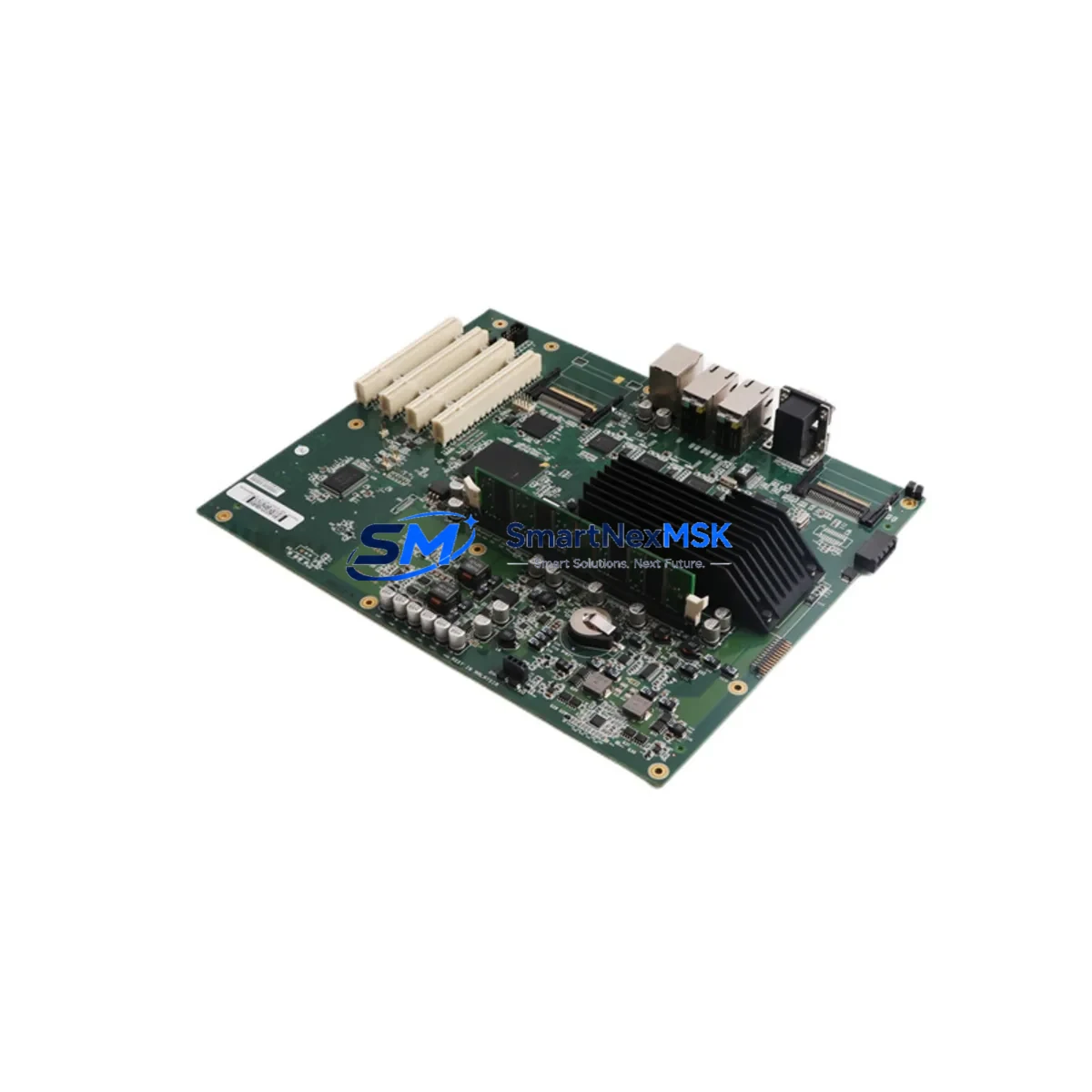
ABB DSQC639 3HAC025097-001 IRC5 Maintenance-Ready Spare: Spare Parts Replacement & Industrial Downtime Risk Control
The ABB DSQC639 (part number 3HAC025097-001) is the main computer board of the IRC5 robot controller — the central processing and coordination unit responsible for motion control, I/O management, program execution, and real-time communication across the entire robot system. When this board fails or degrades, the entire robot cell is offline. Sourcing a verified, tested replacement unit is the fastest path to restoring production continuity.
At SMARTNEXMSK, we supply original ABB DSQC639 boards sourced from decommissioned IRC5 cabinets and authorized surplus channels. Every unit undergoes functional verification and power-on testing before shipment. We maintain buffer stock specifically for emergency maintenance scenarios, with same-day dispatch available for in-stock units. All boards are covered by a 12-month warranty against manufacturing defects and functional failure.
This board is compatible with the full IRC5 single-cabinet and multi-cabinet controller family, including IRC5 Compact and IRC5 Panel Mounted Controller variants. It interfaces directly with the DSQC643 I/O board, DSQC662 fieldbus adapter, DSQC679 teach pendant interface, and the DSQC609 power distribution unit — all of which should be inspected during any DSQC639 replacement procedure.
Spare Maintenance Table
| Parameter | Specification |
|---|---|
| Part Number | 3HAC025097-001 |
| Model / SKU | DSQC639 |
| Brand | ABB Robotics |
| Series Compatibility | IRC5 Single Cabinet, IRC5 Multi-Cabinet, IRC5 Compact, IRC5 Panel Mounted |
| Function | Main Computer Board — motion control, I/O coordination, program execution |
| Supply Voltage | 24 VDC (supplied via DSQC609 power distribution unit) |
| Communication Interfaces | Ethernet, USB, serial; internal backplane bus |
| Operating Temperature | 0°C to +45°C (controller cabinet ambient) |
| Origin | Sweden (ABB Robotics) |
| Weight | Approx. 1.7 kg (board with mounting hardware) |
| Installation | DIN-rail mounted inside IRC5 controller cabinet; plug-in connectors |
| Maintenance Recommendation | Replace on fault code 38xxx series; inspect every 3 years or 20,000 operating hours |
| Warranty | 12 Months — covers functional failure and manufacturing defects |
| Condition | Original ABB, functionally tested before shipment |
Maintenance Planning for Continuous Operation
A DSQC639 failure rarely occurs in isolation. Maintenance engineers performing a board replacement should treat the event as a trigger for a broader cabinet inspection. The IRC5 controller cabinet houses multiple interdependent modules, and a failed main computer board may indicate upstream power anomalies, connector corrosion, or thermal stress that could affect adjacent components.
Begin by inspecting the DSQC609 power distribution unit, which supplies regulated 24 VDC to the DSQC639. A degraded DSQC609 can cause intermittent resets or corrupt boot sequences on the main board — replacing the DSQC639 without verifying the power supply risks repeat failure. Next, check the DSQC643 I/O board for blown fuses, damaged connectors, or error codes related to digital input/output channels; this board communicates directly with the DSQC639 over the internal bus and is a common co-failure component.
The DSQC662 DeviceNet fieldbus adapter and any installed DSQC651 or DSQC652 communication boards should be reseated and tested after the main board swap, as fieldbus communication parameters are stored in the main computer and may require re-initialization. If the robot cell uses profibus or EtherNet/IP, verify that the fieldbus master re-establishes communication within expected cycle times after restart.
The DSQC679 FlexPendant interface board should also be inspected — teach pendant connectivity issues are frequently misdiagnosed as main board failures. Verify the teach pendant cable, connector pins, and the DSQC679 board itself before condemning the DSQC639. Similarly, inspect the axis computer boards (DSQC668 or DSQC665) for any stored fault logs that predate the main board failure, as axis faults can cascade into main computer errors.
For facilities running multiple IRC5 cabinets, we recommend maintaining at least one DSQC639 as a cold spare in your parts inventory. Pair it with a spare DSQC609 power unit and a set of terminal block connectors and ribbon cables specific to your IRC5 variant. This spare kit approach reduces mean time to repair (MTTR) from days to hours in emergency scenarios.
Site Replacement Workflow
Step 1 — Safety Isolation: Power down the IRC5 controller using the main disconnect switch. Verify zero-energy state with a multimeter at the DSQC609 output terminals. Lock out / tag out per site procedure.
Step 2 — Configuration Backup: If the existing DSQC639 is still partially functional, connect via RobotStudio or the FlexPendant and perform a full system backup to USB. This preserves robot programs, calibration data, tool data, and I/O configuration. If the board is non-functional, retrieve the backup from your maintenance server or the most recent scheduled backup.
Step 3 — Board Removal: Photograph all connector positions before disconnection. Label cables if not already marked. Remove the DSQC639 by releasing the DIN-rail clips and disconnecting all plug-in connectors in sequence. Handle the board by its edges — avoid contact with PCB traces or components.
Step 4 — Replacement Installation: Install the new DSQC639 in reverse order. Verify all connectors are fully seated. Check that the board’s firmware version is compatible with your RobotWare version — consult the ABB product manual 3HAC021313-001 for version compatibility matrices.
Step 5 — System Restore and Verification: Power on the controller and restore the system backup. Verify that all I/O channels, fieldbus communication, and axis configurations are restored correctly. Run a slow-speed test cycle before returning the robot to production speed. Document the replacement in your maintenance log with the new board serial number and date.
This workflow applies equally to planned maintenance replacements and emergency downtime recovery. For legacy IRC5 systems running RobotWare 5.x, confirm that the replacement DSQC639 supports your specific RobotWare version before installation.
Spare Parts Support FAQ
Q1: Is this DSQC639 compatible with all IRC5 controller variants?
The DSQC639 (3HAC025097-001) is compatible with IRC5 Single Cabinet, IRC5 Multi-Cabinet, IRC5 Compact, and IRC5 Panel Mounted Controller configurations. Compatibility depends on your installed RobotWare version — please confirm your RobotWare release when ordering to ensure firmware alignment. Contact [email protected] with your controller serial number for a compatibility check.
Q2: What testing is performed before shipment?
Every DSQC639 unit is power-on tested and functionally verified in an IRC5 test rig before dispatch. We check boot sequence completion, communication interface response, and I/O bus initialization. A test report is available upon request. Units that fail any test stage are quarantined and not sold.
Q3: What does the 12-month warranty cover?
The 12-month warranty covers functional failure and manufacturing defects under normal operating conditions. It does not cover damage caused by incorrect installation, overvoltage, physical impact, or use outside the specified operating environment. In the event of a warranty claim, we provide a replacement unit or full refund after fault verification. Return shipping for warranty claims is covered by SMARTNEXMSK.
Q4: Can you supply other IRC5 spare parts alongside the DSQC639?
Yes. We maintain stock of complementary IRC5 components including DSQC609, DSQC643, DSQC662, DSQC679, DSQC668, and DSQC651 boards, as well as IRC5 power cables, teach pendant cables, and axis computer modules. Bundled spare kits for IRC5 cabinet maintenance are available — contact us for a consolidated quote to reduce per-unit shipping costs and consolidate your spare parts inventory.
© 2026 SMARTNEXMSK. All rights reserved.
Original Source: https://smartnexmsk.com
Contact: [email protected] | +86 18259474341



