
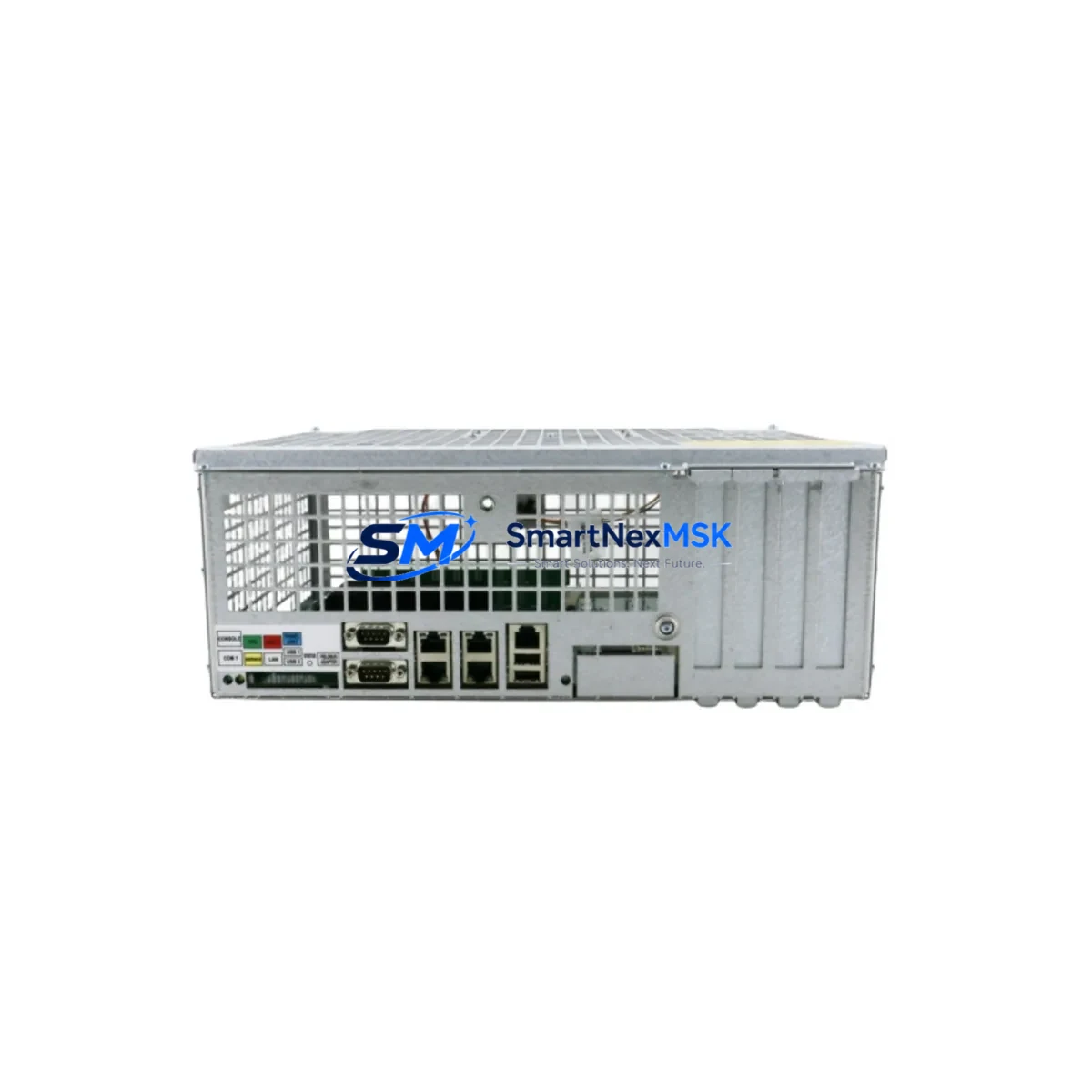
ABB DSQC639 Retrofit-Ready Main Computer for IRC5 Control Systems
The ABB DSQC639 (OEM part number 3HNA011195-001, cross-reference 3HAC022978-001) is the primary main computer board for ABB IRC5 robot controllers. As legacy IRC5 cabinets age and OEM support windows close, the DSQC639 has become one of the most sought-after retrofit and replacement modules in industrial robot maintenance. Whether you are recovering a production line after an unexpected board failure, executing a planned control-system upgrade, or migrating from an older S4C+ platform, the DSQC639 provides a verified, drop-in-compatible path that preserves your existing robot programs, I/O configurations, and HMI screen layouts.
Each unit supplied by SMARTNEXMSK is sourced from controlled inventory channels, subjected to pre-shipment functional testing, and backed by a 12-month warranty. We maintain ready stock to support urgent production-recovery scenarios with fast global dispatch.
Upgrade Compatibility Table
| Parameter | Detail |
|---|---|
| Compatible Controller | ABB IRC5 Single Cabinet, Dual Cabinet, Panel-Mounted Controller |
| OEM Part Numbers | 3HNA011195-001 / 3HAC022978-001 |
| Replaces / Upgrades | DSQC639 (all revisions), DSQC609 (with firmware update), DSQC544 (S4C+ migration path) |
| Backplane Interface | IRC5 internal VME-style backplane; direct slot replacement |
| Communication Protocols | EtherNet/IP, DeviceNet, PROFIBUS-DP (option board dependent) |
| I/O Compatibility | Compatible with DSQC651, DSQC652, DSQC653 I/O modules on same rack |
| Installation Requirement | IRC5 cabinet power-off; ESD precautions; RobotWare 5.x or 6.x license key transfer |
| Commissioning Note | Module address and system parameters retained in SMB (Serial Measurement Board); verify SMB battery before swap |
| HMI Compatibility | FlexPendant (IRC5 standard); no screen re-mapping required for standard swap |
| Warranty | 12 months from date of shipment; covers manufacturing defects and functional failure |
Retrofit Planning for Existing Automation Systems
A successful DSQC639 retrofit begins well before the module arrives on site. Engineers should start by auditing the full IRC5 cabinet configuration: confirm the installed RobotWare version, document all active option licenses (e.g., MultiMove, SafeMove, Conveyor Tracking), and back up the complete system using RobotStudio or the FlexPendant backup utility. This backup preserves RAPID program modules, system parameters, I/O signal definitions, and calibration data — all of which must survive the board swap intact.
On the hardware side, inspect the DSQC609 power distribution board and the DSQC611 axis computer before committing to a main-computer-only replacement. In many aged IRC5 cabinets, capacitor degradation on the DSQC609 causes intermittent power faults that are misdiagnosed as main computer failures. Replacing the DSQC639 without addressing the DSQC609 can result in repeat failures within weeks. Similarly, verify the SMB (Serial Measurement Board) battery voltage — a depleted SMB battery will cause the robot to lose axis calibration data immediately after the new board initialises.
For sites migrating from an older ABB S4C+ controller with a DSQC544 main computer, the path to IRC5 / DSQC639 involves more than a board swap: the entire controller cabinet, teach pendant, and drive system must be upgraded. In these projects, the DSQC639 is typically installed as part of a complete IRC5 retrofit kit that also includes the DSQC663 drive unit, updated DSQC652 digital I/O modules, and a new FlexPendant. Communication protocol migration from DeviceNet (common in S4C+ installations) to EtherNet/IP requires reconfiguring the PLC-side scanner — typically a Siemens S7-300/400 or Allen-Bradley ControlLogix — and updating the EDS or GSD files.
I/O expansion during the retrofit is a common requirement. The IRC5 backplane supports up to eight DSQC651 / DSQC652 / DSQC653 I/O modules, and module addresses are set via rotary switches on each board. Document all existing address settings before removal and replicate them exactly on the replacement modules to avoid signal mapping conflicts in the RAPID program. If the retrofit includes adding new I/O points, update the system parameters in the I/O configuration file and perform a full signal verification cycle before resuming production.
For sites using PROFIBUS-DP fieldbus, confirm that the DSQC378B or DSQC688 option board is present and correctly seated in the IRC5 backplane after the main computer swap. PROFIBUS GSD files and node addresses must be re-verified against the PLC master configuration. Any mismatch will prevent the robot from entering automatic mode.
Downtime Control During System Migration
Minimising unplanned downtime during a DSQC639 replacement requires a structured pre-swap checklist and a tested rollback plan. The recommended sequence is: (1) perform a full system backup to USB via the FlexPendant; (2) photograph all cable connections on the existing DSQC639, paying particular attention to the X1 and X2 connectors and the Ethernet port assignments; (3) power down the IRC5 cabinet using the main isolator switch and wait a minimum of five minutes for capacitors to discharge; (4) remove the faulty DSQC639 and install the replacement, ensuring the board is fully seated in the backplane and all connectors are re-engaged in their original positions; (5) power up and allow the system to complete its boot sequence — typically 90 to 120 seconds; (6) restore the system backup and verify that all RAPID modules, I/O configurations, and calibration data are present; (7) run a dry-cycle test in manual mode before returning to automatic production.
For high-availability lines where even a two-hour maintenance window is unacceptable, consider maintaining a pre-configured hot-spare DSQC639 with the current system backup pre-loaded. This reduces the swap-and-restore cycle to under 30 minutes. SMARTNEXMSK can supply pre-tested spare units with expedited shipping to support just-in-time maintenance strategies.
Program logic continuity is protected by the backup-restore process, but always verify safety function integrity after any main computer replacement. Re-test all SafeMove zones, speed limits, and emergency-stop circuits before releasing the robot to automatic mode. Document the test results for compliance records.
Retrofit Support FAQ
Q1: Is the DSQC639 a direct drop-in replacement for all IRC5 main computer revisions?
Yes. The DSQC639 (3HNA011195-001 / 3HAC022978-001) is compatible across all IRC5 single-cabinet and dual-cabinet variants. Minor hardware revisions (Rev A through Rev D) are functionally interchangeable. After installation, restore your system backup and the RobotWare version and option licenses will be re-applied automatically.
Q2: Do I need to re-calibrate the robot after replacing the DSQC639?
Not if the SMB (Serial Measurement Board) battery is healthy and the system backup is restored correctly. Calibration data is stored on the SMB, not on the main computer. However, if the SMB battery has failed or the SMB itself was disturbed during the swap, a full calibration cycle using the calibration pendulum or CalPen tool will be required.
Q3: What wiring checks are required before powering up the replacement board?
Verify that the X1 (system bus), X2 (Ethernet), and all peripheral connectors are fully seated and in their original positions. Check that the 24 VDC supply to the main computer is within specification (22–26 VDC). Inspect the backplane connector pins for corrosion or bent contacts — a common cause of intermittent faults in aged IRC5 cabinets. Confirm the DSQC609 power board output voltages are within tolerance before applying power to the new DSQC639.
Q4: What does the 12-month warranty cover, and how is it claimed?
The 12-month warranty covers manufacturing defects and functional failure under normal operating conditions. It does not cover damage caused by incorrect installation, overvoltage, or physical impact. To claim warranty service, contact SMARTNEXMSK with your order reference and a description of the fault. We will arrange return shipping and provide a replacement or repaired unit within an agreed lead time. Pre-shipment functional test reports are available on request.
© 2026 SMARTNEXMSK. All rights reserved.
Original Source: https://smartnexmsk.com
Contact: [email protected] | +86 18259474341



