
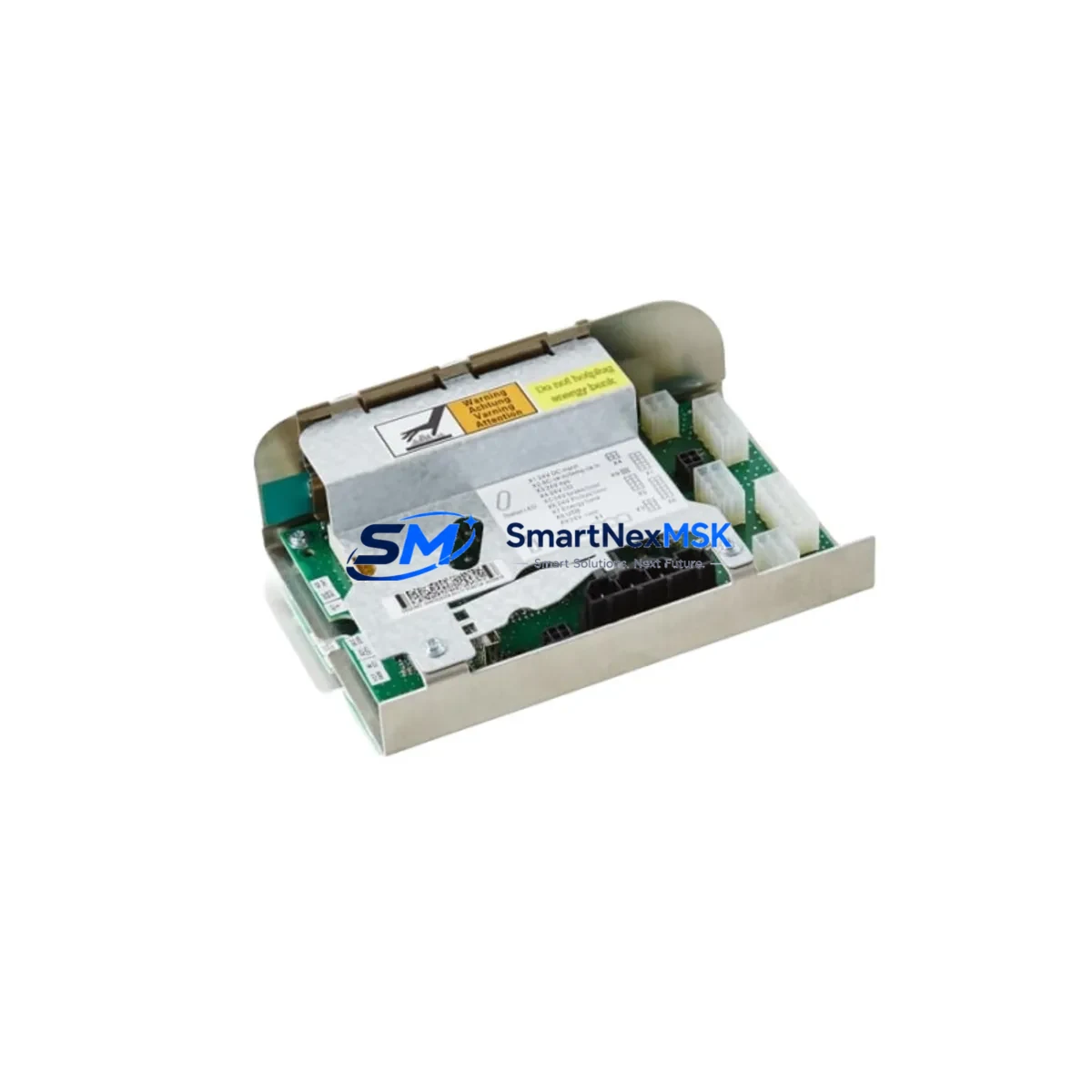
ABB DSQC662 3HAC026254-001 Spare for IRC5 Automation
The ABB DSQC662 (3HAC026254-001) is the original power distribution board designed for ABB IRC5 robot controller cabinets. As a critical power management component, it distributes regulated DC voltages to the drive units, computer modules, I/O boards, and safety circuits within the IRC5 controller enclosure. When this board fails or degrades, the entire robot cell faces unplanned downtime — making rapid access to a verified, tested spare unit essential for any maintenance team operating ABB robotic systems.
This listing supplies the genuine ABB DSQC662 3HAC026254-001, sourced from authorized industrial channels, individually inspected, and shipped with a 12-month warranty. Each unit undergoes functional verification prior to dispatch to ensure it meets OEM electrical specifications and is ready for immediate installation.
Spare Maintenance Table
| Parameter | Specification |
|---|---|
| Part Number | DSQC662 / 3HAC026254-001 |
| Brand | ABB Robotics |
| Compatible System | ABB IRC5 Robot Controller (Single Cabinet & MultiMove) |
| Function | Internal DC Power Distribution Board |
| Input Voltage | 24 VDC (from DSQC661 rectifier / PSU module) |
| Output Rails | +5 VDC, +/-15 VDC, +24 VDC logic rails to drive units and I/O |
| Mounting | DIN rail / backplane mount inside IRC5 cabinet |
| Operating Temperature | 0°C to +55°C (standard IRC5 cabinet environment) |
| Country of Origin | Germany |
| Weight | 420 g |
| Compatibility Note | Verify IRC5 cabinet revision and firmware version before installation |
| Warranty | 12 Months — tested and verified before shipment |
Maintenance Planning for Continuous Operation
For maintenance engineers managing ABB IRC5 robot cells, the DSQC662 power distribution board sits at the heart of the controller’s internal power architecture. A failure here typically manifests as controller boot failures, erratic axis behavior, or complete loss of drive power — symptoms that can be misdiagnosed as drive unit or motor faults. When replacing the DSQC662, a thorough inspection of the surrounding power chain is strongly recommended to prevent repeat failures and confirm system integrity.
Begin by checking the DSQC661 (3HAC026253-001) rectifier and primary PSU module, which feeds the DSQC662 — a degraded upstream supply is a common root cause of distribution board stress. Inspect the DSQC608 (3HAC026254-002) safety board and the DSQC625 main computer board for any signs of voltage-related damage, as these are directly powered downstream. The DSQC652 DeviceNet I/O board and DSQC651 digital I/O modules should also be verified for correct 24 VDC logic supply after the replacement.
Check all internal wiring harnesses and connector blocks on the backplane for heat damage, loose crimps, or corrosion — particularly the 24 VDC distribution connectors that interface with the drive units. Inspect the DSQC609 power supply unit and any associated fuse blocks within the cabinet. If the IRC5 cabinet includes a DSQC679 FlexPendant interface unit or DSQC688 communication board, verify their power rails are stable post-replacement. For cells with external safety PLCs or safety relay modules interfacing with the IRC5 safety chain, confirm that the safety circuit 24 VDC supply is within tolerance after the board swap.
Maintaining a minimum spare inventory of one DSQC662 per robot cell cluster — alongside spares for the DSQC661 PSU and key I/O modules — is a recognized best practice for facilities running continuous production shifts. Long lead times on OEM orders make pre-positioned spares critical for rapid downtime recovery.
Site Replacement Workflow
Step 1 — Isolation: Follow IRC5 lockout/tagout procedures. De-energize the controller cabinet and allow capacitors to discharge (minimum 5 minutes after power-off).
Step 2 — Documentation: Photograph all connector positions and cable routing on the existing DSQC662 before removal. Note any revision markings on the board label.
Step 3 — Removal: Disconnect all power and signal connectors in sequence. Remove the board from its mounting position — typically secured by DIN rail clips or panel screws depending on cabinet revision.
Step 4 — Verification: Compare the replacement DSQC662 3HAC026254-001 part number and revision against the removed unit. Confirm compatibility with your IRC5 cabinet revision and installed RobotWare version.
Step 5 — Installation: Mount the replacement board, reconnect all harnesses in documented sequence, and torque connectors to specification.
Step 6 — Power-up & Test: Restore power and monitor the IRC5 boot sequence. Verify all drive units initialize correctly, I/O modules report online, and no fault codes are generated. Run a low-speed axis test cycle before returning the cell to production.
This workflow minimizes downtime, ensures system compatibility, and maintains the integrity of the IRC5 safety chain throughout the replacement process.
Spare Parts Support FAQ
Q: Is this DSQC662 compatible with all IRC5 cabinet variants?
A: The DSQC662 3HAC026254-001 is designed for the standard ABB IRC5 single-cabinet and MultiMove configurations. Compatibility should be confirmed against your specific cabinet revision and RobotWare version. Contact us with your cabinet serial number for verification support.
Q: What pre-shipment testing is performed on each unit?
A: Every DSQC662 is functionally tested for correct voltage output on all distribution rails, inspected for physical damage, and verified against OEM part number and revision markings before dispatch. A test report is available on request.
Q: What does the 12-month warranty cover?
A: The 12-month warranty covers manufacturing defects and functional failures under normal operating conditions. It does not cover damage resulting from incorrect installation, overvoltage events, or physical mishandling. Warranty claims are processed with full technical support.
Q: Can this replace an older DSQC662 revision in a legacy IRC5 system?
A: In most cases, yes — ABB maintains backward compatibility across DSQC662 revisions for the IRC5 platform. However, for legacy systems running older RobotWare versions, we recommend confirming the revision level before installation. Our technical team can advise based on your system configuration.
© 2026 SMARTNEXMSK. All rights reserved.
Original Source: https://smartnexmsk.com
Contact: [email protected] | +86 18259474341



