
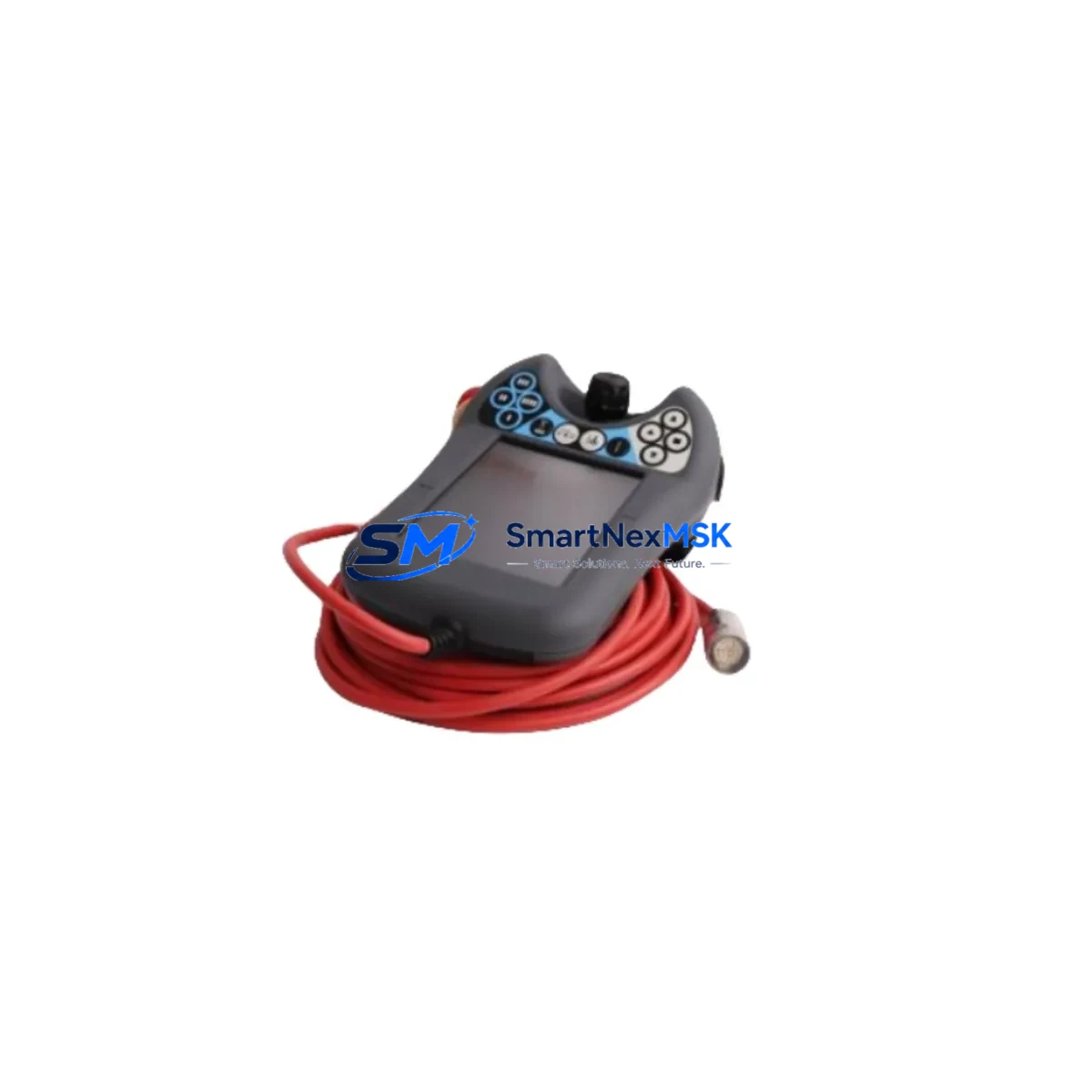
ABB DSQC679 3HAC028357-001 Retrofit-Ready FlexPendant for IRC5 Control Systems
The ABB DSQC679 (part number 3HAC028357-001) is the factory-standard FlexPendant teach pendant designed for ABB IRC5 robot controller cabinets. As ABB progressively phases out legacy IRC5 hardware configurations, sourcing a verified replacement DSQC679 has become a critical priority for maintenance engineers managing aging robotic cells. This unit is fully compatible with the IRC5 single-cabinet controller, IRC5 panel-mounted controller (PMC), and IRC5 compact controller variants, making it one of the most versatile retrofit components available for ABB robot system upgrades.
Whether you are replacing a physically damaged pendant, recovering from a communication fault, or executing a planned control system modernization, the DSQC679 FlexPendant integrates directly into your existing IRC5 architecture without requiring firmware re-flashing or hardware modification to the main controller. The pendant connects via the standard IRC5 FlexPendant port using the proprietary ABB USB-based communication link, which carries both data and power, eliminating the need for a separate power supply at the pendant end.
Upgrade Compatibility Table
| Parameter | Detail |
|---|---|
| Compatible Controller | ABB IRC5 Single Cabinet, IRC5 PMC, IRC5 Compact |
| Replaces / Supersedes | DSQC679, 3HAC028357-001 (direct replacement) |
| Communication Interface | ABB FlexPendant USB port (proprietary IRC5 protocol) |
| Display | 6.4-inch color touchscreen, 640×480 resolution |
| Operating System | Windows CE embedded (IRC5 RobotWare compatible) |
| RobotWare Compatibility | RobotWare 5.x and 6.x (verify build version before swap) |
| Installation Requirement | Plug-and-play via IRC5 FlexPendant port; no re-wiring required |
| Mounting | Standard IRC5 cabinet pendant hook; compatible with DSQC679 cradle |
| Retrofit Recommendation | Verify RobotWare version on DSQC1000 main computer before swap |
| Commissioning Note | Confirm E-stop chain continuity and safety relay response after installation |
| Warranty | 12 Months — covers hardware defects and communication faults |
Retrofit Planning for Existing Automation Systems
A successful DSQC679 retrofit begins well before the physical swap. Engineers should first audit the IRC5 cabinet’s internal configuration, particularly the DSQC1000 main computer board and the DSQC652 I/O module cluster, to confirm that the installed RobotWare build is compatible with the replacement pendant. In multi-robot cells where a single IRC5 controller manages multiple manipulators via a MultiMove configuration, the FlexPendant swap must be coordinated with the active task scheduler to avoid program pointer loss.
Power budget verification is equally important. The IRC5 cabinet’s internal 24 VDC power supply — typically a DSQC661 or DSQC662 unit — must deliver sufficient current headroom to support the DSQC679 pendant alongside active I/O modules, fieldbus adapters, and any DSQC688 or DSQC690 DeviceNet or PROFIBUS communication boards. If the existing power supply is already operating near capacity, a pre-swap load calculation is strongly recommended.
For systems that have been upgraded to EtherNet/IP or PROFINET communication via a DSQC688 Ethernet adapter, the FlexPendant replacement does not affect fieldbus topology, as the pendant communicates exclusively through the dedicated FlexPendant port on the IRC5 controller front panel. However, engineers should verify that the RAPID program task structure and module references stored on the DSQC1000 compact flash card are backed up before proceeding, as any unexpected pendant initialization sequence could trigger a warm restart of the controller.
In control cabinet upgrade projects where the IRC5 is being migrated from an older S4C+ platform, the DSQC679 FlexPendant is often paired with a new DSQC1000 main computer, a DSQC652 digital I/O module, and updated DSQC508 axis computer boards. This combination provides a complete hardware refresh while preserving the original RAPID program logic, provided the program is re-validated against the new RobotWare version. The DSQC679 pendant’s touchscreen interface also supports ABB’s SafeMove safety configuration tool, which is essential for collaborative robot cell designs requiring speed and zone monitoring.
For facilities managing multiple IRC5 cabinets across a production line, maintaining a spare DSQC679 unit in inventory is a recognized best practice. The pendant’s plug-and-play architecture means a trained technician can complete a hot-swap replacement in under 30 minutes, provided the replacement unit has been pre-tested and the controller’s safety configuration has been documented. This approach is particularly valuable in high-throughput automotive and electronics assembly environments where unplanned downtime carries significant production cost.
Downtime Control During System Migration
Minimizing downtime during a FlexPendant replacement on an active IRC5 system requires a structured pre-migration checklist. Before powering down the controller, the technician should use the existing DSQC679 pendant to navigate to the Backup and Save function within RobotStudio or directly on the pendant’s ABB menu, creating a full system backup to a USB drive or network share. This backup captures the RAPID program modules, system parameters, I/O configuration, and SafeMove safety data — all of which must be preserved across the hardware swap.
Once the backup is confirmed, the IRC5 cabinet should be placed in manual mode and the motors disabled before disconnecting the pendant cable. The DSQC679 connector is a keyed locking type; applying rotational force without first pressing the release collar is a common cause of port damage that can extend the outage significantly. After connecting the replacement pendant, the controller should be powered up in manual mode to allow the IRC5 to enumerate the new pendant and load the operator interface before any automatic mode operation is attempted.
Post-swap verification should include a full E-stop chain test, confirmation that all RAPID task pointers are intact, a jog test of each robot axis through the new pendant, and a review of the event log for any communication fault codes. If the system uses a DSQC688 EtherNet/IP adapter or a PROFIBUS DSQC690 board, the fieldbus master should be checked to confirm that the controller’s network identity has not changed during the restart sequence. With this structured approach, most IRC5 FlexPendant replacements can be completed within a single planned maintenance window, keeping production interruption to a minimum.
Retrofit Support FAQ
Q1: Is the DSQC679 (3HAC028357-001) a direct drop-in replacement for my existing IRC5 FlexPendant?
Yes. The DSQC679 connects via the standard IRC5 FlexPendant port and is recognized automatically by the IRC5 controller without requiring hardware modification. Confirm your RobotWare version (5.x or 6.x) is supported before installation.
Q2: What wiring or terminal changes are required during installation?
No terminal rewiring is required. The DSQC679 uses a single keyed locking connector at the IRC5 FlexPendant port. Ensure the E-stop bypass plug is removed before connecting the live pendant, and verify E-stop chain continuity after installation.
Q3: How do I verify compatibility with my current IRC5 configuration before ordering?
Check the RobotWare version displayed on your current pendant’s ABB menu or in RobotStudio. Cross-reference with the DSQC1000 main computer firmware. Units shipped from our inventory are tested against RobotWare 5.14 and 6.08 reference configurations prior to dispatch.
Q4: What does the 12-month warranty cover, and what is the outgoing test procedure?
Each DSQC679 unit undergoes a pre-shipment functional test covering touchscreen response, communication link establishment, E-stop signal integrity, and display calibration. The 12-month warranty covers hardware defects and communication failures under normal operating conditions. Units showing physical damage from incorrect installation or overvoltage are excluded.
© 2026 SMARTNEXMSK. All rights reserved.
Original Source: https://smartnexmsk.com
Contact: [email protected] | +86 18259474341



