
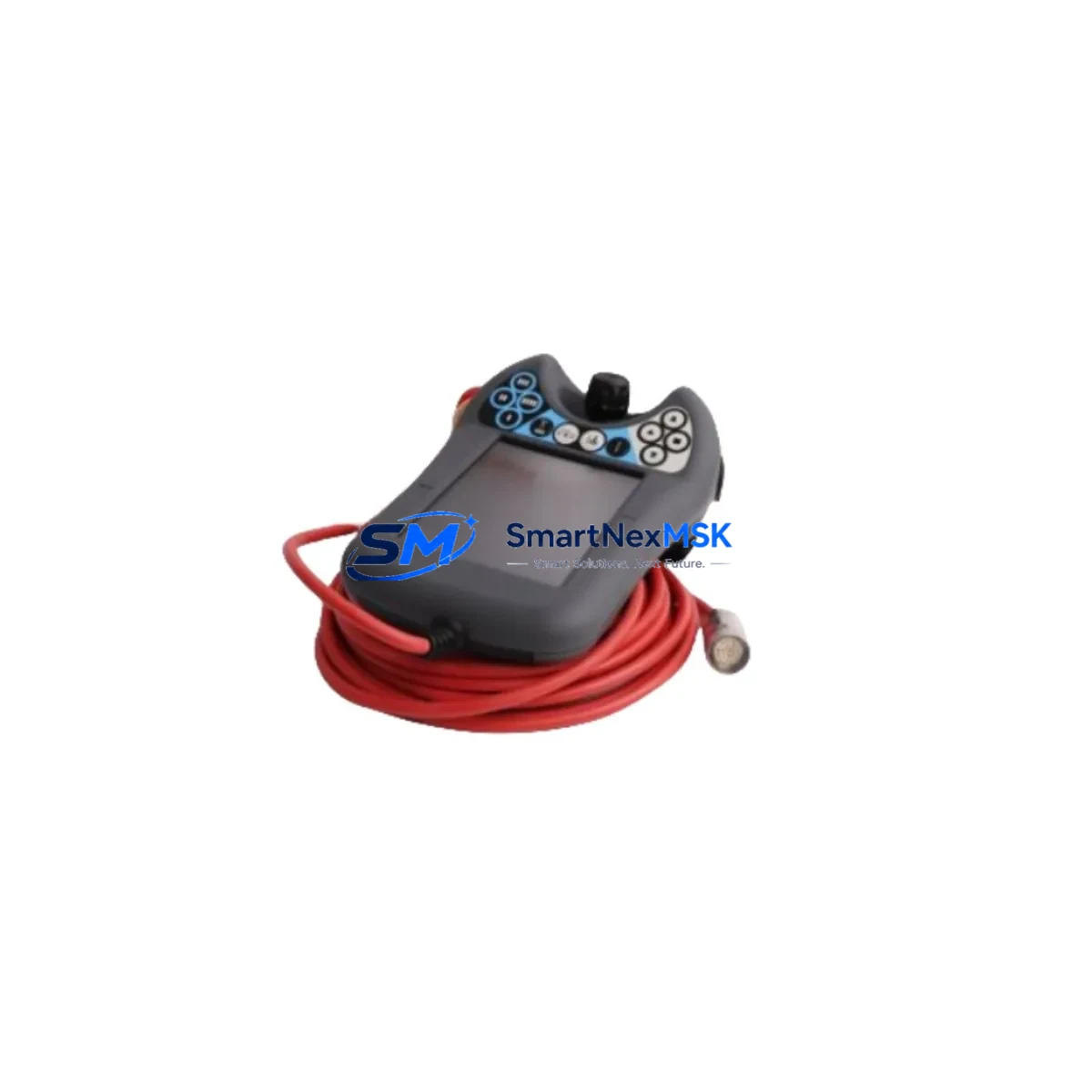
ABB DSQC6793-3HAC028357-001 IRC5 FlexPendant Spare: Spare Replacement & Downtime Risk Control
The ABB DSQC6793-3HAC028357-001 is the original FlexPendant teach pendant designed for ABB IRC5 robot controllers. As the primary human-machine interface for robot programming, jogging, and fault acknowledgment, the FlexPendant is a mission-critical component in any ABB robotic cell. A failed or damaged teach pendant can bring an entire production line to a standstill. Stocking a verified original spare — tested, warranted, and ready to deploy — is the most effective strategy for minimizing unplanned downtime and protecting your automation investment.
This unit is sourced as an original ABB spare, fully tested before shipment, and backed by a 12-month warranty. It is compatible with the full IRC5 controller family, including single-cabinet, dual-cabinet, and compact IRC5 variants. Whether you are managing a fleet of ABB IRB 1600, IRB 2600, IRB 4600, or IRB 6700 robots, this FlexPendant integrates directly without firmware reconfiguration in most standard IRC5 installations.
Spare Maintenance Table
| Parameter | Specification |
|---|---|
| Part Number | DSQC6793 / 3HAC028357-001 |
| Brand | ABB |
| Series | IRC5 Robot Controller |
| Product Type | FlexPendant Teach Pendant |
| Display | Color touchscreen, 640×480 resolution |
| Interface | USB port, Emergency Stop button, Enabling device (3-position) |
| Connection | IRC5 controller teach pendant port (proprietary ABB connector) |
| Compatibility | IRC5 Single Cabinet, Dual Cabinet, Compact IRC5, IRC5P (Panel Mounted) |
| Operating Temperature | 0°C to +45°C |
| IP Rating | IP54 |
| Origin | Germany (Original ABB) |
| Condition | Original spare, tested before shipment |
| Warranty | 12 Months |
| Delivery | Worldwide, fast dispatch |
| Application | Robot programming, jogging, fault acknowledgment, I/O monitoring |
| Maintenance Recommendation | Inspect cable, connector, and touchscreen annually; replace if screen response degrades or E-stop function is intermittent |
Maintenance Planning for Continuous Operation
When replacing the DSQC6793-3HAC028357-001 FlexPendant in an IRC5 robotic cell, a thorough maintenance inspection of the surrounding system is essential to prevent repeat failures and ensure safe recommissioning. Maintenance engineers should treat a FlexPendant replacement as an opportunity for a full control cabinet audit.
Begin with the teach pendant cable and strain relief at both the pendant and cabinet entry points — cable fatigue is the leading cause of FlexPendant communication faults. Inspect the IRC5 main computer module (DSQC1000 or DSQC652) for firmware version compatibility with the replacement pendant, as mismatched RobotWare versions can cause boot errors. Check the IRC5 axis computer (DSQC668) and drive units for any logged fault codes that may have contributed to the original pendant failure.
The IRC5 power supply unit (DSQC661) should be verified for stable 24VDC output, as undervoltage conditions can corrupt FlexPendant communication. Inspect the customer I/O board (DSQC652 or DSQC1030) for any wiring faults on digital input/output channels that may have triggered safety stops leading to pendant misuse. The safety board (DSQC400 or DSQC647) should be tested to confirm that the enabling device and emergency stop circuits on the new pendant are correctly recognized.
For cells with external safety PLCs or safety relays interfacing with the IRC5 safety chain, verify that the E-stop loop continuity is intact after pendant swap. If the robot cell uses a fieldbus communication module — such as a DSQC688 (DeviceNet), DSQC378B (Profibus), or EtherNet/IP adapter — confirm that the fieldbus master still recognizes the IRC5 after the controller restart triggered by pendant replacement. In multi-robot installations sharing a FlexPendant via a hot-plug switch, inspect the switch unit and its cabling as well.
Finally, review the UPS module (if installed) and the IRC5 fan units for accumulated dust or reduced airflow, which can cause thermal shutdowns that stress the FlexPendant’s internal electronics over time. A complete inspection at the time of spare replacement significantly reduces the risk of secondary failures and extends the operational life of the entire IRC5 system.
Site Replacement Workflow
Step 1 — Safety Isolation: Place the IRC5 controller in manual mode via the FlexPendant (if still partially functional) or via the mode selector key on the controller cabinet. Engage the main isolator and apply lockout/tagout (LOTO) per site safety procedures.
Step 2 — Pendant Disconnection: Disconnect the teach pendant cable from the IRC5 controller port. Note the cable routing and any strain relief clamps for reinstallation reference.
Step 3 — Compatibility Verification: Confirm the replacement DSQC6793-3HAC028357-001 matches the RobotWare version installed on the IRC5 main computer. Check the controller label or the system info screen (if accessible via backup pendant) for the installed RobotWare release.
Step 4 — Installation: Connect the replacement FlexPendant to the IRC5 teach pendant port. Secure the cable with the locking collar and reinstall strain relief clamps. Restore power to the controller.
Step 5 — Functional Test: Power on the IRC5 and verify the FlexPendant boots to the ABB startup screen. Test the enabling device (3-position switch), emergency stop button, touchscreen response, and jogging function in all axes. Confirm I/O status displays correctly on the pendant screen.
Step 6 — System Recommissioning: Switch to automatic mode, run a dry-cycle test of the robot program, and confirm all safety interlocks are active. Log the replacement in the maintenance record with date, part number, and technician ID.
This workflow minimizes downtime, ensures safety compliance, and maintains full system compatibility without requiring robot reprogramming or controller reconfiguration in standard IRC5 installations.
Spare Parts Support FAQ
Q1: Is the DSQC6793-3HAC028357-001 compatible with all IRC5 controller variants?
Yes. The DSQC6793-3HAC028357-001 FlexPendant is compatible with the full IRC5 family, including single-cabinet, dual-cabinet, compact IRC5, and panel-mounted IRC5P controllers. Compatibility with specific RobotWare versions should be confirmed against the controller’s installed software version. Contact our technical team with your controller serial number for pre-purchase compatibility verification.
Q2: How is the unit tested before shipment?
Every DSQC6793-3HAC028357-001 unit undergoes functional testing prior to dispatch, including power-on verification, touchscreen response check, enabling device and E-stop circuit continuity test, and USB port function. A test report is available upon request. Units are packed in anti-static protective packaging to prevent transit damage.
Q3: What does the 12-month warranty cover?
The 12-month warranty covers manufacturing defects and functional failures under normal operating conditions. It does not cover physical damage caused by incorrect installation, overvoltage, or environmental exposure beyond the rated IP54 specification. Warranty claims are processed with a replacement unit dispatched after fault confirmation. Contact [email protected] to initiate a warranty claim.
Q4: Can you support long-term or blanket spare parts orders for fleet maintenance programs?
Yes. We support scheduled spare parts programs for maintenance teams managing multiple IRC5 robotic cells. Long-term supply agreements, consignment stock arrangements, and priority dispatch for emergency orders are available. Contact our team at [email protected] or +86 18259474341 to discuss your fleet maintenance requirements and annual spare parts planning.
© 2026 SMARTNEXMSK. All rights reserved.
Original Source: https://smartnexmsk.com
Contact: [email protected] | +86 18259474341



