
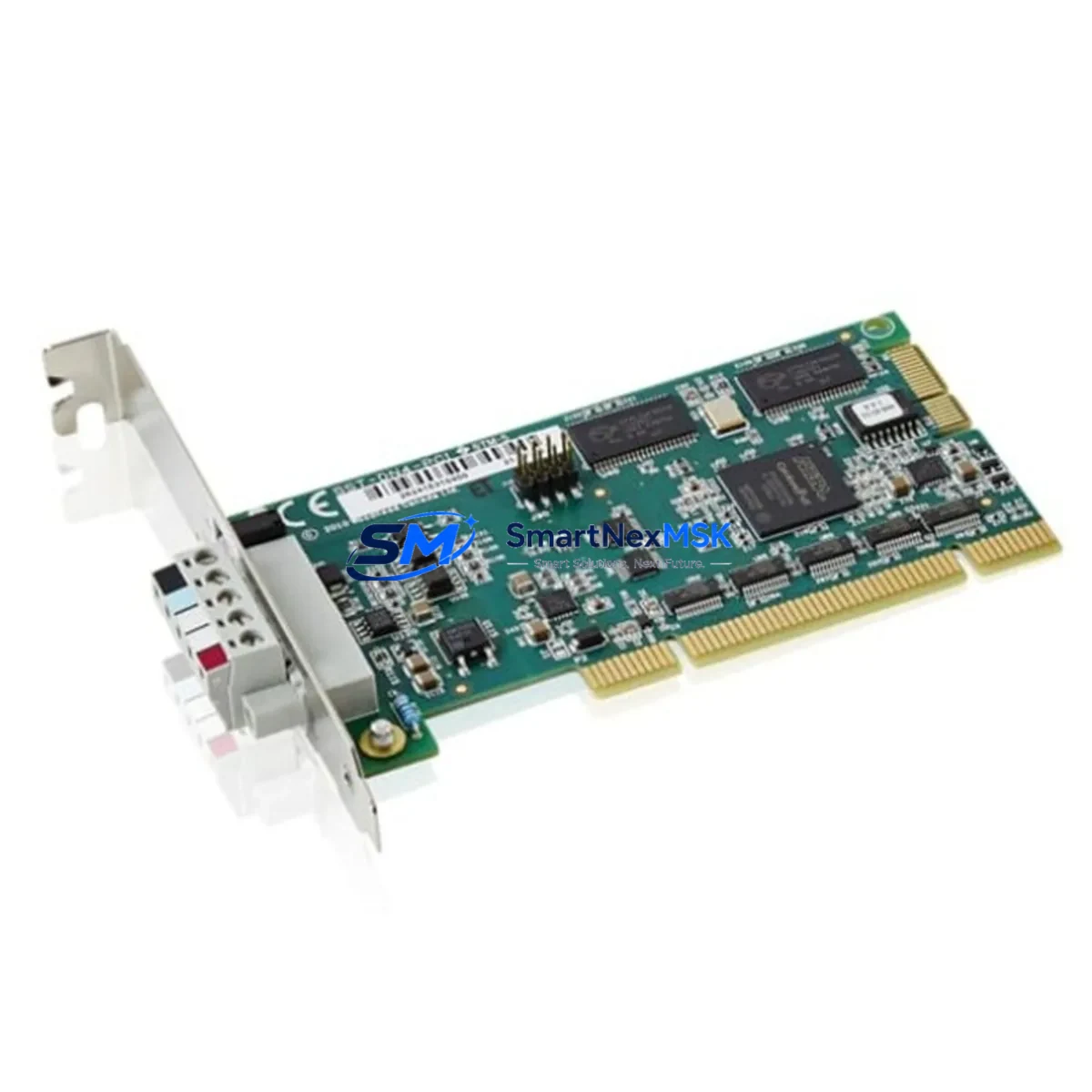
ABB DSQC697 Maintenance-Ready Spare for IRC5 Automation
The ABB DSQC697 is an original option board designed for the IRC5 robot controller platform — one of ABB’s most widely deployed industrial robot control architectures across automotive, electronics, and general manufacturing environments. When a DSQC697 fails or degrades in service, the impact is immediate: the robot cell goes offline, production halts, and maintenance teams face pressure to restore operation with minimal downtime. Stocking a verified DSQC697 spare is the single most effective measure a maintenance engineer can take to protect uptime in any IRC5-based robot installation.
This unit is sourced as an original ABB spare, fully tested prior to shipment, and backed by a 12-month warranty. Each DSQC697 is inspected for electrical integrity, connector condition, and firmware compatibility before dispatch. Fast international shipping ensures that even emergency replacement orders reach site within the shortest possible lead time — critical when a robot cell is standing idle.
Spare Maintenance Table
| Parameter | Specification / Detail |
|---|---|
| Part Number / SKU | DSQC697 |
| Brand | ABB |
| Compatible Series | IRC5 Robot Controller (Single Cabinet, Dual Cabinet, Panel Mounted) |
| Module Type | Option Board / Expansion Module |
| Origin | Sweden (Original ABB Manufacturing) |
| Supply Voltage | 24 VDC (internal bus, IRC5 backplane supplied) |
| Communication Interface | Internal IRC5 controller bus |
| Operating Temperature | 0°C to +55°C (standard industrial cabinet environment) |
| Mounting | IRC5 controller internal slot, DIN-rail compatible bracket |
| Condition | Original spare, tested before shipment |
| Warranty | 12 Months from date of shipment |
| Compatibility Verification | Confirmed for IRC5 M2004, M2006, M2010 controller generations |
| Maintenance Recommendation | Replace at first sign of communication fault, option board error, or controller alarm referencing DSQC697 |
| Shipping | Tested, anti-static packaged, insured international express |
Maintenance Planning for Continuous Operation
Replacing the DSQC697 in an IRC5 controller is rarely an isolated task. Experienced maintenance engineers treat any option board replacement as an opportunity to inspect the full controller assembly and associated electrical circuit. When pulling a DSQC697 for replacement, the following components and subsystems should be checked concurrently to prevent secondary failures and avoid repeat downtime events.
The DSQC661 axis computer board and DSQC662 I/O board are housed in the same IRC5 cabinet and share the internal bus. If the DSQC697 has failed due to power surge or bus fault, these boards may carry latent damage. Inspect connector pins and check for error logs referencing axis or I/O faults. The DSQC609 power supply unit is the primary 24 VDC source for the IRC5 controller’s internal boards — a degraded DSQC609 is a common root cause of repeated option board failures and should be load-tested during any planned maintenance window.
The DSQC679 FlexPendant (teach pendant) communicates with the controller via the service port and internal bus. If the DSQC697 replacement is triggered by communication errors, verify the FlexPendant cable, connector, and pendant firmware version before closing the work order. Similarly, the DSQC688 Ethernet switch module, if installed, should be inspected for port integrity and cable seating — intermittent network faults are frequently misdiagnosed as option board failures.
Terminal blocks and internal wiring harnesses within the IRC5 cabinet are subject to vibration fatigue over multi-year service cycles. During the DSQC697 swap, inspect all Phoenix Contact or equivalent terminal strips for loose connections, corrosion, or heat discoloration. Check the 24 VDC fuse block and individual board fuses — a blown fuse protecting the option board circuit is a clear indicator of an upstream fault that must be resolved before installing the replacement unit.
For installations using DSQC652 digital I/O boards or DSQC651 analog I/O boards, verify that field wiring connections are secure and that no I/O channel is shorted. A shorted field device can propagate fault conditions back into the controller bus. If the IRC5 system uses DeviceNet or PROFIBUS communication modules (such as the DSQC658 or DSQC667), inspect the fieldbus cable termination resistors and connector shields — poor shielding is a frequent source of intermittent communication alarms that can be incorrectly attributed to the option board.
Finally, review the UPS battery module (if fitted) and the cabinet door seals. Thermal cycling from inadequate sealing accelerates board aging across all IRC5 internal components. A proactive inspection of the full cabinet during a planned DSQC697 replacement is the most cost-effective maintenance strategy available to any IRC5 operator.
Site Replacement Workflow
Step 1 — Fault Confirmation: Retrieve the IRC5 event log via RobotStudio or the FlexPendant. Confirm that the fault code references the DSQC697 option board slot. Document the error code and timestamp for the maintenance record.
Step 2 — Safe Isolation: Place the robot in manual mode and apply lockout/tagout to the main power isolator. Allow the controller capacitors to discharge for a minimum of 60 seconds before opening the cabinet door.
Step 3 — Board Removal: Photograph the existing DSQC697 connector layout before disconnecting any cables. Label all connectors if not already marked. Remove the board carefully, avoiding stress on the backplane connector.
Step 4 — Inspection: Inspect the vacated slot and backplane connector for bent pins, debris, or burn marks. Clean with dry compressed air if required. Check the adjacent boards (DSQC661, DSQC662) for visible damage.
Step 5 — Installation: Seat the replacement DSQC697 firmly into the backplane slot. Reconnect all cables in the documented order. Verify that all connectors are fully engaged and locking tabs are secured.
Step 6 — Power-Up and Verification: Restore power and observe the controller startup sequence. Confirm that the DSQC697 is recognized in the system configuration. Clear any residual fault codes and run a controlled test cycle before returning the robot to production.
Step 7 — Documentation: Record the replacement in the maintenance log, including the new unit serial number, installation date, and technician name. Retain the failed board for root cause analysis if required.
This workflow minimizes total downtime from fault detection to production restoration and ensures that the replacement is performed safely and traceably — consistent with ISO 10218 robot safety requirements and ABB’s recommended maintenance procedures.
Spare Parts Support FAQ
Q1: Is this DSQC697 an original ABB part or a compatible replacement?
This is an original ABB DSQC697 spare part, not a third-party compatible or remanufactured unit. Each unit is sourced from verified ABB supply channels and tested for full electrical and functional compliance before shipment. Original parts ensure full compatibility with all IRC5 controller generations and eliminate the risk of firmware or bus protocol mismatches that can occur with non-original alternatives.
Q2: How do I verify compatibility with my specific IRC5 controller variant?
The DSQC697 is compatible with IRC5 Single Cabinet, Dual Cabinet, and Panel Mounted controller variants across the M2004, M2006, and M2010 generations. To confirm compatibility for your specific installation, provide your controller serial number and RobotWare version when placing your order. Our technical team will verify compatibility before shipment at no additional charge.
Q3: What does the 12-month warranty cover, and what is the claims process?
The 12-month warranty covers all manufacturing defects, electrical failures, and functional non-conformances under normal operating conditions. It does not cover damage resulting from incorrect installation, overvoltage events, or physical mishandling. To initiate a warranty claim, contact [email protected] with your order number, fault description, and photographic evidence. Replacement or refund is processed within 5 business days of claim approval.
Q4: Can you support long-term or blanket spare parts orders for fleet maintenance programs?
Yes. For maintenance teams managing multiple IRC5 robot cells or operating planned preventive maintenance programs, we support blanket purchase orders, scheduled delivery agreements, and priority stock reservation. Long-term supply arrangements ensure that critical spares such as the DSQC697 are available on demand without lead time risk — contact [email protected] to discuss your program requirements.
© 2026 SMARTNEXMSK. All rights reserved.
Original Source: https://smartnexmsk.com
Contact: [email protected] | +86 18259474341



