
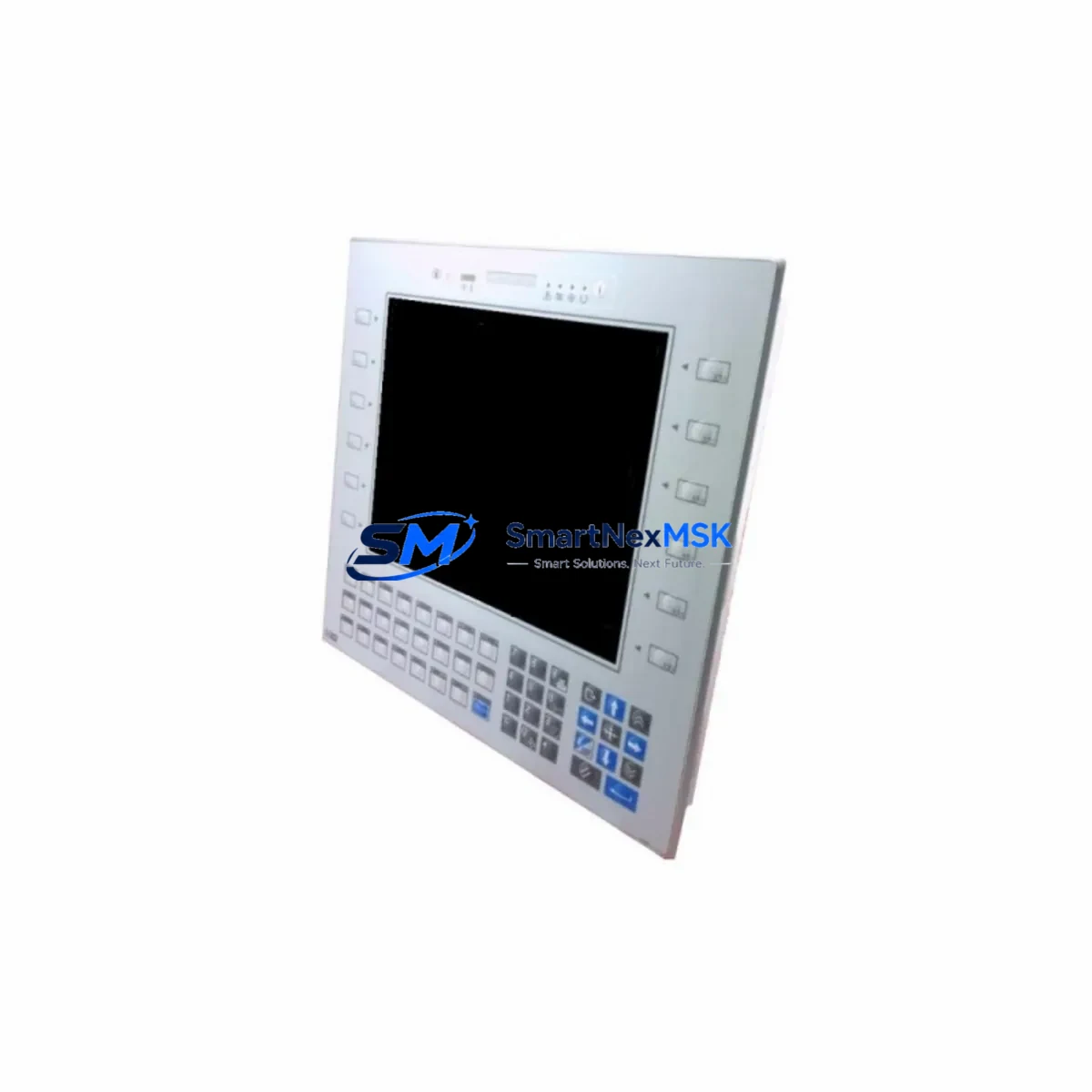
ABB ePAD33C-0050 Maintenance-Ready Spare ACS Series: Spare Replacement & Industrial Downtime Risk Control
The ABB ePAD33C-0050 is an original HMI operator panel designed for ABB ACS series variable frequency drives, widely deployed across industrial automation systems in manufacturing, process control, water treatment, and energy sectors. As a maintenance-ready spare, the ePAD33C-0050 enables maintenance engineers to execute rapid panel replacements without extended commissioning delays, preserving system uptime and protecting production continuity.
In industrial environments where ACS series drives govern critical motor control loops, a failed or degraded HMI panel can halt parameter access, disable fault diagnostics, and prevent drive configuration — effectively rendering the drive inoperable from an operator standpoint. Stocking the ePAD33C-0050 as a certified spare eliminates this single point of failure and supports a proactive maintenance posture aligned with IEC 62443 and ISO 55000 asset management principles.
Each unit supplied by SMARTNEXMSK is sourced from authorized channels, inspected for physical integrity, and function-tested prior to shipment. A 12-month warranty covers all units against manufacturing defects and operational failures under normal industrial use conditions.
Spare Maintenance Table
| Parameter | Specification / Detail |
|---|---|
| Part Number | ePAD33C-0050 |
| Brand | ABB |
| Compatible Series | ABB ACS Series (ACS310, ACS355, ACS380, ACS480, ACS580, ACS880) |
| Product Type | HMI Operator Panel / Control Panel |
| Display | Graphical LCD with keypad interface |
| Communication Interface | Drive panel bus (proprietary ABB panel port) |
| Mounting | Front-panel snap-fit; door-mounting kit compatible |
| Operating Temperature | -10°C to +50°C (storage: -40°C to +70°C) |
| Protection Class | IP54 (front face when panel-mounted) |
| Country of Origin | Germany |
| Application Environment | Industrial automation, motor control centers, process panels |
| Maintenance Recommendation | Inspect connector pins and cable integrity at each scheduled PM; replace if display contrast degrades or keypad response is intermittent |
| Warranty | 12 Months — covers manufacturing defects and operational failure under normal use |
| Pre-Shipment Testing | Function-tested and inspected before dispatch |
| Lead Time | In-stock units ship within 1–3 business days |
Maintenance Planning for Continuous Operation
When replacing the ePAD33C-0050 in an ACS series drive installation, a thorough maintenance engineer will treat the panel swap as an opportunity to audit the surrounding electrical system. The panel communicates directly with the drive’s control board via the panel bus port — if the port connector on the drive side shows corrosion or mechanical wear, a new panel will not resolve intermittent communication faults. Inspect and clean the port before installing the replacement unit.
Beyond the panel itself, the following components in the same control cabinet or electrical circuit should be checked during the same maintenance window:
- ACS series control board (RMIO / RDCO module): The panel interfaces with the drive’s main control board. If the ePAD33C-0050 was replaced due to communication errors, verify the control board firmware version and check for fault logs stored in the drive memory.
- 24 VDC auxiliary power supply: The panel draws logic power from the drive’s internal 24 V rail. Measure rail voltage under load; a sagging supply can cause panel resets and display corruption that mimic panel hardware failure.
- Panel extension cable (ACS panel cable, 3 m / 5 m): If the panel is door-mounted remotely, inspect the extension cable for pinch damage, connector oxidation, and continuity. A faulty cable is a common root cause of panel communication loss.
- I/O terminal block and wiring: During panel replacement, verify that analog input (AI) and digital input (DI) wiring at the drive’s X1/X2 terminal blocks is secure and correctly labeled. Loose terminals cause intermittent faults that are often misdiagnosed as panel issues.
- Input power fuses and circuit breaker: Confirm upstream fuse ratings match the drive’s input current requirements. A blown fuse on one phase causes undervoltage faults that appear on the panel as drive trip events.
- EMC filter and input choke: Check the EMC filter capacitors and input choke for signs of overheating or physical damage. Degraded EMC components increase conducted interference that can corrupt panel communications.
- Output contactor or motor protection relay: Inspect the output-side contactor coil resistance and contact wear. A chattering contactor generates voltage spikes that stress the drive’s output stage and can trigger fault codes visible on the panel.
- Fieldbus communication module (e.g., FPBA-01 PROFIBUS, FENA-21 EtherNet/IP): If the drive is integrated into a PLC or DCS network, verify that the fieldbus adapter is firmly seated and that network communication is restored after the panel replacement and drive parameter re-upload.
- Backup parameter file (ACS drive parameter set): Before removing the old panel, confirm whether the drive parameters are stored in the panel memory or in an external tool (Drive Composer / DriveWindow). Upload a fresh parameter backup to the replacement panel immediately after installation to avoid re-commissioning from scratch.
- Surge protection device (SPD) on control wiring: Inspect SPDs on analog signal lines and digital I/O circuits. Failed SPDs leave control wiring exposed to transient overvoltages that damage both the panel and the drive’s control board.
Maintaining a minimum stock of one ePAD33C-0050 per site with multiple ACS series drives is a recognized best practice in industrial spare parts management. For facilities operating more than five ACS drives, a two-unit buffer stock is recommended to cover simultaneous failures during peak production periods.
Site Replacement Workflow
Replacing the ePAD33C-0050 on-site is a straightforward procedure that can be completed without drive power-down in most ACS series models, though safety procedures must always be followed per local electrical safety regulations:
- Document current drive status: Record active fault codes, parameter set version, and motor control mode displayed on the existing panel before removal.
- Back up drive parameters: If the panel stores parameters internally, use Drive Composer or a USB adapter to export the full parameter set to a laptop or USB drive before disconnecting the panel.
- Disconnect the panel: Press the panel release tab and pull the panel straight out from the drive front cover or door-mount bracket. For remote-mounted panels, disconnect the extension cable at both ends.
- Inspect the panel port: Examine the drive-side panel port for bent pins, debris, or corrosion. Clean with contact cleaner if necessary before inserting the replacement unit.
- Install the ePAD33C-0050 replacement: Align the connector and press firmly until the retention tab clicks. For door-mounted installations, reconnect the extension cable and verify cable routing avoids pinch points.
- Restore drive parameters: Upload the saved parameter set to the new panel. Verify motor nameplate data, control mode, and I/O configuration match the original settings.
- Functional test: Run the drive through a no-load start/stop cycle. Confirm all keypad functions, display readouts, and remote control signals operate correctly before returning the system to production.
- Update maintenance records: Log the replacement date, old panel serial number, new panel serial number, and any associated fault history in the site CMMS.
This workflow minimizes replacement time to under 30 minutes for experienced maintenance personnel and eliminates the need for drive re-commissioning when parameters are properly backed up in advance. Compared to waiting for OEM repair services, on-site spare replacement with a stocked ePAD33C-0050 can reduce unplanned downtime from days to minutes — a critical advantage in continuous-process industries.
Spare Parts Support FAQ
Q1: Is the ePAD33C-0050 compatible with all ABB ACS series drives?
The ePAD33C-0050 is compatible with the ABB ACS310, ACS355, ACS380, ACS480, ACS580, and ACS880 series drives. Compatibility depends on the drive’s firmware version and panel port type. For drives manufactured before 2010 or running legacy firmware, confirm compatibility with the drive’s hardware revision before ordering. Our technical team can assist with compatibility verification based on your drive nameplate data.
Q2: What does the 12-month warranty cover, and how is a warranty claim processed?
The 12-month warranty covers manufacturing defects, component failures, and operational malfunctions under normal industrial use conditions. It does not cover damage caused by incorrect installation, overvoltage events, physical impact, or unauthorized modification. To initiate a warranty claim, contact [email protected] with the order number, fault description, and photographic evidence. Replacement units are dispatched within 3–5 business days upon claim approval.
Q3: How should the ePAD33C-0050 be stored as a long-term spare?
Store the unit in its original anti-static packaging in a dry environment at 15°C–25°C with relative humidity below 75% (non-condensing). Avoid storage near strong magnetic fields or high-vibration areas. Inspect the unit annually for connector oxidation and packaging integrity. Units stored under recommended conditions maintain full functionality for a minimum of five years, supporting long-term spare parts strategies for aging ACS series installations.
Q4: Can the ePAD33C-0050 be used to replace an older ABB panel model on an existing ACS drive?
In most cases, yes. The ePAD33C-0050 is designed as a form-fit-function replacement for earlier ABB ACS series HMI panels with the same panel bus interface. When upgrading from an older panel model, a firmware update on the drive may be required to ensure full feature compatibility. SMARTNEXMSK recommends verifying the drive firmware version against ABB’s compatibility matrix before installation. Our team provides pre-sale compatibility checks at no additional cost.
© 2026 SMARTNEXMSK. All rights reserved.
Original Source: https://smartnexmsk.com
Contact: [email protected] | +86 18259474341



