
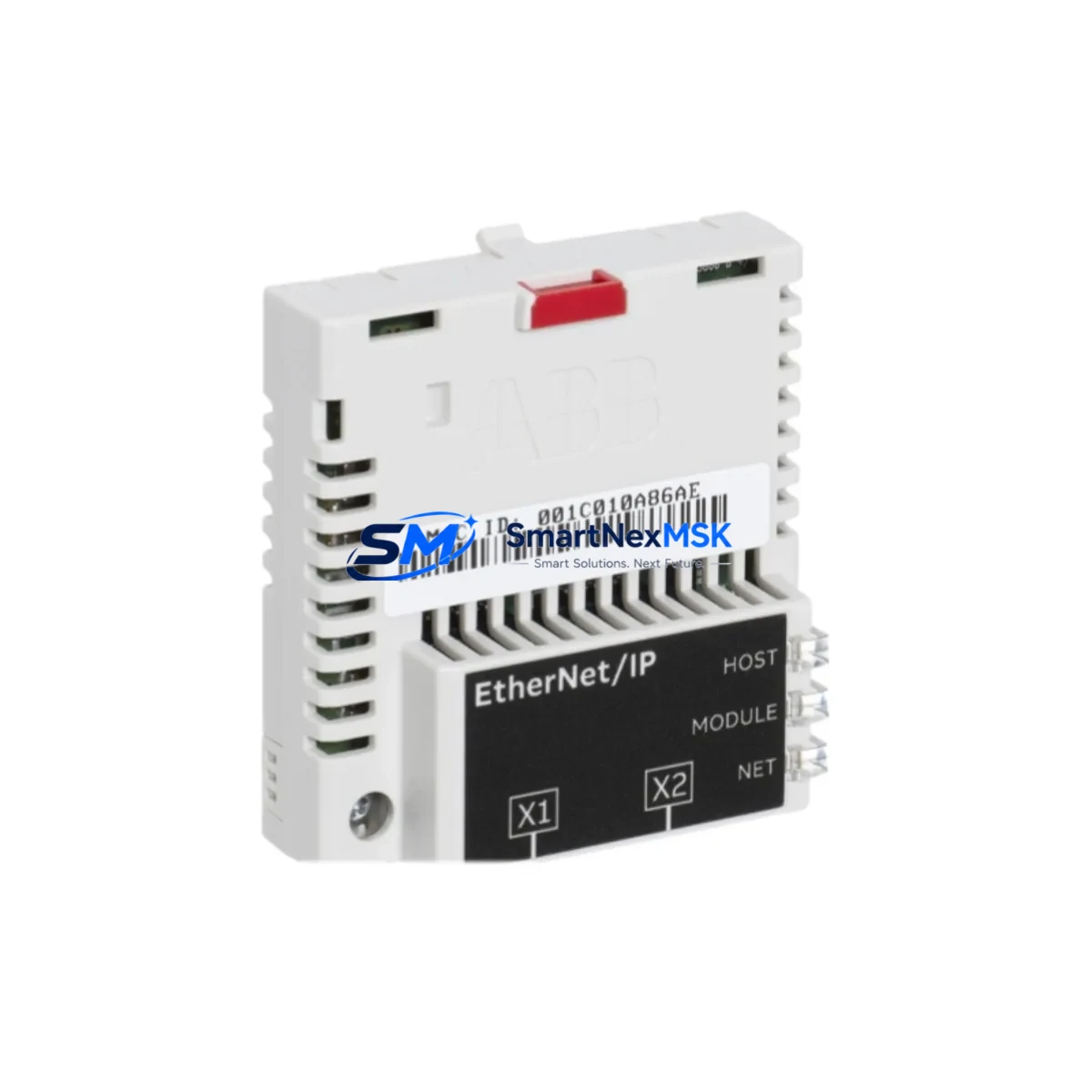
ABB FEIP-21 3AXD50000192793 Retrofit-Ready EtherNet/IP Adapter for ACS880 Control Systems
The ABB FEIP-21 (part number 3AXD50000192793) is a dedicated EtherNet/IP fieldbus adapter module engineered for seamless integration with the ABB ACS880 industrial drive series. Designed to support legacy system modernization and control cabinet upgrades, this module enables engineers to migrate aging Modbus RTU or PROFIBUS DP communication architectures to high-speed EtherNet/IP networks without replacing the entire drive platform. Whether you are replacing a failed FEIP-21 unit, upgrading from an earlier ACS800 drive system, or expanding I/O communication capacity across a distributed control network, this adapter provides a verified, drop-in compatible solution backed by a 12-month warranty and pre-shipment functional testing.
The FEIP-21 mounts directly into the option slot of the ACS880 drive, supporting both single-drive and multi-drive cabinet configurations. It communicates with the drive’s internal DDCS (Drive-to-Drive Communication System) backplane and presents a standard EtherNet/IP device profile to the upstream PLC or DCS controller. Engineers retrofitting older ACS600 or ACS800 installations will find that the ACS880 platform with the FEIP-21 adapter provides a compatible migration path while preserving existing ladder logic, function block programs, and HMI screen layouts with minimal rework.
Upgrade Compatibility Table
| Parameter | Details |
|---|---|
| Compatible Drive Series | ABB ACS880 (all frame sizes); backward-compatible migration from ACS800, ACS600 |
| Fieldbus Protocol | EtherNet/IP (CIP), supports explicit and implicit messaging |
| Installation Slot | ACS880 option slot 1 or 2 (SLOT1/SLOT2); no additional backplane adapter required |
| Communication Speed | 10/100 Mbps auto-negotiation, full/half duplex |
| Connector Interface | RJ-45 (2× ports, daisy-chain or star topology) |
| Power Supply | Powered internally via drive option slot; no external 24 VDC supply required |
| Replacement Compatibility | Direct replacement for FEIP-21 units; functional upgrade path from FENA-01, FENA-11, FENA-21 |
| PLC Compatibility | Allen-Bradley ControlLogix, CompactLogix, Siemens S7-1500 with EtherNet/IP scanner, Omron NJ/NX series |
| Commissioning Tool | ABB Drive Composer Pro, DriveWindow Light 2 |
| Warranty | 12 months from shipment date; pre-shipment functional test included |
Retrofit Planning for Existing Automation Systems
Successful retrofit of the FEIP-21 into an existing control system requires a structured pre-installation review. Before removing the legacy fieldbus adapter — whether a FENA-01, FENA-11, or an older FPBA-01 PROFIBUS adapter — engineers should document the current drive parameter set using ABB Drive Composer Pro or DriveWindow Light 2. A full parameter backup to a PC or USB memory unit ensures that motor control settings, speed references, torque limits, and fault response configurations can be restored after the module swap without re-commissioning from scratch.
On the PLC side, the upstream controller — typically an Allen-Bradley ControlLogix L7x or CompactLogix L3x — must have its EtherNet/IP scanner configuration updated to reflect the new FEIP-21 device profile. Import the updated EDS (Electronic Data Sheet) file from ABB’s firmware package and verify that the input/output assembly instance mappings match the existing tag structure in the Studio 5000 project. If the original system used a FENA-21 adapter with a 32-word I/O assembly, the FEIP-21 supports the same assembly sizes, reducing the risk of tag remapping errors.
For systems that include an ABB ACS880 multidrives cabinet with a common DC bus, verify that the DDCS fiber optic ring — connecting the inverter units, the BCU-12 or BCU-22 control unit, and any RDCO-03 DDCS communication option boards — remains intact during the adapter replacement. The FEIP-21 communicates with the BCU control unit via the option slot interface, not via the DDCS ring directly, so fiber connections do not need to be disturbed. However, if the retrofit also involves replacing the BCU-12 with a BCU-22 for expanded I/O capacity, the DDCS ring topology must be re-verified and the drive addresses reassigned in Drive Composer.
Terminal wiring for the EtherNet/IP network connection uses standard Cat5e or Cat6 patch cables terminated at the FEIP-21’s dual RJ-45 ports. In a daisy-chain topology, the second port connects to the next drive or device on the subnet. In a star topology, both ports can connect to a managed Ethernet switch — such as an Allen-Bradley Stratix 5700 or a Hirschmann RS20 — for improved network redundancy. Confirm that the switch port is configured for auto-negotiation and that IGMP snooping is enabled if multicast I/O is used.
If the retrofit scope includes expanding the drive system with additional I/O, consider adding an AIMA-01 analog I/O extension module or an FDIO-01 digital I/O extension module to the ACS880 option slots alongside the FEIP-21. For systems requiring safe torque off (STO) wiring verification, the FSO-12 or FSO-21 safety functions module should be inspected and its STO channel continuity confirmed before energizing the upgraded cabinet. HMI panels — whether an ABB CP600 series panel or a third-party Weintek cMT series touchscreen — should have their drive communication tags verified against the new EtherNet/IP tag database exported from the PLC project.
Downtime Control During System Migration
Minimizing production downtime during a fieldbus adapter retrofit requires a parallel preparation strategy. Before the scheduled maintenance window, complete all software tasks: back up the drive parameter set, update the PLC EDS file, revise the Studio 5000 or TIA Portal project offline, and simulate the new I/O mapping in a test environment if available. Prepare the FEIP-21 module, verify its firmware version against the ACS880 drive firmware release notes, and update if necessary using Drive Composer Pro before installation.
During the maintenance window, follow a strict sequence: de-energize the drive, discharge the DC bus (minimum 5 minutes after power-off for ACS880 frame R6 and above), remove the legacy adapter, install the FEIP-21, restore drive parameters from backup, and power up the drive in local control mode before switching to network control. This sequence protects the original motor control program logic and prevents unintended drive starts during the transition. Once the drive is online in local mode, verify that the FEIP-21 status LEDs indicate a healthy EtherNet/IP connection before transferring control authority back to the PLC.
For multi-drive systems, stagger the adapter replacements across drives rather than replacing all units simultaneously. This approach keeps at least a portion of the production line operational and allows the control system to remain in a known state while each drive is individually migrated. Document each drive’s new IP address assignment and update the PLC scanner configuration incrementally, verifying communication health at each step before proceeding to the next drive.
Retrofit Support FAQ
Q: Is the FEIP-21 (3AXD50000192793) a direct replacement for the FENA-21 EtherNet/IP adapter?
A: The FEIP-21 is the current-generation EtherNet/IP adapter for the ACS880 platform and is functionally compatible with the FENA-21 in most applications. The I/O assembly sizes and CIP device profile are consistent between the two modules. However, the FEIP-21 supports additional features including dual-port daisy-chain topology and updated firmware for ACS880 drive firmware versions 2.x and above. Verify the drive firmware version before installation and update if required.
Q: What wiring changes are required when replacing a PROFIBUS DP adapter (FPBA-01) with the FEIP-21?
A: Replacing a PROFIBUS DP adapter with the FEIP-21 requires removing the PROFIBUS DB9 connector and installing a Cat5e/Cat6 RJ-45 Ethernet cable in its place. The option slot mechanical interface is identical, so no bracket or mounting hardware changes are needed. On the PLC side, the PROFIBUS DP master configuration must be replaced with an EtherNet/IP scanner configuration, and the GSD file replaced with the FEIP-21 EDS file. Drive parameters related to fieldbus protocol selection (parameter group 50 in ACS880) must be updated to select EtherNet/IP as the active fieldbus.
Q: Does the FEIP-21 support simultaneous use with other option modules such as the FSO-12 safety module or AIMA-01 I/O extension?
A: Yes. The ACS880 supports up to three option modules simultaneously across its available option slots. The FEIP-21 occupies one slot, leaving the remaining slots available for safety modules such as the FSO-12 or FSO-21, I/O extension modules such as the AIMA-01 or FDIO-01, or encoder interface modules such as the FEN-31. Slot assignment must be configured correctly in Drive Composer Pro to ensure the drive recognizes all installed modules at startup.
Q: What does the 12-month warranty cover, and is pre-shipment testing performed?
A: Every FEIP-21 unit shipped by SMARTNEXMSK undergoes pre-shipment functional testing to verify EtherNet/IP communication, option slot interface integrity, and firmware version. The 12-month warranty covers manufacturing defects and functional failures under normal operating conditions. Units are shipped with original or equivalent packaging to prevent transit damage. For warranty claims, contact [email protected] with the order reference and a description of the fault observed.
© 2026 SMARTNEXMSK. All rights reserved.
Original Source: https://smartnexmsk.com
Contact: [email protected] | +86 18259474341



