
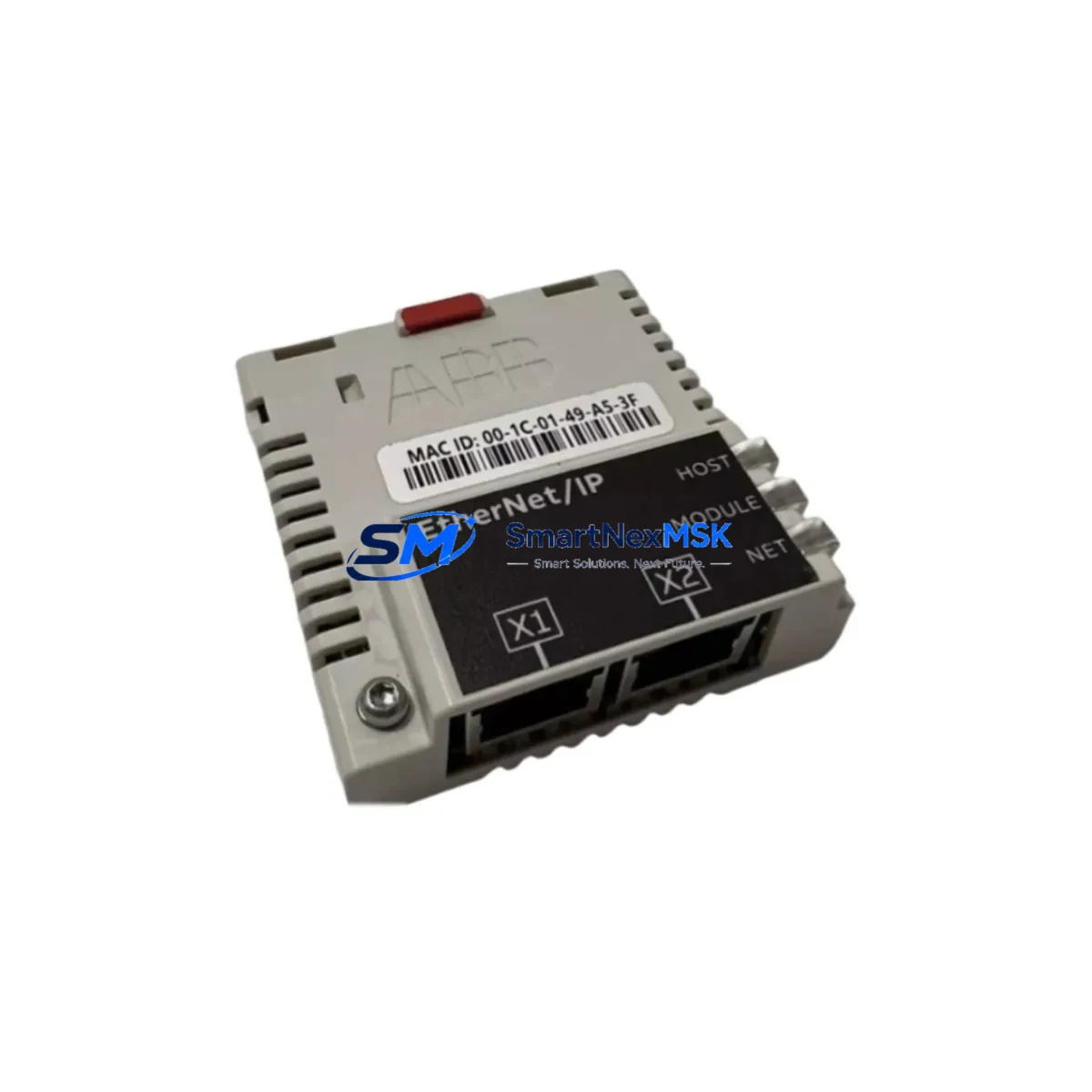
ABB FEIP-21 Maintenance-Ready Spare for FEIP Series Automation
The ABB FEIP-21 is an original EtherNet/IP communication adapter designed for integration with ABB ACS800 series variable frequency drives. As a maintenance-ready spare part, the FEIP-21 enables seamless fieldbus connectivity between the drive and an EtherNet/IP-based control network, supporting cyclic I/O data exchange and acyclic messaging for parameter access. For maintenance engineers managing aging ACS800 installations or planning scheduled overhauls, stocking the FEIP-21 as a certified spare is a proven strategy to minimize unplanned downtime and protect production continuity.
The FEIP-21 mounts directly into the option slot of compatible ACS800 drive units, requiring no hardware modification. Its plug-and-play design allows field technicians to complete a swap in under 30 minutes, restoring full EtherNet/IP communication without reconfiguring the host PLC or DCS. This makes it an ideal candidate for emergency replacement kits in facilities running continuous processes where every minute of downtime carries significant cost.
From a procurement perspective, the FEIP-21 is a long-lifecycle ABB component with documented compatibility across multiple ACS800 firmware revisions. Each unit shipped by SMARTNEXMSK is sourced from verified supply channels, individually tested prior to dispatch, and covered by a 12-month warranty against manufacturing defects and functional failure.
Spare Maintenance Table
| Parameter | Specification |
|---|---|
| Part Number / SKU | FEIP-21 |
| Brand | ABB |
| Series | FEIP (Fieldbus Adapter Series) |
| Compatible Drive | ABB ACS800 Series (single and multi-drive) |
| Protocol | EtherNet/IP (CIP over Ethernet) |
| Network Interface | RJ-45, 10/100 Mbps |
| Mounting | Option slot (direct plug-in, no tools required) |
| Power Supply | Supplied via drive option slot (no external power) |
| I/O Data Words | Up to 12 words cyclic I/O |
| Acyclic Messaging | Supported (parameter read/write via CIP) |
| Operating Temperature | 0°C to +55°C |
| Storage Temperature | -40°C to +70°C |
| Humidity | 5–95% RH, non-condensing |
| Weight | Approx. 400 g |
| Country of Origin | Finland |
| Condition | Original, new or tested-functional |
| Warranty | 12 months from date of shipment |
| Shipping | Tested before dispatch, global delivery available |
Maintenance Planning for Continuous Operation
When replacing the FEIP-21 in an ACS800 drive cabinet, a thorough maintenance inspection of the surrounding components is strongly recommended to prevent repeat failures and ensure long-term system stability. Maintenance engineers should treat the FEIP-21 replacement as an opportunity to audit the full communication and power chain.
Begin by inspecting the ACS800 drive control unit (RMIO board), which hosts the option slot and provides the electrical interface for the FEIP-21. A degraded RMIO board can cause intermittent communication faults even after a new adapter is installed. Simultaneously, verify the integrity of the NPBA-12 or NETA-21 remote monitoring adapter if installed in an adjacent slot, as shared bus conflicts can mask the root cause of EtherNet/IP dropouts.
Check the 24 VDC auxiliary power supply feeding the drive control section. Voltage ripple or brownout conditions are a common but overlooked cause of fieldbus adapter resets. If the cabinet uses an SNAT 7600 or equivalent ABB power supply module, verify output stability under load before commissioning the replacement FEIP-21.
Inspect all RJ-45 patch cables and Ethernet switch ports connected to the FEIP-21. Industrial environments with vibration or thermal cycling frequently cause connector fatigue. Replace any cable showing signs of jacket cracking or pin corrosion. If the network uses an unmanaged industrial Ethernet switch, confirm that the switch supports EtherNet/IP multicast filtering to prevent network flooding.
For drives integrated into a Rockwell Automation or Siemens PLC system via EtherNet/IP, re-import the FEIP-21 EDS file into the PLC project after replacement to ensure the I/O configuration matches the new adapter’s firmware revision. Verify that the ACS800 parameter group 51 (EXT COMM MODULE) is correctly configured for EtherNet/IP operation.
Additionally, inspect the NAIO-03 analog I/O extension module and NDIO-02 digital I/O extension module if fitted, as these share the drive’s internal communication bus. A failing I/O extension can generate bus errors that are incorrectly attributed to the fieldbus adapter. Finally, check the ACS800 main fan assembly and capacitor bank condition — thermal stress from inadequate cooling accelerates adapter failure and should be addressed during the same maintenance window.
Site Replacement Workflow
Step 1 — Pre-replacement verification: Before removing the existing FEIP-21, document the current EtherNet/IP node address, IP configuration, and ACS800 parameter group 51 settings. Take a photograph of the wiring and cable routing for reference.
Step 2 — Safe isolation: Follow site LOTO (Lockout/Tagout) procedures. De-energize the ACS800 drive and wait for the DC bus to discharge (minimum 5 minutes after power-off). Confirm zero voltage with a calibrated meter before opening the drive cabinet.
Step 3 — Adapter removal: Carefully release the option slot locking tab and extract the FEIP-21 module. Inspect the slot connector for bent pins or contamination before inserting the replacement unit.
Step 4 — Replacement installation: Insert the new FEIP-21 firmly until the locking tab engages. Reconnect the RJ-45 Ethernet cable. Restore power to the drive and allow the adapter to initialize (typically 30–60 seconds).
Step 5 — Configuration restore: Re-enter the IP address and EtherNet/IP node settings in ACS800 parameter group 51. If the PLC uses an EDS-based configuration, verify that the I/O assembly instance mapping matches the previous setup. Perform a controlled test cycle before returning the drive to production.
Step 6 — Documentation: Record the replacement date, new unit serial number, and post-replacement test results in the site maintenance log. Update the spare parts inventory to trigger reorder of a replacement FEIP-21 for the next maintenance cycle.
This workflow is designed to minimize mean time to repair (MTTR) and ensure that the ACS800 drive returns to full EtherNet/IP communication without residual configuration errors that could cause future nuisance trips.
Spare Parts Support FAQ
Q1: Is the FEIP-21 compatible with all ACS800 variants?
The FEIP-21 is compatible with ACS800 single-drive units that feature a standard option slot (slot 1 or slot 2). Compatibility with ACS800 multi-drive and cabinet-built variants depends on the specific hardware revision and available option slots. Please provide your ACS800 type code when inquiring to confirm compatibility before ordering.
Q2: How is each FEIP-21 unit tested before shipment?
Every FEIP-21 unit dispatched by SMARTNEXMSK undergoes functional verification including power-on self-test, EtherNet/IP communication initialization check, and visual inspection of the option slot connector. Units that do not pass all test criteria are not shipped. A test report is available upon request for critical applications.
Q3: What does the 12-month warranty cover?
The 12-month warranty covers manufacturing defects and functional failure under normal operating conditions as specified in the ABB FEIP-21 hardware manual. It does not cover damage resulting from incorrect installation, overvoltage events, or use outside the rated environmental specifications. Warranty claims are processed within 5 business days of receiving the returned unit.
Q4: Can SMARTNEXMSK support long-term or blanket purchase orders for the FEIP-21?
Yes. For customers managing multiple ACS800 installations or operating a centralized spare parts warehouse, SMARTNEXMSK offers long-term supply agreements with reserved stock allocation. Contact our sales team to discuss volume pricing, lead time commitments, and consignment stock options tailored to your maintenance planning cycle.
© 2026 SMARTNEXMSK. All rights reserved.
Original Source: https://smartnexmsk.com
Contact: [email protected] | +86 18259474341



