
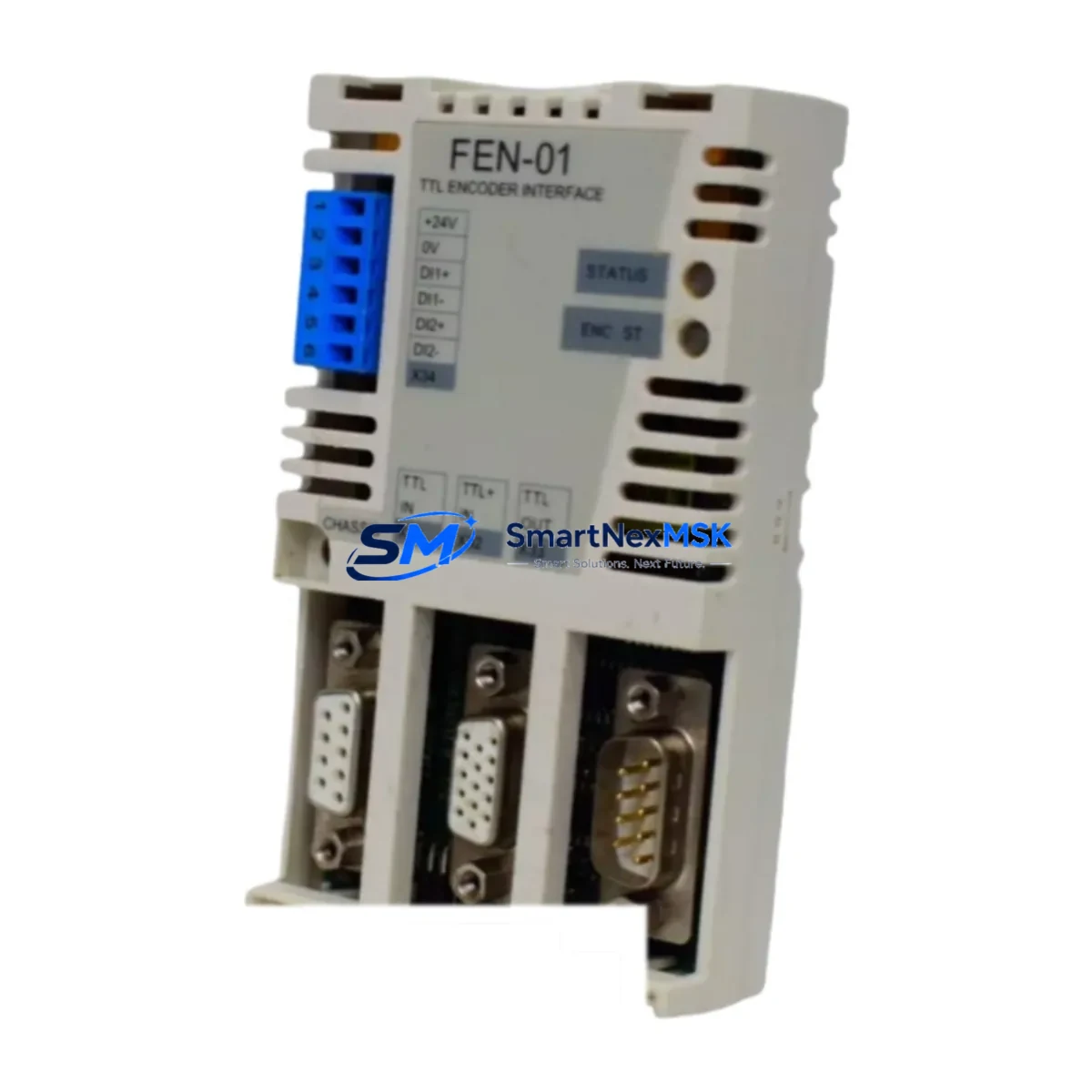
ABB FEN-01 68679273 Retrofit-Ready Encoder Interface for ACS Control Systems
The ABB FEN-01 (68679273) is a high-precision incremental encoder interface module engineered for seamless integration into ABB ACS-series variable frequency drives. Designed with retrofit compatibility at its core, this module serves as a direct replacement for aging or discontinued encoder feedback cards across the ACS550, ACS800, and ACS880 drive platforms. Whether you are modernizing a legacy control cabinet, recovering from an unplanned drive failure, or executing a planned system upgrade, the FEN-01 delivers the signal fidelity and installation simplicity that industrial automation engineers demand.
The FEN-01 mounts directly onto the drive’s option slot — typically Slot 1 or Slot 2 on the ACS800 and ACS880 control unit — and interfaces with standard TTL/HTL incremental encoders via a 15-pin D-sub connector. Before installation, engineers must verify the encoder supply voltage (5 V or 24 V), pulse count per revolution, and cable shielding continuity. Incorrect voltage selection is the most common commissioning error and can result in erratic speed feedback or drive fault codes such as ENCODER FAULT or SPEED FEEDBACK LOSS.
When replacing a failed encoder card in an ACS800 system, the replacement workflow typically involves backing up the drive parameters using the ABB DriveWindow Light or the ACS-AP-I control panel, removing the defective option module, seating the FEN-01 into the correct slot, and restoring the parameter set. Key parameters to verify post-installation include Group 50 (Speed Measurement), Group 90 (Encoder Module Data), and the encoder pulse count setting. If the original drive was running a custom speed controller tuning, the auto-tuning sequence should be re-executed to confirm loop stability.
Upgrade Compatibility Table
| Attribute | Details |
|---|---|
| Compatible Drive Series | ACS550, ACS800, ACS880 |
| Replaces / Supersedes | RTAC-01, RTAC-02 (legacy encoder cards), earlier FEN-01 revisions |
| Mounting Interface | Option slot (Slot 1 / Slot 2 on ACS800/ACS880 control unit) |
| Encoder Input Type | Incremental TTL / HTL, 5 V or 24 V selectable |
| Connector | 15-pin D-sub (encoder), 9-pin D-sub (auxiliary) |
| Communication Compatibility | DDCS fiber optic (ACS800), FCAN / FPBA / FENA fieldbus adapters compatible |
| Installation Requirement | Drive must be powered down; ESD precautions required |
| Parameter Restore | Required — restore from backup or re-enter Group 50 / Group 90 settings |
| Commissioning Check | Verify encoder pulse count, supply voltage, and cable shielding |
| Warranty | 12 Months — covers manufacturing defects and functional failure |
Retrofit Planning for Existing Automation Systems
A successful retrofit begins well before the FEN-01 arrives on site. Start by auditing the existing control cabinet layout: confirm the ACS800 or ACS880 drive firmware version, identify which option slots are occupied, and document the current encoder wiring scheme. In many legacy installations, the encoder cable runs alongside power cables without adequate separation, which introduces noise into the feedback signal. Re-routing or replacing the encoder cable with a properly shielded, twisted-pair type is strongly recommended during any retrofit.
For systems where the ACS800 communicates over a DDCS fiber optic ring — for example, in multi-drive configurations managed by an AC800M controller or a Freelance DCS node — the FEN-01 installation must not disrupt the fiber topology. Verify that the RDCO-02 or RDCO-04 DDCS communication module remains seated and that the fiber connectors are clean and undamaged before powering the drive back on.
In ACS880 installations using the ZCU-12 or ZCU-14 control unit, the FEN-01 occupies an option module slot alongside other cards such as the FENA-21 Ethernet adapter, the FDNA-01 DeviceNet adapter, or the FCAN-01 CANopen module. Confirm slot assignments in the drive’s hardware configuration before ordering to avoid conflicts. If the system also includes an AIMA-01 I/O extension module or an AINT-02 inverter interface board, document their slot positions as part of the pre-retrofit checklist.
For older ACS550 installations being migrated to ACS880 architecture, the encoder interface wiring will require adaptation since the ACS550 uses a different option module form factor. In this scenario, the FEN-01 is installed in the new ACS880 drive, and the encoder cable terminations must be re-pinned to match the 15-pin D-sub layout. Simultaneously, the HMI panel — typically an ACS-AP-I or ACS-AP-W — should be reconfigured or replaced to match the ACS880 parameter structure, as the ACS550 panel is not directly compatible.
Where the legacy system includes a Profibus DP network managed by an RPBA-01 adapter, migration to the ACS880 platform may involve transitioning to PROFINET via the FENA-21 module. This protocol migration requires coordination with the PLC program — typically running on an AC500 or S7-300 series controller — to update the GSD file, I/O mapping, and cyclic data configuration. The FEN-01 encoder feedback integrates transparently into this updated communication architecture once the drive parameters are correctly set.
Downtime Control During System Migration
Minimizing production downtime during an encoder module replacement requires a structured approach. Begin by scheduling the swap during a planned maintenance window and preparing all materials in advance: the FEN-01 module, a parameter backup file, a calibrated torque screwdriver, and the drive’s hardware manual. If the process cannot tolerate a cold start, consider running the drive in open-loop vector mode temporarily while the encoder feedback is being restored — this maintains basic speed control without encoder input, though precision will be reduced.
Before powering down, export the full parameter set using DriveWindow Light or the ACS-AP panel’s parameter backup function. This preserves the speed controller tuning, ramp settings, fault history, and any application macro customizations. After installing the FEN-01 and restoring parameters, perform a no-load test run at low speed to confirm encoder direction, pulse count accuracy, and the absence of fault codes before returning the drive to full production load.
For critical processes where even brief interruptions are costly, a pre-tested spare drive with the FEN-01 already installed and parameters pre-loaded can be staged for hot-swap deployment. This approach reduces on-site intervention time to under 30 minutes and is particularly effective in food processing, paper mill, and chemical plant environments where continuous operation is essential. All units supplied by SMARTNEXMSK are tested for basic functionality prior to shipment, and each FEN-01 is covered by a 12-month warranty from the date of delivery.
Retrofit Support FAQ
Q1: Is the ABB FEN-01 68679273 a direct drop-in replacement for the RTAC-01 encoder card?
The FEN-01 and RTAC-01 serve similar functions but are not mechanically identical. The FEN-01 is the current-generation encoder interface for ACS800 and ACS880 drives, while the RTAC-01 was used in earlier ACS600 and some ACS800 variants. Verify your drive’s option slot type and firmware version before ordering. In most ACS800 applications, the FEN-01 is the correct modern replacement.
Q2: What wiring checks are required before commissioning the FEN-01?
Confirm encoder supply voltage selection (5 V or 24 V via DIP switch on the module), verify cable shielding is grounded at the drive end only, check that the encoder pulse count matches the value entered in drive parameter Group 50, and ensure the D-sub connector is fully seated and locked. Loose connectors are a frequent cause of intermittent encoder faults.
Q3: Can the FEN-01 be used in an ACS880 system alongside a FENA-21 Ethernet adapter?
Yes. The ACS880 control unit supports multiple option modules simultaneously. The FEN-01 and FENA-21 can coexist in separate option slots. Confirm slot assignments in the ACS880 hardware manual for your specific control unit variant (ZCU-12, ZCU-14, or BCU-12/22) to avoid conflicts.
Q4: What does the 12-month warranty cover, and how is it claimed?
The 12-month warranty covers manufacturing defects and functional failure under normal operating conditions. It does not cover damage caused by incorrect installation, overvoltage, or physical impact. To initiate a warranty claim, contact SMARTNEXMSK with the order number, a description of the fault, and any relevant drive fault codes. Replacement or repair will be arranged within the warranty period.
© 2026 SMARTNEXMSK. All rights reserved.
Original Source: https://smartnexmsk.com
Contact: [email protected] | +86 18259474341



