
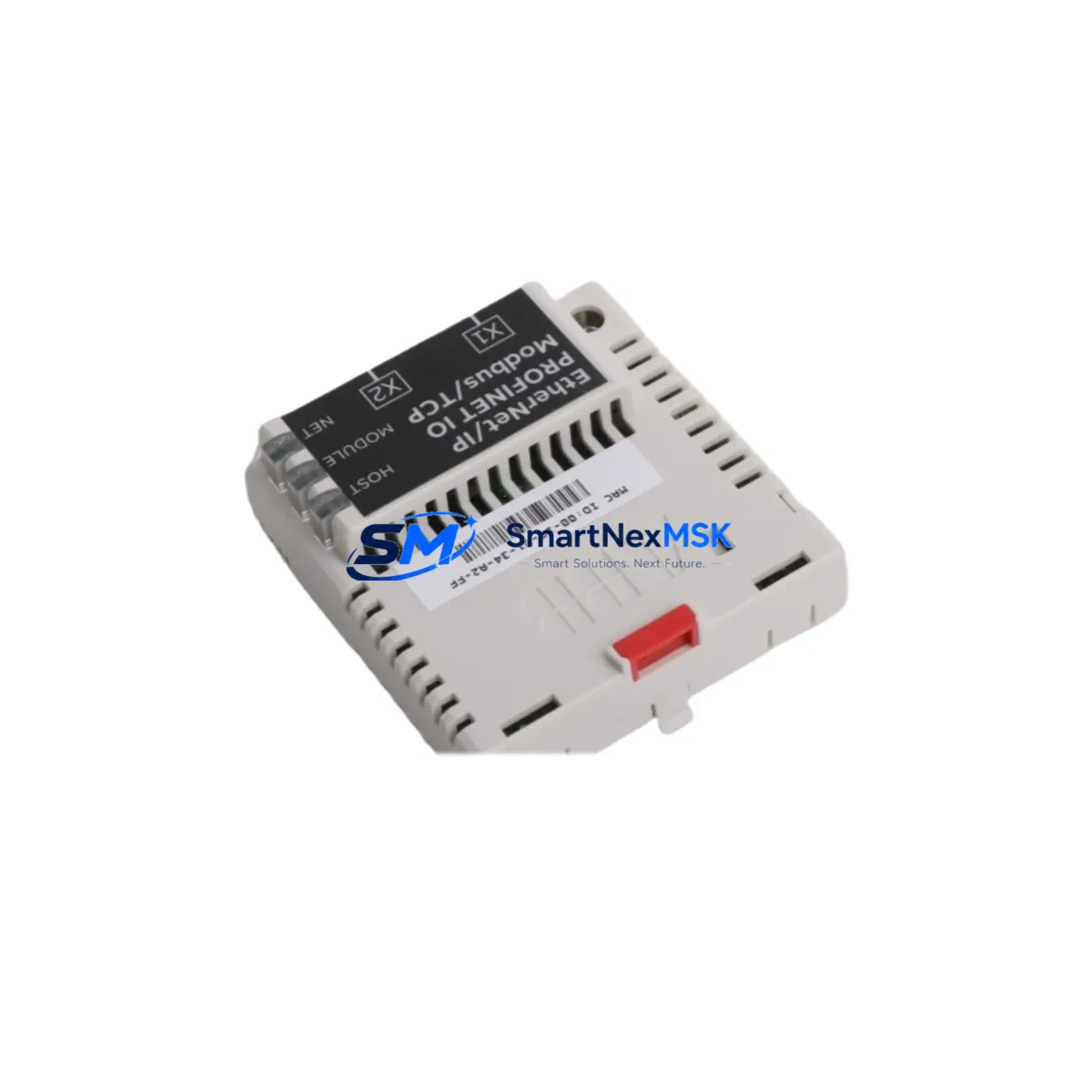
ABB FENA-21 3AUA0000089108 Retrofit-Ready Dual-Port Ethernet Adapter for ACS880 Control Systems
The ABB FENA-21 (part number 3AUA0000089108) is a dual-port Ethernet fieldbus adapter module designed for seamless integration into ABB ACS880, ACS580, and ACS480 series variable frequency drives. As legacy communication infrastructure ages and industrial facilities transition from older fieldbus protocols to modern Ethernet-based networks, the FENA-21 serves as the critical bridge that enables smooth, low-risk migration without requiring full drive replacement. Whether you are upgrading a brownfield production line, restoring a decommissioned control cabinet, or replacing a failed adapter in an active system, the FENA-21 delivers the protocol flexibility and installation simplicity that retrofit engineers demand.
The FENA-21 supports simultaneous EtherNet/IP and PROFINET IO communication, making it one of the most versatile adapter options in the ABB drive ecosystem. Its dual RJ-45 ports allow daisy-chain or star topology wiring, reducing cabling complexity in multi-drive panels. The module slots directly into the drive’s option slot, requiring no additional mounting hardware or external power supply — a key advantage when working within the physical constraints of an existing control cabinet.
For facilities running legacy ABB RDNA-01 or RETA-01 adapters on older ACS600 or ACS800 platforms, the FENA-21 represents the recommended upgrade path when migrating the drive platform to ACS880. The transition typically involves verifying the new drive’s option slot compatibility, updating the PLC’s device description file (EDS for EtherNet/IP or GSDML for PROFINET), and remapping I/O process data words in the control program. Engineers should confirm that the PLC — whether a Siemens S7-1500, Allen-Bradley ControlLogix, or Schneider Modicon M340 — supports the updated cyclic data structure before commissioning.
Upgrade Compatibility Table
| Parameter | Details |
|---|---|
| Compatible Drive Series | ACS880, ACS580, ACS480, ACS380 |
| Replaces / Upgrades From | RDNA-01, RETA-01, FENA-11, FENA-01 |
| Supported Protocols | EtherNet/IP, PROFINET IO (simultaneous dual-port) |
| Port Configuration | 2 × RJ-45, supports daisy-chain & star topology |
| Option Slot Installation | Slot 1 or Slot 2 (drive-dependent); no external power required |
| Commissioning Tool | ABB Drive Composer Pro / Panel Bus / Drive-to-Drive link |
| PLC Compatibility | Siemens S7, Allen-Bradley ControlLogix/CompactLogix, Schneider Modicon |
| Device Description Files | EDS (EtherNet/IP), GSDML (PROFINET IO) |
| Cyclic Data Words | Up to 12 words input / 12 words output (configurable) |
| Retrofit Wiring Change | Terminal block layout unchanged; adapter swap only |
| Debugging Interface | Web server via browser (IP-based), LED status indicators |
| Warranty | 12 Months — covers hardware defects, DOA replacement |
Retrofit Planning for Existing Automation Systems
A successful FENA-21 retrofit begins well before the module arrives on-site. The first step is a thorough audit of the existing drive cabinet: confirm the ACS880 frame size, identify which option slots are occupied, and check whether an FAIO-01 analog I/O extension or an FDIO-01 digital I/O extension is already installed in an adjacent slot, as these affect available slot assignments for the FENA-21. If the cabinet also houses an FPBA-01 PROFIBUS adapter or an FCAN-01 CANopen adapter from a previous generation, those modules must be removed and their associated PLC configurations archived before the Ethernet adapter is commissioned.
Power budget verification is essential. The ACS880 option slot bus supplies a limited amount of power to installed modules; when combining the FENA-21 with an FPTC-02 thermistor protection module or an FDPI-02 panel bus interface, engineers must confirm that the total option slot current draw does not exceed the drive’s published limit. This information is available in the ACS880 hardware manual and should be cross-referenced against the FENA-21’s own power consumption specification.
Terminal wiring on the drive itself typically does not change during an adapter swap, which is one of the primary advantages of this retrofit approach. The main power terminals, motor output terminals, and the standard control terminal block — including the 24 VDC auxiliary supply, digital inputs DI1–DI6, analog inputs AI1–AI2, and relay outputs RO1–RO3 — remain fully intact. Only the fieldbus communication path changes, moving from a legacy serial or PROFIBUS connection to a structured Ethernet network. This means the field wiring, motor cables, and safety circuit connections do not need to be disturbed, significantly reducing the risk of wiring errors during recommissioning.
After physical installation, the drive’s parameter group 51 (Fieldbus Adapter settings) must be configured to recognize the FENA-21. Key parameters include the node address, communication timeout action, and the process data word mapping that defines which drive status words and control words are exchanged with the PLC. If the facility uses an ABB ACS-AP-I or ACS-AP-W control panel, the panel can be used to verify adapter status and monitor live fieldbus traffic during initial commissioning. For more complex systems where the ACS880 is part of a multi-drive line-up sharing a common DC bus with an ACS880-104 regenerative supply unit, the fieldbus configuration must also account for the master-follower communication link between drives.
Downtime Control During System Migration
Minimizing production downtime is the central concern in any live-system retrofit. The recommended approach for FENA-21 installation is a planned maintenance window of two to four hours, during which the drive is de-energized, the old adapter is removed, the FENA-21 is installed and powered up for a bench-level parameter check, and the PLC program is updated with the new device configuration before the drive is returned to service.
To protect the original control logic, engineers should export a full parameter backup from the ACS880 using Drive Composer Pro before any hardware changes are made. This backup captures all application parameters, motor data, and existing fieldbus settings, providing a reliable restore point if commissioning issues arise. If the drive is running a custom application program loaded via the ACS880’s built-in IEC 61131-3 programming environment, that program should also be archived separately.
On the PLC side, the recommended practice is to test the updated device configuration — including the new EDS or GSDML file and the revised I/O mapping — in offline simulation mode before going live. For Siemens TIA Portal users, this means validating the PROFINET device configuration in the hardware catalog and running a simulated PLC cycle. For Allen-Bradley Studio 5000 users, the EtherNet/IP connection parameters should be verified in the I/O tree before downloading to the controller. Once the physical connection is established and the FENA-21’s green LINK LEDs confirm network activity, a controlled test sequence — starting with a jog command at low speed — should be executed before returning the drive to automatic production mode. Throughout this process, the original program logic, HMI screen layouts, and alarm configurations remain unchanged, ensuring that operators experience no disruption to their familiar interface.
Retrofit Support FAQ
Q1: Is the FENA-21 a direct drop-in replacement for the FENA-11 or RDNA-01?
The FENA-21 is mechanically compatible with the same option slots used by the FENA-11 and is the recommended successor for EtherNet/IP and PROFINET applications. The RDNA-01 was designed for older ACS800 drives and is not physically interchangeable with ACS880 option slots; a full drive platform migration is required in that case. Parameter remapping is always necessary when replacing any previous-generation adapter.
Q2: What wiring changes are required during installation?
No changes to the drive’s main power terminals, motor terminals, or control terminal block are required. The only physical connection change is the Ethernet cable(s) plugged into the FENA-21’s RJ-45 ports. If the previous adapter used a DB9 or terminal-block fieldbus connector, that cable is simply disconnected and replaced with a standard Cat5e or Cat6 Ethernet patch cable.
Q3: How is compatibility verified before shipment?
Each FENA-21 unit undergoes a pre-shipment functional test that verifies power-up behavior, LED status indication, and basic network communication. Units are shipped with factory-default parameters and include the necessary mounting hardware. A test report is available upon request for quality-critical applications.
Q4: What does the 12-month warranty cover?
The 12-month warranty covers all hardware defects and dead-on-arrival (DOA) failures from the date of shipment. It includes free replacement or repair of the defective unit. The warranty does not cover damage caused by incorrect installation, overvoltage events, or use outside the module’s published environmental specifications. Warranty claims are processed within 3 business days of receiving the returned unit.
© 2026 SMARTNEXMSK. All rights reserved.
Original Source: https://smartnexmsk.com
Contact: [email protected] | +86 18259474341



