
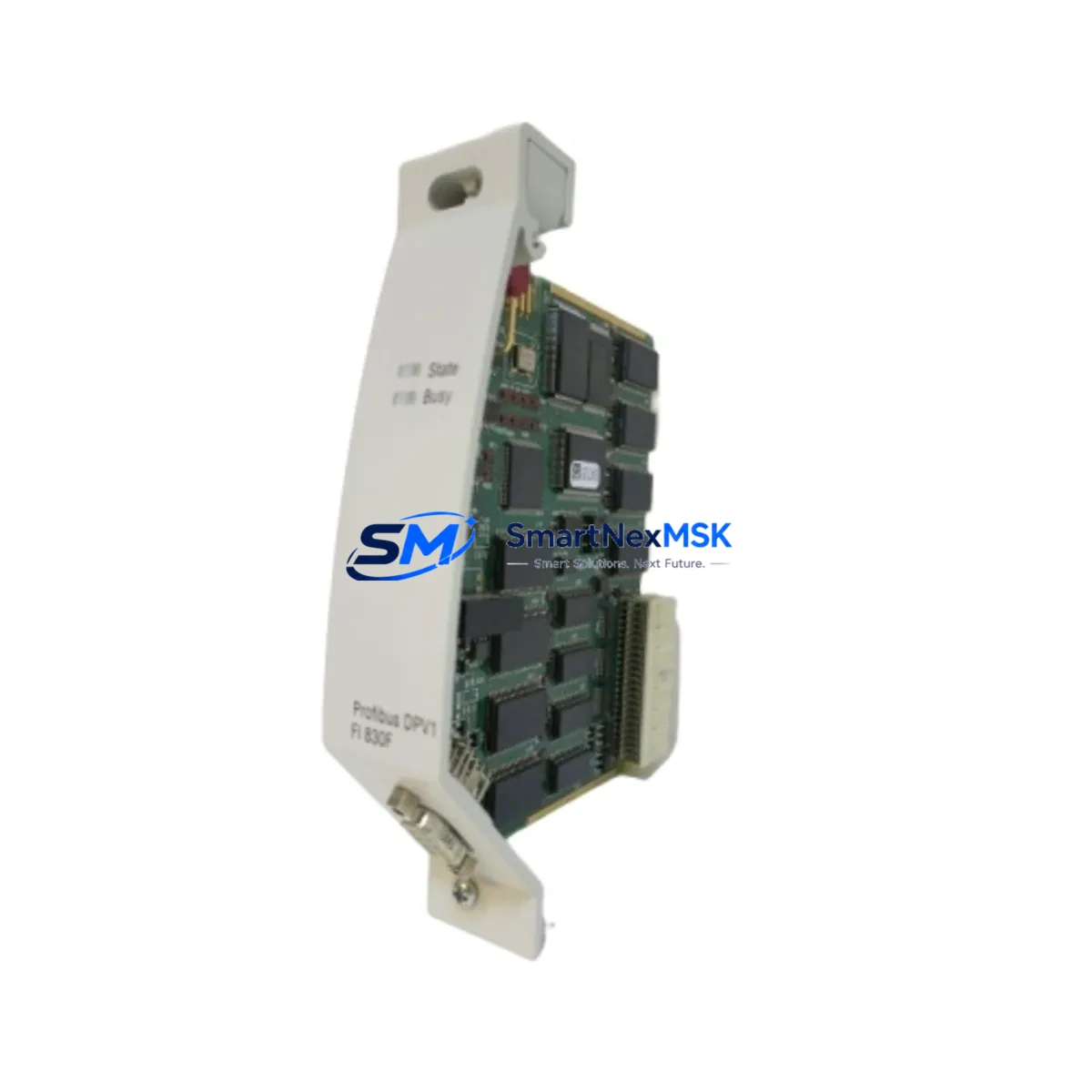
ABB FI830F 3BDH000032R Retrofit-Ready Fieldbus Interface for AC800M Control Systems
The ABB FI830F (3BDH000032R) is a high-performance Fieldbus Interface Module engineered for seamless integration into ABB’s AC800M distributed control platform. As legacy DCS installations age and original spare parts become increasingly scarce, the FI830F has emerged as the preferred retrofit solution for engineers tasked with modernizing PROFIBUS DP and FOUNDATION Fieldbus segments without disrupting live production environments. SMARTNEXMSK maintains verified stock of the FI830F 3BDH000032R, fully tested and backed by a 12-month warranty, ready for immediate dispatch to global destinations.
Whether you are replacing a failed unit on a running AC800M rack, upgrading an aging S800 I/O fieldbus backbone, or migrating a legacy MOD 300 control system to the AC800M platform, the FI830F provides the communication bridge that keeps your process running. Its dual-channel architecture supports simultaneous PROFIBUS DP and FOUNDATION Fieldbus H1 segments, making it a versatile choice for refineries, chemical plants, power generation facilities, and water treatment installations where mixed fieldbus topologies are common.
Upgrade Compatibility Table
| Parameter | FI830F 3BDH000032R | Notes / Retrofit Guidance |
|---|---|---|
| Compatible Platform | ABB AC800M (PM861, PM864, PM866) | Verify controller firmware ≥ 5.1 for full feature support |
| Fieldbus Protocols | PROFIBUS DP V0/V1, FOUNDATION Fieldbus H1 | Segment terminators must be enabled at both ends of each segment |
| Backplane Interface | AC800M Module Bus (CEX-Bus) | Slot position must be configured in Control Builder M before power-up |
| Power Consumption | ≤ 4.5 W from backplane | Verify PM820 or PM825 power supply capacity before adding modules |
| Replaces / Supersedes | FI810F, FI820F (earlier revisions) | Address mapping may differ; update hardware configuration in Control Builder M |
| Installation Type | DIN-rail mounted via AC800M rack (TB820V2 or TB840A) | Confirm rack slot availability; TB840A supports up to 8 I/O modules |
| Communication Link | Optical or copper CEX-Bus extension | Use CI858 or CI868 for remote I/O cluster extension if required |
| Commissioning Tool | ABB Control Builder M Professional | Import existing hardware configuration; re-assign module address after swap |
| Warranty | 12 Months | Covers manufacturing defects; includes pre-shipment functional test report |
Retrofit Planning for Existing Automation Systems
A successful FI830F retrofit begins well before the module arrives on site. The first step is a thorough audit of the existing AC800M rack configuration. Engineers should document every occupied slot in the TB820V2 or TB840A baseplate, noting the current module addresses assigned in Control Builder M. If the failed or obsolete unit is an earlier FI810F or FI820F, the replacement FI830F uses the same physical slot but may require a hardware configuration update in the project database to reflect the new module type and firmware revision.
Power budget verification is a critical pre-installation step that is frequently overlooked. The PM820 and PM825 power supply modules each have defined output capacity for the CEX-Bus backplane. Adding or replacing a fieldbus interface module changes the total load, and exceeding the rated capacity can cause intermittent resets or communication faults across all modules in the rack — including the AI810 analog input modules and AO810V2 analog output modules that feed your process control loops. Always recalculate the power budget using ABB’s module power consumption tables before finalizing the retrofit plan.
Terminal wiring compatibility is the next checkpoint. The FI830F connects to field devices via standard PROFIBUS DB9 connectors or screw-terminal fieldbus junction boxes. If the existing installation uses older FCI-style segment couplers or passive junction boxes, verify that the coupler impedance and termination resistor values are within specification for PROFIBUS DP at the installed baud rate. For FOUNDATION Fieldbus H1 segments, confirm that the LD 800HSE linking device or equivalent high-speed Ethernet backbone is correctly configured to bridge the H1 segment to the supervisory network.
Module address assignment is handled entirely in software. After physically installing the FI830F into the rack, open Control Builder M and navigate to the hardware configuration tree. Delete the old module entry, insert the FI830F from the hardware library, and assign the same logical address that the previous module occupied. This preserves all signal tag associations and prevents the need to remap I/O signals in the application program. If the project uses S800 I/O clusters connected via the CI858 communication interface, verify that the cluster address switches on each S800 baseplate match the addresses defined in the Control Builder M project.
HMI screen validation is an often-underestimated step in fieldbus module replacement. Operator stations running ABB 800xA System or third-party SCADA platforms connected via OPC DA/UA will continue to display process values correctly only if the fieldbus device tags remain consistent after the swap. Before returning the system to automatic mode, perform a point-by-point comparison of live process values against historian trends to confirm that all analog and discrete signals are reading correctly. Pay particular attention to PROFIBUS DP devices such as Endress+Hauser Promag flow transmitters or Siemens ET 200M remote I/O stations that rely on cyclic data exchange — a misconfigured GSD file or incorrect slot assignment will cause these devices to report communication faults even if the FI830F itself is functioning correctly.
Downtime Control During System Migration
Minimizing unplanned downtime is the primary concern for any control system retrofit. When replacing the FI830F in a live production environment, the recommended approach is a hot-standby swap using ABB’s redundant controller configuration. If the AC800M system is configured with a redundant PM864 or PM866 controller pair, the active controller can maintain process control while the standby controller is taken offline for the fieldbus module replacement. Once the FI830F is installed and the hardware configuration is downloaded to the standby controller, a bumpless switchover transfers control back to the updated unit without interrupting the process.
For non-redundant systems, the retrofit must be planned during a scheduled maintenance window. Before powering down the rack, export the current Control Builder M project and save a backup of the hardware configuration to a secure location. This backup is your recovery point if the new module requires a firmware update or if the hardware configuration download fails. Keep the original FI810F or FI820F module on the bench as a fallback — if the FI830F does not come online within the expected commissioning time, reinstalling the original module and restoring the backup project will return the system to its pre-maintenance state within minutes.
Communication link continuity is maintained by pre-configuring the FI830F offline before the maintenance window begins. Use Control Builder M to build and compile the updated hardware configuration, then download it to a spare controller or simulation environment to verify that there are no configuration errors. During the actual swap, the total time from rack power-down to first successful cyclic data exchange with all fieldbus devices should be under 30 minutes for an experienced engineer following a documented procedure. SMARTNEXMSK provides a pre-shipment functional test report with each FI830F unit, confirming that the module has been verified on a live AC800M rack before dispatch — reducing the risk of receiving a defective unit and extending your maintenance window unnecessarily.
Retrofit Support FAQ
Q1: Is the FI830F 3BDH000032R a direct drop-in replacement for the FI810F or FI820F?
The FI830F occupies the same physical slot in the TB820V2 or TB840A baseplate and uses the same CEX-Bus backplane interface. However, it is not a transparent firmware replacement — you must update the hardware configuration in Control Builder M to reference the FI830F module type. All existing I/O signal tags and application program logic remain unchanged; only the hardware configuration layer requires updating. This process typically takes 15–30 minutes for an engineer familiar with Control Builder M.
Q2: What wiring changes are required when installing the FI830F?
No wiring changes are required at the field device level. PROFIBUS DP segment cables connect to the FI830F via the same DB9 or terminal-block connectors used by earlier fieldbus interface modules. For FOUNDATION Fieldbus H1 segments, the existing segment wiring, terminators, and power conditioners remain in place. The only physical change is the module itself in the rack slot. Confirm that the PROFIBUS cable shield is grounded at one end only to avoid ground loop interference.
Q3: How do I verify compatibility with my existing AC800M firmware version?
The FI830F 3BDH000032R is compatible with AC800M controller firmware version 5.1 and above. To check your current firmware version, open Control Builder M, connect to the controller online, and navigate to the controller properties dialog. If your PM861 or PM864 is running firmware below 5.1, contact your ABB service representative to obtain the firmware upgrade package before installing the FI830F. SMARTNEXMSK’s technical team can assist with compatibility verification prior to order confirmation.
Q4: What does the 12-month warranty cover, and what testing is performed before shipment?
Every FI830F 3BDH000032R shipped by SMARTNEXMSK undergoes a pre-shipment functional test on a live AC800M rack, verifying backplane communication, PROFIBUS DP cyclic data exchange, and module self-diagnostics. The 12-month warranty covers all manufacturing defects and functional failures under normal operating conditions. A test report is included with each shipment. In the event of a warranty claim, SMARTNEXMSK provides advance replacement to minimize your system downtime, subject to stock availability.
© 2026 SMARTNEXMSK. All rights reserved.
Original Source: https://smartnexmsk.com
Contact: [email protected] | +86 18259474341



