
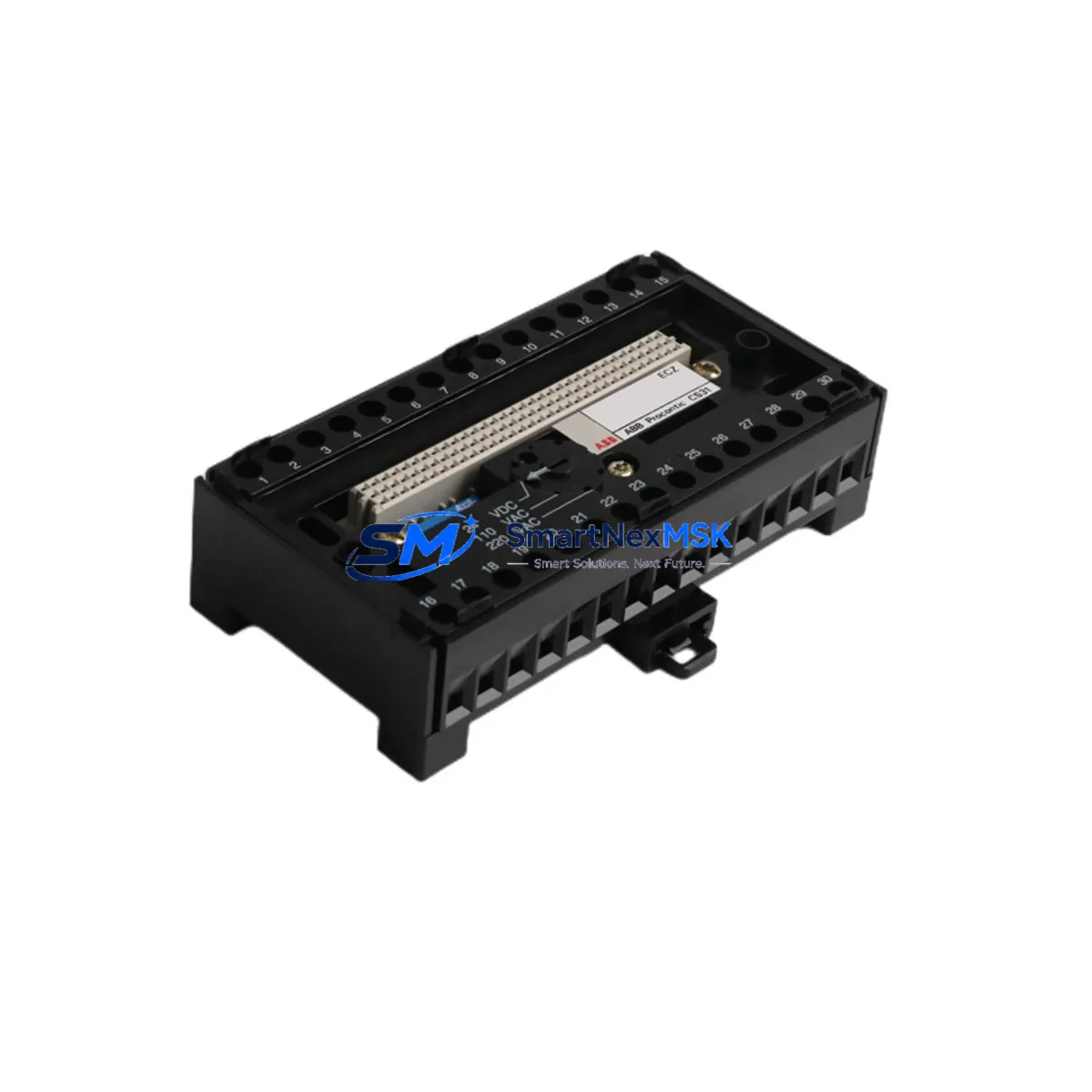
ABB FPR3700001R0001 Maintenance-Ready Spare CS31 Automation
The ABB FPR3700001R0001 is the original CS31 ECZ Fieldbus Bus Module designed for ABB AC31 series programmable logic controllers. In industrial maintenance environments where CS31 fieldbus communication is the backbone of distributed I/O architecture, this module is a critical spare that directly determines whether a control system can resume operation after an unplanned fault. Maintenance engineers managing aging AC31 installations, panel builders supporting legacy automation lines, and procurement teams building strategic spare parts inventories all rely on the FPR3700001R0001 as a first-response replacement component.
When a CS31 fieldbus segment goes silent — whether due to module failure, surge damage, or end-of-life degradation — the entire distributed I/O chain downstream becomes unreachable. The FPR3700001R0001 restores the CS31 bus master or slave communication link, re-establishing data exchange between the AC31 CPU and remote I/O stations. Having this module on the shelf, tested and ready, is the difference between a two-hour recovery and a multi-day production halt.
Spare Maintenance Table
| Parameter | Specification |
|---|---|
| Part Number | FPR3700001R0001 |
| SKU | CS31-ECZ-FPR3700001R0001 |
| Brand | ABB |
| Series | CS31 / AC31 |
| Module Type | ECZ Fieldbus Bus Module |
| Communication Protocol | CS31 Fieldbus (ABB proprietary) |
| Compatible Systems | ABB AC31 PLC Series (07 KR 91, 07 KT 92, 07 KT 93, 07 KT 94 and compatible CPUs) |
| Installation | DIN rail / backplane slot mount per AC31 system configuration |
| Operating Voltage | 24 VDC (system bus powered) |
| Operating Temperature | 0°C to +55°C |
| Origin | Germany (DE) |
| Condition | Original New / Tested Surplus |
| Pre-shipment Test | Function verified before dispatch |
| Warranty | 12 Months |
| Typical Application | Distributed I/O fieldbus communication, AC31 PLC system expansion |
| Maintenance Recommendation | Inspect CS31 bus termination resistors and cable shielding at each replacement cycle |
Maintenance Planning for Continuous Operation
Replacing the FPR3700001R0001 in an active AC31 installation is rarely an isolated task. A disciplined maintenance engineer will treat this replacement as a trigger for a broader inspection of the CS31 fieldbus segment and the surrounding control cabinet. The CS31 bus relies on correct termination at both ends of the cable run; worn or corroded termination resistors on the bus cable are a common secondary cause of communication errors that resurface after a module swap. Verify termination resistance and cable shielding continuity before declaring the repair complete.
The AC31 CPU module — such as the 07 KR 91 or 07 KT 93 — should be checked for firmware version compatibility with the replacement ECZ module, particularly in installations where the original module has been in service for more than five years. The AC31 power supply module feeding the backplane (typically a 07 MK 92 or equivalent 24 VDC rail supply) should be load-tested; a sagging supply rail is a frequent hidden cause of fieldbus module resets and communication timeouts that are misdiagnosed as module failure.
Inspect the I/O expansion modules connected downstream on the CS31 bus — including digital input modules, digital output modules, and analog I/O modules in the AC31 remote station racks. A failed bus module often masks latent faults in downstream I/O that only become visible once communication is restored. Check each remote I/O station’s status LED and verify address DIP switch settings match the original configuration.
For cabinets that also include relay output modules or contactor interface boards driven by AC31 digital outputs, verify coil voltage and contact integrity on any relay that was de-energized during the communication outage. Relay contacts that have been in an indeterminate state during a fieldbus fault can exhibit increased contact resistance or welding in high-cycle applications.
If the AC31 system communicates upstream to a SCADA or DCS via a gateway or communication coupler — for example through a PROFIBUS DP interface module or a Modbus RTU bridge — confirm that the gateway has re-synchronized correctly after the CS31 bus is restored. Communication couplers sometimes require a power cycle or manual re-initialization after a downstream bus fault clears.
Signal isolators and surge protection devices on the CS31 bus cable entry points into the cabinet should be inspected for damage, particularly if the original module failure was caused by an electrical surge event. Replacing the FPR3700001R0001 without replacing a damaged surge arrester on the bus line will expose the new module to the same fault condition.
Finally, update the cabinet maintenance log with the replacement date, the new module’s serial number, and the results of the post-replacement bus diagnostic. For AC31 systems approaching end-of-life, this is also the appropriate moment to assess whether a broader system migration plan is warranted, or whether a strategic stock of CS31 ECZ modules, AC31 CPU modules, and associated I/O cards should be secured to extend the operational life of the installation for another maintenance cycle.
Site Replacement Workflow
Step 1 — Isolate and document. Before removing the FPR3700001R0001, record the current CS31 bus address configuration, DIP switch positions, and any LED fault codes displayed on the module. Photograph the wiring and connector positions. Power down the affected CS31 bus segment following the site lockout/tagout procedure; in most AC31 configurations this means de-energizing the 24 VDC backplane supply for the affected rack without necessarily shutting down the entire PLC system.
Step 2 — Remove and inspect. Extract the faulty module from its slot or DIN rail position. Inspect the connector pins and backplane edge connector for corrosion, mechanical damage, or contamination. Clean the slot contacts with isopropyl alcohol before installing the replacement.
Step 3 — Configure the replacement. Set the CS31 bus address DIP switches on the FPR3700001R0001 to match the original configuration. Verify termination jumper settings if the module occupies a bus-end position. The replacement module is a direct form-fit-function substitute for the original ABB part number — no firmware upload or parameter download is required in standard AC31 configurations.
Step 4 — Reinstall and power up. Seat the module firmly, reconnect all CS31 bus cables and power connectors, and restore the 24 VDC supply. Observe the module status LEDs during the bus initialization sequence. A solid green RUN LED and absence of ERR indication confirms successful bus integration.
Step 5 — Verify and log. From the AC31 programming tool or HMI, confirm that all downstream I/O stations on the CS31 segment are reporting correctly. Run a short functional test of the process outputs controlled by the restored I/O. Document the replacement in the maintenance management system and update the spare parts inventory to trigger reorder of a replacement FPR3700001R0001 for the next event.
Spare Parts Support FAQ
Q: Is the FPR3700001R0001 still available as a new original part, or only as surplus?
A: We supply both original new stock and tested surplus units of the FPR3700001R0001. All units undergo functional verification before shipment. Each unit is covered by a 12-month warranty regardless of stock origin. Contact us to confirm current availability and lead time for your quantity requirement.
Q: How do I verify compatibility with my specific AC31 CPU version before ordering?
A: Provide your AC31 CPU part number (e.g., 07 KR 91, 07 KT 92, 07 KT 93) and your existing CS31 bus configuration details. Our technical team will confirm compatibility before shipment. The FPR3700001R0001 is the standard ECZ fieldbus bus module for the AC31 platform and is compatible across the primary AC31 CPU variants without hardware modification.
Q: What does the pre-shipment test cover, and what documentation is provided?
A: Each FPR3700001R0001 is powered up and tested for CS31 bus communication initialization, LED status response, and connector integrity prior to dispatch. A test report is available on request. Units are shipped in anti-static packaging with original or equivalent protective labeling.
Q: What is the recommended spare parts stocking strategy for AC31 CS31 systems?
A: For production-critical AC31 installations, we recommend holding a minimum of one FPR3700001R0001 ECZ bus module per CS31 segment as an on-site hot spare. For multi-segment or multi-cabinet installations, a ratio of one spare per three to five installed modules is a practical starting point. Pair this with at least one spare AC31 CPU module and one spare 24 VDC power supply module to cover the most common single-point failure scenarios in aging AC31 systems.
© 2026 SMARTNEXMSK. All rights reserved.
Original Source: https://smartnexmsk.com
Contact: [email protected] | +86 18259474341



