
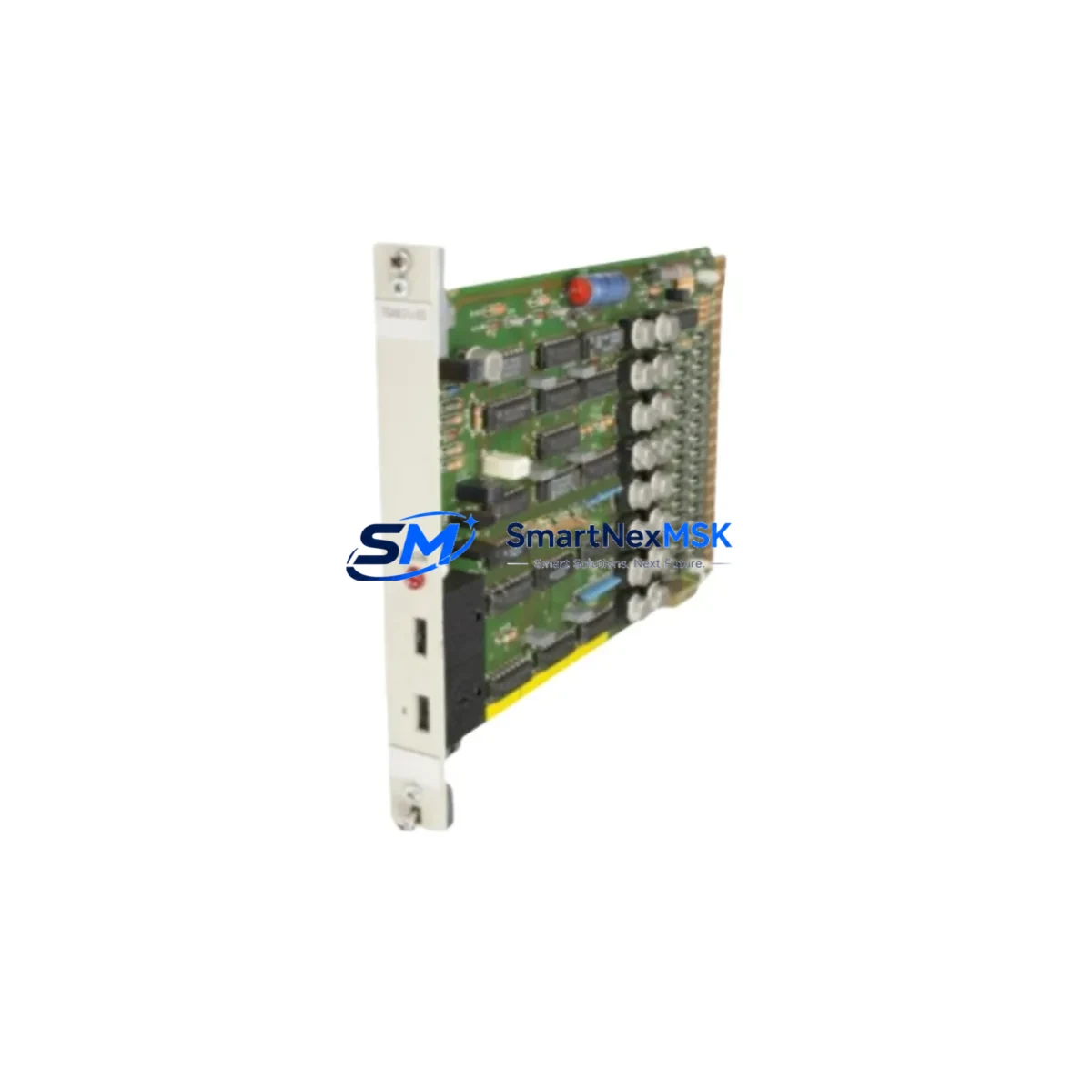
ABB GJR2368900R2340 87TSO11-E Retrofit-Ready Bus Coupler for Advant OCS Control Systems
The ABB GJR2368900R2340 (87TSO11-E) is a Bus Coupler Module engineered for the Advant OCS (Open Control System) platform — one of ABB’s most widely deployed distributed control architectures in process industries, power generation, and heavy manufacturing. As the Advant OCS series approaches end-of-life and spare parts become increasingly scarce, this module serves as a critical retrofit component for engineers tasked with sustaining legacy control infrastructure, migrating to modern platforms, or executing phased system upgrades without full plant shutdowns.
Whether you are replacing a failed coupler in an existing Advant OCS rack, consolidating aging I/O subsystems, or bridging communication between legacy field devices and a newer control layer, the GJR2368900R2340 provides the electrical and protocol compatibility required for a reliable, low-risk transition. Our inventory is sourced, inspected, and tested prior to shipment, with a 12-month warranty covering all units.
Upgrade Compatibility Table
| Parameter | Details |
|---|---|
| Part Number | GJR2368900R2340 / 87TSO11-E |
| Brand | ABB |
| Series / Platform | Advant OCS (Open Control System) |
| Module Function | Bus Coupler — connects I/O stations to the Advant fieldbus backbone |
| Communication Protocol | PROFIBUS-DP compatible; Advant Fieldbus 100 (AF100) interface |
| Backplane / Rack Interface | Standard Advant OCS S100 I/O rack; DIN-rail or panel-mount compatible |
| Terminal Wiring | Screw-type terminal block; verify existing cable labeling before swap |
| Power Supply Requirement | 24 VDC nominal; confirm rack PSU capacity before installation |
| Replacement Compatibility | Direct replacement for same-series couplers; verify firmware revision with engineering team |
| Installation Requirement | Module address must match original configuration; re-parameterize via MasterBus or AC 800M engineering tool if required |
| Commissioning Note | Perform loop check and I/O scan after installation; validate HMI tag mapping |
| Warranty | 12 Months — covers manufacturing defects and functional failure under normal operating conditions |
| Pre-Shipment Testing | Functional power-on test and communication handshake verification performed on every unit |
| Lead Time | In stock — ships within 2 business days |
Retrofit Planning for Existing Automation Systems
Successful integration of the GJR2368900R2340 into an existing Advant OCS installation requires a structured pre-replacement assessment. Before removing the failed or aging coupler, engineers should document the current module address settings, terminal wiring assignments, and the fieldbus segment topology. In most Advant OCS configurations, the Bus Coupler sits between the S100 I/O rack and the AF100 fieldbus trunk, relaying data between distributed I/O modules — such as the ABB AI810 analog input module, DI810 digital input module, and DO810 digital output module — and the central controller, typically an AC 450 or AC 800M process controller.
Power budget verification is a mandatory step. The S100 rack power supply unit (PSU), often an ABB SD821 or SD822 24 VDC power supply, must have sufficient headroom to support the replacement coupler alongside all co-installed I/O modules. If the existing PSU is operating near capacity, a parallel redundant power supply or a load audit should be completed before the swap.
Terminal wiring on the GJR2368900R2340 follows the standard Advant OCS screw-terminal convention. Technicians should photograph or transcribe all existing wiring before disconnection, paying particular attention to the PROFIBUS shield grounding point and the bus termination resistor status at each segment end. If the replaced coupler was the active bus terminator, the new unit must be configured identically to avoid reflections and communication errors on the fieldbus segment.
For sites running ABB Advant Builder or the legacy MasterBus 300 engineering environment, the module address (station number) must be set to match the original configuration — either via hardware DIP switches or software parameterization, depending on the firmware revision. Sites that have partially migrated to the AC 800M platform using the ABB Control Builder M engineering tool should verify that the coupler’s GSD file (for PROFIBUS-DP nodes) is correctly imported and that the I/O list in the controller project reflects the physical slot assignments of the replacement module.
HMI integration is another critical checkpoint. If the plant uses an ABB Operate IT or a third-party SCADA system with hardcoded tag addresses referencing the original coupler’s node ID, those tags must be validated after the swap. In many legacy installations, the HMI faceplate for a given process loop is tied directly to the physical I/O address exported by the Bus Coupler — any mismatch will result in stale or missing process values on the operator screen. A full I/O scan and tag reconciliation should be completed before returning the loop to automatic control.
For sites planning a broader migration from Advant OCS to the ABB System 800xA platform, the GJR2368900R2340 can serve as a bridge component during the transition period, maintaining fieldbus continuity on legacy I/O segments while new S800 I/O stations and CI854 PROFIBUS communication interfaces are commissioned in parallel. This phased approach allows production to continue on the legacy system while the new control layer is validated offline.
Downtime Control During System Migration
Minimizing unplanned downtime is the primary concern for any control system retrofit. When replacing the GJR2368900R2340 in a live production environment, the recommended approach is a hot-standby swap procedure: prepare the replacement module with the correct address settings and wiring documentation before taking the affected I/O segment offline. The total offline window for a single Bus Coupler replacement — including wiring transfer, module seating, and initial communication verification — should not exceed 30 to 45 minutes for an experienced technician familiar with the Advant OCS rack architecture.
To protect the original program logic, a full backup of the controller project should be exported from the engineering workstation before any hardware changes are made. For AC 450 controllers, this means archiving the MasterBus project database; for AC 800M controllers, a Control Builder M project export should be saved to a secure location. This backup serves as the recovery baseline if the replacement module triggers unexpected behavior during the initial power-on sequence.
Field control continuity can be maintained on non-critical loops by placing the affected controller in manual mode before the coupler is removed. For safety-instrumented loops or interlocked sequences, the site safety plan must be followed, and a formal Management of Change (MOC) procedure should be initiated before work begins. After the replacement coupler is installed and communication is confirmed, each I/O channel should be individually verified against the process value before the controller is returned to automatic mode — starting with analog inputs, then digital outputs, and finally any interlock or permissive signals that depend on the coupler’s data.
Retrofit Support FAQ
Q1: Is the GJR2368900R2340 a direct drop-in replacement for the original Advant OCS Bus Coupler?
In most cases, yes. The GJR2368900R2340 (87TSO11-E) is designed for the Advant OCS S100 I/O platform and uses the same backplane connector, terminal block layout, and fieldbus interface as the original series. However, engineers should verify the firmware revision and hardware variant suffix against the existing module label before installation, as minor hardware revisions may affect parameterization requirements.
Q2: What commissioning steps are required after installing the replacement module?
After physical installation, confirm the module address matches the original configuration, perform a fieldbus communication scan to verify the coupler is recognized by the controller, execute a full I/O channel check against the process, and validate HMI tag values for all loops served by the replaced coupler. If the site uses PROFIBUS-DP, confirm the GSD file is correctly loaded in the engineering tool and that the bus termination status is correct for the segment.
Q3: How do I verify wiring compatibility before installation?
Document all existing terminal connections using the original wiring diagram or as-built drawings. The GJR2368900R2340 uses a standard screw-terminal block compatible with the Advant OCS wiring convention. Pay particular attention to the PROFIBUS cable shield connection, the 24 VDC power feed terminals, and any jumper settings for bus termination. If original drawings are unavailable, photograph the existing wiring before disconnection.
Q4: What does the 12-month warranty cover, and what is the return process?
All units are covered by a 12-month warranty from the date of shipment, covering manufacturing defects and functional failure under normal operating conditions. Each module undergoes a functional power-on test and communication verification before dispatch. If a warranty claim is required, contact our sales team with the order reference and a description of the fault. We will arrange a replacement or repair within the warranty period. Contact: [email protected] | +86 18259474341.
© 2026 SMARTNEXMSK. All rights reserved.
Original Source: https://smartnexmsk.com
Contact: [email protected] | +86 18259474341



