
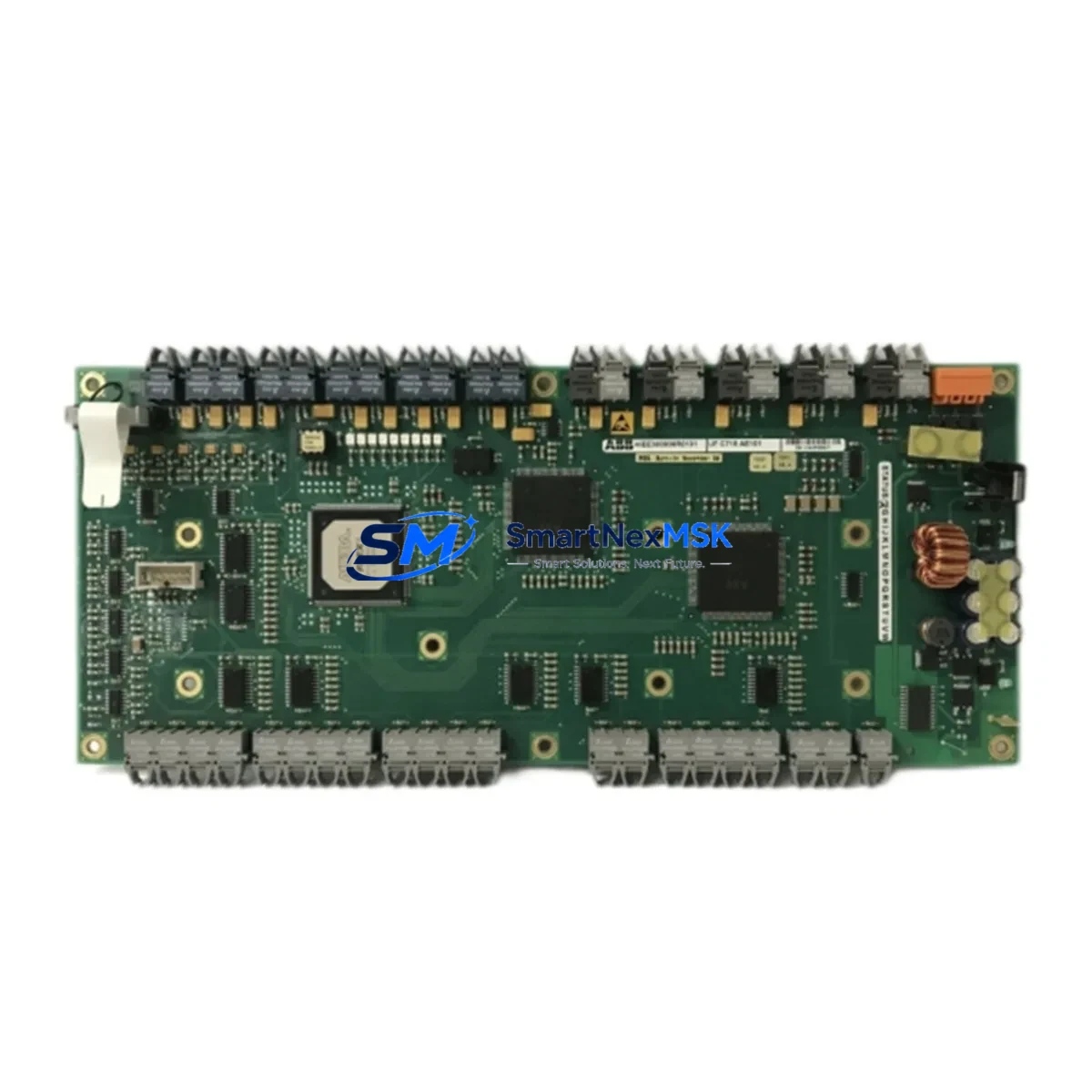
ABB HIEE300936R0101 Spare for Advant MOD 300 Automation: Spare Replacement & Downtime Risk Control
The ABB HIEE300936R0101 (UFC718 AE101) is a critical DCS interface module used extensively in ABB Advant OCS and MOD 300 distributed control systems. As a maintenance-ready original spare, this module supports rapid field replacement, minimizing unplanned downtime in process automation environments including chemical plants, power generation facilities, oil & gas installations, and pulp & paper mills. Whether you are executing a planned shutdown, responding to a fault alarm, or building a strategic spare parts inventory, the HIEE300936R0101 delivers the compatibility, reliability, and traceability that maintenance and procurement engineers demand.
Sourced as an original ABB component, each unit undergoes functional verification prior to dispatch. A 12-month warranty is included as standard, covering manufacturing defects and operational failures under normal service conditions. Our inventory is maintained to support both emergency same-day dispatch and long-term supply agreements for facilities managing aging Advant-series control infrastructure.
Spare Maintenance Table
| Parameter | Specification |
|---|---|
| Part Number | HIEE300936R0101 |
| Module Type | UFC718 AE101 — DCS Interface Module |
| Brand | ABB |
| Compatible Series | ABB Advant OCS / MOD 300 |
| Origin | Germany (Original ABB Manufacture) |
| Form Factor | Plug-in module, DIN-rail / backplane mount |
| Communication Interface | Advant Fieldbus / MasterBus 300 compatible |
| Operating Voltage | 24 VDC (system bus powered) |
| Operating Temperature | 0°C to +55°C |
| Weight | 780 g |
| Application Environment | Industrial process control, DCS cabinets, control rooms |
| Condition | Original, tested before shipment |
| Warranty | 12 Months |
| Maintenance Recommendation | Inspect bus connectors, verify firmware revision match, confirm backplane seating before power-on |
Maintenance Planning for Continuous Operation
When replacing the HIEE300936R0101 UFC718 AE101 in an Advant MOD 300 system, a thorough cabinet inspection is essential to prevent repeat failures and ensure system stability. Maintenance engineers should treat this replacement as an opportunity to audit the surrounding electrical environment.
Begin by verifying the 24 VDC system power supply — modules such as the ABB DSQC604 or equivalent MOD 300 power supply units should be checked for output ripple and load capacity before the new interface module is seated. A degraded power rail is a common root cause of premature module failure and is frequently overlooked during emergency replacements.
Next, inspect the backplane and bus connectors. In long-running Advant OCS installations, the HIBB110 or HIEE300 series backplane connectors can develop oxidation or micro-fractures that cause intermittent communication faults. Clean and reseat all adjacent modules, including any UFC760 or UFC761 communication interface modules sharing the same rack, as bus integrity affects the entire node.
Review the I/O modules connected downstream of this interface. ABB DSDX110 digital input modules and DSAX110 analog input modules in the same control loop should be verified for correct addressing and signal integrity. A failed interface module often masks underlying I/O faults that only become apparent after the primary module is restored.
Check all terminal blocks and field wiring at the marshalling cabinet. Loose connections on WAGO or Phoenix Contact terminal strips, or degraded cable insulation on shielded signal cables, can introduce noise that stresses the replacement module immediately upon commissioning. Torque-verify all screw terminals and inspect cable glands for moisture ingress.
For systems using PROFIBUS or MasterBus 300 communication, validate the network segment termination resistors and confirm that the replacement module’s station address matches the configuration stored in the engineering workstation. Mismatched addressing is a leading cause of post-replacement communication failures in MOD 300 networks.
If the control cabinet includes signal isolators or barriers — such as ABB HART multiplexers or galvanic isolators on 4–20 mA loops — inspect these for drift or failure, as a shorted field instrument can damage interface circuitry. Similarly, check any miniature circuit breakers (MCBs) or fuses protecting the 24 VDC distribution rail; a nuisance trip history on these protective devices is a strong indicator of an underlying wiring fault.
Finally, if the installation includes an ABB Operator Interface Terminal (OIT) or legacy HMI panel communicating via the Advant fieldbus, verify that the HMI configuration database reflects the current I/O mapping after module replacement. Configuration drift between the physical system and the HMI tag database is a common source of post-maintenance alarms.
Site Replacement Workflow
Step 1 — Pre-replacement verification: Confirm the replacement module’s part number (HIEE300936R0101) and revision code against the installed unit. Cross-reference with the system’s spare parts list and engineering BOM. If the installed module carries a different revision suffix, consult ABB’s compatibility matrix or contact our technical team for guidance.
Step 2 — Safe isolation: Follow your site’s lockout/tagout (LOTO) procedure. De-energize the affected rack segment. Do not remove the module under live bus conditions — the UFC718 AE101 is not hot-swap rated in standard MOD 300 configurations.
Step 3 — Module extraction and inspection: Remove the failed module and inspect the backplane connector for bent pins or contamination. Photograph the installed position and any DIP switch or jumper settings before extraction.
Step 4 — Replacement installation: Insert the HIEE300936R0101 into the correct slot. Verify DIP switch settings match the extracted module. Reseat firmly and confirm the front-panel locking mechanism is engaged.
Step 5 — Power-on and commissioning: Restore power and observe the module’s LED status indicators. A steady green RUN LED confirms successful initialization. Monitor the DCS operator station for any residual fault alarms and clear them after confirming normal I/O operation.
Step 6 — Documentation: Record the replacement in the site maintenance log, including the new module’s serial number, installation date, and technician ID. Update the spare parts inventory to trigger reorder if stock falls below the minimum holding level.
This workflow reduces mean time to repair (MTTR) and supports compliance with IEC 62443 and ISO 55001 asset management requirements for critical control system components.
Spare Parts Support FAQ
Q1: What is the shelf life and storage requirement for the HIEE300936R0101 when held as a spare?
When stored in original anti-static packaging in a climate-controlled environment (15–25°C, relative humidity below 60%, away from direct sunlight and magnetic fields), the HIEE300936R0101 has an effective shelf life of 5–10 years. We recommend annual visual inspection of stored spares and functional testing every 3 years to confirm readiness. All units shipped from our inventory are tested prior to dispatch regardless of storage duration.
Q2: How do I verify compatibility between the HIEE300936R0101 and my installed MOD 300 system revision?
Compatibility is primarily determined by the system firmware version and backplane revision of your Advant OCS or MOD 300 installation. The UFC718 AE101 is compatible with MOD 300 system versions 3.x through 5.x in standard configurations. If your system has been upgraded with non-standard firmware or third-party integration modules, please provide your system’s engineering revision sheet and we will confirm compatibility before shipment.
Q3: What pre-shipment testing is performed on each unit, and what does the 12-month warranty cover?
Each HIEE300936R0101 unit undergoes power-on functional testing, bus communication verification, and visual inspection for physical damage before dispatch. The 12-month warranty covers manufacturing defects and functional failures under normal operating conditions. It does not cover damage resulting from incorrect installation, overvoltage events, or physical mishandling. Warranty claims are processed with a target response time of 48 hours and include replacement or full refund options.
Q4: Can you support long-term supply agreements for facilities managing multiple Advant MOD 300 systems?
Yes. We maintain dedicated inventory reserves for high-demand ABB Advant and MOD 300 spare parts and can structure long-term supply agreements with guaranteed stock allocation, fixed pricing, and priority dispatch for critical spares. This is particularly valuable for facilities operating multiple MOD 300 nodes where a single module type may be required across several control cabinets simultaneously. Contact our sales team to discuss your site’s specific requirements.
© 2026 SMARTNEXMSK. All rights reserved.
Original Source: https://smartnexmsk.com
Contact: [email protected] | +86 18259474341



