
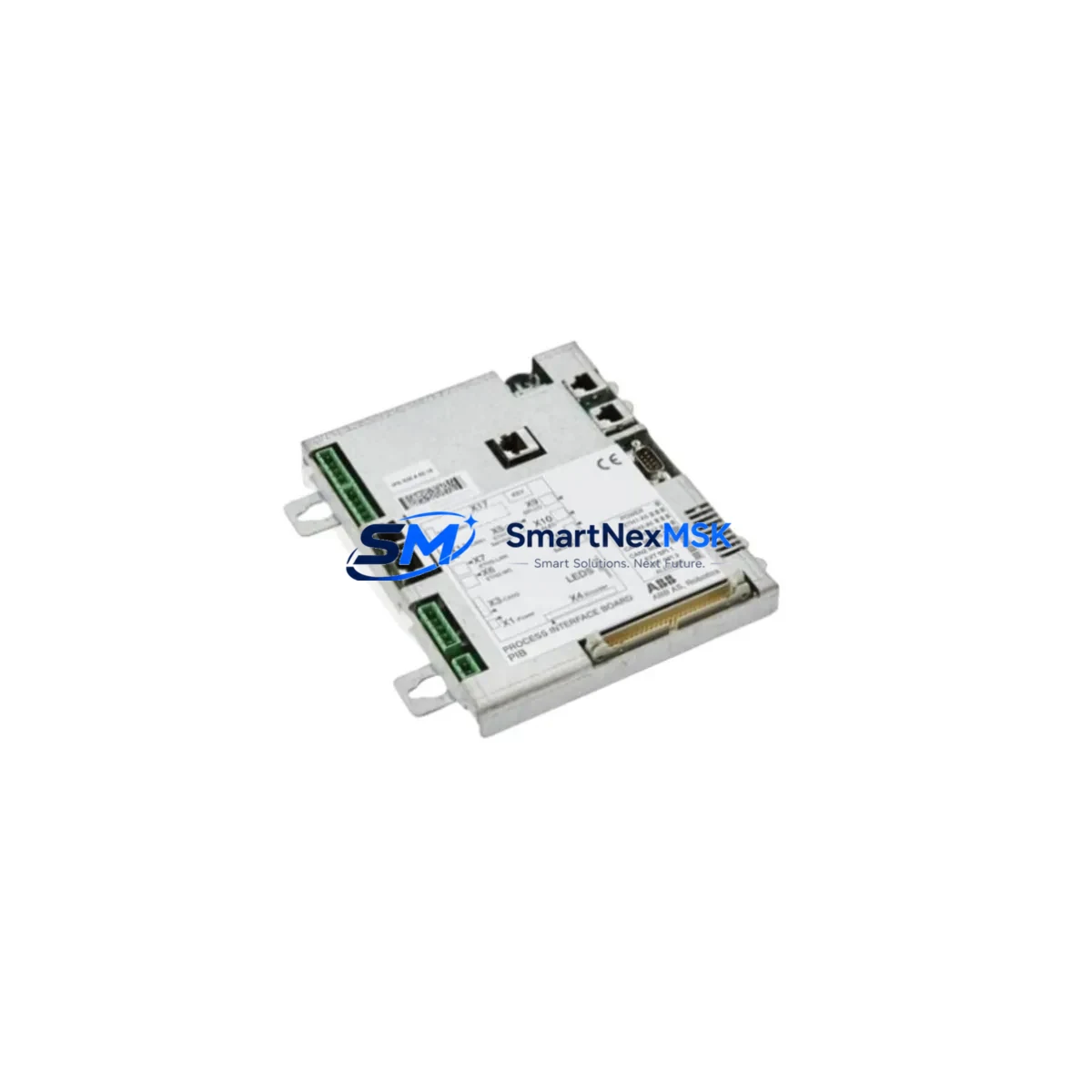
ABB IRB6700 3HAC051323-001 Retrofit-Ready Robot Arm for IRB 6700 Control Systems
The ABB IRB6700 3HAC051323-001 is a retrofit-ready industrial robot arm unit engineered for seamless integration into existing IRB 6700 series automation lines. Whether you are replacing a discontinued component, upgrading an aging production cell, or restoring a system after unplanned downtime, this unit delivers verified compatibility with ABB’s IRB 6700 platform — including the 245 kg, 200 kg, and 150 kg payload variants. It also serves as a direct functional replacement for the 3HAC045064-001 and 3HAC046336-001 assemblies across the IRB 6700 150/245/200/300 configurations.
Sourced from authorized supply channels and pre-tested prior to shipment, each unit is backed by a 12-month warranty covering mechanical integrity, electrical performance, and axis calibration. Inventory is maintained in stock to support urgent retrofit timelines with minimal lead time.
Upgrade Compatibility Table
| Parameter | Details |
|---|---|
| Primary SKU | IRB6700 3HAC051323-001 |
| Compatible Replacements | 3HAC045064-001, 3HAC046336-001 |
| Series Compatibility | ABB IRB 6700 — 150 kg / 200 kg / 245 kg / 300 kg variants |
| Mounting Interface | Standard IRB 6700 base flange; compatible with existing robot cell footprint |
| Communication Protocol | DeviceNet / PROFIBUS / EtherNet/IP via IRC5 controller integration |
| Controller Compatibility | ABB IRC5 single-cabinet and dual-cabinet configurations |
| Axis Configuration | 6-axis articulated; axis 1–6 calibration data transferable from original unit |
| Installation Requirement | Requires ABB RobotStudio or teach pendant for axis mastering post-installation |
| Retrofit Recommendation | Direct swap with original wiring harness; verify SMB (Serial Measurement Board) compatibility |
| Commissioning Focus | Axis mastering, load identification, TCP calibration, and SafeMove parameter restore |
| Warranty | 12 months — covers mechanical, electrical, and calibration integrity |
Retrofit Planning for Existing Automation Systems
A successful IRB6700 retrofit begins well before the replacement unit arrives on-site. Engineers should first audit the existing IRC5 controller cabinet to confirm the RobotWare version and backup the current RAPID program, system parameters, and SafeMove configuration. The SMB (Serial Measurement Board) — which stores axis resolver data — must be inspected; if the original SMB is serviceable, it can be transferred to the new arm to preserve calibration offsets and reduce mastering time significantly.
Power supply verification is a critical pre-installation step. Confirm that the drive module within the IRC5 cabinet is rated for the payload variant being installed. For cells transitioning from a 150 kg to a 245 kg configuration, the drive module and transformer may require an upgrade. The axis computer (DSQC 668 or equivalent) should also be checked for firmware compatibility with the replacement arm’s resolver feedback signals.
Wiring harness routing between the robot base and the IRC5 controller should be inspected for wear, particularly at the cable track entry points. The customer cable harness (3HAC031683-001 or equivalent) and the signal cable (3HAC026689-001) are common wear items in high-cycle applications and are frequently replaced during a robot arm retrofit. If the cell uses a FlexPositioner or external axis, the external axis drive module and its associated motor cables should be verified against the new arm’s axis 7/8 configuration.
For cells running DeviceNet I/O — such as the DSQC 651 or DSQC 652 I/O modules — confirm that the node addresses and baud rate settings are documented before shutdown. EtherNet/IP-based I/O configurations using the DSQC 688 should have their IP address tables exported. If the production line uses a Siemens S7 or Allen-Bradley ControlLogix PLC for cell coordination, the robot’s external interface signals (start, stop, program select, error reset) must be re-verified after the swap to ensure handshake timing is preserved.
HMI screens connected to the IRC5 via FlexPendant or an external operator panel should be tested against the restored RAPID program to confirm that all program pointers, zone definitions, and speed override settings are intact. Cells using Conveyor Tracking or PickMaster should have their encoder calibration and queue parameters re-validated post-installation.
Downtime Control During System Migration
Minimizing production downtime during an IRB6700 replacement requires a structured pre-shutdown checklist. Before powering down the cell, create a full system backup using RobotStudio or the FlexPendant backup function — this captures the RAPID modules, system parameters, I/O configuration, and SafeMove safety zones. Store the backup on both the controller’s internal memory and an external USB drive.
During the mechanical swap, keep the original SMB board accessible. If the replacement arm ships with a new SMB, the original board can often be transplanted to carry over the resolver calibration data, bypassing the need for a full 6-axis mastering procedure and reducing recommissioning time from several hours to under 30 minutes in most cases.
After mechanical installation and cable reconnection, restore the system backup before powering the drives. Run the arm through a slow-speed jog cycle on each axis to verify freedom of movement and absence of collision before restoring automatic mode. Confirm that all safety outputs — including the emergency stop chain, safeguard input, and AS/GS/SS signals — are functioning correctly before resuming production. A structured test run at 25%, 50%, and 100% speed with the production program active is recommended before releasing the cell to full-rate operation.
For facilities with strict OEE targets, pre-staging the replacement arm in a parallel bay for pre-installation inspection and cable pre-routing can reduce the total cell downtime window to under four hours for a standard IRB 6700 swap.
Retrofit Support FAQ
Q: Is the 3HAC051323-001 a direct drop-in replacement for the 3HAC045064-001 and 3HAC046336-001?
A: Yes. The 3HAC051323-001 is functionally compatible with the 3HAC045064-001 and 3HAC046336-001 across the IRB 6700 150, 200, 245, and 300 kg payload variants. Mechanical mounting dimensions and cable interface points are consistent across these part numbers. Verify the SMB board compatibility and RobotWare version before installation.
Q: What commissioning steps are required after installation?
A: After mechanical installation, restore the system backup via RobotStudio or the FlexPendant. Perform axis mastering on any axes where the SMB was replaced. Run load identification if the payload configuration has changed. Verify TCP calibration, SafeMove zone integrity, and all I/O handshake signals before returning the cell to automatic mode.
Q: How should I verify wiring compatibility before the swap?
A: Document all terminal assignments on the customer cable harness and signal cable before disconnection. Photograph the cable routing at the robot base and dress plate. Confirm that the replacement arm’s connector pinout matches the existing harness — refer to the ABB IRB 6700 Product Manual (3HAC044266-001) for terminal diagrams. If the harness shows wear, replace it concurrently to avoid a repeat shutdown.
Q: What does the 12-month warranty cover?
A: The 12-month warranty covers mechanical integrity (joint assemblies, gear units, and structural components), electrical performance (resolver signals, motor windings, and brake function), and axis calibration accuracy. Units are pre-tested prior to shipment. Warranty claims are supported with replacement or repair at no additional cost within the coverage period. Contact [email protected] for warranty registration and claim procedures.
© 2026 SMARTNEXMSK. All rights reserved.
Original Source: https://smartnexmsk.com
Contact: [email protected] | +86 18259474341



