
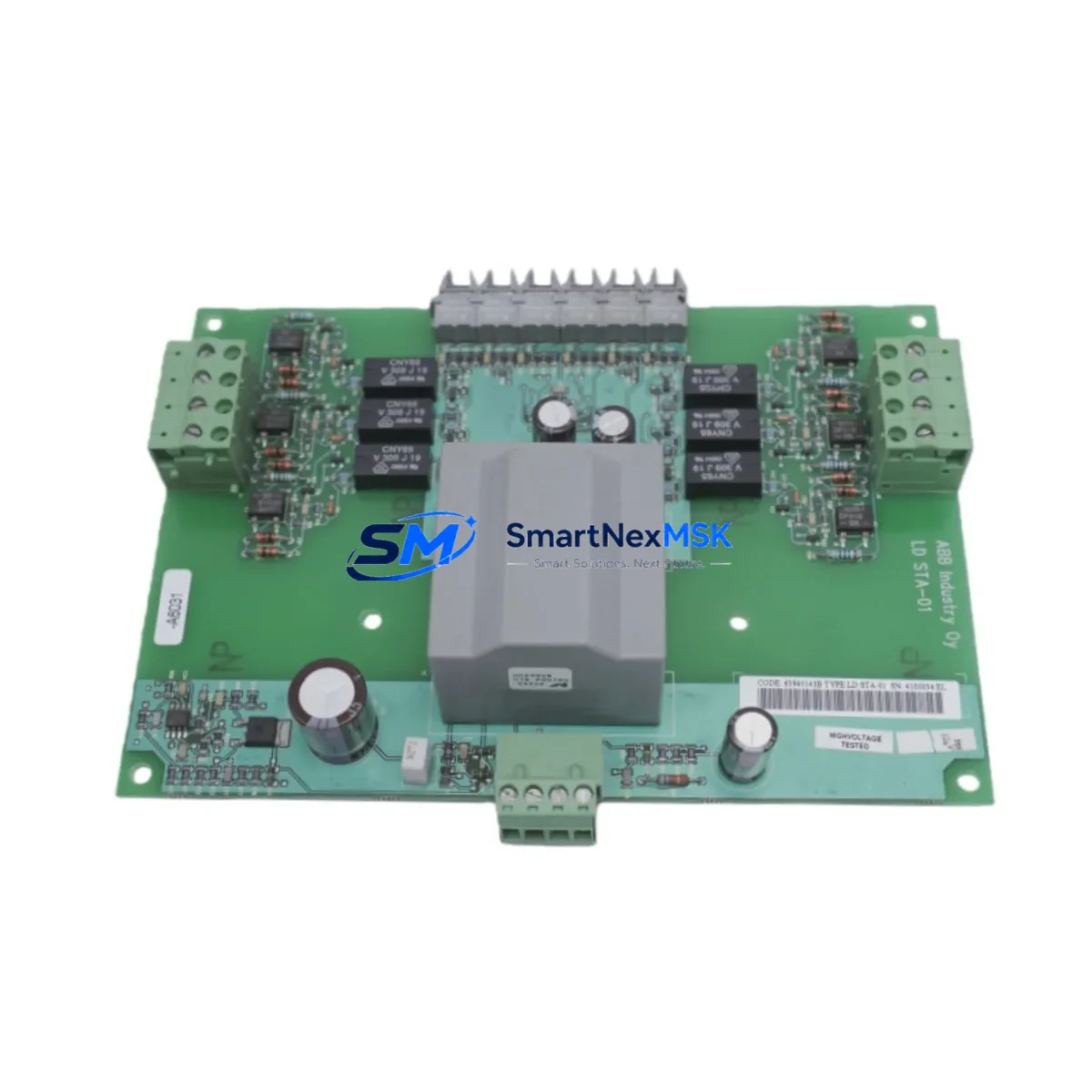
ABB LDSTA-01 63940143B Retrofit-Ready Drive Control Module for ACS Series Control Systems
The ABB LDSTA-01 (part number 63940143B) is a drive control module engineered for direct replacement and seamless retrofit integration within ABB ACS series variable frequency drive platforms. As legacy ACS 400, ACS 500, and ACS 600 installations reach end-of-service milestones, plant engineers and maintenance teams increasingly rely on verified replacement modules like the LDSTA-01 to restore drive functionality without committing to a full drive replacement. This module supports the critical control logic, gate firing, and feedback signal processing functions that keep ACS-series drives operational across a wide range of industrial applications including pumps, fans, compressors, conveyors, and HVAC systems.
The LDSTA-01 63940143B is sourced from verified supply channels, undergoes pre-shipment functional testing, and is backed by a 12-month warranty covering manufacturing defects and operational failures under normal service conditions. Stock is maintained to support urgent breakdown recovery and planned maintenance windows alike.
Upgrade Compatibility Table
| Parameter | Details |
|---|---|
| Compatible Drive Series | ABB ACS 400, ACS 500, ACS 600 |
| Part Number | LDSTA-01 / 63940143B |
| Module Function | Drive Control, Gate Firing, Feedback Signal Processing |
| Mounting Interface | Direct backplane slot — verify frame size before installation |
| Communication Compatibility | Fieldbus adapter slots compatible with RPBA-01 (PROFIBUS), RCAN-01 (CANopen), RDNA-01 (DeviceNet) |
| Power Supply Requirement | Internal 24 VDC from drive power supply board — verify SNAT 7600 or equivalent PSU capacity |
| Replacement Recommendation | Direct swap; parameter backup via DriveWindow or ACS control panel recommended before replacement |
| Commissioning Note | Restore motor ID run and verify speed reference scaling after module swap |
| Warranty | 12 Months from date of shipment |
Retrofit Planning for Existing Automation Systems
Successful retrofit of the LDSTA-01 into an existing ACS drive installation requires a structured approach that accounts for the full control architecture surrounding the drive. Before removing the failed module, engineers should use the ACS control panel or DriveWindow software to export all parameter sets, including motor data, speed references, PID tuning values, and fieldbus node addresses. This backup is essential because the LDSTA-01 does not retain parameters from the previous module.
On the hardware side, confirm that the drive’s internal power supply — typically the SNAT 7600 PSU board — can sustain the 24 VDC rail under the new module’s load. Inspect the backplane connector and slot guides for corrosion or mechanical damage before seating the replacement. If the installation includes an RPBA-01 PROFIBUS adapter or an RCAN-01 CANopen adapter, verify that the fieldbus node address and baud rate settings are correctly restored after the module swap, as these are stored on the adapter rather than the control module itself.
For sites running I/O-intensive control schemes, check the terminal wiring on the XTIO and XTAI I/O extension modules connected to the drive. Signal references, analog input scaling, and digital input logic must be verified against the original wiring diagram before re-energizing the drive. If the system includes an ACS control panel with a custom HMI screen layout, confirm that the panel firmware version is compatible with the replacement LDSTA-01 to avoid display errors or parameter access faults.
In multi-drive installations where the ACS drive communicates with a higher-level PLC — such as an ABB AC500 controller or a third-party Siemens S7-300 — verify that the drive’s fieldbus response time and data word mapping remain consistent after the module replacement. Changes in firmware revision between the old and new LDSTA-01 can occasionally affect the process data object (PDO) structure, which may require a minor update to the PLC’s drive function block or communication configuration.
Sites using an ABB Panel Builder HMI or a Wonderware SCADA system should also validate that drive status words, fault codes, and speed feedback signals are correctly mapped and displayed after commissioning. A brief test run under no-load conditions, followed by a loaded ramp test, is recommended before returning the drive to full production service.
Downtime Control During System Migration
Minimizing unplanned downtime during an LDSTA-01 replacement begins with preparation. Maintain a pre-configured spare module with the correct firmware revision on-site so that the physical swap can be completed within a single maintenance window. Use the ACS drive’s parameter upload function — available via the control panel or DriveWindow — to create a parameter backup file before any work begins. This file can be downloaded to the replacement module in minutes, eliminating the need to manually re-enter motor data, speed references, and protection settings.
Where process continuity is critical, coordinate the drive replacement with the site’s DCS or PLC operator to place the affected control loop in manual mode before isolating the drive. This prevents upstream process upsets caused by a sudden loss of speed reference. After the LDSTA-01 is installed and parameters are restored, perform a motor identification run if the motor data has changed, then gradually transfer control back to automatic mode while monitoring process variables.
For installations where the ACS drive is part of a redundant or duty-standby configuration, switch to the standby drive before beginning the replacement to maintain uninterrupted process flow. Document the replacement in the site’s maintenance log, including the old and new module serial numbers, firmware versions, and any parameter changes made during commissioning. This record supports future troubleshooting and warranty claims.
Retrofit Support FAQ
Q: Is the LDSTA-01 63940143B a direct drop-in replacement for the original module in my ACS 600 drive?
A: Yes, the LDSTA-01 63940143B is designed as a direct replacement for the original control module in compatible ACS 400, ACS 500, and ACS 600 drives. Confirm the drive frame size and firmware revision before installation. A parameter backup and motor ID run are recommended after the swap.
Q: What commissioning steps are required after installing the replacement module?
A: After seating the LDSTA-01, restore the parameter backup via the ACS control panel or DriveWindow, verify fieldbus node address and baud rate on any installed RPBA-01 or RCAN-01 adapter, confirm I/O terminal wiring against the original diagram, and perform a no-load test run before returning to production.
Q: How do I verify wiring compatibility between the old and new module?
A: Compare the terminal layout of the LDSTA-01 against the drive’s original wiring diagram. The XTIO and XTAI I/O extension modules retain their wiring independently of the control module, but analog input scaling and digital input logic should be verified and tested after the replacement.
Q: What does the 12-month warranty cover?
A: The 12-month warranty covers manufacturing defects and operational failures under normal service conditions from the date of shipment. Each unit undergoes pre-shipment functional testing. Warranty claims are supported by our technical team — contact [email protected] for assistance.
© 2026 SMARTNEXMSK. All rights reserved.
Original Source: https://smartnexmsk.com
Contact: [email protected] | +86 18259474341



