
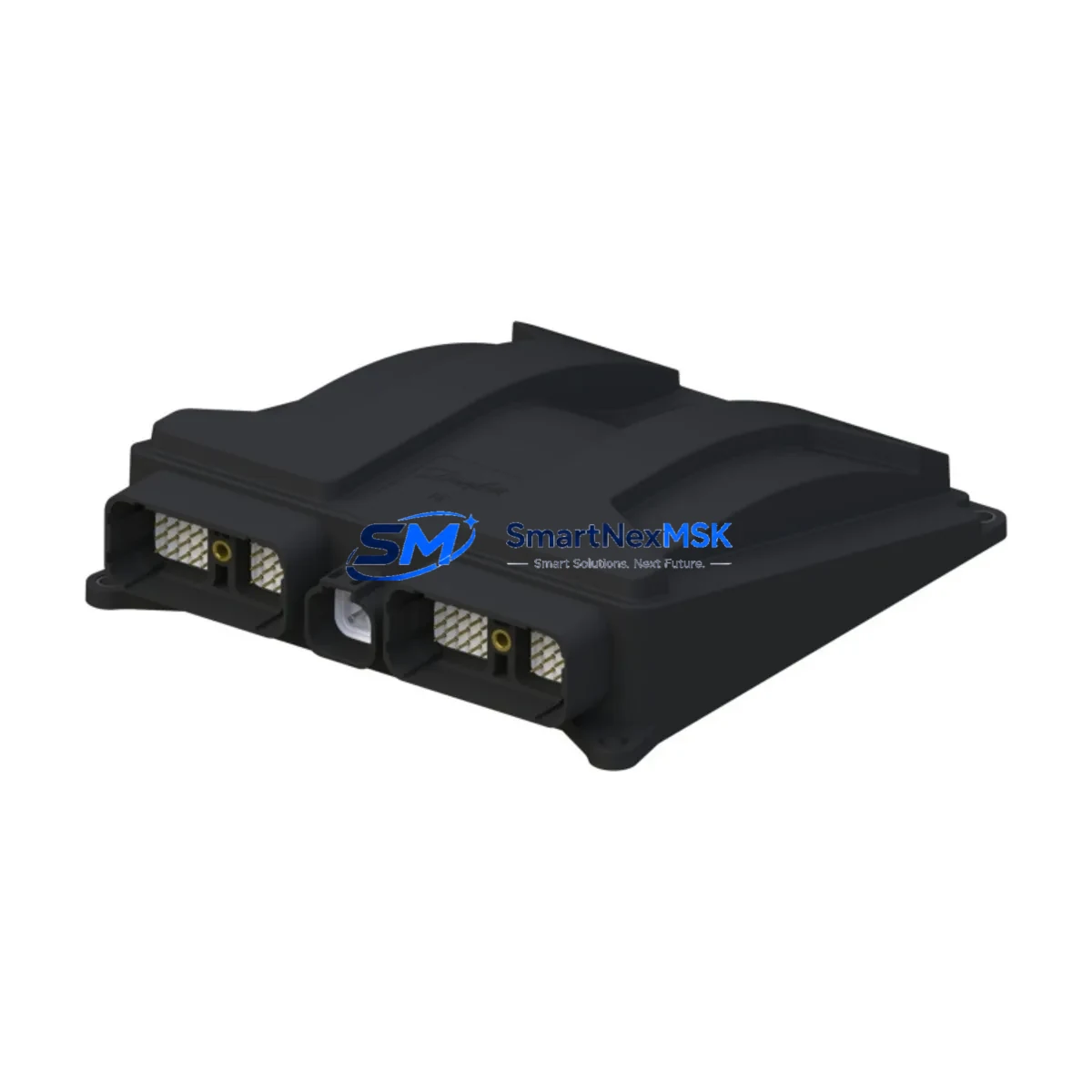
ABB NINP-21C 64268422 Retrofit-Ready PROFIBUS DP Adapter for AC500 Control Systems
The ABB NINP-21C (part number 64268422) is a PROFIBUS DP communication adapter module designed for seamless integration into ABB AC500 PLC control systems. As legacy automation infrastructure ages and original spare parts become increasingly difficult to source, the NINP-21C has emerged as a critical retrofit component for engineers tasked with modernizing existing control cabinets, upgrading discontinued fieldbus architectures, and restoring communication continuity in production environments where downtime is not an option.
SMARTNEXMSK maintains verified stock of the NINP-21C 64268422 with full functional testing prior to shipment, backed by a 12-month warranty. Each unit is inspected against ABB’s original specification to confirm PROFIBUS DP protocol compliance, backplane interface integrity, and module address configurability before leaving our facility in Xiamen.
Upgrade Compatibility Table
| Parameter | Details |
|---|---|
| Compatible PLC Platform | ABB AC500 Series (PM571, PM581, PM591, PM595) |
| Communication Protocol | PROFIBUS DP (EN 50170 / IEC 61158) |
| Backplane Interface | AC500 internal bus connector — direct slot insertion, no adapter required |
| Module Address Configuration | Hardware rotary switch (0–99), software-readable via PS501 Control Builder |
| Power Supply Requirement | Supplied via AC500 backplane (24 VDC internal bus); no external wiring needed |
| Terminal Wiring Compatibility | Standard DB9 PROFIBUS DP connector; compatible with existing field cable terminations |
| Replacement Recommendation | Direct drop-in for failed or end-of-life NINP-21C units; verify firmware version in PS501 |
| Commissioning Requirement | Re-import GSD file in PROFIBUS master; confirm DP slave address matches original |
| Warranty | 12 Months — covers functional failure under normal operating conditions |
| Shipping Origin | Xiamen, China — DHL / FedEx express available |
Retrofit Planning for Existing Automation Systems
When planning a retrofit around the NINP-21C 64268422, the scope of work typically extends well beyond swapping a single module. In most AC500-based control cabinets, the PROFIBUS DP network connects the CPU — commonly a PM581 or PM591 — to a distributed array of I/O nodes, drives, and intelligent field devices. Before removing the failed adapter, engineers should document the existing DP slave address assignments, capture the current GSD file configuration from the PROFIBUS master, and photograph all terminal wiring at the DB9 connector to ensure accurate reconnection.
In systems where the AC500 CPU communicates with remote I/O via a TB511 or TB521 terminal base, the NINP-21C slots directly into the communication module bay without requiring additional mounting hardware. If the control cabinet also houses an ABB CP600 or CP620 HMI panel, the operator screen’s communication driver must be verified post-replacement to confirm that tag addresses and PLC variable bindings remain intact after the module swap.
For installations that include an ABB ACS800 or ACS880 variable frequency drive connected via PROFIBUS DP, the drive’s fieldbus adapter — typically an RPBA-01 PROFIBUS adapter — must be confirmed as still active on the DP network after the NINP-21C is replaced and the master re-scans the bus. Similarly, if the system uses a CI501-PNIO or CI502-PNIO PROFINET adapter alongside the PROFIBUS segment, care must be taken to avoid address conflicts during the re-commissioning phase.
Power budget verification is essential in any AC500 retrofit. The TB511 terminal base and associated I/O modules — including DI581, DO581, and AI531 analog input modules — draw current from the internal 24 VDC bus. Adding or replacing a communication module like the NINP-21C should be preceded by a power consumption audit to confirm the PS501 power supply module or external 24 VDC rail can sustain the updated load without voltage drop.
For sites running older AC500 firmware, a firmware compatibility check in PS501 Control Builder Plus is recommended before inserting the replacement NINP-21C. In some cases, a firmware update to the PM5xx CPU is required to correctly enumerate the new module’s hardware descriptor. SMARTNEXMSK can provide pre-shipment firmware version documentation upon request to streamline on-site commissioning.
Downtime Control During System Migration
Minimizing production downtime during a PROFIBUS DP module replacement on an AC500 system requires a structured pre-outage preparation protocol. Before the scheduled maintenance window, the engineering team should export a full backup of the PS501 Control Builder project, including all PLC program logic, hardware configuration, and variable tables. This backup serves as the recovery baseline if the replacement module requires re-configuration or if the DP network fails to initialize correctly after the swap.
Where possible, the NINP-21C replacement should be performed during a planned shutdown rather than as an emergency repair. If the failure is unplanned, the AC500 CPU’s onboard diagnostics — accessible via the built-in Ethernet port and PS501 — can help isolate whether the fault is in the NINP-21C itself, the PROFIBUS cable termination, or a downstream slave device. This triage step prevents unnecessary module replacement and reduces total repair time.
During the physical swap, the PROFIBUS DP cable should be disconnected at the DB9 connector before removing the module from the terminal base. After inserting the replacement NINP-21C, the DP slave address must be set to match the original rotary switch position before powering the system back on. Once power is restored, the PROFIBUS master will perform a bus scan; if all slave addresses are correctly assigned and the GSD file is intact, the network should initialize within seconds, restoring full I/O communication without requiring a PLC program download.
For systems where the original program logic cannot be interrupted, a hot-standby configuration using a redundant AC500 CPU pair — such as a PM595 in redundancy mode — allows the backup CPU to maintain control while the primary system undergoes the module replacement. This approach is particularly valuable in continuous process industries where even a brief loss of control is unacceptable.
Retrofit Support FAQ
Q1: Is the NINP-21C 64268422 a direct replacement for all AC500 PROFIBUS DP adapters?
The NINP-21C is the standard PROFIBUS DP communication module for the ABB AC500 series and is compatible with PM571, PM581, PM591, and PM595 CPUs when used with TB511 or TB521 terminal bases. It is not interchangeable with CI-series PROFINET or Ethernet/IP adapters. Always verify the original module’s part number and communication protocol before ordering.
Q2: What commissioning steps are required after replacing the NINP-21C?
After physical installation, set the rotary address switch to match the original DP slave address, reconnect the DB9 PROFIBUS cable, and power on the system. In PS501 Control Builder, verify that the hardware configuration recognizes the new module. If the PROFIBUS master is a third-party device, re-import the GSD file and perform a bus scan to confirm all slaves are online. No PLC program download is typically required if the hardware configuration is unchanged.
Q3: Can SMARTNEXMSK provide pre-shipment functional testing for the NINP-21C?
Yes. All NINP-21C 64268422 units shipped by SMARTNEXMSK undergo functional testing on an AC500 test bench prior to dispatch. A test report confirming PROFIBUS DP communication, module address response, and backplane interface integrity is available upon request. Units are covered by a 12-month warranty from the date of shipment.
Q4: What should I check if the PROFIBUS network does not initialize after replacing the NINP-21C?
First, confirm the rotary address switch matches the original slave address. Next, check the DB9 connector for correct pin assignment and cable termination resistance (should be 220Ω at each end of the bus). In PS501, review the diagnostic buffer for any hardware fault codes. If the master reports a GSD mismatch, re-import the NINP-21C GSD file and re-download the hardware configuration. If the issue persists, contact SMARTNEXMSK technical support with the diagnostic log for remote assistance.
© 2026 SMARTNEXMSK. All rights reserved.
Original Source: https://smartnexmsk.com
Contact: [email protected] | +86 18259474341



