
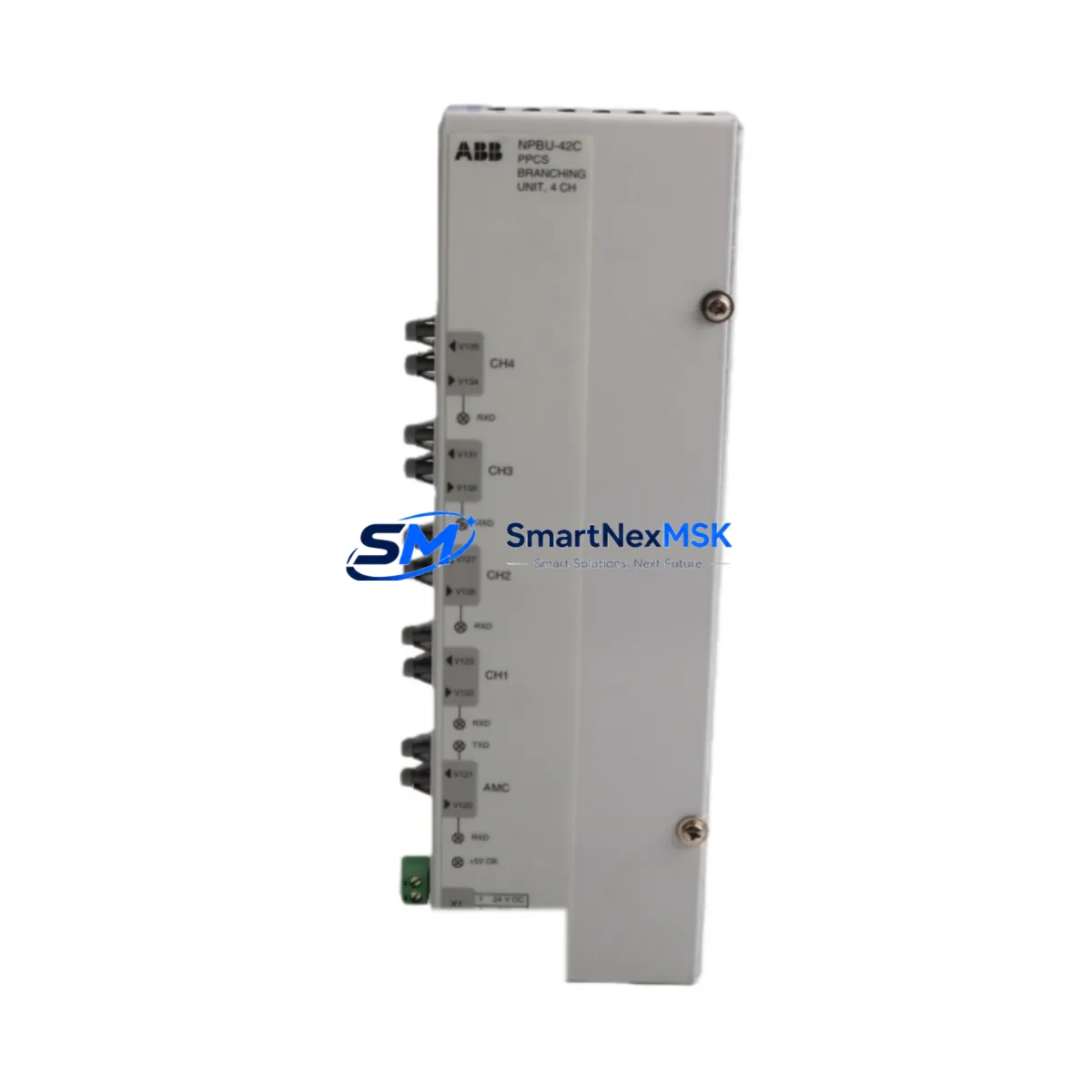
ABB NPBU-42C 64011821D Spare for AC500 Automation: Rapid Replacement & Downtime Control
The ABB NPBU-42C (part number 64011821D) is an original PROFIBUS DP Active Star Coupler designed for use in ABB AC500 PLC systems and Freelance DCS architectures. As a maintenance-ready spare, this unit enables field engineers to restore PROFIBUS DP segment integrity within minutes of a network fault — eliminating cascading I/O failures and unplanned production stoppages. Sourced directly from authorized supply chains, each unit is tested before shipment and backed by a 12-month warranty, making it a reliable choice for both emergency replacement and planned spare parts inventory.
In industrial environments where PROFIBUS DP networks carry critical process data between PLCs, remote I/O stations, drives, and field instruments, a failed branching unit can isolate entire segments. The NPBU-42C provides active signal regeneration across up to four PROFIBUS DP branches, maintaining bus integrity even when individual segments experience cable faults or device failures. Its DIN-rail mounting and plug-in terminal design allow for tool-free replacement in most control cabinet configurations, reducing mean time to repair (MTTR) significantly.
For maintenance engineers managing aging AC500 or Freelance DCS installations, stocking the NPBU-42C as a critical spare is a proven strategy for extending system life and avoiding costly emergency procurement delays. Long-term supply availability is confirmed, and units are dispatched with full documentation including test reports and conformity declarations.
Spare Maintenance Table
| Parameter | Specification |
|---|---|
| Part Number | NPBU-42C / 64011821D |
| Brand | ABB |
| Compatible Series | AC500 PLC, Freelance DCS |
| Function | PROFIBUS DP Active Star Coupler / Branching Unit |
| PROFIBUS Branches | Up to 4 active DP segments |
| Bus Protocol | PROFIBUS DP (EN 50170) |
| Supply Voltage | 24 V DC (via backplane or external) |
| Mounting | DIN Rail, plug-in terminal block |
| Operating Temperature | 0 °C to +60 °C |
| Country of Origin | Germany |
| Product Condition | Original New / Tested Before Shipment |
| Warranty | 12 Months |
| Application Environment | Industrial control cabinets, process automation panels |
| Maintenance Recommendation | Inspect annually; replace immediately on segment fault or LED error indication |
Maintenance Planning for Continuous Operation
When replacing the NPBU-42C in an AC500 or Freelance DCS control cabinet, a thorough inspection of the surrounding electrical environment is essential to prevent repeat failures and confirm full system restoration. Maintenance engineers should begin by verifying the 24 V DC supply rail feeding the branching unit — a degraded ABB CP-E 24/5.0 power supply module or similar DIN-rail PSU can cause intermittent resets that mimic a faulty coupler. Check supply voltage under load and inspect for ripple or voltage sag.
Next, inspect the PROFIBUS DP cable termination resistors at both ends of each active segment. Incorrect or missing termination is a leading cause of bus instability that can stress the NPBU-42C’s repeater circuitry. Verify that PROFIBUS DP bus connectors (such as ABB’s 9-pin D-Sub field connectors) are properly seated and that cable shielding is grounded at one end only per segment.
For AC500 systems, confirm that the ABB PM573 or PM591 CPU module PROFIBUS master port configuration matches the updated segment topology after replacement. If the system uses a TB511-ETH or TB521-ETH communication interface module, verify that the Ethernet-to-PROFIBUS gateway parameters remain consistent. In Freelance DCS installations, check the AC800F controller PROFIBUS master settings and confirm that all slave addresses are correctly re-enumerated after the coupler swap.
Inspect adjacent ABB S800 I/O modules (such as AI810, AO810, DI810, DO810) connected to the restored segments for any latched fault states. These modules may require a power cycle or manual reset after a prolonged bus interruption. Similarly, review any ABB ACSM1 or ACS880 variable speed drives connected via PROFIBUS DP for communication fault alarms that may persist after bus restoration.
For cabinets with mixed signal environments, inspect signal isolators and PROFIBUS repeaters installed between the NPBU-42C and field devices in electrically noisy zones. Verify that surge protection devices on PROFIBUS lines remain functional, as a bus fault event can sometimes damage SPDs. Finally, check the 24 V DC fuse or circuit breaker protecting the branching unit supply circuit and replace if any signs of thermal stress are present. Documenting all findings in the maintenance log supports future planned inspection cycles and spare parts forecasting.
Site Replacement Workflow
Step 1 — Isolate the Fault: Use the PROFIBUS DP diagnostic LEDs on the NPBU-42C to identify which segment has failed. Most AC500 engineering tools (such as ABB Automation Builder or Control Builder F) provide live PROFIBUS diagnostics that pinpoint the faulty branch without requiring a full system shutdown.
Step 2 — Safe De-energization: Isolate the 24 V DC supply to the branching unit using the dedicated circuit breaker or fuse in the control cabinet. Do not remove the unit under power. Confirm isolation with a calibrated multimeter before proceeding.
Step 3 — Physical Replacement: Disconnect PROFIBUS DP cables from each branch port, noting the segment assignment for each connector. Remove the NPBU-42C from the DIN rail. Install the replacement unit, reconnect cables in the same order, and verify termination resistor settings on each branch port match the original configuration.
Step 4 — Re-energize and Verify: Restore 24 V DC supply. Confirm all segment LEDs indicate normal operation. Use the PLC engineering tool to verify that all PROFIBUS slaves on each segment are communicating correctly and that no latched faults remain in the CPU or I/O modules.
Step 5 — Documentation: Record the replacement date, old unit serial number, and post-replacement diagnostic results in the equipment maintenance log. Update the spare parts inventory to trigger reorder of a replacement NPBU-42C unit, maintaining minimum stock levels for critical network infrastructure components.
This workflow is compatible with both hot-standby and simplex AC500 configurations and supports zero-tool replacement in most standard control cabinet layouts, minimizing downtime to under 30 minutes for experienced field technicians.
Spare Parts Support FAQ
Q1: Is the NPBU-42C 64011821D a direct drop-in replacement for older ABB PROFIBUS branching units?
Yes. The NPBU-42C is the current production variant for AC500 and Freelance DCS PROFIBUS DP star coupler applications. It is backward compatible with earlier ABB PROFIBUS branching unit generations used in the same cabinet form factor. No firmware changes or parameter adjustments are required in the PLC master configuration when replacing a like-for-like unit.
Q2: How is compatibility verified before shipment?
Each NPBU-42C unit is bench-tested against PROFIBUS DP protocol compliance prior to dispatch. Test reports confirming electrical performance and bus communication integrity are available upon request. Units are shipped with original ABB packaging and labeling to confirm authenticity.
Q3: What is the recommended spare parts stocking strategy for PROFIBUS DP infrastructure?
For facilities operating AC500 or Freelance DCS systems with more than two PROFIBUS DP segments, maintaining a minimum of one NPBU-42C in on-site inventory is recommended. Given typical lead times for industrial automation spares, a safety stock of two units is advisable for critical process lines where unplanned downtime carries significant production cost.
Q4: What does the 12-month warranty cover?
The 12-month warranty covers manufacturing defects and functional failures under normal operating conditions as specified in the ABB NPBU-42C datasheet. Warranty claims are supported with replacement or full refund. Units damaged by incorrect installation, overvoltage, or environmental conditions outside the rated operating range are assessed on a case-by-case basis. Contact our technical support team for warranty claim initiation.
© 2026 SMARTNEXMSK. All rights reserved.
Original Source: https://smartnexmsk.com
Contact: [email protected] | +86 18259474341



