
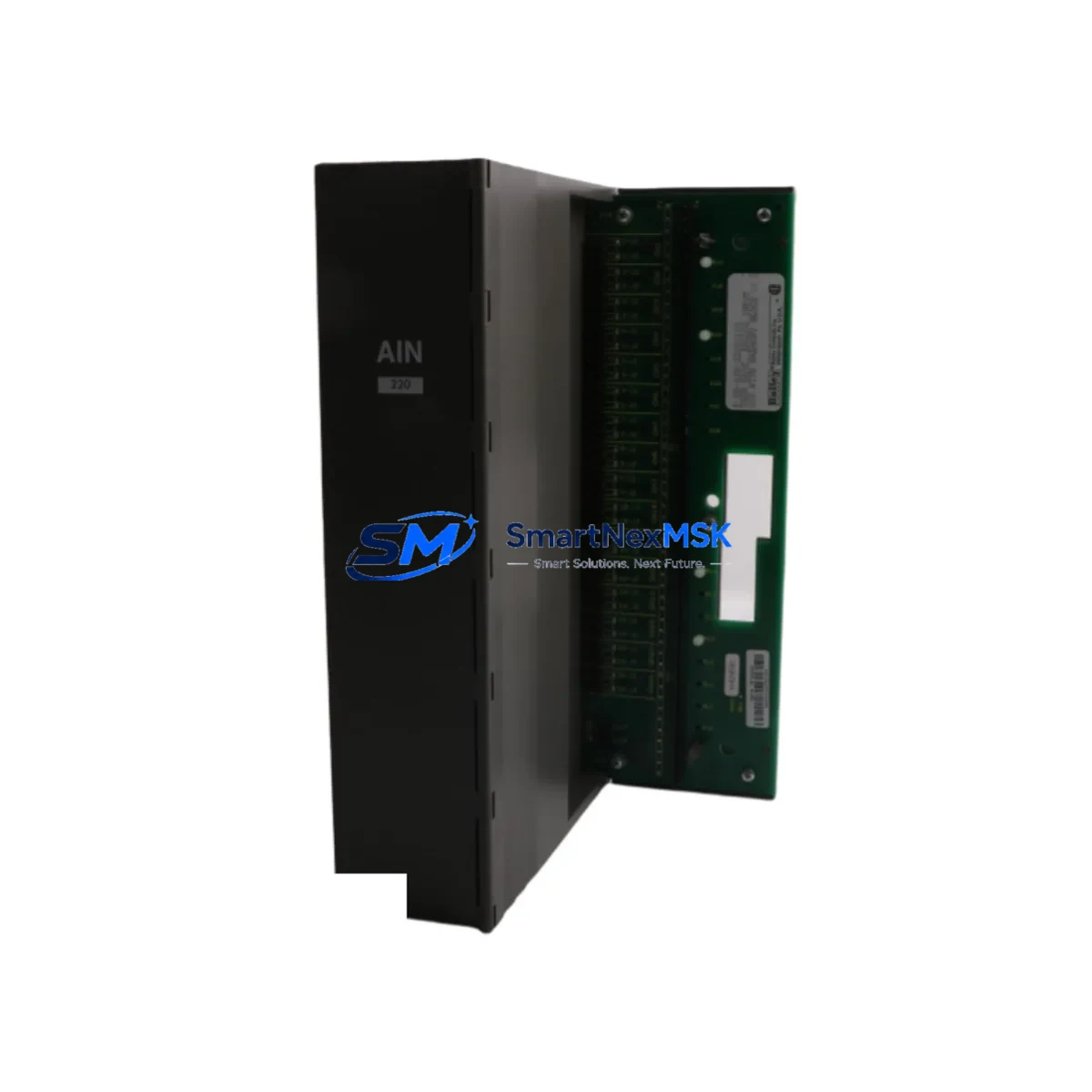
ABB P-HB-AIN-2200C100 Maintenance-Ready Spare Harmony DCS: Spare Replacement & Industrial Downtime Risk Control
The ABB P-HB-AIN-2200C100 is an original analog input module engineered for the ABB Harmony DCS platform — one of the most widely deployed distributed control systems across oil & gas, chemical processing, power generation, and water treatment industries. When this module fails or degrades, the consequences extend far beyond a single I/O channel: every control loop dependent on that analog signal is compromised, triggering process deviations, safety interlock activations, or unplanned shutdowns. Maintaining a verified, pre-tested spare of the P-HB-AIN-2200C100 in your critical spare parts inventory is a fundamental strategy for minimizing mean time to repair (MTTR) and protecting continuous plant operation.
This module handles analog signal acquisition — typically 4–20 mA current loop or voltage inputs — and feeds real-time process data into the Harmony DCS controller for PID regulation, alarm management, and historian logging. Its position in the signal chain makes it a high-priority spare for maintenance engineers managing aging DCS infrastructure or executing lifecycle extension programs for legacy Harmony systems (including Symphony Plus and Infi 90 compatible platforms).
Our stock of P-HB-AIN-2200C100 modules is sourced from authorized supply channels, individually inspected, and shipped with full functional test documentation. Each unit carries a 12-month warranty covering manufacturing defects and operational failures under normal industrial conditions. Same-day or next-business-day dispatch is available for in-stock units.
Spare Maintenance Table
| Parameter | Specification / Detail |
|---|---|
| Part Number | P-HB-AIN-2200C100 / PHBAIN2200C100 |
| Brand | ABB |
| Series | Harmony DCS (Symphony Plus / Infi 90 Compatible) |
| Module Type | Analog Input Module |
| Signal Type | 4–20 mA / Voltage Analog Input |
| Number of Channels | Multi-channel (per hardware revision) |
| System Compatibility | ABB Harmony DCS — Infi 90, Symphony Plus compatible racks |
| Origin | Germany (OEM — ABB) |
| Installation | DCS backplane / rack-mount; hot-swap capable (system-dependent) |
| Application Environment | Process control panels, control rooms, industrial cabinets (IEC 61131 environments) |
| Maintenance Recommendation | Replace at first sign of signal drift, channel failure, or diagnostic fault; inspect every 12–24 months |
| Pre-Shipment Testing | Functional test performed; test report available on request |
| Lead Time | In stock — same-day or next-business-day dispatch available |
| Warranty | 12 Months — covers manufacturing defects and operational failure under normal use |
Maintenance Planning for Continuous Operation
Replacing the P-HB-AIN-2200C100 in a live Harmony DCS environment is rarely an isolated task. Maintenance engineers and procurement engineers should treat this replacement as a structured opportunity to audit the surrounding signal chain and control cabinet for latent faults that could trigger the next unplanned outage.
Begin with the power supply module feeding the I/O rack. A degraded ABB Harmony rack power supply (such as units in the P-HB-PSU series) can cause intermittent analog signal errors that closely mimic module failure. Verify output voltage stability under full load before concluding the analog input module is the root cause — a failing PSU will defeat a new module within weeks.
Inspect the field terminal assembly (FTA) or terminal block wired to the analog input channels. Loose terminations, corroded screw terminals, or damaged cable shields are among the most common sources of signal noise that accelerate module wear and cause false diagnostics. If the FTA shows heat discoloration or oxidation, replace it concurrently with the P-HB-AIN-2200C100 to avoid a repeat fault.
Check the controller or communication module — such as the ABB Harmony IMMFP or IMFEC series — that the analog input module reports to. A controller with degraded memory or communication bus errors may misinterpret valid analog signals as faults, leading to unnecessary module replacements. Confirm controller diagnostics are clean before and after the swap, and review the system event log for recurring communication errors.
For multi-channel analog input racks, inspect adjacent analog output modules (AO modules) sharing the same backplane. Shared power rails and ground paths mean a failing AO module can inject noise into neighboring AI channels. If multiple channels show simultaneous anomalies, the backplane bus coupler or rack itself may require inspection or replacement as a long-lead spare item.
Review the signal isolators installed between field transmitters and the DCS input channels. Aging isolators introduce offset errors or reduce loop impedance, causing the analog input module to read incorrectly even when the module itself is healthy. Replace any isolator showing drift beyond ±0.1% of span. For HART-enabled loops, verify that the HART multiplexer or asset management interface can still communicate with the transmitter after module replacement — HART configuration data may need to be re-uploaded.
Evaluate fuse and surge protection components on the analog input loop. Blown loop fuses or degraded transient voltage suppressors (TVS) on field wiring terminals are frequently overlooked during fault isolation. A complete spare kit for the P-HB-AIN-2200C100 replacement should include loop fuses, terminal surge protectors, spare cable ferrules, and a calibrated loop calibrator for post-installation verification.
For sites running extended Harmony DCS lifecycles beyond 15 years, consider stocking the Harmony DCS backplane or bus coupler as a long-lead spare. Backplane connector degradation is a documented failure mode in aging systems, and a failed backplane will render a new analog input module non-functional immediately after installation — negating the value of a fast spare response.
Site Replacement Workflow
Step 1 — Pre-replacement verification: Confirm the exact part number (P-HB-AIN-2200C100) against the installed module label and the DCS hardware configuration database. Cross-reference with the system I/O list to identify which process variables are affected. Notify the control room operator and obtain a permit to work before proceeding.
Step 2 — Safe isolation: Place the affected control loop in manual mode at the DCS workstation. If the process permits, isolate the field instrument at the root valve or junction box. Do not remove the module under power unless the system confirms hot-swap support for this slot type — verify in the Harmony hardware manual for your rack revision.
Step 3 — Module extraction and inspection: Remove the P-HB-AIN-2200C100 carefully, noting the slot address and any DIP switch or jumper settings. Inspect the backplane connector pins for damage or contamination. Photograph the FTA wiring before disconnecting to ensure correct reconnection of the replacement unit.
Step 4 — Replacement installation: Insert the new module, confirm it seats fully on the backplane, and reconnect the FTA. Power up and observe the DCS diagnostic display for channel status. The module should self-initialize within 30–60 seconds on most Harmony platforms. If a fault persists, check the slot address configuration in the engineering workstation.
Step 5 — Loop verification and calibration: Apply a known 4 mA and 20 mA reference signal to each channel using a calibrated loop calibrator. Confirm the DCS reads the correct engineering unit values within the specified accuracy tolerance. Document as-found and as-left calibration records in the CMMS.
Step 6 — Return to service: Transfer the control loop back to automatic mode, monitor for 15–30 minutes, and confirm stable process variable readings with no diagnostic alarms. Update the maintenance management system with the replacement date, new module serial number, and next scheduled inspection interval. This workflow applies equally to planned maintenance windows and emergency replacements — having a pre-tested P-HB-AIN-2200C100 on-site reduces the replacement cycle from days to hours, directly protecting production uptime and OEE targets.
Spare Parts Support FAQ
Q1: Is this P-HB-AIN-2200C100 an original ABB module or a compatible substitute?
This is an original ABB P-HB-AIN-2200C100 module sourced from authorized supply channels — not a third-party compatible or remanufactured unit. Each module is individually tested before shipment and ships with a 12-month warranty. A certificate of conformity or pre-shipment test report is available on request. Contact [email protected] before ordering if documentation is required for your procurement process.
Q2: How do I verify compatibility with my existing Harmony DCS configuration?
Compatibility is determined by the DCS hardware configuration file (HCF) and the slot type assigned in the Harmony engineering workstation. Provide your system’s hardware revision, firmware version, and I/O rack model, and our technical team will confirm compatibility before shipment. In most cases, the P-HB-AIN-2200C100 is a direct drop-in replacement for the same slot without requiring configuration changes at the engineering workstation.
Q3: What is your inventory policy for long-term spare parts supply?
We maintain buffer stock of high-demand Harmony DCS modules including the P-HB-AIN-2200C100 to support both emergency and planned procurement cycles. For sites managing lifecycle extension programs or multi-year maintenance contracts, we recommend establishing a blanket order or annual supply agreement to lock in pricing and ensure priority allocation. Contact [email protected] to discuss volume pricing and reserved stock arrangements.
Q4: What does the 12-month warranty cover, and what is the return process?
The 12-month warranty covers manufacturing defects and operational failures under normal industrial operating conditions. It does not cover damage caused by incorrect installation, overvoltage events, or physical mishandling. To initiate a warranty claim, contact [email protected] with the order number, module serial number, and a description of the failure mode. We will arrange return shipping and provide a replacement or full refund within the agreed service timeline.
© 2026 SMARTNEXMSK. All rights reserved.
Original Source: https://smartnexmsk.com
Contact: [email protected] | +86 18259474341



