
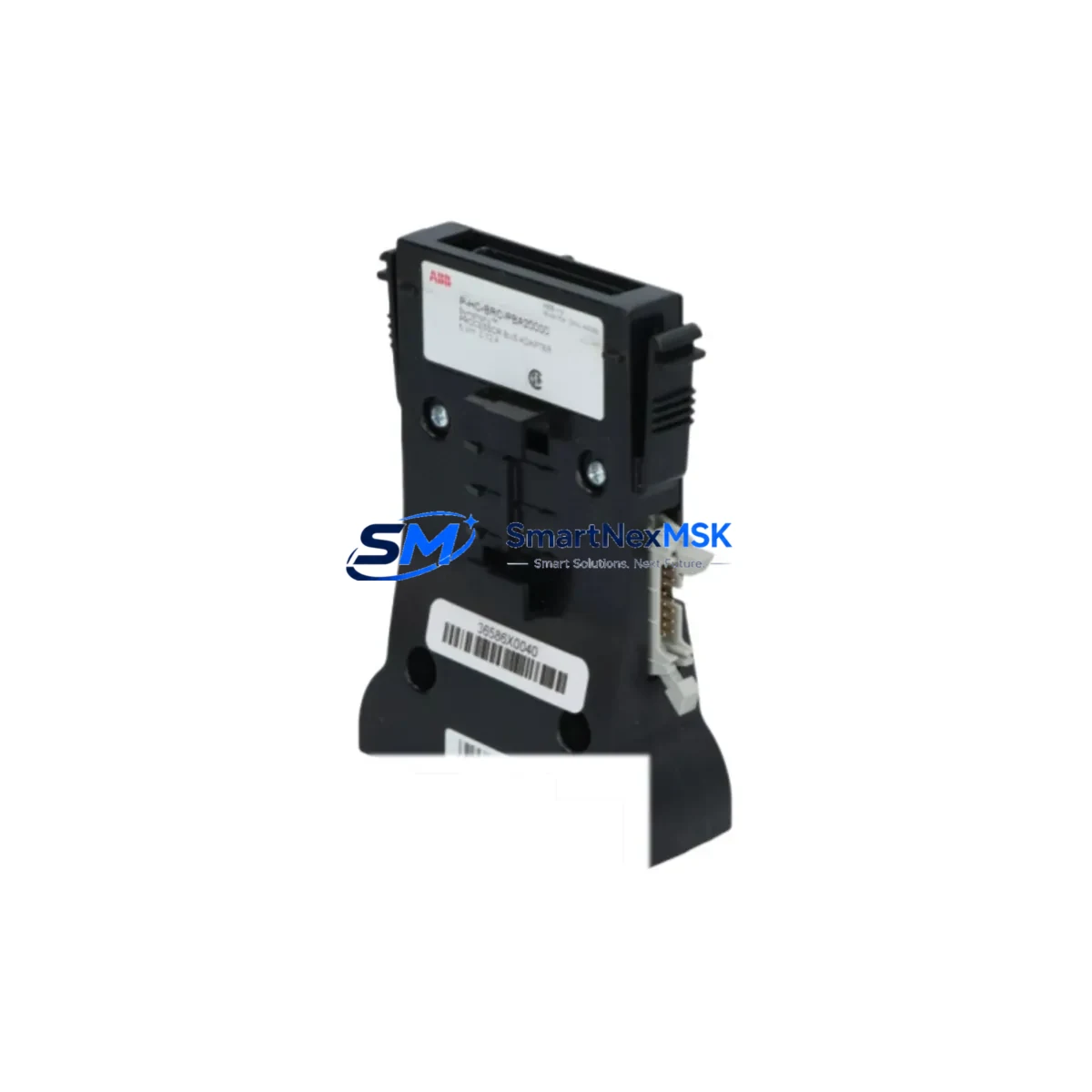
ABB PBA20000 Maintenance-Ready Spare for AC500 Automation
The ABB PBA20000 is an original Process Bus Adapter designed for the ABB AC500 PLC platform — one of the most widely deployed modular programmable logic controller families in industrial automation. In maintenance-critical environments, the PBA20000 serves as the communication backbone between the AC500 CPU module and distributed I/O stations, enabling real-time process data exchange across the system bus. When this adapter fails or degrades, the entire control loop is at risk of unplanned shutdown. Stocking a verified original PBA20000 spare is a fundamental element of any responsible maintenance strategy for AC500-based control systems.
This listing provides a genuine, tested PBA20000 unit sourced for industrial replacement use. Each unit undergoes pre-shipment functional verification and is backed by a 12-month warranty. Whether you are managing a planned turnaround, responding to an emergency fault, or building out your spare parts inventory for long-term system support, the PBA20000 is available for fast dispatch with full compatibility assurance for the AC500 series.
Spare Maintenance Table
| Parameter | Specification / Value |
|---|---|
| Part Number / SKU | PBA20000 |
| Brand | ABB |
| Series | AC500 |
| Product Type | Process Bus Adapter |
| Function | Connects AC500 CPU to distributed I/O modules via process bus |
| Compatible CPUs | AC500 PM5xx / PM5xx-ETH series (verify with system documentation) |
| Communication Interface | AC500 internal process bus |
| Mounting | DIN rail, snap-fit onto AC500 backplane / terminal base |
| Operating Temperature | -25°C to +60°C (standard industrial range) |
| Protection Class | IP20 (panel-mount, control cabinet installation) |
| Origin | Germany (ABB manufacturing) |
| Unit Weight | 600 g (approx.) |
| Condition | Original, new / tested surplus |
| Warranty | 12 Months |
| Pre-shipment Test | Yes — functional verification before dispatch |
| Application Environment | Industrial automation, process control, manufacturing, utilities |
| Maintenance Recommendation | Inspect bus connector pins and seating annually; replace if communication errors persist after CPU restart |
Maintenance Planning for Continuous Operation
When a PBA20000 fault is identified during routine control cabinet inspection or triggered by a bus communication alarm on the AC500 CPU, the replacement workflow should extend beyond the adapter itself. Maintenance engineers should treat the event as an opportunity to audit the surrounding system components that share the same electrical environment and communication path.
Begin by verifying the AC500 CPU module (such as the PM554-T or PM564-T) for firmware integrity and bus configuration parameters — a degraded adapter can sometimes mask underlying CPU communication faults. Check the AC500 terminal base (TB521 or TB541 series) for mechanical damage, oxidized contacts, or loose DIN rail retention, as a poor base connection is a common root cause of intermittent bus errors that are incorrectly attributed to the adapter.
Inspect the 24 VDC power supply module feeding the CPU rack — ABB CP series or equivalent — for output voltage stability and ripple, since undervoltage conditions accelerate bus adapter wear. If the system uses AC500 digital input/output modules (DA501, DA502, DC532 series), verify that their bus termination settings are correct and that no module has developed a stuck I/O channel that could be generating bus traffic anomalies.
For systems with AC500 analog I/O modules (AX521, AX522), confirm signal isolation integrity and check for ground loops that may introduce noise into the process bus. Where PROFIBUS DP or Modbus communication modules (CM572-DP, CM577-ETHX) are installed in the same rack, review their diagnostic registers for any logged communication errors that predate the PBA20000 fault — these can indicate a systemic bus loading issue rather than a single-component failure.
Also inspect relay output modules and associated wiring for inductive kickback damage, and verify that surge protection devices on the cabinet’s incoming power rail are functional. For older AC500 installations, check the battery backup module for the CPU’s RAM retention — a depleted battery can cause configuration loss after a power cycle, which may present as a bus adapter fault on restart. Finally, review the HMI panel (CP600 series or third-party) communication link to the CPU to ensure that any operator interface alarms are correctly attributed to the bus adapter replacement and not to a separate HMI communication fault.
Stocking the PBA20000 alongside these associated components — particularly the terminal base, power supply, and at least one digital I/O module — provides a comprehensive first-response spare kit that covers the majority of AC500 control cabinet fault scenarios.
Site Replacement Workflow
Step 1 — Fault Confirmation: Confirm the PBA20000 as the fault source via the AC500 CPU diagnostic LEDs and the programming software (Automation Builder / PS501 Control Builder Plus). Log the bus error code before powering down.
Step 2 — Safe Isolation: Follow your site LOTO (Lockout/Tagout) procedure. Isolate the 24 VDC supply to the CPU rack. Do not hot-swap the process bus adapter — the AC500 process bus does not support live insertion of the PBA20000.
Step 3 — Physical Replacement: Release the terminal base locking lever, slide out the existing PBA20000, and seat the replacement unit firmly until the bus connector clicks into position. Verify DIN rail retention.
Step 4 — Configuration Verification: Restore power and confirm that the CPU recognizes the adapter. In Automation Builder, verify that the I/O configuration matches the hardware layout. No re-parameterization is typically required for a like-for-like PBA20000 replacement.
Step 5 — Functional Test: Cycle the process through a manual test sequence to confirm all I/O channels are responding correctly. Clear any latched alarms on the HMI and document the replacement in the site maintenance log.
This workflow minimizes downtime to under 30 minutes for a prepared maintenance team with the spare unit on hand, compared to multi-day delays when waiting for emergency procurement. Maintaining a PBA20000 in your local spare parts inventory is the single most effective measure for reducing AC500 bus-related downtime risk.
Spare Parts Support FAQ
Q1: Is the PBA20000 compatible with all AC500 CPU variants?
The PBA20000 is designed for the ABB AC500 platform. Compatibility depends on the specific CPU generation and terminal base in use. We recommend confirming your CPU part number (e.g., PM554, PM564, PM583) and terminal base model before ordering. Our technical team can assist with compatibility verification prior to shipment.
Q2: What does the 12-month warranty cover?
The 12-month warranty covers manufacturing defects and functional failures under normal operating conditions. Each unit is tested before dispatch. The warranty does not cover damage resulting from incorrect installation, overvoltage events, or use outside the specified environmental range. Warranty claims are processed with return shipping support.
Q3: How is the PBA20000 tested before shipment?
Each unit undergoes a functional communication test to verify bus interface integrity and connector condition. Units that do not pass the pre-shipment test are not dispatched. A test report is available upon request for critical infrastructure procurement.
Q4: Can the PBA20000 replace older or discontinued AC500 bus adapter variants?
In many cases, yes — ABB has maintained backward compatibility across AC500 generations for the process bus adapter interface. However, firmware version requirements and terminal base compatibility should be verified against your system’s hardware revision. Contact us with your existing adapter part number and CPU model for a direct compatibility assessment before purchase.
© 2026 SMARTNEXMSK. All rights reserved.
Original Source: https://smartnexmsk.com
Contact: [email protected] | +86 18259474341



