
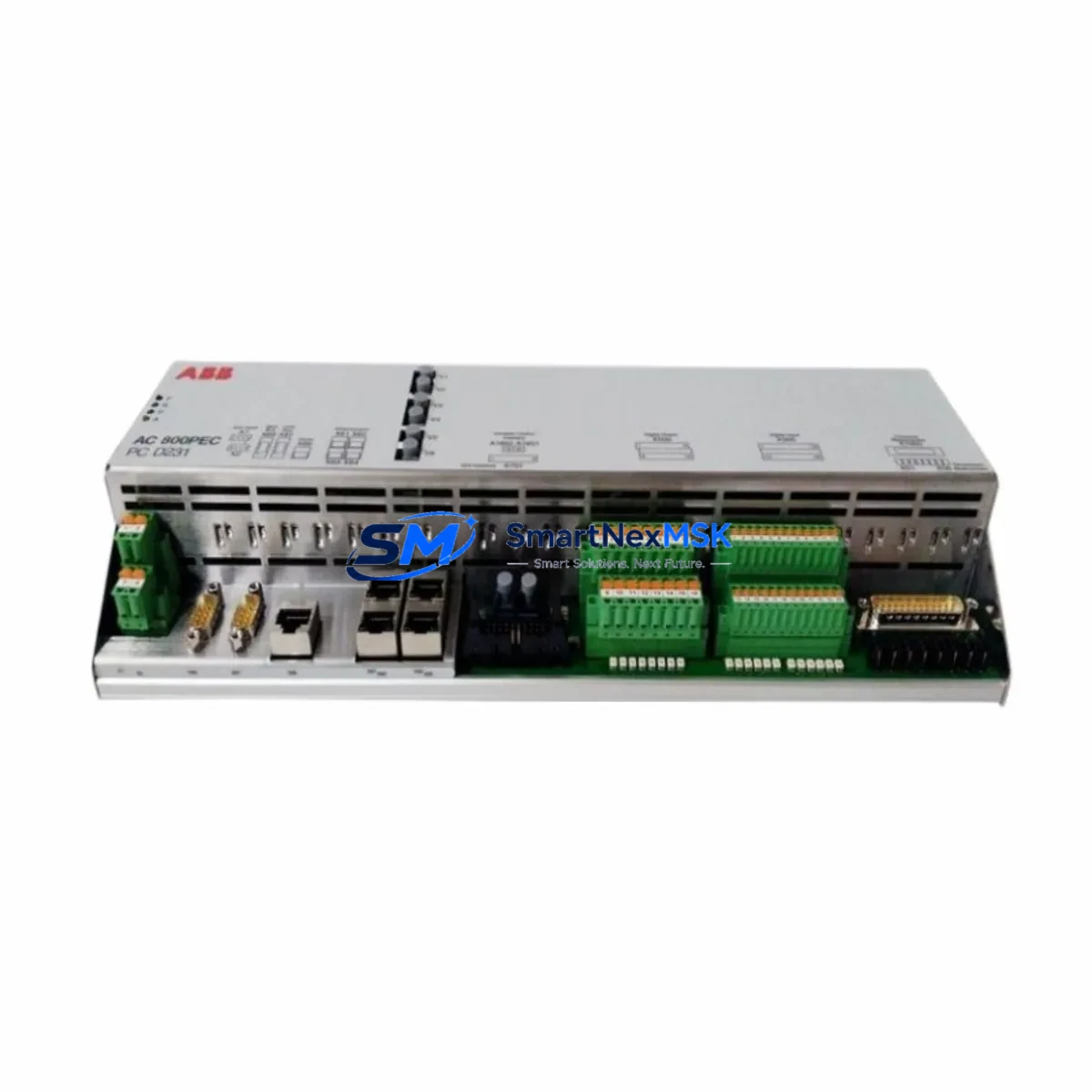
ABB PCD231B101 Maintenance-Ready Spare for AC800PEC Automation
The ABB PCD231B101 (order reference 3BHE025541R0101) is an original excitation control module engineered for the AC800PEC high-performance excitation controller platform. In power generation, drive systems, and heavy industrial automation environments, the AC800PEC excitation controller governs generator field current with millisecond-level precision. A failed or degraded PCD231B101 module directly threatens generator availability, turbine synchronization, and grid stability. Sourcing a verified, tested replacement from a reliable spare parts supplier is the fastest path to restoring full system operation and avoiding extended unplanned downtime.
At SMARTNEXMSK, every PCD231B101 unit is inspected, functionally tested, and dispatched with a 12-month warranty. We maintain long-term stock of AC800PEC platform spares to support both emergency callouts and planned maintenance cycles, ensuring your procurement team can secure parts without lead-time uncertainty.
Spare Maintenance Table
| Part Number | PCD231B101 |
| Order Reference | 3BHE025541R0101 |
| Brand | ABB |
| Series / Platform | AC800PEC Excitation Controller |
| Module Function | Excitation Control Module — field current regulation, AVR interface, protection logic |
| Origin | Germany (DE) |
| Compatibility | AC800PEC-based excitation systems; compatible with ABB UNITROL and EXC series excitation cabinets |
| Installation | Backplane-mounted; DIN rail or rack-mount per AC800PEC cabinet configuration |
| Operating Environment | Industrial control cabinet; 0–55 °C operating range; IEC 61131-2 compliant |
| Condition | Original OEM — new or fully tested refurbished |
| Pre-Shipment Testing | Functional power-on test, I/O signal verification, communication handshake check |
| Warranty | 12 Months — covers functional failure under normal operating conditions |
| Lead Time | In-stock: same-day or next-business-day dispatch |
| Packaging | Anti-static ESD bag, foam-padded export carton |
Maintenance Planning for Continuous Operation
When a maintenance or reliability engineer schedules inspection or replacement of the PCD231B101 excitation control module, the scope of work should extend beyond the module itself. The AC800PEC excitation system is an integrated platform, and adjacent components frequently exhibit wear or degradation on a similar timeline.
Begin with the AC800PEC power supply module (typically a PM856 or equivalent redundant PSU): verify output voltage stability under load, as a marginal power supply can cause intermittent resets that mimic module faults. Inspect the backplane and rack assembly for oxidized connector pins, which are a common root cause of communication errors between the PCD231B101 and the controller CPU. The SD802F or equivalent CPU module should be checked for firmware version compatibility with the replacement PCD231B101 to avoid parameter mismatch after swap-in.
On the field wiring side, inspect terminal blocks and field wiring terminations in the excitation cabinet — loose or corroded terminals on the AVR reference signal circuit can introduce noise that the new module will detect as a fault. If the system uses signal isolators on the generator voltage feedback or current transformer inputs, verify their calibration and output range; an out-of-spec isolator will cause the replacement module to generate spurious alarms immediately after commissioning.
Check the communication cables and fiber-optic links connecting the AC800PEC to the plant DCS or SCADA system. Degraded fiber connectors or bent copper communication cables are frequently overlooked during module-level maintenance but can prevent the replacement module from establishing a healthy network handshake. If the excitation cabinet includes a UNITROL 1000 or UNITROL 6000 AVR interface board, confirm that its firmware and parameter set are compatible with the PCD231B101 revision being installed.
For sites running aging AC800PEC systems, a proactive spare kit should include: the PCD231B101 excitation control module, a redundant power supply module, a spare CPU module, a set of terminal block inserts, signal isolators for the voltage and current feedback channels, and at least one spare communication module. This kit approach eliminates the most common single points of failure and supports a sub-four-hour recovery target for most excitation system faults.
Site Replacement Workflow
Step 1 — Isolation and safety: Follow site LOTO procedures. De-energize the excitation cabinet and confirm zero-energy state on all field terminals before opening the module bay.
Step 2 — Configuration backup: Before removing the existing PCD231B101, export the current parameter set from the AC800PEC engineering tool (Control Builder or equivalent). Store the backup on a site-controlled server and a portable USB drive. This step is critical for restoring excitation tuning parameters after module swap.
Step 3 — Module extraction: Release the module locking lever, disconnect field wiring connectors in sequence, and slide the PCD231B101 from the backplane. Inspect the backplane connector for bent pins or contamination before inserting the replacement.
Step 4 — Replacement installation: Insert the new PCD231B101 firmly until the locking lever engages. Reconnect field wiring connectors in reverse sequence. Verify torque on all terminal screws per ABB installation specification.
Step 5 — Parameter restore and commissioning: Power up the cabinet, load the saved parameter backup, and perform a no-load excitation test. Verify AVR reference tracking, field current response, and communication status on the DCS/SCADA display before returning the generator to service.
Step 6 — Documentation: Record the replacement in the site maintenance log with the new module serial number, installation date, and post-commissioning test results. Update the spare parts inventory to trigger reorder of a replacement PCD231B101 for the next event.
Spare Parts Support FAQ
Q1: Is the PCD231B101 a direct drop-in replacement for all AC800PEC excitation systems?
The PCD231B101 (3BHE025541R0101) is the standard excitation control module for the AC800PEC platform. Compatibility is confirmed by matching the hardware revision and firmware version to the existing system configuration. Our technical team can assist with revision verification before dispatch to ensure a seamless replacement.
Q2: What pre-shipment testing is performed on each unit?
Every PCD231B101 shipped by SMARTNEXMSK undergoes a functional power-on test, I/O signal verification across all channels, and a communication handshake check. Units that do not pass all test criteria are not dispatched. A test report is available upon request.
Q3: How should the PCD231B101 be stored as a long-term spare?
Store in the original anti-static ESD bag inside a sealed, foam-padded enclosure. Maintain storage temperature between −25 °C and +70 °C with relative humidity below 95% non-condensing. Inspect the module annually for connector oxidation and re-bag if the ESD packaging shows damage. Shelf life under these conditions exceeds five years.
Q4: What does the 12-month warranty cover?
The 12-month warranty covers functional failure of the PCD231B101 under normal operating conditions as defined by ABB’s installation and environmental specifications. It does not cover damage resulting from incorrect installation, overvoltage events, or operation outside rated environmental limits. In the event of a warranty claim, SMARTNEXMSK will arrange priority replacement dispatch to minimize site downtime.
© 2026 SMARTNEXMSK. All rights reserved.
Original Source: https://smartnexmsk.com
Contact: [email protected] | +86 18259474341



