
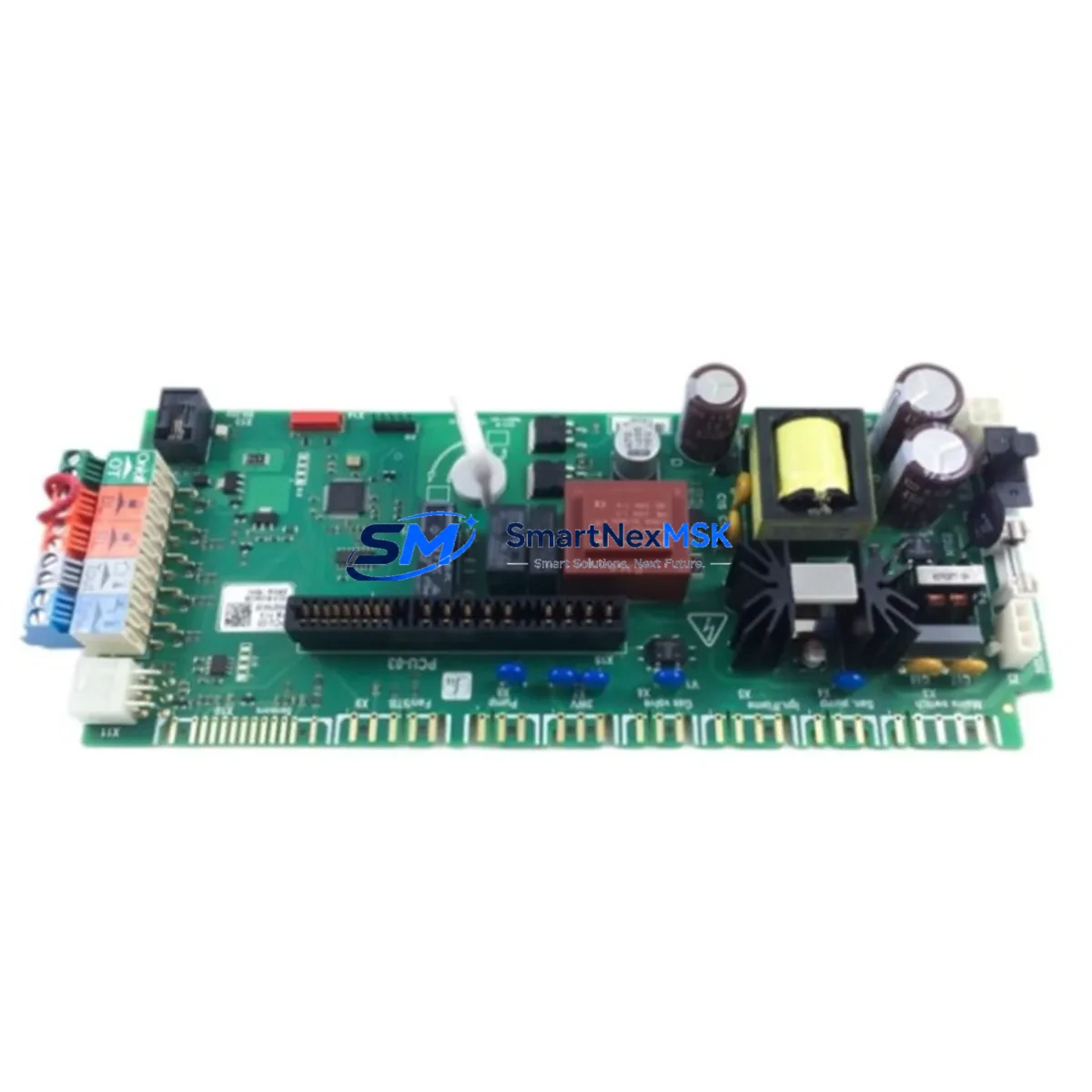
ABB PCU-03 Retrofit-Ready Purging Control Unit for ACS800 Ex p Control Systems
The ABB PCU-03 is a purging and pressurization control unit engineered for use with ABB ACS800 series Ex p (explosion-proof pressurized) variable frequency drives. As legacy ACS800 Ex p installations age and original PCU-03 units reach end-of-service life, sourcing a verified, retrofit-ready replacement becomes critical to maintaining safe, continuous operation in hazardous-area automation environments. SMARTNEXMSK maintains ready stock of the PCU-03 to support planned upgrades, emergency replacements, and full control cabinet modernization projects — each unit backed by a 12-month warranty and pre-shipment functional testing.
The PCU-03 monitors and controls the internal pressurization cycle of the ACS800 Ex p enclosure, verifying that purge conditions are met before enabling drive operation. In retrofit scenarios, engineers must confirm that the replacement PCU-03 matches the original unit’s firmware revision and hardware variant, as minor differences in purge timing parameters and interlock logic can affect compliance with IEC 60079-2 pressurized enclosure standards. Before installation, verify the drive’s RMIO-11C main control board configuration and confirm that the DDCS fiber-optic communication link between the PCU-03 and the drive’s control section is intact and correctly addressed.
Upgrade Compatibility Table
| Parameter | Detail |
|---|---|
| Compatible Drive Series | ABB ACS800 Ex p (explosion-proof pressurized variant) |
| Replaces / Supersedes | PCU-03 (all hardware revisions); consult firmware version before swap |
| Communication Interface | DDCS fiber-optic link to RMIO-11C / RDCO-0x adapter |
| Enclosure Interface | Mounts inside ACS800 Ex p pressurized enclosure; DIN rail or panel mount |
| Purge Standard Compliance | IEC 60079-2 Type Ex p pressurized enclosure |
| Installation Requirement | Verify purge timing parameters match original unit; re-commission after swap |
| Terminal Wiring | Match original terminal block layout; confirm 24 VDC control supply polarity |
| Commissioning Note | Run full purge cycle test before enabling drive run command |
| Warranty | 12 months from date of shipment; covers manufacturing defects |
| Pre-Shipment Test | Functional verification performed on every unit before dispatch |
Retrofit Planning for Existing Automation Systems
A successful PCU-03 retrofit begins well before the unit arrives on site. Start by documenting the existing ACS800 Ex p drive configuration: record the RMIO-11C parameter set using DriveWindow or Drive Composer, export the full parameter list, and photograph the terminal wiring inside the pressurized enclosure. The PCU-03 connects to the drive’s main control board via a DDCS fiber-optic cable — inspect the fiber connectors and the RDCO-02 or RDCO-04 optical adapter for contamination or physical damage before the swap, as a degraded fiber link will cause communication faults immediately after restart.
Power supply integrity is the next checkpoint. The PCU-03 operates on a 24 VDC control supply derived from the drive’s APBU-44C or APBU-12C power supply unit. Measure the supply voltage under load and confirm it remains within tolerance; an aging APBU unit that is marginal under normal conditions may fail to hold regulation during the purge cycle’s inrush demand. If the APBU is borderline, plan to replace it concurrently rather than risk a second unplanned outage.
Terminal block wiring in the ACS800 Ex p enclosure follows a defined layout for purge inlet, exhaust, pressure sensor, and interlock signals. When removing the old PCU-03, label every wire before disconnection and cross-reference against the original wiring diagram. The pressure transducer connected to the PCU-03’s analog input must be re-zeroed after installation; a miscalibrated transducer will cause the unit to report incorrect enclosure pressure and may prevent the drive from releasing the run-enable interlock.
For sites running multiple ACS800 Ex p drives on a shared DDCS ring — common in large motor control centers — confirm the node address setting on the replacement PCU-03 before powering up. Address conflicts on the DDCS ring will cause all nodes to report communication errors, potentially tripping the entire drive line. The RDCO adapter and any NPBA-12 PROFIBUS adapter or NETA-21 remote monitoring gateway on the same ring should be verified as part of the pre-commissioning checklist.
HMI screens linked to the ACS800 Ex p drive via a Panel Bus or PROFIBUS connection — typically an ABB CP600 or third-party Siemens TP panel — may display purge status alarms after the PCU-03 swap if the new unit’s alarm codes differ from the original firmware. Update the HMI alarm text library to match the replacement unit’s fault code table before handing the system back to operations.
Downtime Control During System Migration
Minimizing downtime during a PCU-03 replacement requires a structured pre-outage preparation phase. Before the scheduled maintenance window, complete all parameter backups, gather the replacement unit and all ancillary materials (fiber patch cables, terminal ferrules, calibration tools for the pressure transducer), and brief the commissioning engineer on the purge cycle sequence. A well-prepared team can complete a PCU-03 swap, re-commission the purge cycle, and restore the drive to run-ready status in under four hours for a single-drive installation.
To protect the original program logic, never overwrite the RMIO-11C parameter set during the swap. Restore parameters from the pre-outage backup file using Drive Composer after the hardware change, then verify critical parameters — purge time, pressure setpoint, interlock logic — against the original documentation before enabling the run command. If the site uses a NETA-21 remote monitoring gateway, confirm that the gateway re-establishes its DDCS connection to the new PCU-03 and that historical trend data logging resumes without gaps.
For multi-drive installations, consider a phased replacement strategy: swap one PCU-03, fully commission and verify it, then proceed to the next unit. This approach keeps the majority of the production line operational and limits the blast radius of any unexpected commissioning issue to a single drive at a time.
Retrofit Support FAQ
Q1: Is the PCU-03 a direct drop-in replacement for all ACS800 Ex p variants?
The PCU-03 is the standard purging control unit for the ACS800 Ex p series, but hardware and firmware revisions exist. Confirm the revision marking on the original unit and contact SMARTNEXMSK with your drive’s full nameplate data to verify exact compatibility before ordering. In most cases the replacement is direct, but purge timing parameters may need adjustment during commissioning.
Q2: What wiring changes are required during installation?
The PCU-03 uses the same terminal layout as the original unit in standard ACS800 Ex p configurations. Photograph and label all wiring before removal. Pay particular attention to the pressure sensor signal wires and the purge solenoid valve outputs — polarity errors on these circuits will prevent the purge cycle from completing and will lock out the drive run-enable signal.
Q3: How is compatibility with the existing DDCS communication ring verified?
After installation, power up the drive control section (without enabling the main power stage) and use Drive Composer or DriveWindow to scan the DDCS ring. All nodes — including the RMIO-11C, RDCO adapter, and any NPBA-12 or NETA-21 devices — should appear with correct node addresses and no communication fault codes. If the PCU-03 does not appear, check the fiber-optic connections and confirm the node address DIP switch setting matches the original unit.
Q4: What does the 12-month warranty cover, and what pre-shipment testing is performed?
Every PCU-03 unit shipped by SMARTNEXMSK undergoes functional verification testing prior to dispatch, confirming power-up behavior, communication interface integrity, and output relay operation. The 12-month warranty covers manufacturing defects and component failures under normal operating conditions. Units damaged by incorrect installation, overvoltage, or environmental exposure outside the rated specification are not covered. Warranty claims are processed directly through SMARTNEXMSK — contact [email protected] with your order reference and a fault description.
© 2026 SMARTNEXMSK. All rights reserved.
Original Source: https://smartnexmsk.com
Contact: [email protected] | +86 18259474341



