
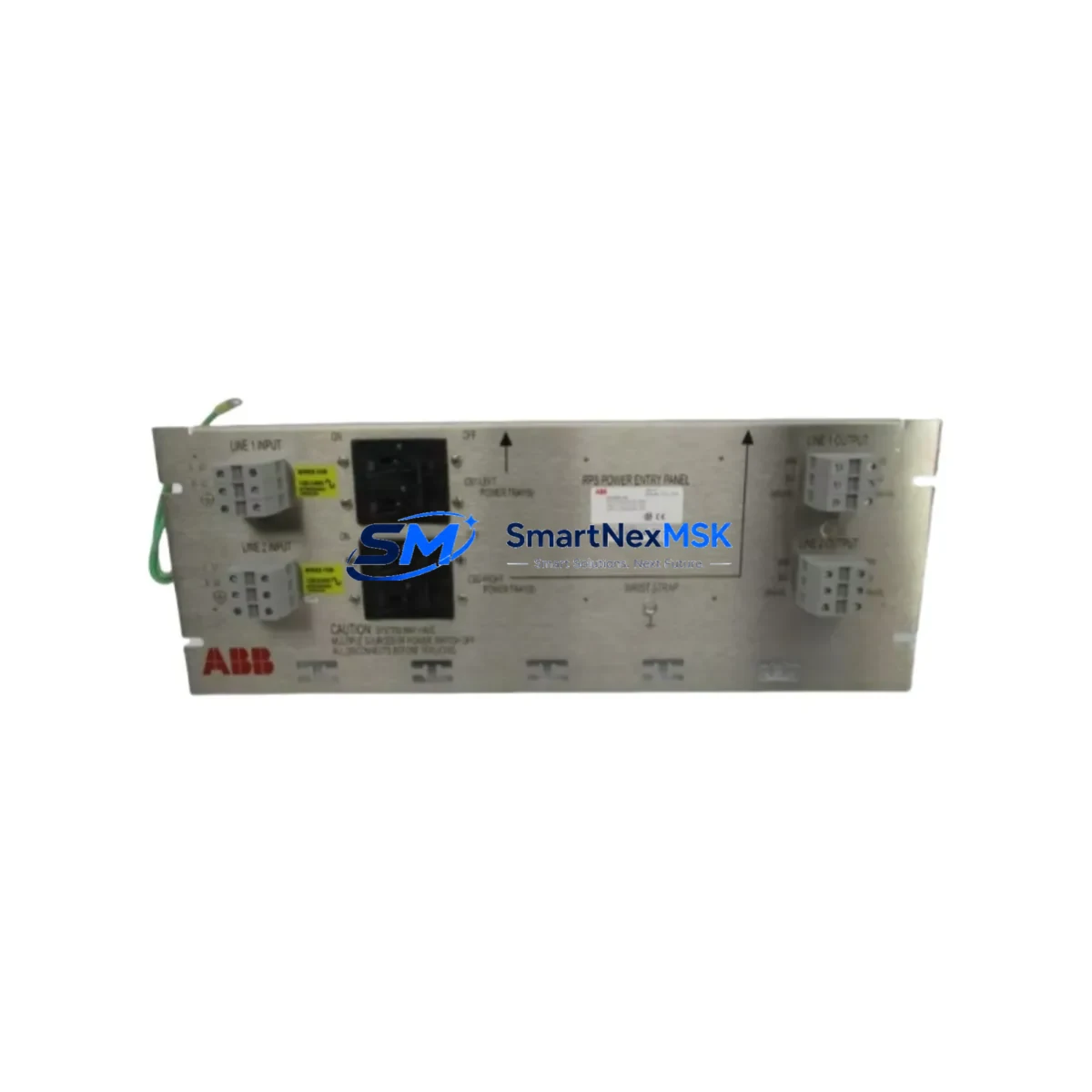
ABB PEP21023 Retrofit-Ready Dual Chassis Expansion for AC500 Control Systems
The ABB PEP21023 is a dual chassis expansion module engineered for the AC500 PLC platform, purpose-built to support legacy system modernization, discontinued spare part replacement, and control cabinet upgrades across industrial automation environments. Whether you are migrating from an aging AC500 V1 architecture or expanding an existing AC500 V2 rack configuration, the PEP21023 provides a structurally compatible, electrically verified pathway to extend your I/O capacity without redesigning the control system from the ground up.
For maintenance engineers and system integrators managing retrofit projects, the PEP21023 addresses one of the most common pain points in PLC modernization: maintaining program logic continuity while physically replacing or expanding the hardware layer. The module connects directly to the AC500 CPU backplane via the internal expansion bus, preserving the existing I/O addressing scheme and eliminating the need to remap variables in the Automation Builder programming environment. This is particularly valuable when the original control program was developed for a PM5xx or PM5x5 series CPU and the customer cannot afford extended downtime for full software re-engineering.
Upgrade Compatibility Table
| Parameter | Detail |
|---|---|
| Module Model | ABB PEP21023 |
| Series Compatibility | AC500 V1 / AC500 V2 (dual chassis configuration) |
| Interface | Internal AC500 expansion bus; backplane slot mounting |
| Installation Requirement | DIN rail or panel mount; compatible with TB5xx terminal base units |
| Communication Compatibility | PROFIBUS DP, Modbus RTU, CANopen (via CM5xx communication modules) |
| Replacement Recommendation | Direct replacement for discontinued PEP21023 units; verify firmware revision on PM CPU |
| Commissioning Focus | Backplane address configuration, I/O channel mapping, power budget verification |
| Warranty | 12-Month Warranty — covers manufacturing defects and functional failure under normal operating conditions |
Retrofit Planning for Existing Automation Systems
A successful PEP21023 retrofit begins well before the module arrives on site. The first step is a power budget audit of the existing AC500 rack. The PS501 or PS502 power supply module feeding the chassis must have sufficient reserve capacity to support the additional expansion bus load introduced by the PEP21023. In systems where the power supply is already running near its rated output — common in older installations where additional I/O modules such as DC532 digital input modules or AX522 analog I/O modules have been added over time — a power supply upgrade may need to be scheduled in parallel.
Terminal wiring is the next critical checkpoint. The PEP21023 connects to field devices through TB5xx series terminal base units. Engineers should document the existing terminal assignments from the original wiring diagrams before disconnecting any field cables. In retrofit scenarios where the original documentation is incomplete or outdated, a point-by-point continuity check against the live system is strongly recommended prior to shutdown. This is especially important in systems where the CM572-DP PROFIBUS master module or the CM577-ETHIP EtherNet/IP communication module is handling time-critical process data, as any wiring error on the expansion side can propagate faults across the communication network.
Backplane slot addressing must be verified in Automation Builder before the replacement module is powered up. The AC500 CPU — whether a PM554, PM564, or PM583 series unit — assigns I/O addresses based on physical slot position. If the PEP21023 is installed in a different slot than the original module, the program’s I/O variable mapping will be misaligned and the CPU will generate a configuration mismatch fault on startup. Confirming the slot address in the hardware configuration tree within Automation Builder, and cross-referencing it against the existing program’s I/O list, takes less than 30 minutes and prevents the most common commissioning failure in AC500 expansion retrofits.
For systems that include an HMI panel — such as an ABB CP600 series operator panel or a third-party panel communicating via Modbus TCP — the HMI screen tags linked to I/O variables on the expansion module should be validated after the retrofit is complete. If the I/O addresses have shifted due to slot reassignment, HMI display values may freeze or show incorrect readings even when the PLC program is running correctly. A full HMI tag audit, cross-referenced against the updated Automation Builder I/O configuration, should be part of the commissioning checklist for any PEP21023 replacement project.
Downtime Control During System Migration
Minimizing production downtime during a PEP21023 replacement requires a structured pre-shutdown preparation protocol. Before the planned maintenance window, the engineering team should export a full backup of the AC500 CPU program using Automation Builder’s online backup function. This backup captures the current program logic, I/O configuration, data block values, and communication settings in a single archive file. If the replacement module introduces any unexpected behavior during commissioning, the backup allows the team to restore the original configuration and return the system to service within minutes rather than hours.
Where the process allows, a cold-swap procedure is preferred over a hot-swap approach. The AC500 CPU should be placed in STOP mode, the field power to the I/O circuits should be isolated at the control cabinet’s field power distribution terminals, and the expansion bus connector should be disengaged before the PEP21023 is removed. This sequence protects both the replacement module and the connected field devices from transient voltage spikes during the swap. After the new PEP21023 is seated and the terminal base connections are verified, the system can be powered up in stages: first the control power, then the field power, and finally the CPU switched to RUN mode under close observation of the diagnostic LEDs and the Automation Builder online monitoring view.
For systems where continuous operation is critical and a planned shutdown is not feasible in the short term, a parallel commissioning approach can be used. The new PEP21023 and its associated I/O modules — such as additional DC532 digital input or DA502 analog output modules — can be pre-configured and tested on a bench rack using a spare PM5xx CPU before the live system shutdown. This bench validation confirms that the module firmware, I/O addressing, and communication links are all functioning correctly, reducing the live commissioning window to a simple swap-and-verify sequence.
Retrofit Support FAQ
Q: Is the PEP21023 a direct drop-in replacement for the original ABB AC500 dual chassis expansion module?
A: Yes. The PEP21023 is mechanically and electrically compatible with the original AC500 dual chassis expansion bus interface. It mounts on the same TB5xx terminal base and connects to the same backplane slot. However, engineers should verify the CPU firmware version in Automation Builder to confirm compatibility with the specific hardware revision of the replacement module before installation.
Q: What commissioning steps are required after installing the PEP21023?
A: After physical installation, connect Automation Builder to the AC500 CPU via the USB programming cable or Ethernet link. Perform an online comparison between the stored hardware configuration and the detected hardware. Confirm that the PEP21023 appears in the correct slot position, verify the I/O channel assignments, and switch the CPU to RUN mode. Monitor the first scan cycle for any I/O fault messages and confirm that all field signals are reading correctly before returning the system to automatic operation.
Q: Can the PEP21023 be used with AC500 CPUs running older firmware versions?
A: The PEP21023 is designed for compatibility across the AC500 V1 and V2 platform generations. In most cases, existing firmware on PM5xx series CPUs will recognize the module without requiring a firmware update. If a configuration mismatch fault appears after installation, a firmware update via Automation Builder’s firmware download function will resolve the issue. Our technical team can advise on the minimum firmware version required for your specific CPU model.
Q: What does the 12-month warranty cover, and how is it handled?
A: The 12-month warranty covers manufacturing defects and functional failures under normal operating conditions, including expansion bus communication faults, I/O channel failures, and backplane connector defects. Each unit undergoes pre-shipment functional testing before dispatch. In the event of a warranty claim, contact our team with the module serial number and a description of the fault. Replacement units are dispatched within 3 business days of claim verification.
© 2026 SMARTNEXMSK. All rights reserved.
Original Source: https://smartnexmsk.com
Contact: [email protected] | +86 18259474341



