
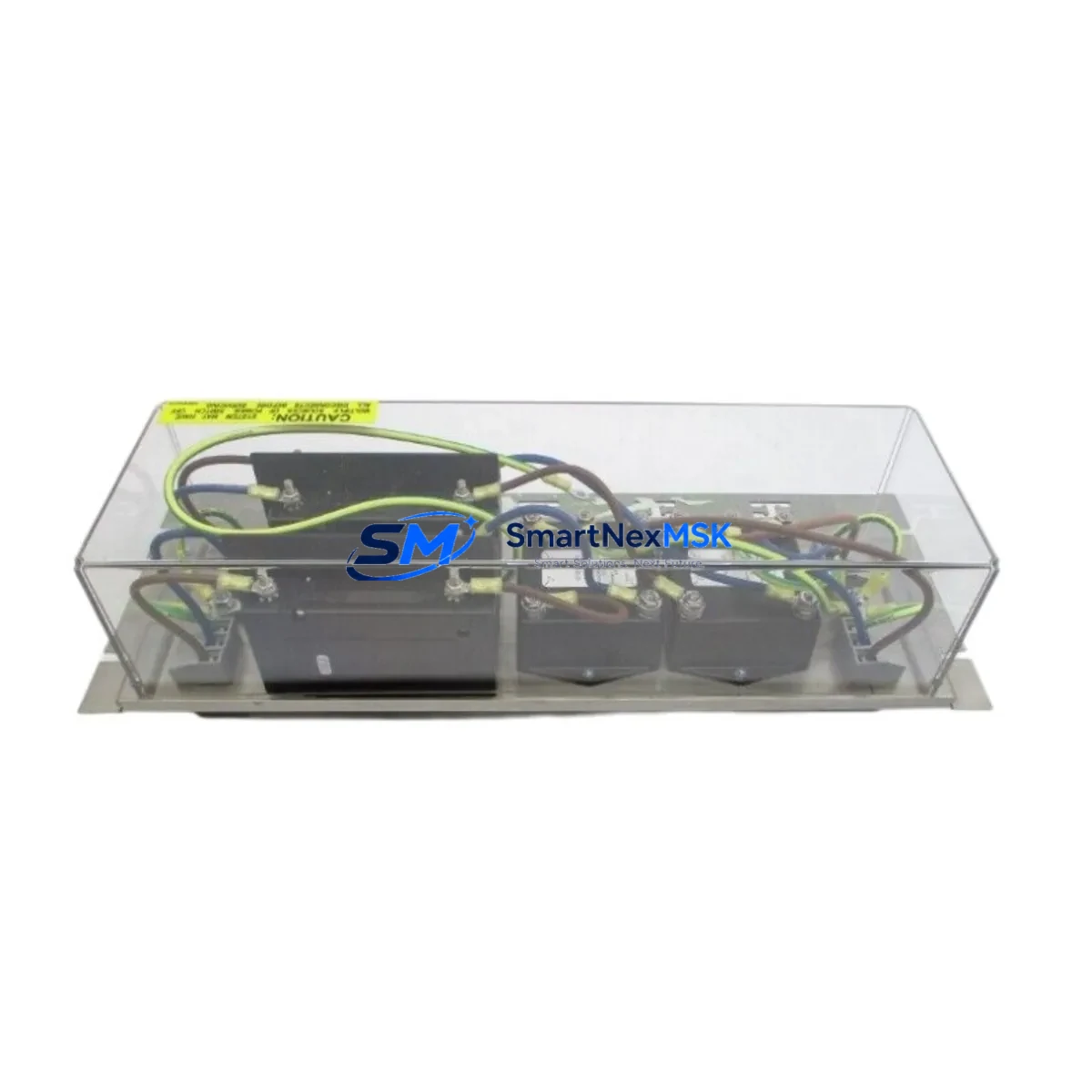
ABB PHARPSPEP11013 Maintenance-Ready Spare for PHARPS Automation
The ABB PHARPSPEP11013 is an original power entry panel engineered for the ABB PHARPS series automation and control systems. In industrial environments where unplanned downtime translates directly into production loss, maintaining a verified spare of the PHARPSPEP11013 in your on-site inventory is a fundamental risk-control measure. This unit serves as a direct drop-in replacement for aging or failed power entry panels within PHARPS-series control cabinets, restoring system integrity without requiring hardware modifications or firmware reconfiguration.
Sourced from authorized supply channels and subjected to pre-shipment functional testing, each PHARPSPEP11013 unit is dispatched with a 12-month warranty covering manufacturing defects and operational failures under normal service conditions. Whether you are managing a scheduled turnaround, responding to an emergency fault, or building out a strategic spare parts buffer, this component delivers the reliability and traceability that maintenance and procurement engineers require.
Spare Maintenance Table
| Parameter | Specification / Detail |
|---|---|
| Part Number / SKU | PHARPSPEP11013 |
| Brand | ABB |
| Series | PHARPS |
| Product Type | Power Entry Panel |
| Country of Origin | Germany (DE) |
| Unit Weight | 4,500 g (approx.) |
| Compatibility | ABB PHARPS series control cabinets and automation panels |
| Installation | Direct drop-in replacement; no hardware modification required |
| Application Environment | Industrial automation, process control, power distribution panels |
| Pre-Shipment Testing | Functional test performed on every unit before dispatch |
| Warranty | 12 Months — covers manufacturing defects and operational failure |
| Condition | Original / New |
| Delivery | Worldwide; expedited options available for emergency orders |
| Maintenance Recommendation | Inspect power entry connections, terminal torque, and enclosure sealing annually or per OEM schedule |
Maintenance Planning for Continuous Operation
When a power entry panel such as the PHARPSPEP11013 is flagged during a control cabinet inspection or routine point-check, experienced maintenance engineers know that the fault rarely exists in isolation. The power entry panel sits at the interface between incoming supply and the internal distribution bus, meaning any degradation here places downstream components under stress. A thorough replacement workflow should include inspection of the following associated components:
Begin with the incoming power supply module — verify input voltage stability and check for ripple or transient spikes that may have contributed to panel wear. Inspect the 24 VDC power supply unit feeding the PLC backplane and I/O racks; a failing power entry panel often masks an underlying supply issue. Check all terminal blocks and busbar connections within the cabinet for signs of thermal discoloration, loose torque, or oxidation — these are common co-failure points in aging PHARPS installations.
Review the circuit breakers and fuse holders protecting individual branch circuits; replace any that show signs of nuisance tripping or contact erosion. Inspect surge protection devices (SPDs) at the panel entry point, as these are sacrificial components that degrade silently. If the cabinet includes a residual current device (RCD) or earth leakage relay, verify its trip threshold and test its response time.
On the control side, confirm that the ABB PHARPS CPU or controller module has not logged undervoltage or power-cycle faults in its diagnostic buffer. Check the I/O modules — both digital input and digital output cards — for any channels that may have been damaged by supply instability. If the system uses communication modules (PROFIBUS, PROFINET, or Modbus), verify that the network is stable and that no CRC errors accumulated during the fault period.
For cabinets with signal isolators or signal conditioners on analog loops, inspect these for drift or offset errors that may have developed during the power anomaly. Finally, review the HMI panel connected to the PHARPS system — confirm that the display, touch response, and communication link are fully restored after the power entry panel replacement.
Stocking the PHARPSPEP11013 alongside these complementary components in your spare parts room ensures that a single cabinet fault does not cascade into a multi-day outage while waiting for parts procurement.
Site Replacement Workflow
Replacing the PHARPSPEP11013 in a live PHARPS automation environment follows a structured sequence designed to minimize downtime and eliminate re-work. Begin by isolating the affected cabinet from the incoming supply using the upstream isolator or main circuit breaker, and verify isolation with a calibrated voltage tester before opening the enclosure.
Document the existing wiring layout with photographs before disconnecting any conductors — this is especially important in older PHARPS installations where as-built drawings may not reflect field modifications. Label all incoming cables before removal. Withdraw the failed PHARPSPEP11013 from its mounting position, noting the orientation and any DIN rail or panel-mount hardware that must be transferred to the replacement unit.
Install the new PHARPSPEP11013, reconnect all conductors to the documented terminal positions, and verify torque values against the ABB PHARPS installation specification. Before restoring power, perform a continuity check on the earth bonding path and confirm that no conductors are pinched or misrouted. Restore supply incrementally if the cabinet includes a soft-start or staged energization sequence.
After energization, monitor the system for a minimum of 15 minutes under normal load conditions. Confirm that the PLC or DCS controller has resumed normal scan cycles, that all I/O channels are responding correctly, and that no fault codes are active. Log the replacement in the site maintenance record with the new unit’s serial number and the date of installation.
This workflow is compatible with both planned maintenance windows and emergency breakdown recovery scenarios, and it is designed to restore full system availability in the shortest possible time while maintaining traceability and compliance with site safety procedures.
Spare Parts Support FAQ
Q1: What is the warranty coverage for the PHARPSPEP11013?
Every PHARPSPEP11013 unit supplied by SMARTNEXMSK carries a 12-month warranty from the date of shipment. The warranty covers manufacturing defects and operational failures under normal service conditions. Units that fail within the warranty period are eligible for replacement or repair at no additional cost, subject to inspection and confirmation that the failure is not attributable to installation error, overvoltage, or physical damage.
Q2: How do I confirm compatibility before ordering?
Compatibility is confirmed by matching the full SKU — PHARPSPEP11013 — against your existing panel label, cabinet documentation, or ABB PHARPS system BOM. If you are replacing a unit from an older PHARPS installation and are uncertain whether the part number has been superseded, contact our technical team with your cabinet serial number and system configuration details. We will verify cross-reference compatibility before shipment.
Q3: What pre-shipment testing is performed on each unit?
Each PHARPSPEP11013 undergoes functional testing prior to dispatch. Testing covers power entry continuity, terminal integrity, and basic operational verification. Units that do not meet the acceptance criteria are quarantined and not shipped. A test record is available upon request for customers with quality management or traceability requirements.
Q4: Can I order multiple units for strategic spare parts inventory?
Yes. SMARTNEXMSK supports both single-unit emergency orders and bulk procurement for planned spare parts programs. For customers managing multiple PHARPS installations or operating under a planned maintenance schedule, we recommend holding a minimum of one PHARPSPEP11013 per critical cabinet. Volume pricing and long-term supply agreements are available — contact our sales team to discuss your inventory strategy and lead time requirements.
© 2026 SMARTNEXMSK. All rights reserved.
Original Source: https://smartnexmsk.com
Contact: [email protected] | +86 18259474341



