
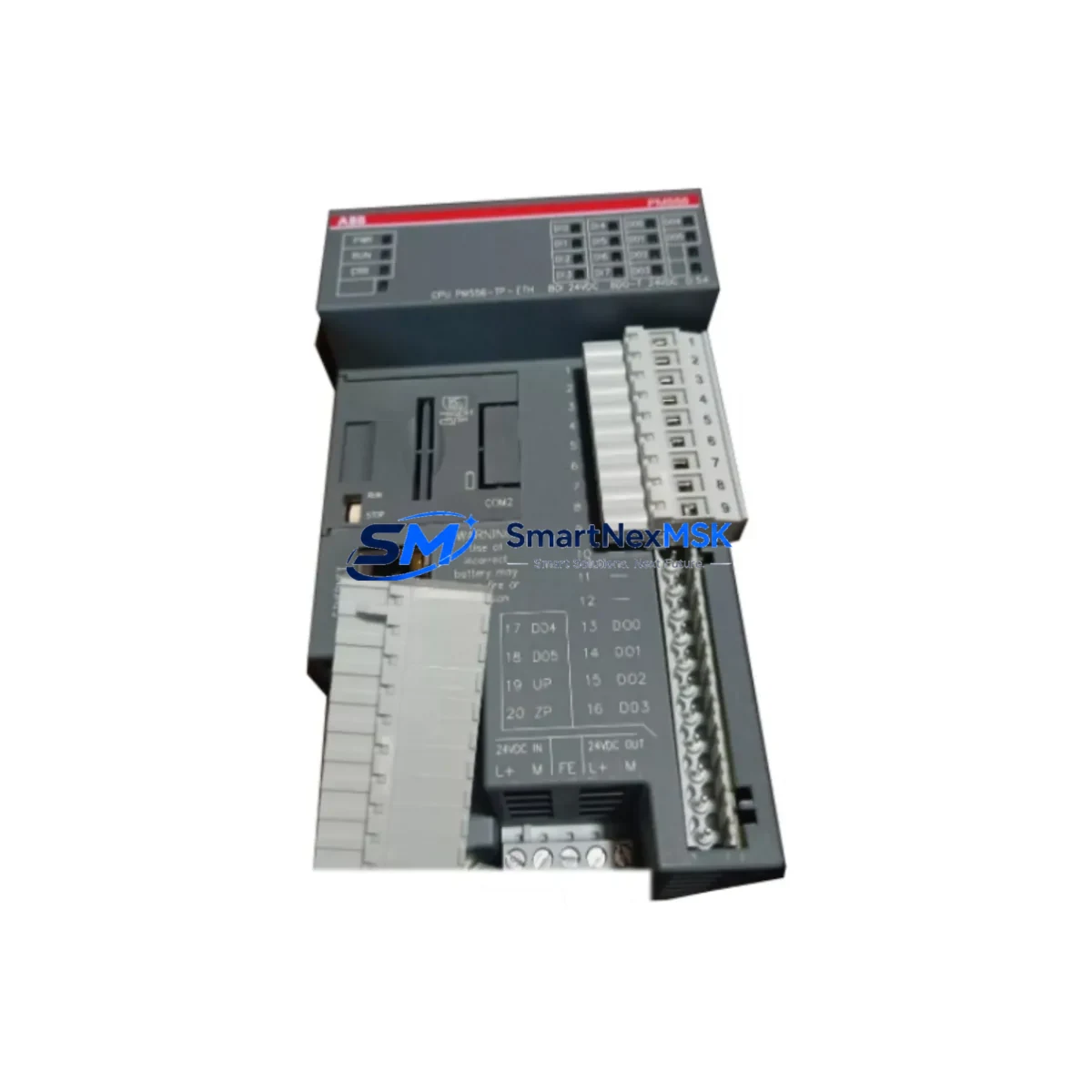
ABB PM-556-TP-ETH Maintenance-Ready Spare for AC500 Automation
The ABB PM-556-TP-ETH is a high-performance CPU module from the AC500 PLC series, engineered for demanding industrial automation environments. Featuring an integrated Ethernet port and a compact modular design, this unit serves as the central processing core for AC500-based control systems across manufacturing, energy, water treatment, and process automation sectors. As a maintenance-ready original spare, the PM-556-TP-ETH is pre-tested, fully compatible with the AC500 hardware architecture, and ready for immediate field deployment — minimizing unplanned downtime and accelerating system recovery.
For maintenance engineers managing aging AC500 installations, holding a verified PM-556-TP-ETH in the spare parts inventory is a proven strategy for reducing mean time to repair (MTTR). When a CPU fault is detected — whether through diagnostic LEDs, PROFIBUS communication loss, or a watchdog timeout — having a tested replacement on-site eliminates the lead time risk associated with emergency procurement. This module is fully interchangeable with existing AC500 rack configurations and supports the same programming environment via ABB Automation Builder, ensuring zero relearning overhead during a swap.
Spare Maintenance Table
| Parameter | Specification |
|---|---|
| Part Number / SKU | PM-556-TP-ETH |
| Brand | ABB |
| Series | AC500 |
| Module Type | PLC CPU Module with Ethernet |
| Communication Interface | Ethernet (RJ45), PROFIBUS DP, RS-232 |
| Programming Software | ABB Automation Builder (IEC 61131-3) |
| Supply Voltage | 24 V DC (via PM582 / PM591 power supply) |
| Operating Temperature | 0 °C to +60 °C |
| Protection Rating | IP20 |
| Country of Origin | Germany |
| Compatibility | AC500 S500 I/O modules, TB521, TB541 terminal bases |
| Installation | DIN rail, AC500 backplane / terminal base |
| Condition | Original, new or refurbished-tested |
| Warranty | 12 Months |
| Shipping | Tested before dispatch, worldwide delivery |
Maintenance Planning for Continuous Operation
A structured maintenance plan for any AC500-based control cabinet should treat the PM-556-TP-ETH as the highest-priority spare. However, experienced maintenance engineers know that a CPU failure rarely occurs in isolation — the surrounding components must be inspected and verified simultaneously to ensure a complete and reliable recovery.
When replacing the PM-556-TP-ETH, the following components in the same control cabinet or electrical loop should be checked as part of the same maintenance event:
- PS501 / PM582 Power Supply Module: Verify output voltage stability at 24 V DC. A degraded power supply is a common root cause of intermittent CPU faults and should be replaced proactively if ripple or voltage drop is detected.
- SM560-S Safety Module: If the system includes functional safety logic, confirm the safety module’s diagnostic status and communication handshake with the new CPU before returning the system to service.
- DC532 / DC522 Digital I/O Modules: Inspect all S500 digital I/O modules for blown fuses, damaged terminals, or stuck output channels. A shorted field device can cause repeated CPU resets if not isolated before the swap.
- AI531 Analog Input Module: Verify signal integrity on all 4–20 mA and 0–10 V analog channels. Noise or open-circuit signals can trigger false alarms post-replacement.
- TB541 Terminal Base: Inspect the terminal base for corrosion, loose contacts, or mechanical damage. A faulty terminal base can cause intermittent communication between the CPU and I/O modules.
- CI590-CS31-HA Communication Interface: If the system uses CS31 or PROFIBUS fieldbus, confirm the communication module’s firmware version is compatible with the replacement CPU and that all node addresses are correctly configured.
- TA521 / TA525 Relay Output Modules: Check relay contact wear and coil resistance on output modules driving motors, solenoids, or contactors. Welded contacts can cause unintended actuator behavior after CPU restart.
- SD card / Memory Module: Ensure the program backup on the SD card or internal memory is current. After CPU replacement, reload and verify the application program before enabling automatic mode.
- 24 V DC Distribution Fuses and Terminal Blocks: Inspect all fuse holders and Phoenix Contact or Weidmüller terminal blocks in the 24 V distribution rail for signs of overheating, discoloration, or loose wiring.
- Ethernet Switch / Industrial Router: If the PM-556-TP-ETH communicates via Ethernet to a SCADA or HMI system, verify the managed switch port configuration and confirm the IP address assignment after the CPU swap to avoid network conflicts.
This holistic inspection approach — covering power, I/O, communications, and field wiring — ensures that the root cause of the original failure is identified and that the replacement CPU is not exposed to the same fault condition.
Site Replacement Workflow
Replacing the PM-556-TP-ETH on-site is a straightforward procedure when the correct spare is available and the replacement workflow is followed systematically:
- Backup the application program from the existing CPU via ABB Automation Builder or the onboard SD card before powering down. Confirm the backup is complete and readable.
- Power down the control cabinet following the site’s lockout/tagout (LOTO) procedure. Isolate the 24 V DC supply to the CPU rack.
- Remove the faulty PM-556-TP-ETH from the TB541 terminal base by releasing the locking mechanism. Note the Ethernet cable routing and PROFIBUS connector position before disconnecting.
- Install the replacement PM-556-TP-ETH onto the terminal base. Ensure the module clicks firmly into place and all connector pins are fully engaged.
- Reconnect all cables — Ethernet, PROFIBUS, and RS-232 — in the same configuration as the original unit. Verify cable integrity and connector seating.
- Power up the cabinet and observe the CPU diagnostic LEDs. A solid green RUN LED indicates successful boot. A flashing red ERR LED requires further diagnosis.
- Download and verify the application program via ABB Automation Builder. Confirm all I/O modules are recognized and all communication nodes are online.
- Perform a functional test in manual mode before returning the system to automatic operation. Document the replacement in the site maintenance log.
This workflow is designed to minimize downtime to under two hours for a prepared maintenance team, and to ensure full system compatibility without requiring hardware reconfiguration or software re-engineering.
Spare Parts Support FAQ
Q1: Is this PM-556-TP-ETH a direct drop-in replacement for my existing AC500 system?
Yes. The PM-556-TP-ETH is fully compatible with the AC500 hardware platform and installs directly onto the TB541 or TB521 terminal base without modification. The same application program can be loaded without changes to the hardware configuration, provided the firmware version is compatible. We recommend verifying the firmware revision of your existing system before dispatch if your installation uses a specific firmware-dependent feature set.
Q2: What testing is performed before the unit is shipped?
Every PM-556-TP-ETH unit undergoes functional testing prior to dispatch, including power-on verification, communication port checks, and diagnostic LED confirmation. Units are shipped with protective packaging to prevent ESD damage and physical shock during transit. A test report is available upon request for quality-critical applications.
Q3: What does the 12-month warranty cover?
The 12-month warranty covers manufacturing defects and functional failures under normal operating conditions. It does not cover damage caused by incorrect installation, overvoltage events, or environmental conditions outside the specified operating range. In the event of a warranty claim, we provide a replacement unit or full refund after fault verification. Our technical team is available to assist with failure analysis documentation.
Q4: Can you support long-term supply for legacy AC500 systems that are no longer in ABB’s active catalog?
Yes. We specialize in long-term spare parts support for discontinued and end-of-life industrial automation components. If the PM-556-TP-ETH or related AC500 modules are no longer available through standard distribution channels, we maintain sourcing relationships to support your maintenance inventory requirements. Contact us with your full BOM or spare parts list for a consolidated quotation.
© 2026 SMARTNEXMSK. All rights reserved.
Original Source: https://smartnexmsk.com
Contact: [email protected] | +86 18259474341



