
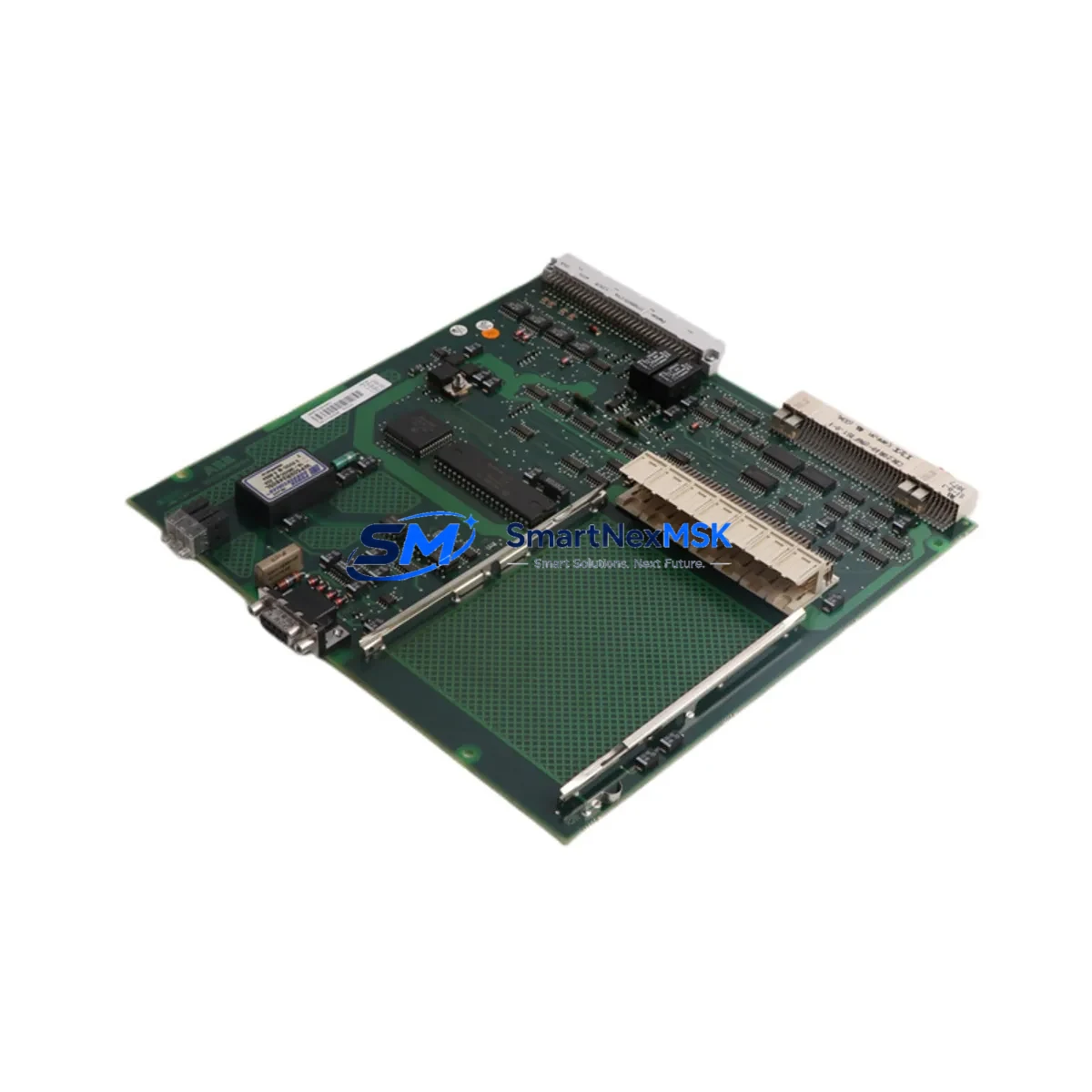
ABB PM153-3BSE003644R1 Maintenance-Ready Spare AC450
The ABB PM153-3BSE003644R1 is an original CPU module designed for the AC450 Distributed Control System (DCS) platform — one of ABB’s most widely deployed process automation architectures in power generation, chemical processing, oil & gas, and pulp & paper industries. As a maintenance-ready spare, this module is sourced, inspected, and dispatched to support rapid replacement scenarios where unplanned downtime carries significant operational and financial risk.
Maintenance engineers managing aging AC450 installations understand that the CPU module is the nerve center of the control loop. When a PM153 fails — whether due to firmware corruption, hardware fault, or age-related degradation — the entire process segment it governs goes offline. Having a verified PM153-3BSE003644R1 on the shelf is not a luxury; it is a fundamental element of any serious spare parts strategy for continuous-process facilities.
This unit ships after functional verification and is backed by a 12-month warranty covering manufacturing defects and operational failures under normal industrial conditions. Each module is packaged in anti-static ESD-safe materials and accompanied by a test report upon request.
Spare Maintenance Table
| Parameter | Specification |
|---|---|
| Part Number | PM153-3BSE003644R1 |
| Manufacturer | ABB |
| Compatible Platform | AC450 DCS |
| Module Type | CPU / Processor Module |
| Country of Origin | Germany |
| Supply Voltage | 24 VDC (via backplane) |
| Communication Interface | MasterBus 300 / RCOM |
| Backplane Compatibility | AC450 standard backplane (SB510, SB520 series) |
| Operating Temperature | 0°C to +55°C |
| Humidity | 5–95% RH, non-condensing |
| Weight | 360 g |
| Mounting | DIN rail / rack-mount via backplane slot |
| Firmware | Compatible with AC450 standard firmware revisions |
| Condition | Original, tested, ESD-packaged |
| Warranty | 12 Months |
| Lead Time | In stock — ships within 1–3 business days |
Maintenance Planning for Continuous Operation
When a PM153-3BSE003644R1 is flagged for replacement during a planned shutdown or emergency callout, experienced maintenance engineers know that the CPU module rarely fails in isolation. A thorough site inspection and replacement workflow should encompass the surrounding control architecture to prevent repeat failures and ensure the restored system operates reliably through the next maintenance window.
Begin by inspecting the SB510 or SB520 backplane that houses the PM153. Backplane connector wear, corrosion on bus contacts, or mechanical damage from repeated module insertions can cause intermittent CPU faults that are misdiagnosed as module failures. If the backplane shows signs of degradation, replace it concurrently.
The PS501 or PS502 power supply module feeding the AC450 rack should be load-tested. An aging power supply with marginal output voltage can cause CPU resets, memory errors, and unpredictable process behavior — symptoms that closely mimic a failing PM153. Verify output voltage stability under full rack load before commissioning the replacement CPU.
Check all CI520 or CI522 communication interface modules in the same rack. These modules handle MasterBus 300 and RCOM communications between the CPU and field I/O stations. A degraded communication module can prevent the new PM153 from establishing network synchronization, leading to a failed startup that is difficult to diagnose without systematic component isolation.
Inspect the DI810 and DO810 digital I/O modules connected to the process signals managed by this CPU. Verify that all field wiring terminations are secure, that no I/O channels show fault LEDs, and that terminal blocks — particularly TB820 or TB825 series — are free from loose connections or oxidation. Loose I/O wiring is a common source of nuisance alarms after a CPU replacement.
For installations using AI810 or AO810 analog I/O modules, confirm that signal ranges are correctly configured and that any signal isolators or galvanic separators in the 4–20 mA loops are functioning within specification. Analog signal drift caused by a failing isolator can be incorrectly attributed to a CPU configuration error after a module swap.
If the AC450 system communicates with an Operator Workplace (OWS) or an 800xA Information Management server, verify that the HMI connection is re-established after the CPU replacement and that all process graphics are updating correctly. An HMI that fails to reconnect after a CPU swap is often caused by a stale IP address assignment or a communication module that requires a manual restart.
Finally, review the fuse and circuit protection for the 24 VDC supply rail feeding the CPU rack. A blown or weakened fuse that caused the original CPU failure must be identified and replaced before the new PM153 is powered up. Overlooking this step risks immediate damage to the replacement module.
Site Replacement Workflow
Step 1 — Pre-replacement documentation: Record the current CPU firmware version, node address, and configuration parameters from the engineering workstation before powering down. Export the current application program and store it on a secure backup medium.
Step 2 — Safe isolation: Follow site-specific LOTO (Lockout/Tagout) procedures. Confirm that the process segment controlled by this CPU is in a safe hold state before removing the module from the backplane.
Step 3 — Module extraction: Release the front-panel locking levers and slide the PM153 out of its backplane slot. Avoid touching the backplane connector pins. Place the removed module in an ESD-safe bag for return or failure analysis.
Step 4 — Replacement installation: Insert the PM153-3BSE003644R1 into the correct backplane slot. Ensure the module is fully seated and the locking levers are engaged. Verify that the module’s node address switches (if applicable) match the configuration of the removed unit.
Step 5 — Power-up and diagnostics: Restore power to the rack. Monitor the CPU status LEDs for normal boot sequence. Connect to the engineering workstation and confirm that the application program loads correctly and that all I/O modules are recognized.
Step 6 — Process handback: Verify all process values against field instruments before returning the loop to automatic control. Document the replacement in the site maintenance management system (CMMS) and update the spare parts inventory record.
This structured workflow minimizes the risk of secondary failures, reduces total downtime, and ensures the replacement PM153-3BSE003644R1 is commissioned correctly the first time.
Spare Parts Support FAQ
Q1: Is the PM153-3BSE003644R1 compatible with all AC450 system revisions?
The PM153-3BSE003644R1 is designed for the ABB AC450 DCS platform and is compatible with standard AC450 backplane configurations including SB510 and SB520 series racks. For installations running non-standard firmware revisions or heavily customized configurations, we recommend confirming the firmware baseline with your ABB system documentation before installation. Our technical team can assist with compatibility verification prior to dispatch.
Q2: What testing is performed before shipment?
Each PM153-3BSE003644R1 unit undergoes functional verification prior to dispatch, including power-on self-test, communication interface check, and visual inspection for physical damage. A test report is available upon request. Units are packaged in ESD-safe anti-static materials to prevent electrostatic damage during transit.
Q3: What does the 12-month warranty cover?
The 12-month warranty covers manufacturing defects and operational failures under normal industrial operating conditions as specified in the ABB AC450 technical documentation. It does not cover damage resulting from incorrect installation, overvoltage events, physical impact, or use outside the specified environmental parameters. Warranty claims are processed with a replacement-first policy to minimize your downtime.
Q4: Can you support long-term or blanket spare parts orders for AC450 systems?
Yes. For facilities managing multiple AC450 installations or planning a multi-year maintenance program, we offer long-term supply agreements and reserved stock arrangements. Contact our sales team to discuss volume pricing, lead time guarantees, and consignment stock options tailored to your maintenance schedule.
© 2026 SMARTNEXMSK. All rights reserved.
Original Source: https://smartnexmsk.com
Contact: [email protected] | +86 18259474341



