ABB PM554-TP-ETH 1SAP120600R0071 Maintenance-Ready Spare for AC500 Automation
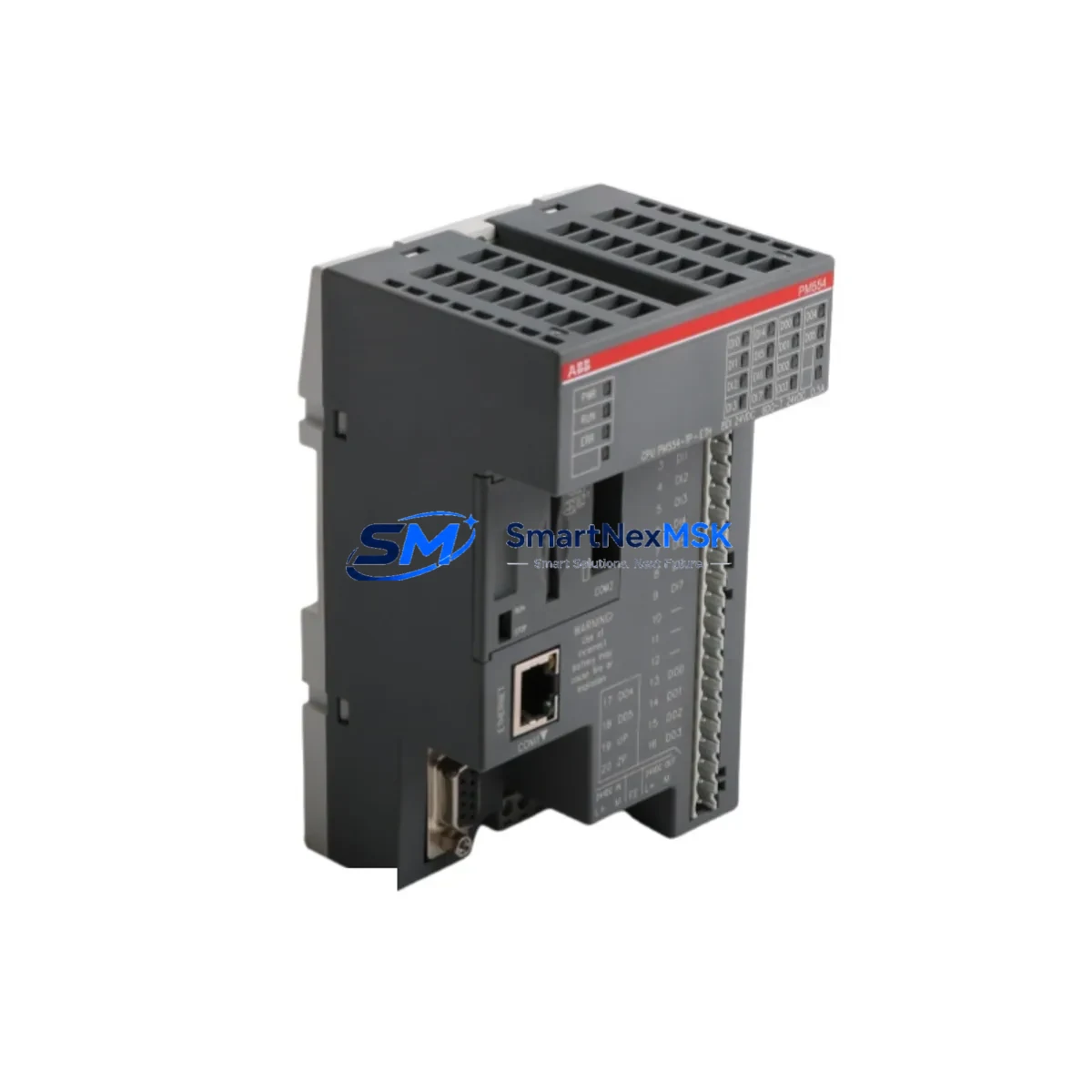
The ABB PM554-TP-ETH (catalog number 1SAP120600R0071) is a compact, Ethernet-enabled CPU module from ABB’s AC500 programmable logic controller series — one of the most widely deployed PLC platforms in European and global industrial automation. Designed for demanding process control, machine automation, and infrastructure applications, this CPU module integrates onboard Ethernet communication, a robust real-time operating system, and broad I/O expansion capability through the AC500 backplane architecture.
For maintenance engineers and spare parts procurement teams, securing a verified replacement unit of the PM554-TP-ETH is a critical step in any planned maintenance strategy or emergency downtime recovery plan. Whether you are managing a scheduled overhaul, responding to an unplanned CPU fault, or building a strategic spare parts inventory for a multi-line production facility, having a tested, original ABB PM554-TP-ETH 1SAP120600R0071 on hand eliminates the most dangerous variable in control system failure: lead time.
This listing provides an original, factory-specification PM554-TP-ETH unit, fully tested prior to shipment, backed by a 12-month warranty, and available for rapid worldwide dispatch to minimize your system downtime.
Spare Maintenance Table
| Parameter | Specification |
|---|---|
| Part Number / SKU | PM554-TP-ETH / 1SAP120600R0071 |
| Brand | ABB |
| Series | AC500 |
| Module Type | PLC CPU Module with Ethernet |
| Communication Interface | Ethernet (10/100 Mbit/s), RS-232, RS-485 |
| Programming Standard | IEC 61131-3 (Automation Builder / PS501) |
| Supply Voltage | 24 V DC (via TB521-ETH or TB541-ETH terminal base) |
| Operating Temperature | -25°C to +60°C |
| Protection Rating | IP20 |
| Mounting | DIN rail via AC500 terminal base (TB521-ETH or TB541-ETH) |
| Origin | Germany (DE) |
| Compatibility | ABB AC500 V2 / V3; SM560 / SM560-S I/O modules; CM572-DP PROFIBUS; CM577-ETHCAT EtherCAT; TA521 adapters; TB521-ETH / TB541-ETH terminal bases |
| Application Environment | Process automation, machine control, building automation, infrastructure, water treatment, energy distribution |
| Maintenance Recommendation | Replace CPU on persistent watchdog faults, Ethernet link failures, or program execution errors; inspect terminal base contacts and SD card slot at each replacement |
| Warranty | 12 Months — Tested before shipment |
Maintenance Planning for Continuous Operation
When a PM554-TP-ETH CPU module fails or is flagged during a scheduled inspection, experienced maintenance engineers know that the CPU is rarely the only component requiring attention. A thorough control cabinet audit at the time of CPU replacement significantly reduces the risk of repeat downtime and extends the operational life of the entire AC500 system.
Begin by inspecting the TB521-ETH or TB541-ETH terminal base on which the PM554-TP-ETH is mounted. Terminal base contacts degrade over time due to vibration and thermal cycling, and a worn base can cause intermittent CPU faults that are difficult to diagnose. Simultaneously, check the 24 V DC power supply module — typically an ABB CP604 or CP605 power supply unit — for output voltage stability and ripple, as an unstable supply is a leading cause of CPU resets and memory corruption in AC500 installations.
Review the SM560-S or SM560 digital I/O expansion modules connected to the AC500 backplane. Faulty I/O modules can generate bus errors that cascade into CPU faults, making it essential to verify each module’s status LED and diagnostic register during the replacement window. If the system uses CM572-DP PROFIBUS communication modules or CM577-ETHCAT EtherCAT master modules, inspect their firmware versions and bus termination settings, as communication module mismatches after a CPU swap are a common source of post-maintenance startup failures.
For systems with analog signal chains, check the AI523 or AX522 analog input modules for drift and calibration status. Signal isolation barriers and TA521 adapter modules should also be inspected for secure seating and clean terminal connections. If the control cabinet includes relay output modules such as the DO524 digital output module, verify contact resistance and coil integrity, particularly in high-cycle applications. Fuse holders and miniature circuit breakers protecting the 24 V DC bus should be tested for continuity and rated trip current during the same maintenance window.
Finally, confirm that the SD memory card used for program backup in the PM554-TP-ETH is readable and contains the current, validated program version. An outdated or corrupted backup card is a critical risk during emergency CPU replacement. Maintaining a pre-loaded, tested spare SD card alongside the spare CPU unit is a best practice for any facility running AC500-based control systems.
Site Replacement Workflow
Replacing a PM554-TP-ETH in the field follows a structured sequence designed to minimize downtime and ensure system compatibility. Before removing the faulty CPU, document the current Ethernet IP configuration, program version, and any active fault codes using ABB Automation Builder or a connected HMI panel such as the ABB CP600 series operator panel. Export the current project from the SD card if accessible.
Power down the AC500 rack safely, following your site’s lockout/tagout procedure. Remove the PM554-TP-ETH from the terminal base by releasing the locking lever — no tools are required. Insert the replacement PM554-TP-ETH 1SAP120600R0071 unit, ensuring the module clicks firmly into the terminal base. Restore power and verify the CPU status LED sequence: a steady green RUN LED confirms successful boot.
If the replacement unit does not automatically load the program from the SD card, connect via Automation Builder over Ethernet and download the validated project file. Verify all I/O module communications are restored by checking the diagnostic overview in Automation Builder. Confirm Ethernet connectivity to the SCADA or DCS host system and validate process variable readings against expected values before returning the system to automatic operation.
This workflow is compatible with both AC500 V2 and V3 hardware generations, making the PM554-TP-ETH 1SAP120600R0071 a reliable long-term replacement option for aging AC500 installations where original hardware is no longer available through standard distribution channels. For legacy systems still running older PM554-TP variants without Ethernet, this unit provides a direct upgrade path with full backward program compatibility.
Spare Parts Support FAQ
Q1: What is the expected service life of the PM554-TP-ETH, and when should I plan for replacement?
ABB AC500 CPU modules are designed for industrial service lives exceeding 10 years under normal operating conditions. For critical applications, we recommend maintaining at least one spare PM554-TP-ETH 1SAP120600R0071 in your on-site inventory once the installed unit reaches 7–8 years of continuous service, or immediately upon observing intermittent watchdog resets, Ethernet link instability, or program execution anomalies.
Q2: How is compatibility verified before shipment?
Each PM554-TP-ETH unit is powered on and subjected to a functional test covering CPU boot sequence, Ethernet port link establishment, and memory integrity verification before dispatch. The hardware revision and firmware version are documented and provided upon request, allowing your engineering team to confirm compatibility with your existing AC500 system configuration prior to installation.
Q3: Can this unit replace older PM554-TP-ETH revisions already installed in my system?
Yes. The PM554-TP-ETH 1SAP120600R0071 is a direct form-fit-function replacement for all prior hardware revisions of the PM554-TP-ETH within the AC500 V2 platform. Program files created in ABB PS501 or Automation Builder are fully compatible. For AC500 V3 migrations, consult your ABB system documentation to confirm firmware compatibility before deployment.
Q4: What does the 12-month warranty cover, and what is the support process?
The 12-month warranty covers manufacturing defects and functional failures under normal industrial operating conditions. If a unit exhibits a fault within the warranty period, contact our technical support team at [email protected] with your order reference and a description of the fault. We will arrange priority replacement dispatch to minimize your system downtime. Warranty claims are processed within 2 business days of fault confirmation.
—
© 2026 SMARTNEXMSK. All rights reserved.
Original Source: https://smartnexmsk.com
Contact: [email protected] | +86 18259474341