
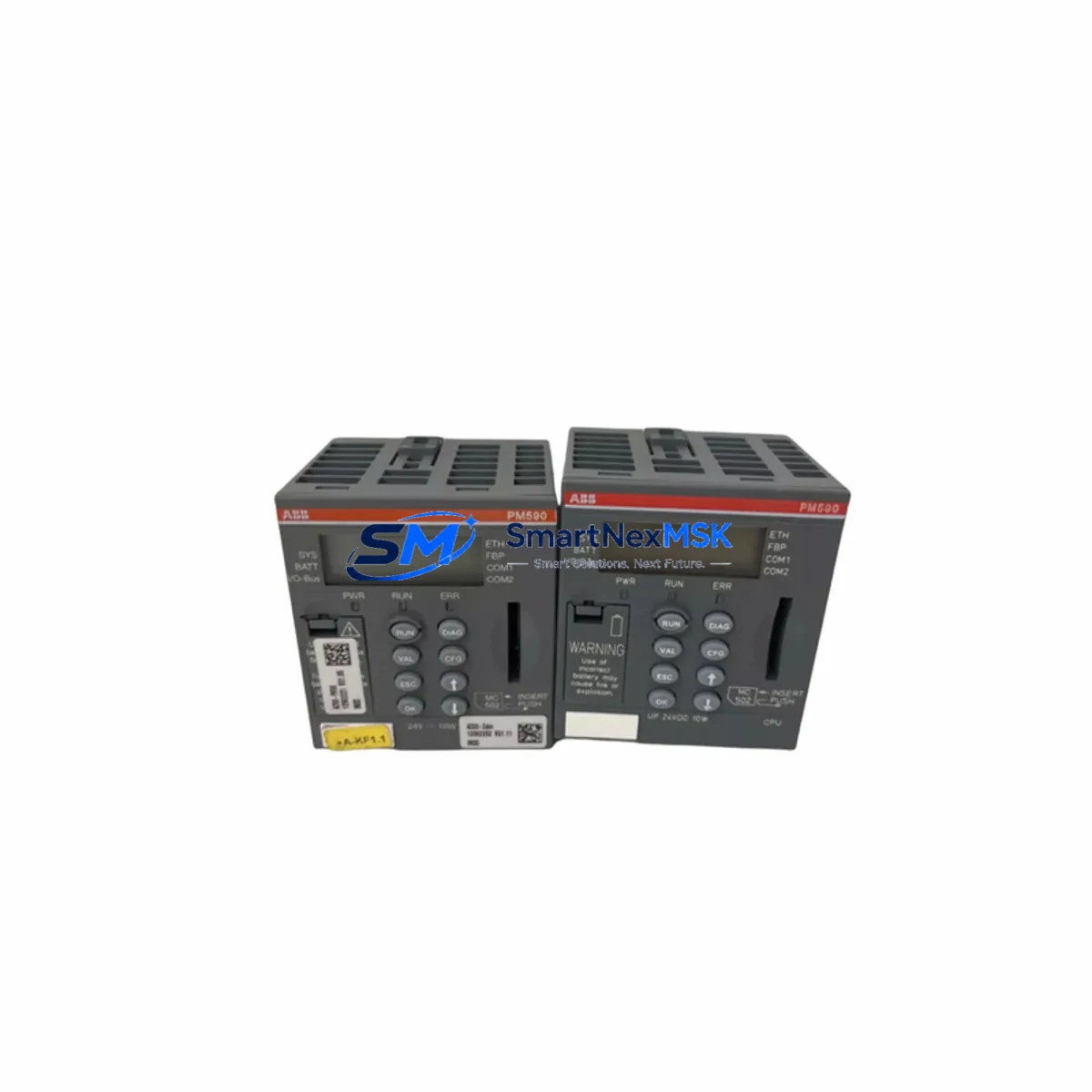
ABB PM590-ETH 1SAP150000R0271 Retrofit-Ready CPU for AC500 Control Systems
The ABB PM590-ETH (part number 1SAP150000R0271) is a high-performance Ethernet-enabled CPU module designed for the ABB AC500 PLC platform. As legacy control systems reach end-of-life and spare parts become increasingly scarce, the PM590-ETH stands out as the preferred retrofit-ready replacement for aging AC500 CPU modules including the PM583-ETH and PM585-ETH. With native support for Modbus TCP and PROFINET communication protocols, this module enables a smooth migration path without requiring a complete control system overhaul — a critical advantage for facilities managing continuous production lines where downtime must be minimized.
Whether you are upgrading a legacy packaging line, modernizing a water treatment SCADA system, or restoring a discontinued spare in a chemical plant DCS environment, the PM590-ETH delivers the processing headroom and communication flexibility required for today’s industrial demands. Its compatibility with the standard AC500 backplane and TB521-ETH terminal base means that in most retrofit scenarios, existing field wiring and cabinet layouts can be preserved, dramatically reducing re-engineering costs and commissioning time.
Upgrade Compatibility Table
| Parameter | PM583-ETH (Legacy) | PM585-ETH (Legacy) | PM590-ETH 1SAP150000R0271 (Replacement) |
|---|---|---|---|
| Backplane Interface | AC500 Standard | AC500 Standard | AC500 Standard ✓ Compatible |
| Terminal Base | TB521-ETH | TB521-ETH | TB521-ETH ✓ Drop-in fit |
| Communication Protocols | Modbus TCP, CS31 | Modbus TCP, PROFINET | Modbus TCP, PROFINET, CS31 ✓ Superset |
| Program Memory | 512 KB | 1 MB | 4 MB ✓ Expanded |
| Installation Requirement | Standard DIN rail / rack | Standard DIN rail / rack | Standard DIN rail / rack ✓ No modification |
| Replacement Recommendation | Direct retrofit candidate | Recommended upgrade path | |
| Commissioning Focus | Module address reassignment, program re-download | Verify I/O mapping, re-download project via PS501 Control Builder Plus | |
| Warranty | OEM warranty expired (EOL) | 12-Month Warranty ✓ | |
Retrofit Planning for Existing Automation Systems
A successful PM590-ETH retrofit begins well before the module arrives on site. Engineers should start by auditing the existing control cabinet to confirm the installed terminal base — typically the TB521-ETH — is in serviceable condition, as the terminal base houses the field wiring connections and does not need to be replaced in most cases. The existing I/O expansion modules, such as the DC532 digital input/output module and the AX522 analog I/O module, remain fully compatible with the PM590-ETH and can continue operating without reconfiguration at the hardware level.
Before powering down the legacy CPU, engineers should export the complete project archive from ABB’s PS501 Control Builder Plus programming environment. This archive preserves all ladder logic, function block diagrams, variable tables, and HMI tag bindings. When the PM590-ETH is installed and powered on, the project is re-downloaded via the USB programming port or Ethernet connection, and the module address is confirmed through the rotary address switch on the front panel — a step that is frequently overlooked and can cause communication faults if the address does not match the network configuration stored in the project.
For systems that include a CP600 series HMI panel, engineers should verify that all tag addresses and communication driver settings reference the correct CPU node address after the swap. The CP600 communicates with the AC500 CPU over Ethernet using the Modbus TCP driver, and any address mismatch will result in HMI communication alarms that can be mistaken for hardware faults. Similarly, if the control system includes a CI590-CS31-HA CS31 communication interface module for legacy field bus devices, the CS31 network parameters stored in the PM590-ETH project must be validated against the physical network topology before the system is returned to automatic mode.
Power supply capacity is another critical checkpoint. The PM590-ETH draws slightly more current than the PM583-ETH at peak processing load. Engineers should verify that the installed PS501 or PS560 power supply module has sufficient headroom to support the PM590-ETH alongside all installed I/O modules and communication interfaces. A power budget calculation using the AC500 system configurator is recommended before finalizing the retrofit bill of materials. If the existing power supply is operating near its rated capacity, upgrading to a higher-rated PS560 power supply module should be included in the retrofit scope.
For sites running PROFINET networks, the PM590-ETH must be assigned a PROFINET device name and IP address that matches the GSD file configuration in the PROFINET controller project. If the legacy CPU was not PROFINET-capable, this step requires updating the PROFINET network topology in the engineering tool and re-downloading the updated configuration to all affected PROFINET devices, including any ET200 distributed I/O stations or third-party PROFINET slaves connected to the same network segment.
Downtime Control During System Migration
Minimizing production downtime during a CPU retrofit requires a structured pre-commissioning approach. The most effective strategy is to complete all software preparation — project export, address verification, HMI tag audit, and communication parameter review — during scheduled maintenance windows before the physical swap takes place. When the actual hardware replacement is performed, the process is reduced to a mechanical swap, a project download, and a functional verification test, which can typically be completed within two to four hours for a well-prepared retrofit.
To protect the original program logic, engineers should maintain at least two independent backups of the PS501 Control Builder Plus project archive: one stored on the engineering workstation and one on removable media kept in the control room. The PM590-ETH supports online program monitoring via Ethernet, which allows engineers to verify I/O states, communication link status, and program execution in real time without interrupting the running process — a significant advantage during the post-commissioning verification phase.
For critical continuous processes where even a brief interruption is unacceptable, a parallel commissioning approach is recommended: the PM590-ETH is configured and tested on a bench setup replicating the I/O configuration before the live system is touched. This approach allows the engineering team to identify and resolve any compatibility issues — such as differences in function block behavior between firmware versions — before the cutover window begins. All field instruments, actuators, and safety interlocks should be verified in manual mode before the CPU is switched back to automatic control, ensuring that the control system resumes normal operation without unexpected process upsets.
Retrofit Support FAQ
Q: Is the PM590-ETH 1SAP150000R0271 a direct drop-in replacement for the PM583-ETH or PM585-ETH?
A: Yes, in most installations. The PM590-ETH uses the same TB521-ETH terminal base and AC500 backplane interface as the PM583-ETH and PM585-ETH. The existing field wiring and I/O modules do not need to be changed. The project must be re-downloaded after installation, and the module address switch must be set to match the original CPU address.
Q: What commissioning steps are required after installing the PM590-ETH?
A: After physical installation, connect the programming cable or Ethernet link to the PS501 Control Builder Plus workstation, download the project archive, verify the rotary address switch setting, confirm I/O module communication status, and test all critical control loops in manual mode before returning the system to automatic. For PROFINET-connected systems, verify the PROFINET device name and IP address assignment before enabling the network.
Q: How do I verify wiring compatibility before the retrofit?
A: The PM590-ETH connects to the field through the TB521-ETH terminal base, which retains all existing field wiring. No rewiring is required at the terminal base level. Verify that the terminal base is mechanically sound and that all terminal screws are torqued to specification. Check the power supply input voltage and confirm the PS501 or PS560 power supply output current rating is sufficient for the new CPU’s load.
Q: What warranty coverage is provided with the PM590-ETH from SMARTNEXMSK?
A: All PM590-ETH units supplied by SMARTNEXMSK are covered by a 12-month warranty from the date of shipment. Each unit undergoes functional testing prior to dispatch, including power-on verification, communication port testing, and firmware version confirmation. Warranty claims are supported directly through our technical team with replacement or repair turnaround coordinated to minimize your system downtime.
© 2026 SMARTNEXMSK. All rights reserved.
Original Source: https://smartnexmsk.com
Contact: [email protected] | +86 18259474341



