
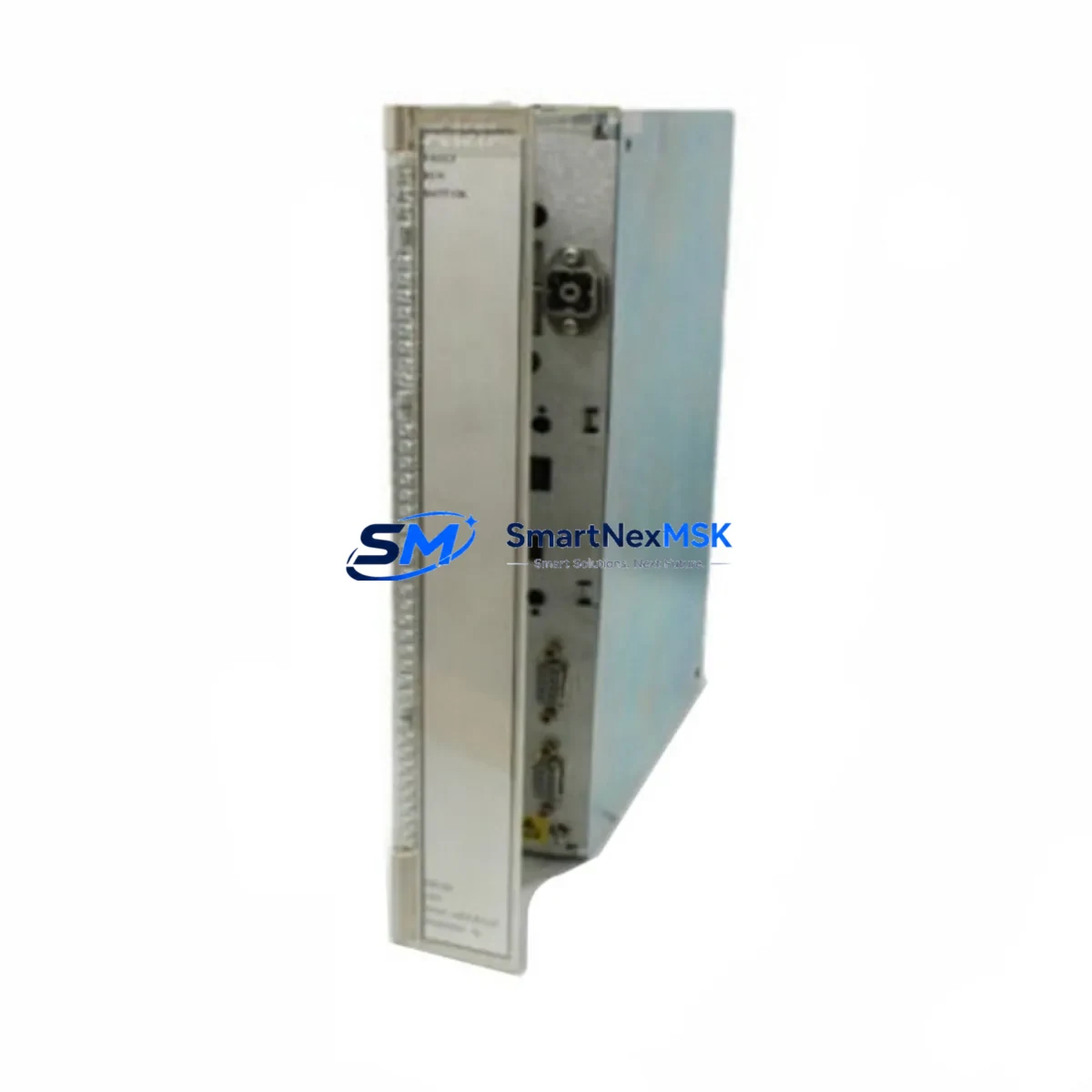
ABB PM630 3BSE000434R1 Retrofit-Ready CPU for AC500 Control Systems
The ABB PM630 (3BSE000434R1) is a high-performance central processing unit designed for the ABB AC500 PLC platform, one of the most widely deployed modular control architectures in industrial automation. As legacy AC500 installations age and original PM630 units reach end-of-life or become increasingly difficult to source, this retrofit-ready replacement module provides a direct, validated upgrade path that preserves existing program logic, I/O mapping, and communication topology — minimizing engineering rework and unplanned downtime.
Whether you are replacing a failed unit on an active production line, upgrading a control cabinet as part of a planned modernization project, or building a spare-parts inventory for critical infrastructure, the PM630 3BSE000434R1 is engineered to slot into existing AC500 backplane racks without structural modification. Its compatibility with the TB511-ETH and TB521-ETH terminal base units ensures that existing field wiring remains intact during the swap, dramatically reducing the risk of wiring errors during commissioning.
Upgrade Compatibility Table
| Parameter | Details |
|---|---|
| Replaces / Compatible With | ABB PM630, PM631, PM632 (AC500 Series) |
| Backplane Interface | AC500 standard backplane bus; compatible with TB511, TB521 terminal bases |
| Communication Protocols | PROFIBUS DP, Modbus RTU/TCP, CANopen, EtherNet/IP (via CM modules) |
| Installation Requirement | DIN rail mount; no rack modification required for direct swap |
| Program Compatibility | IEC 61131-3 programs created in Automation Builder / PS501 Control Builder |
| Replacement Recommendation | Direct drop-in for failed or EOL PM630 units; firmware version verification advised |
| Commissioning Focus | Module address assignment, I/O configuration reload, HMI tag re-mapping |
| Warranty | 12-Month Warranty — covers manufacturing defects and functional failure |
Retrofit Planning for Existing Automation Systems
A successful PM630 retrofit begins well before the module arrives on site. Engineers should audit the existing control cabinet to document the current rack configuration, including the positions of all installed I/O modules such as the DC532 digital input/output module and the AI531 analog input module, both of which are common companions to the PM630 in AC500 installations. Power supply capacity must be verified — the CP502 or CP503 AC500 power supply modules should be checked against the total current draw of the new CPU plus all connected I/O modules to confirm no derating is required.
Communication infrastructure deserves equal attention. If the existing system uses a CM572-DP PROFIBUS DP communication module for field device connectivity, the module address and baud rate settings must be documented before the CPU is removed. Similarly, if Modbus TCP is in use via a CM579-ETHCAT EtherCAT communication module, the IP address table and slave device mapping should be exported from the current project file. This ensures that after the PM630 replacement, the communication links to variable frequency drives, remote I/O stations, and third-party field instruments can be restored without re-engineering the network topology.
For systems that include an ABB CP600 HMI panel or a third-party SCADA interface, screen tag databases should be backed up prior to the swap. HMI variable addresses tied to the CPU’s internal memory registers may need to be re-validated after the replacement module is initialized, particularly if the firmware version differs from the original unit. Programming cables such as the TK501 USB programming cable should be on hand to connect a laptop running ABB Automation Builder for live program download and online monitoring during commissioning.
Where the retrofit involves migrating from an older AC500 V1 hardware generation to the current platform, engineers should also evaluate whether the existing TA521 expansion adapter or TA526 I/O bus extension modules remain compatible with the replacement CPU’s firmware baseline. Confirming this compatibility before the maintenance window prevents last-minute delays caused by firmware mismatch errors during startup.
Downtime Control During System Migration
Minimizing production downtime during a CPU replacement requires a structured pre-outage preparation protocol. Before the maintenance window opens, the complete project file should be exported from ABB Automation Builder and stored on a local drive — not solely on the CPU’s internal memory card. A full backup of the SD memory card installed in the PM630 should also be taken, as this card typically holds the runtime program, retain data, and communication configuration files that are essential for a fast restart.
During the physical swap, the replacement PM630 3BSE000434R1 should be pre-configured offline with the correct module address, IP settings, and program file before being installed in the rack. This offline preparation approach, sometimes called “hot-swap staging,” allows the new module to be inserted and powered up with a pre-loaded configuration, reducing the time between rack insertion and first successful I/O scan to under 15 minutes in most cases.
After power-up, the commissioning sequence should follow a structured checklist: confirm CPU status LEDs, verify backplane communication with all I/O modules, check communication link status on all CM modules, perform a forced I/O test on critical output channels, and validate HMI data exchange before releasing the system to production. Each PM630 3BSE000434R1 unit shipped by SMARTNEXMSK undergoes a pre-shipment functional test to confirm that the module initializes correctly and passes internal diagnostics, reducing the risk of receiving a non-functional unit during a time-critical maintenance window.
Retrofit Support FAQ
Q1: Is the PM630 3BSE000434R1 a direct replacement for my existing PM630 unit?
Yes. The PM630 3BSE000434R1 is a direct form-fit-function replacement for existing PM630 installations on the AC500 platform. The module uses the same backplane connector, DIN rail footprint, and terminal base interface as the original. Firmware version alignment is recommended — if your existing system runs an older firmware baseline, ABB Automation Builder can be used to update the replacement module before installation.
Q2: Will my existing IEC 61131-3 program run on the replacement module without modification?
In most cases, yes. Programs developed in ABB PS501 Control Builder or Automation Builder are stored in a project file that is independent of the physical CPU hardware. After downloading the project to the replacement PM630, the program should execute identically to the original, provided the I/O module configuration and communication settings are restored correctly. Minor adjustments may be required if the replacement module’s firmware version introduces changes to specific function blocks.
Q3: What wiring changes are required when installing the PM630 3BSE000434R1?
No field wiring changes are required for a like-for-like PM630 replacement. All field connections are made at the terminal base (TB511 or TB521), which remains in place during the CPU swap. Only the CPU module itself is removed and replaced. This design significantly reduces the risk of wiring errors and eliminates the need for re-termination of field cables.
Q4: What does the 12-month warranty cover, and what is the process for a warranty claim?
The 12-month warranty covers manufacturing defects and functional failures under normal operating conditions. If the PM630 3BSE000434R1 fails to initialize, exhibits persistent diagnostic faults, or fails to communicate with the AC500 backplane within the warranty period, SMARTNEXMSK will arrange a replacement unit. Contact [email protected] with your order number and a description of the fault condition to initiate a warranty claim. Pre-shipment functional testing is performed on every unit to minimize the likelihood of DOA (dead-on-arrival) failures.
© 2026 SMARTNEXMSK. All rights reserved.
Original Source: https://smartnexmsk.com
Contact: [email protected] | +86 18259474341



