
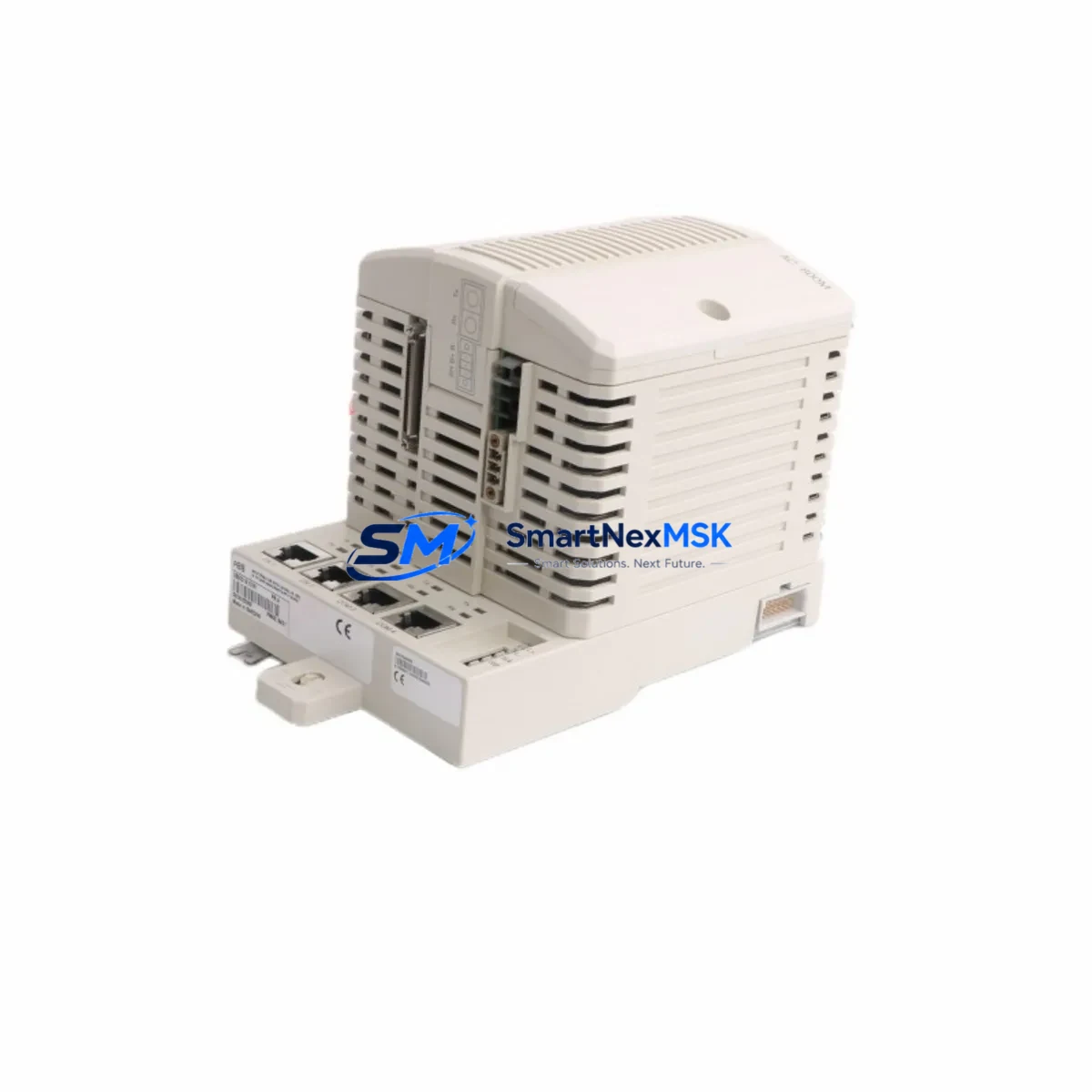
ABB PM861AK01 3BSE018157R1 Maintenance-Ready Spare AC500 PLC
Unplanned downtime in industrial automation environments carries significant operational and financial risk. The ABB PM861AK01 (Order No. 3BSE018157R1) is a high-performance CPU module for the ABB AC500 PLC series — a platform widely deployed across process control, machine automation, power distribution, and infrastructure applications worldwide. Maintaining a verified, tested spare of this module is a fundamental element of any responsible maintenance strategy for AC500-based control systems.
This listing provides an original ABB PM861AK01 3BSE018157R1 sourced through authorized industrial supply channels, pre-shipment tested, and backed by a 12-month warranty. Whether you are managing a planned overhaul, responding to an unscheduled fault, or building a strategic spare parts inventory for a critical production line, this module ships ready for immediate installation.
The PM861AK01 is the standard CPU module for the AC500 mid-range PLC family. It supports the AC500 backplane architecture, communicates natively with AC500 I/O expansion modules, and is fully compatible with ABB Automation Builder programming software. Its onboard Ethernet port, SD card slot for program backup, and support for IEC 61131-3 programming languages make it the control core for a wide range of industrial applications — from conveyor and packaging lines to water treatment and building automation systems.
Spare Maintenance Table
| Parameter | Specification |
|---|---|
| Part Number | PM861AK01 |
| Order Number | 3BSE018157R1 |
| Brand | ABB |
| Series | AC500 |
| Module Type | PLC CPU Module |
| Origin | Germany (DE) |
| Supply Voltage | 24 VDC (via AC500 backplane) |
| Programming Standard | IEC 61131-3 (LD, FBD, ST, IL, SFC) |
| Communication | Ethernet (onboard), CS31 bus |
| Program Memory | Up to 1 MB user program |
| Data Retention | SD card slot for program/data backup |
| Compatibility | AC500 backplane, TB511, TB521, TB541 terminal bases |
| Compatible I/O | AC500 DI/DO/AI/AO expansion modules (e.g. DI524, DO524, AI523) |
| Operating Temperature | 0°C to +60°C |
| Protection Rating | IP20 |
| Weight | Approx. 980 g (with packaging) |
| Condition | Original, New / Tested Surplus |
| Pre-Shipment Test | Yes — power-on and communication verified |
| Warranty | 12 Months |
| Lead Time | In stock — ships within 1–3 business days |
Maintenance Planning for Continuous Operation
When a maintenance or reliability engineer identifies a fault in the PM861AK01 CPU, the replacement process rarely ends with the CPU alone. A thorough site inspection and controlled replacement procedure should encompass the entire control cabinet and associated electrical circuit. The following components are commonly inspected, tested, or replaced concurrently during a PM861AK01 swap:
The AC500 power supply module (such as the CP502 or CP503) should be load-tested before the new CPU is installed — an aging or undersized power supply is a frequent root cause of CPU faults and memory errors. Alongside the power supply, the AC500 terminal base (TB511-ETH or TB521-ETH) that physically seats the PM861AK01 should be inspected for oxidized contacts, loose locking clips, and backplane connector integrity.
The AC500 digital input modules (e.g., DI524) and digital output modules (e.g., DO524) connected to the same backplane should be checked for blown output channels, which can cause misleading fault diagnostics that appear as CPU errors. Similarly, analog input modules (AI523) and analog output modules (AO523) should be verified for signal drift or calibration loss, particularly in process control environments with temperature or pressure loops.
Communication infrastructure is equally critical: the Ethernet switch or managed switch connecting the PM861AK01 to the SCADA or DCS network should be checked for port faults, and any CS31 fieldbus cabling should be inspected for termination resistance and continuity. If the system uses PROFIBUS DP or Modbus TCP communication cards installed in the AC500 expansion slots, these should be re-seated and their diagnostic LEDs verified after CPU replacement.
For systems with ABB CP600 or CP400 series HMI panels connected to the AC500 CPU via Ethernet or serial link, the communication parameters and project version should be confirmed compatible with the replacement CPU firmware. Relay output modules and 24 VDC interposing relays on the output side of the control cabinet should also be inspected — relay coil resistance and contact wear are common failure points in high-cycle applications. Finally, signal isolators and surge protection devices on analog signal lines should be checked, as transient events that damage a CPU module often affect these components simultaneously.
Site Replacement Workflow
Step 1 — Preparation and Safety Isolation: Before removing the PM861AK01, export the current PLC program from the running system using ABB Automation Builder (if the CPU is still partially functional) or retrieve the backup from the onboard SD card. Isolate the control cabinet from mains power following LOTO procedures. Document all terminal wiring, communication cable labels, and module slot positions with photographs.
Step 2 — Module Removal: Release the locking mechanism on the terminal base, disconnect the CPU module from the backplane, and remove it from the cabinet. Inspect the backplane connector pins for damage or contamination before installing the replacement.
Step 3 — Replacement Installation: Insert the new PM861AK01 3BSE018157R1 into the same terminal base slot. Ensure the module clicks firmly into the backplane. If using an SD card for program restore, insert the card before powering up. Reconnect all communication cables.
Step 4 — Program Restore and Commissioning: Power up the cabinet and allow the CPU to boot. Restore the PLC program via SD card or Automation Builder download. Verify all I/O module status LEDs, confirm communication links to HMI and SCADA, and run a controlled test cycle before returning the system to production.
Step 5 — Documentation and Spare Replenishment: Log the replacement event in the maintenance management system (CMMS) with date, fault description, and module serial numbers. Immediately reorder a replacement spare to restore your buffer stock — a single-unit spare strategy leaves the system exposed during the procurement lead time.
Spare Parts Support FAQ
Q1: Is this PM861AK01 a direct drop-in replacement for my existing AC500 system?
Yes. The PM861AK01 3BSE018157R1 is the standard CPU module for the ABB AC500 mid-range PLC series and is a direct mechanical and electrical replacement for the same part number. Firmware version compatibility should be verified against your existing program — contact our technical team with your current firmware version if you require confirmation before ordering.
Q2: What pre-shipment testing is performed on this module?
Every PM861AK01 unit is power-on tested and communication-verified before dispatch. Modules are inspected for physical integrity, connector condition, and LED status confirmation. A test report is available upon request. Units are packed in anti-static packaging with foam protection for safe international transit.
Q3: How should I manage spare parts inventory for AC500-based systems?
For critical production lines, we recommend maintaining at minimum one PM861AK01 CPU spare per installed AC500 system, alongside spares for the power supply module and at least one of each I/O module type in use. For multi-line facilities, a shared pool strategy with 2–3 CPU spares covering multiple lines is a cost-effective approach. Our team can assist with spare parts list development based on your installed base.
Q4: What does the 12-month warranty cover?
The 12-month warranty covers manufacturing defects, functional failures under normal operating conditions, and DOA (dead-on-arrival) units. Warranty claims are processed with priority — replacement units are dispatched within 3 business days of fault confirmation. The warranty does not cover damage resulting from incorrect installation, overvoltage events, or physical mishandling. Full warranty terms are provided with each shipment.
© 2026 SMARTNEXMSK. All rights reserved.
Original Source: https://smartnexmsk.com
Contact: [email protected] | +86 18259474341



