
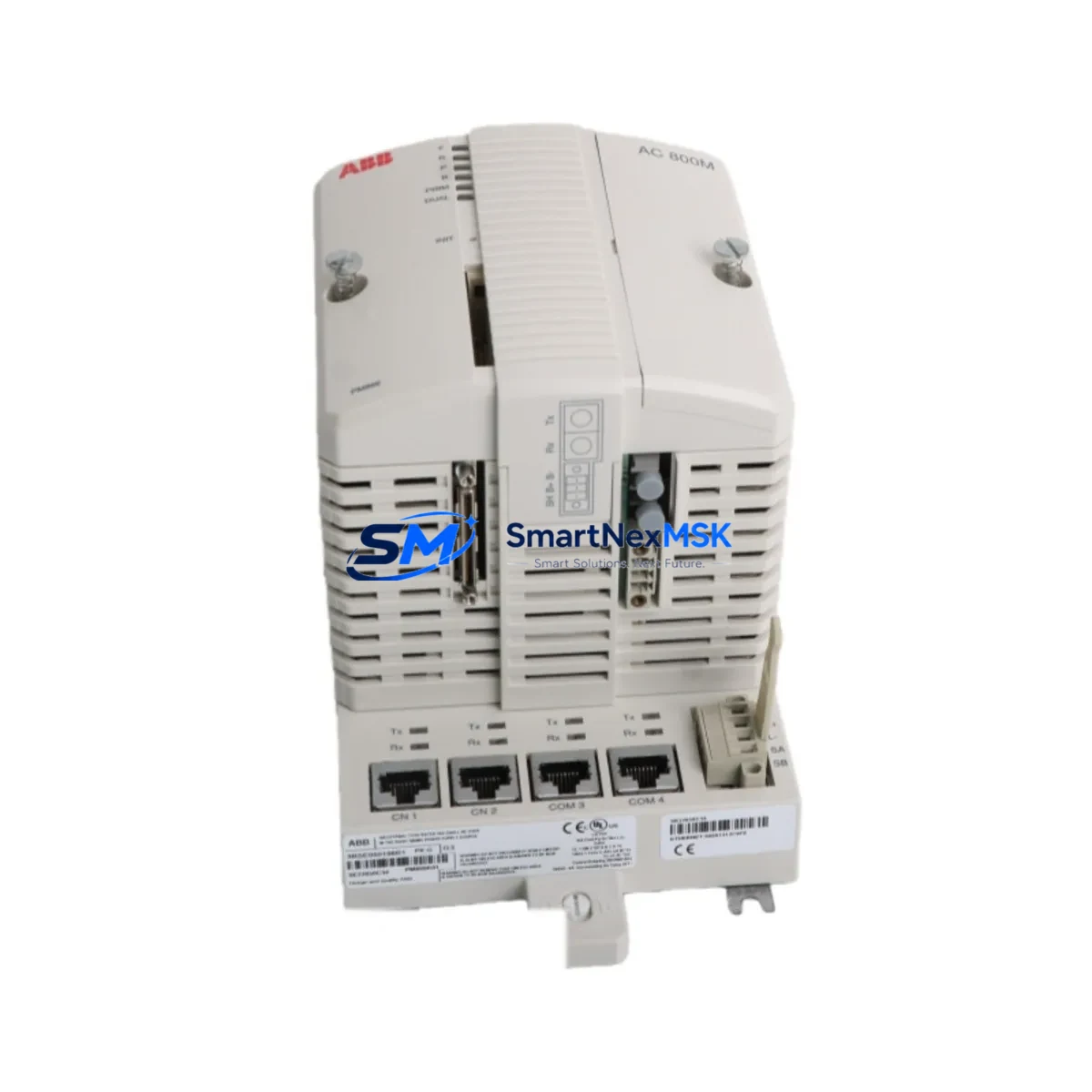
ABB PM866K01 3BSE050198R1 Retrofit-Ready CPU for AC800M Control Systems
The ABB PM866K01 (part number 3BSE050198R1) is a high-performance CPU module designed for the AC800M distributed control platform. As legacy AC800M installations age and original hardware reaches end-of-life, the PM866K01 has become the preferred retrofit solution for engineers managing brownfield upgrades, spare-parts shortages, and control system modernization projects. Whether you are replacing a failed PM864A, PM865, or PM866 unit, or planning a phased migration from an older AC800 generation, this module delivers the processing power, memory capacity, and communication compatibility required for a smooth transition with minimal disruption to existing control logic.
Upgrade Compatibility Table
| Parameter | Details |
|---|---|
| Compatible Series | ABB AC800M (PM864A, PM865, PM866 variants) |
| Part Number | 3BSE050198R1 |
| Backplane Interface | AC800M standard CPU slot (TB807, TB840A racks) |
| Communication Protocols | PROFIBUS-DP, MMS/IEC 61850, Modbus TCP, OPC |
| Installation Requirement | Direct slot replacement; no rack modification required |
| Program Compatibility | Control Builder M projects; firmware upgrade may be required |
| HMI Compatibility | Compatible with Panel 800 series and third-party SCADA via OPC |
| Replacement Recommendation | Verify firmware version in Control Builder M before hot-swap |
| Commissioning Focus | Module address, redundancy settings, communication link verification |
| Warranty | 12 months from shipment date |
Retrofit Planning for Existing Automation Systems
Successful integration of the PM866K01 into an existing AC800M system begins well before the physical swap. Engineers should first audit the current rack configuration — typically a TB807 or TB840A backplane — to confirm slot availability and power budget. The SD802 or SD803 power supply module must be verified to deliver sufficient current for the PM866K01’s increased processing load compared to older PM864A units.
On the I/O side, existing S800 I/O modules such as the AI810, AO810, DI810, and DO810 remain fully compatible and do not require reconfiguration when the CPU is replaced. However, if the retrofit is part of a broader S900 I/O migration, field wiring termination units and marshalling cabinets should be reviewed for terminal compatibility before the cutover window.
Communication infrastructure is a critical checkpoint. If the plant network relies on CI854A or CI858 PROFIBUS communication interface modules, these should be confirmed as compatible with the PM866K01 firmware version. For sites running MMS or IEC 61850 protocols toward substation automation or SCADA layers, the CM589-PNIO or CI867 Ethernet communication modules should be tested in a staging environment prior to live deployment.
HMI screens built on the Panel 800 series or third-party SCADA systems connected via OPC DA/UA should be validated against the new CPU’s tag database. In most cases, existing Control Builder M project files can be downloaded directly to the PM866K01 after a firmware alignment step, preserving all function block logic, PID loops, and sequence programs without rewriting.
For redundant CPU configurations, the PM866K01 supports hot-standby redundancy when paired with a second PM866K01 unit and the appropriate redundancy cable. Sites currently running single-CPU configurations should evaluate whether the retrofit window is an appropriate time to introduce redundancy, particularly in continuous process environments where unplanned downtime carries significant cost.
Downtime Control During System Migration
Minimizing production interruption is the primary concern for any brownfield CPU replacement. The recommended approach is to pre-configure the PM866K01 offline using Control Builder M, loading the existing project, aligning firmware, and performing a full simulation before the maintenance window begins. This eliminates on-site programming time and reduces the cutover to a physical swap, communication link verification, and a controlled restart sequence.
During the cutover, field I/O should remain powered where process safety permits, allowing the new CPU to resume control with minimal bump. For processes that cannot tolerate any interruption, a parallel run strategy using a temporary CI854A PROFIBUS spur or a portable engineering station connected via the USB service port allows the PM866K01 to be validated against live signals before the old CPU is decommissioned.
All units supplied by SMARTNEXMSK undergo pre-shipment functional testing, including power-on verification, communication port checks, and firmware version confirmation. This reduces on-site commissioning risk and supports the 12-month warranty coverage from the date of shipment.
Retrofit Support FAQ
Q: Is the PM866K01 a direct drop-in replacement for the PM864A or PM865?
A: Yes, the PM866K01 occupies the same CPU slot in TB807 and TB840A racks. A firmware update in Control Builder M is recommended before downloading the existing project to ensure full compatibility with the module’s feature set.
Q: Will my existing S800 I/O wiring need to be changed?
A: No. S800 I/O modules connect to the AC800M backplane independently of the CPU slot. Field wiring, terminal blocks, and I/O module addresses are unaffected by the CPU replacement.
Q: How is the module tested before shipment?
A: Each PM866K01 unit is powered on, communication ports are verified, and firmware version is confirmed prior to packaging. A test report is available upon request. All units carry a 12-month warranty from the shipment date.
Q: What should I verify regarding communication links after installation?
A: After installing the PM866K01, verify PROFIBUS-DP segment addresses on all CI854A or CI858 interfaces, confirm MMS/IEC 61850 subscriptions if applicable, and check OPC server tag mapping if a SCADA system is connected. A cold-start sequence with Control Builder M online monitoring is recommended to confirm all I/O modules report healthy status before returning the system to automatic control.
© 2026 SMARTNEXMSK. All rights reserved.
Original Source: https://smartnexmsk.com
Contact: [email protected] | +86 18259474341



