
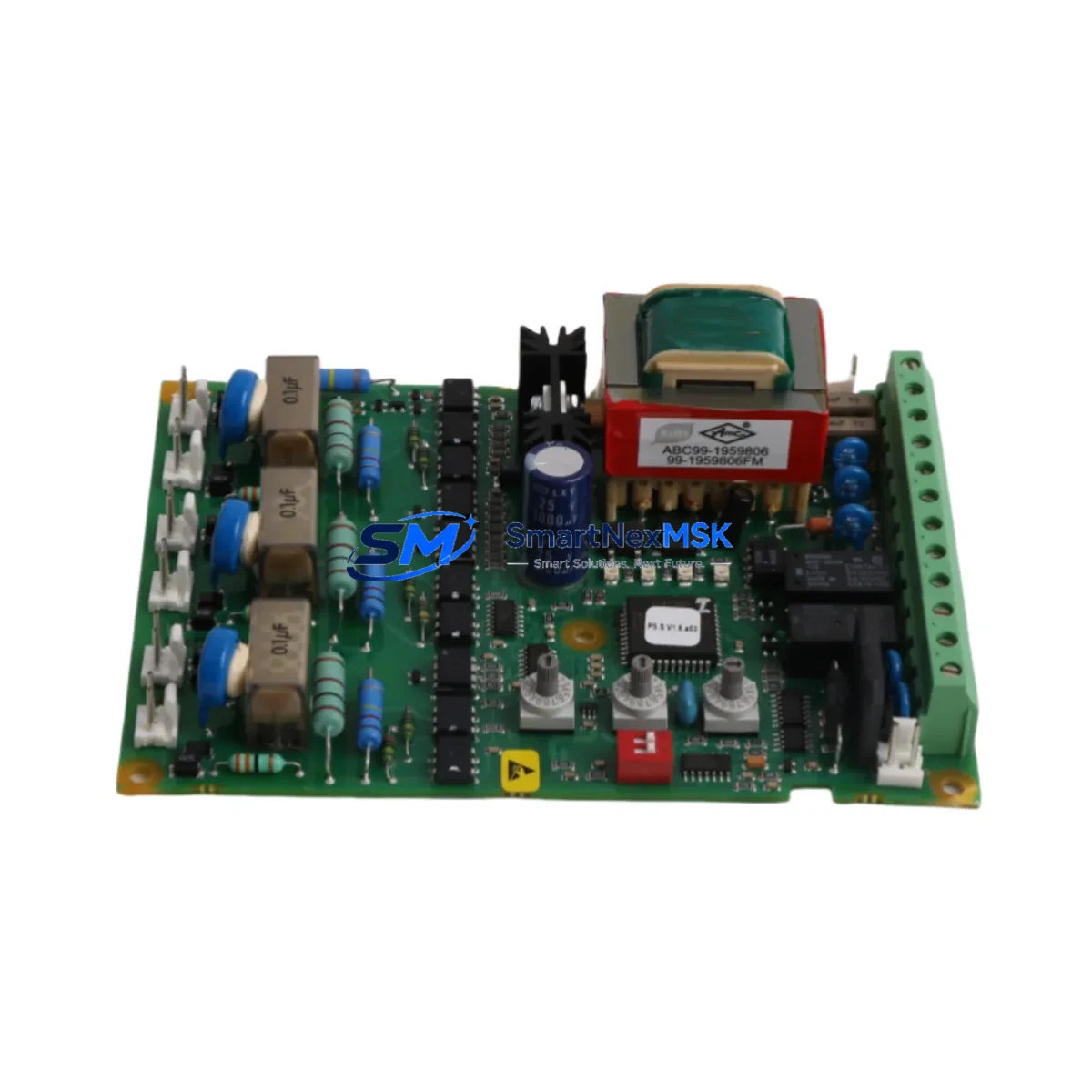
ABB PSPCB-500C/S Retrofit-Ready Control Board for PSS-500 Control Systems
The ABB PSPCB-500C/S (part number 1SFA899020R2500) is the factory-designated control board for the ABB PSS-500 series soft starter, one of the most widely deployed motor soft-starting platforms in industrial automation. As the PSS-500 series ages and original spare parts become increasingly difficult to source, the PSPCB-500C/S has become a critical retrofit component for engineers managing legacy motor control centers, pump stations, compressor panels, and conveyor drive systems. This board governs the core firing logic, current sensing interface, and fault-protection routines of the soft starter, making it the single most important replaceable assembly in a PSS-500 unit.
Whether you are responding to an unplanned board failure, executing a scheduled preventive maintenance overhaul, or upgrading an aging control cabinet to extend its operational life by five to ten years, the PSPCB-500C/S provides a verified drop-in solution that preserves your existing wiring harness, terminal block layout, and backplane connector positions. No mechanical rework of the enclosure is required, and the board mounts directly to the original standoffs using the same M4 fastener pattern as the factory-installed assembly.
Upgrade Compatibility Table
| Parameter | Detail |
|---|---|
| Compatible Platform | ABB PSS-500 Series Soft Starters |
| Part Number / SKU | PSPCB-500C/S / 1SFA899020R2500 |
| Mounting Interface | Direct drop-in; original M4 standoff pattern retained |
| Terminal / Wiring Compatibility | Fully compatible with original PSS-500 wiring harness and terminal block assignments |
| Backplane Connector | Same edge connector pinout as OEM board; no adapter required |
| Communication Compatibility | Compatible with PROFIBUS-DP and DeviceNet fieldbus modules installed on PSS-500 chassis |
| Replacement Recommendation | Suitable for direct swap on PSS-500 units with board-level faults, overcurrent trips, or firmware corruption |
| Commissioning Requirement | Motor current rating, ramp time, and protection thresholds must be re-entered via keypad or PSTBT programming tool after board replacement |
| HMI / SCADA Impact | Existing HMI screens and SCADA tag mappings remain valid; no re-mapping required if fieldbus module is retained |
| 12-Month Warranty | Covers manufacturing defects and component failure under normal operating conditions from date of shipment |
Retrofit Planning for Existing Automation Systems
A successful PSPCB-500C/S retrofit begins well before the board arrives on site. Engineers should start by auditing the existing PSS-500 installation to confirm the power supply rail voltages — typically 24 VDC control supply and the main three-phase input — are within specification, since a degraded PSTB-500 power supply board or a failing ABB PSS-500 thyristor stack can cause repeat control board failures if not addressed simultaneously. It is strongly recommended to measure the 24 VDC rail under load before installing the replacement board.
Next, photograph and document all terminal block wiring on the PSS-500 before disconnecting anything. The control terminals — including the run/stop inputs, fault relay outputs, and analog speed reference — must be reconnected in exactly the same sequence. If the installation uses an ABB PSTB-500 bypass contactor module or an external motor thermistor input, verify that those wiring paths are clearly labeled before removal.
For sites running PROFIBUS-DP communication, the existing ABB PSTBP-500 PROFIBUS adapter module can be retained on the chassis. The PSPCB-500C/S is fully compatible with this module, and the PROFIBUS node address stored in the adapter is preserved independently of the control board. Similarly, installations using a DeviceNet interface module do not require re-addressing after the board swap, provided the module itself is undamaged.
I/O expansion considerations are equally important. If the PSS-500 is connected to a remote I/O rack — for example, an ABB AC500 PLC I/O module cluster or a third-party distributed I/O node — verify that the fault and run-status relay outputs from the soft starter are correctly mapped in the PLC program. After the board replacement, perform a forced-output test from the PLC to confirm that the relay contacts on the PSPCB-500C/S are responding correctly before returning the motor to service.
Sites that use an ABB CP600 or CP400 HMI panel connected to the soft starter via serial or fieldbus link should verify that the HMI communication link re-establishes automatically after power-up. In most cases, no changes to the HMI project are required, but it is good practice to cycle the HMI communication driver and confirm that all motor status tags — run status, fault code, current reading — are updating correctly before closing the control cabinet.
If the original installation includes an ABB PSTBT programming and commissioning tool, use it to upload the parameter set from a backup file if one was saved during the previous commissioning. If no backup exists, the motor nameplate data — rated current, voltage, and power factor — along with the application-specific ramp times and current limits must be re-entered manually. This step is non-negotiable and must be completed before the first motor start.
Downtime Control During System Migration
Minimizing production downtime during a PSPCB-500C/S replacement requires a structured approach. The recommended sequence is: isolate and lock out the PSS-500 unit, photograph all wiring, remove the faulty board, install the replacement, reconnect all terminals, restore power, re-enter parameters, and perform a no-load test run before reconnecting the motor load. This sequence can typically be completed in under two hours by a qualified technician familiar with the PSS-500 platform.
To protect the original program logic in the upstream PLC — whether an ABB AC500, a Siemens S7-300, or another controller — place the PLC in manual or maintenance mode before isolating the soft starter. This prevents the PLC from generating spurious fault alarms or triggering emergency stop sequences in response to the loss of communication with the soft starter during the board swap. Once the replacement board is powered and communication is confirmed, return the PLC to automatic mode and verify that the motor start sequence executes correctly under normal control.
For critical continuous-process applications where even a two-hour outage is unacceptable, consider pre-staging a fully configured spare PSS-500 unit with the PSPCB-500C/S already installed and parameters pre-loaded. This allows a complete unit swap in under thirty minutes, with the faulty unit sent for bench repair offline. This approach is particularly effective in water treatment, mining, and petrochemical applications where motor availability is directly tied to process continuity.
All units supplied by SMARTNEXMSK undergo pre-shipment functional testing, including power-on verification, parameter write/read cycling, and communication interface checks, before dispatch. This ensures that the board arrives ready for installation without requiring additional bench testing on the customer’s side.
Retrofit Support FAQ
Q1: Is the PSPCB-500C/S a direct replacement for the original ABB PSS-500 control board, or does it require any hardware modification?
A: The PSPCB-500C/S is a direct drop-in replacement for the original factory-installed control board in ABB PSS-500 series soft starters. No hardware modification, adapter bracket, or wiring change is required. The board uses the same mounting pattern, edge connector, and terminal interface as the original assembly.
Q2: Do I need to re-enter all parameters after replacing the control board?
A: Yes. Parameters are stored on the control board itself and are not retained when the board is replaced. You will need to re-enter all motor and application parameters — including rated current, ramp times, current limits, and protection thresholds — using the PSS-500 keypad or the ABB PSTBT commissioning tool. If a parameter backup file was saved during the original commissioning, it can be uploaded directly via the PSTBT tool.
Q3: Will my existing PROFIBUS-DP or DeviceNet fieldbus communication work after the board replacement?
A: Yes. The PSPCB-500C/S is fully compatible with the ABB PSTBP-500 PROFIBUS adapter and the DeviceNet interface module. The fieldbus node address is stored in the communication module, not on the control board, so it is preserved during the swap. After power-up, verify that the PLC or DCS re-establishes communication with the soft starter and that all process tags are updating correctly.
Q4: What does the 12-month warranty cover, and what is the process for a warranty claim?
A: The 12-month warranty covers manufacturing defects and component-level failures under normal operating conditions from the date of shipment. It does not cover damage caused by incorrect installation, overvoltage events, or operation outside the rated specifications of the PSS-500 platform. To initiate a warranty claim, contact SMARTNEXMSK with the order number, a description of the fault, and photographs of the installation. Replacement or repair will be arranged promptly upon verification.
© 2026 SMARTNEXMSK. All rights reserved.
Original Source: https://smartnexmsk.com
Contact: [email protected] | +86 18259474341



