
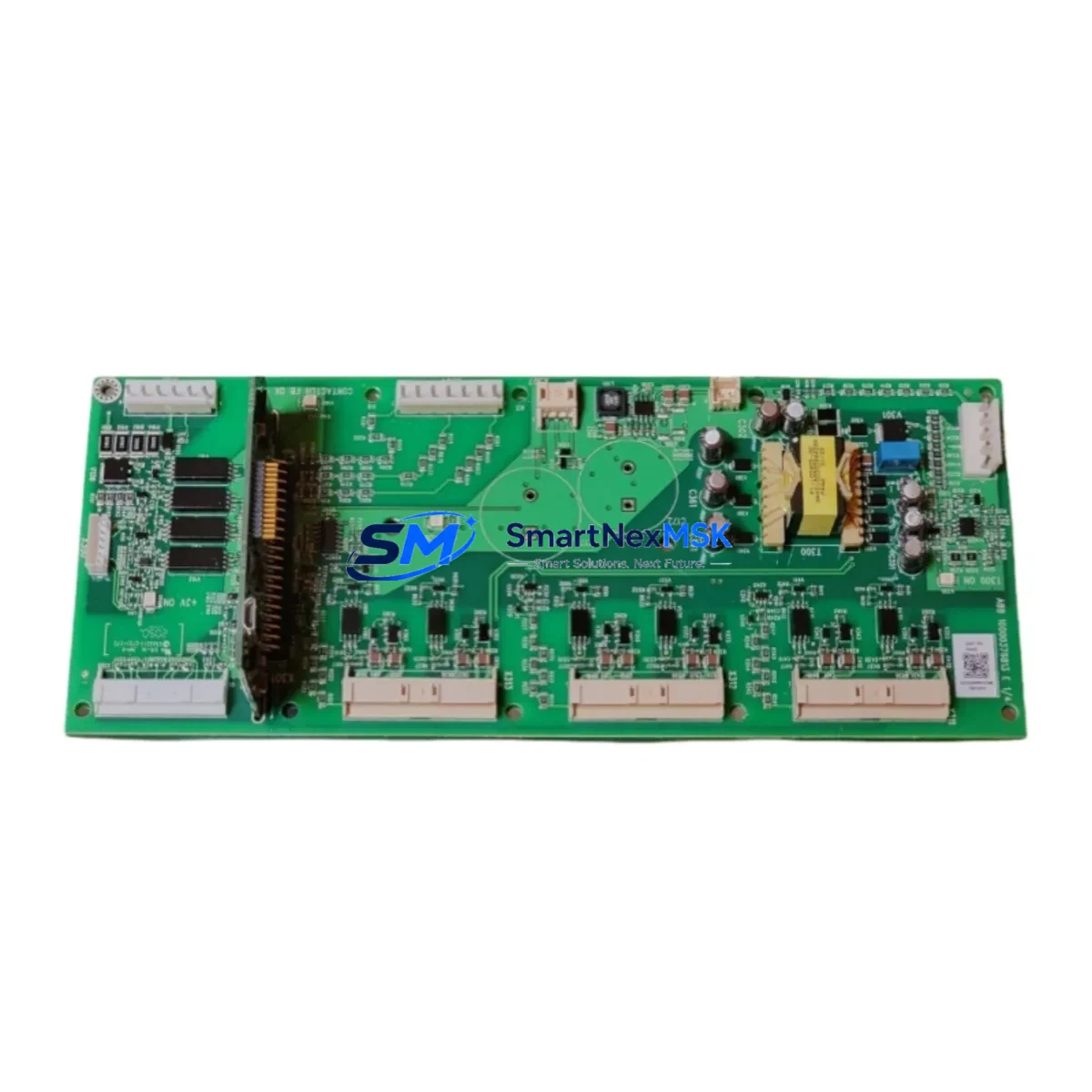
ABB QINT-781 3AXD5000019758 Retrofit-Ready Communication Interface for ACS880 Control Systems
The ABB QINT-781 (part number 3AXD5000019758) is a fieldbus communication interface module engineered for the ACS880 industrial drive platform. Designed to bridge legacy control architectures with modern automation networks, this module serves as a direct retrofit solution for facilities migrating from older ABB drive generations — including ACS600, ACS800, and ACS550 series — to the current ACS880 platform. Whether your project involves a full control cabinet overhaul, a targeted I/O expansion, or a communication protocol migration from PROFIBUS-DP to PROFINET or EtherNet/IP, the QINT-781 provides the interface layer required to maintain system continuity while upgrading drive intelligence.
Industrial buyers sourcing this module typically face one of three scenarios: replacing a failed communication card on an operational ACS880 drive, upgrading an existing ACS880 installation to support a new fieldbus standard demanded by a plant-wide DCS migration, or commissioning a retrofit panel where the ACS880 replaces a legacy drive that previously communicated via a now-obsolete protocol. In all three cases, the QINT-781 3AXD5000019758 provides a verified, in-stock solution with a 12-month warranty and pre-shipment functional testing.
Upgrade Compatibility Table
| Parameter | Detail |
|---|---|
| Compatible Drive Platform | ABB ACS880 Series (all frame sizes) |
| Module Slot | Option slot D2D / fieldbus adapter slot (drive-specific — verify frame) |
| Communication Protocol | Fieldbus interface per QINT-781 specification (PROFIBUS-DP / PROFINET — confirm with drive firmware) |
| Replaces / Upgrades From | ACS800 RDCO-03, ACS600 NPBA-12, legacy PROFIBUS adapters on ACS550 |
| Terminal / Wiring Compatibility | Verify connector type and pin assignment against existing cabinet wiring before installation |
| Backplane Interface | ACS880 option module bus — confirm slot assignment with drive documentation |
| Firmware Compatibility | Requires ACS880 firmware version supporting QINT-781; verify via ABB Drive Composer or Panel Bus |
| Module Address Setting | Configurable via drive parameter set (group 51 / fieldbus adapter settings) |
| HMI / Panel Compatibility | Compatible with ABB ACS-AP-I and ACS-AP-W control panels; verify HMI screen mapping after swap |
| Installation Requirement | Power-off installation; ESD precautions required; re-parameterization of fieldbus group recommended |
| Retrofit Commissioning | Restore parameter backup, verify node address, confirm cyclic data mapping with PLC/DCS |
| Warranty | 12 months from date of shipment; pre-shipment functional test included |
Retrofit Planning for Existing Automation Systems
A successful retrofit using the QINT-781 3AXD5000019758 begins well before the module arrives on site. Engineers should start by auditing the existing control cabinet to document the current communication wiring, terminal block assignments, and the fieldbus node address assigned to the drive. If the legacy system used an ABB RDCO-03 fiber optic communication module on an ACS800, or an NPBA-12 PROFIBUS adapter on an ACS600, the physical connector type and slot position will differ from the ACS880 option slot — adapter brackets or wiring modifications may be required.
Power supply capacity is a critical checkpoint. The ACS880 option module bus draws power from the drive’s internal 24 VDC supply. When adding the QINT-781 alongside other option modules — such as an FIO-11 digital I/O extension module, an FDIO-01 analog I/O module, or an FCAN-01 CANopen adapter — the total option module current draw must remain within the drive’s published budget. Exceeding this budget can cause intermittent communication faults or drive trips that are difficult to diagnose in the field.
For facilities running a Siemens S7-300 or S7-400 PLC as the master controller, the PROFIBUS-DP GSD file for the QINT-781 must be imported into STEP 7 or TIA Portal before the network scan. Similarly, if the plant DCS communicates via PROFINET, the GSDML file must be loaded and the device name assigned to match the ACS880 drive’s configured identity. Technicians should verify that the cyclic process data words — typically speed reference, torque reference, and status word — map correctly to the existing PLC program logic before declaring the retrofit complete.
In multi-drive panels where several ACS880 units share a common control cabinet, the retrofit scope often extends beyond the QINT-781 itself. Engineers frequently need to address the NETA-21 remote monitoring adapter, the BCU-12 or BCU-22 brake control unit, and the JCU-01 or JCU-02 control unit firmware to ensure all modules operate on compatible software versions. The ACS880’s modular architecture means that an I/O expansion using an FDIO-01 or FIO-11 module can be added during the same maintenance window, reducing future downtime. Programming cables such as the OPCA-02 USB adapter are essential for on-site parameter backup and restore operations using ABB Drive Composer Pro.
Before closing the cabinet, technicians should verify the backplane connector seating, confirm the module address via the drive’s control panel (ACS-AP-I or ACS-AP-W), and run a communication diagnostic to confirm the PLC or DCS is receiving valid process data. HMI screens built on ABB CP600 or third-party SCADA platforms should be tested for correct tag mapping, particularly for drive status, fault codes, and speed feedback signals.
Downtime Control During System Migration
Minimizing production downtime during a drive communication module swap requires a structured pre-outage preparation protocol. Before the scheduled maintenance window, the site engineer should use ABB Drive Composer or the ACS-AP-I panel to export a full parameter backup of the ACS880 drive. This backup preserves motor data, application macros, fieldbus configuration (parameter group 51), and any custom I/O mappings — ensuring that the restored configuration after the QINT-781 installation is identical to the pre-outage state.
During the outage, the recommended sequence is: isolate and lock out the drive, remove the existing communication module, install the QINT-781 3AXD5000019758 in the correct option slot, restore the parameter backup, verify the fieldbus node address, and perform a controlled test start before returning the drive to automatic control. This sequence typically takes 45–90 minutes for a single drive, depending on cabinet accessibility and the complexity of the fieldbus network.
For critical production lines where even a brief interruption is costly, a parallel commissioning approach is recommended: pre-configure a spare ACS880 drive with the QINT-781 installed and fully parameterized, then perform a hot-swap of the entire drive unit during a planned micro-outage. This approach keeps the original drive intact as a fallback and reduces the on-site commissioning window to the time required for a mechanical swap and a single communication test. The 12-month warranty on the QINT-781 covers the module from the date of shipment, providing coverage through the initial commissioning period and the first operational year.
Retrofit Support FAQ
Q1: Is the QINT-781 3AXD5000019758 a direct drop-in replacement for the communication module on my existing ACS880?
A: The QINT-781 is designed for the ACS880 option module slot. However, “drop-in” compatibility depends on your specific ACS880 frame size and the slot currently occupied. Verify the option slot designation (D2D or fieldbus slot) in your drive’s hardware manual before ordering. If you are replacing a failed module of the same part number, the swap is straightforward with a parameter restore. If you are upgrading from a different module type, re-parameterization of fieldbus group 51 is required.
Q2: What wiring changes are needed when retrofitting from an ACS800 RDCO-03 to the ACS880 with QINT-781?
A: The ACS800 RDCO-03 uses fiber optic connections for the DDCS communication link, while the QINT-781 on the ACS880 uses a standard fieldbus connector (PROFIBUS D-sub or RJ45 for PROFINET, depending on variant). New fieldbus cabling from the PLC or DCS to the ACS880 cabinet will be required. Terminal block assignments inside the cabinet should be updated to reflect the new connector pinout, and the PLC program’s drive communication block should be updated to match the ACS880’s process data word structure.
Q3: How do I verify the QINT-781 is communicating correctly after installation?
A: After restoring the parameter backup and powering up the drive, navigate to parameter group 51 on the ACS-AP-I or ACS-AP-W panel and confirm the fieldbus status word shows “Online” or equivalent. On the PLC side, verify that the drive’s status word is being received and that the speed feedback value matches the drive’s actual output frequency. ABB Drive Composer Pro can be used via the OPCA-02 USB cable to monitor real-time fieldbus data and confirm cyclic communication is active.
Q4: What does the 12-month warranty cover, and is pre-shipment testing performed?
A: Every QINT-781 3AXD5000019758 unit shipped by SMARTNEXMSK undergoes functional testing prior to dispatch to verify communication interface integrity and module identification. The 12-month warranty covers manufacturing defects and functional failures under normal operating conditions from the date of shipment. It does not cover damage resulting from incorrect installation, overvoltage, or operation outside the module’s specified environmental ratings. Warranty claims are processed via [email protected] with proof of purchase and a fault description.
© 2026 SMARTNEXMSK. All rights reserved.
Original Source: https://smartnexmsk.com
Contact: [email protected] | +86 18259474341



