
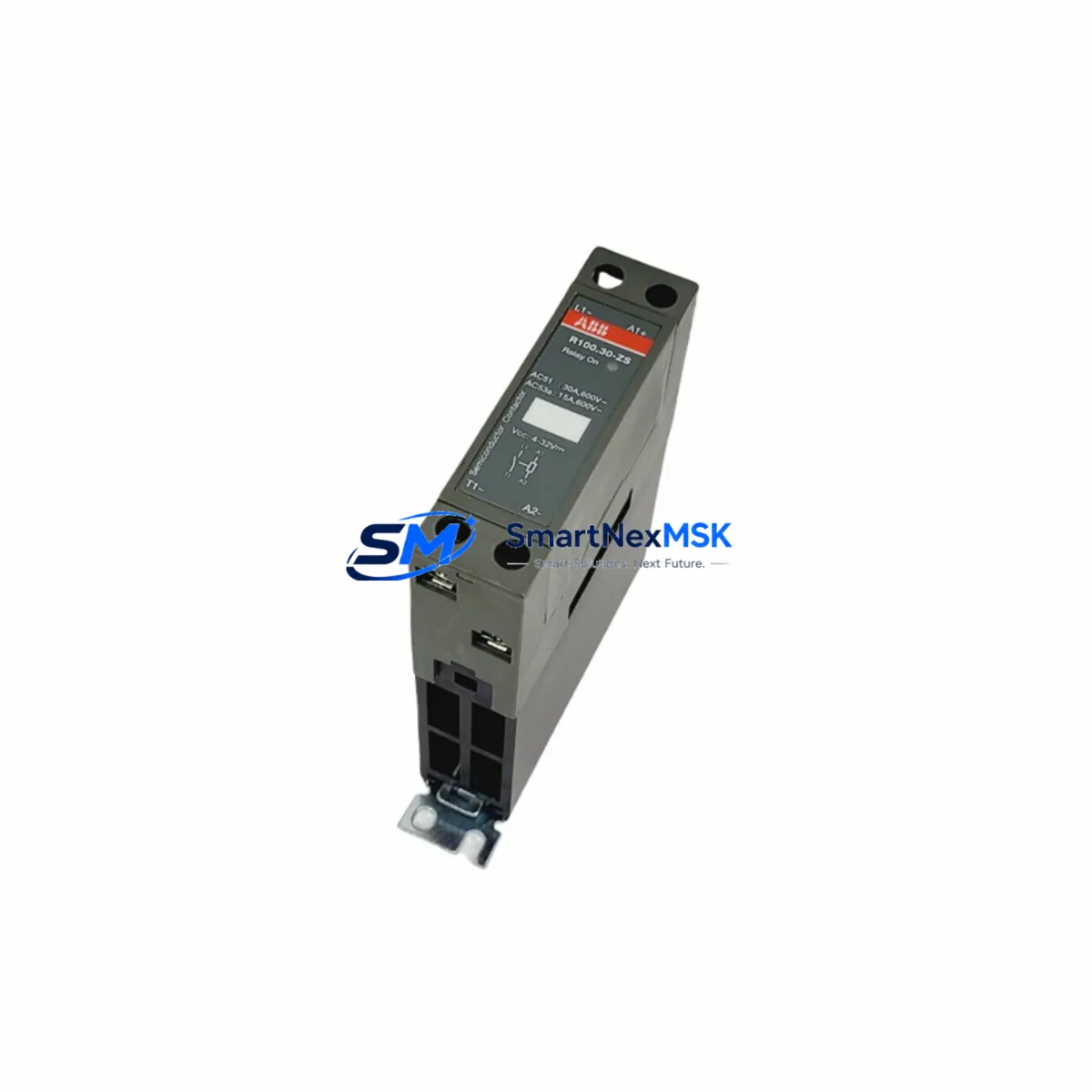
ABB R100.30-ZS Maintenance-Ready Spare for R100 Automation
The ABB R100.30-ZS is a relay input module engineered for the ABB R100 Series automation platform, widely deployed across industrial process control, machine automation, and building management systems. For maintenance engineers managing aging control cabinets or executing planned overhauls, the R100.30-ZS represents a critical spare that directly impacts system uptime. Unplanned relay module failure is one of the leading causes of unscheduled downtime in relay-based I/O architectures — having a verified, original replacement on the shelf eliminates the most dangerous gap in any spare parts strategy.
This module is sourced as an original ABB component, fully tested prior to shipment, and backed by a 12-month warranty. It is suitable for direct drop-in replacement in existing R100 Series control panels without requiring firmware changes or hardware reconfiguration, provided the installation environment and wiring are confirmed compatible before commissioning.
Spare Maintenance Table
| Parameter | Specification |
|---|---|
| Part Number / SKU | R100.30-ZS |
| Brand | ABB |
| Series | R100 |
| Module Type | Relay Input Module |
| Mounting | DIN Rail (35 mm) |
| Origin | Germany (DE) |
| Compatible Platform | ABB R100 Series Automation / Control Systems |
| Application Environment | Industrial process control, machine automation, building management |
| Installation | Direct drop-in replacement; no firmware change required |
| Pre-Shipment Testing | Full functional test performed before dispatch |
| Warranty | 12 Months |
| Condition | Original / New |
| Maintenance Recommendation | Inspect relay contacts, input wiring, and DIN rail seating at each scheduled PM cycle |
Maintenance Planning for Continuous Operation
When replacing the R100.30-ZS in a live control cabinet, experienced maintenance engineers know that the relay input module rarely fails in isolation. A thorough site inspection should accompany any relay module swap to prevent repeat failures and ensure the restored system operates reliably through the next maintenance interval.
Begin by verifying the 24 VDC or 120/230 VAC power supply module feeding the R100 rack — voltage sag or ripple is a common upstream cause of relay module degradation. Inspect the terminal blocks and field wiring connected to the input channels; loose or corroded terminations generate intermittent signals that accelerate contact wear. If the cabinet includes an ABB R100 analog input module or digital output module on the same backplane, check their status LEDs and diagnostic indicators simultaneously, as shared bus faults can cascade across modules.
For systems using ABB R100 communication modules (e.g., PROFIBUS DP or Modbus RTU interface cards), confirm that the fieldbus address and baud rate settings are preserved after the module swap — a misconfigured communication module will prevent the PLC from reading the restored I/O. Where signal isolators are installed between field sensors and the relay input, verify isolator output levels are within the module’s rated input range before energizing.
Inspect miniature circuit breakers (MCBs) and fuse holders protecting the input circuits; a blown fuse is often the first symptom of a field wiring short that caused the original module failure. Check surge protection devices (SPDs) on signal lines if the installation is in a high-EMI environment such as a motor control center or variable frequency drive (VFD) cabinet. If an HMI panel is connected to the same control network, verify that alarm and status screens correctly reflect the restored I/O points after replacement.
For older R100 Series installations approaching end-of-life, it is advisable to maintain a minimum stock of two R100.30-ZS units alongside complementary spares including ABB R100 power supply modules and R100 backplane connectors. This multi-component spare strategy reduces mean time to repair (MTTR) and supports long-term system life extension without requiring a full platform migration.
Site Replacement Workflow
Step 1 — Isolation & Safety: De-energize the control cabinet following site LOTO (Lockout/Tagout) procedures. Confirm zero-energy state with a calibrated voltage tester before opening the enclosure.
Step 2 — Documentation: Photograph the existing wiring, terminal assignments, and module position on the DIN rail before removal. Record any DIP switch or jumper settings on the outgoing module.
Step 3 — Module Removal: Release the DIN rail locking tab and carefully disconnect field wiring from the terminal block. Label each wire if not already marked. Remove the R100.30-ZS from the rail.
Step 4 — Inspection: Inspect the DIN rail, backplane connector, and adjacent modules for signs of heat damage, arcing, or contamination. Clean the rail and connector area before installing the replacement.
Step 5 — Installation: Clip the new R100.30-ZS onto the DIN rail. Reconnect field wiring per the documented terminal assignments. Verify all terminations are torqued to specification.
Step 6 — Commissioning: Re-energize the cabinet and observe the module’s status LED. Confirm that the PLC or DCS controller recognizes the module and that all input channels report correctly on the HMI or engineering workstation.
Step 7 — Functional Test: Simulate or activate each input signal and verify correct response at the controller level. Document the test results and update the maintenance log.
This workflow minimizes downtime, preserves system compatibility, and ensures the replacement is fully validated before returning the system to production.
Spare Parts Support FAQ
Q1: Is the R100.30-ZS a direct replacement for the original ABB module without any configuration changes?
A: Yes, the R100.30-ZS is designed as a direct drop-in replacement for the same part number within the ABB R100 Series. No firmware updates or hardware reconfiguration are required, provided the installation wiring and power supply are within specification. Always verify DIP switch or jumper settings match the outgoing module before commissioning.
Q2: What does the 12-month warranty cover, and how is it handled?
A: The 12-month warranty covers manufacturing defects and functional failures under normal operating conditions. If a unit fails within the warranty period, contact our sales team with the order reference and a description of the fault. We will arrange a replacement or repair at no additional cost. Warranty does not cover damage caused by incorrect installation, overvoltage, or physical mishandling.
Q3: How do you verify compatibility before shipment?
A: Each R100.30-ZS unit undergoes a full functional test prior to dispatch. Our technical team cross-references the SKU against ABB’s product documentation to confirm the module meets original specifications. For critical applications, customers are encouraged to provide their system configuration details so our engineers can perform an additional compatibility review before the order is processed.
Q4: What is the recommended spare parts inventory strategy for R100 Series installations?
A: For installations with 10 or more R100 Series modules, we recommend maintaining a minimum of two R100.30-ZS units on-site as critical spares. Pair these with at least one power supply module and a set of backplane connectors to cover the most common failure scenarios. For facilities with long lead times or remote locations, a buffer stock of three to five units is advisable to support emergency replacement without waiting for international shipping.
© 2026 SMARTNEXMSK. All rights reserved.
Original Source: https://smartnexmsk.com
Contact: [email protected] | +86 18259474341



