
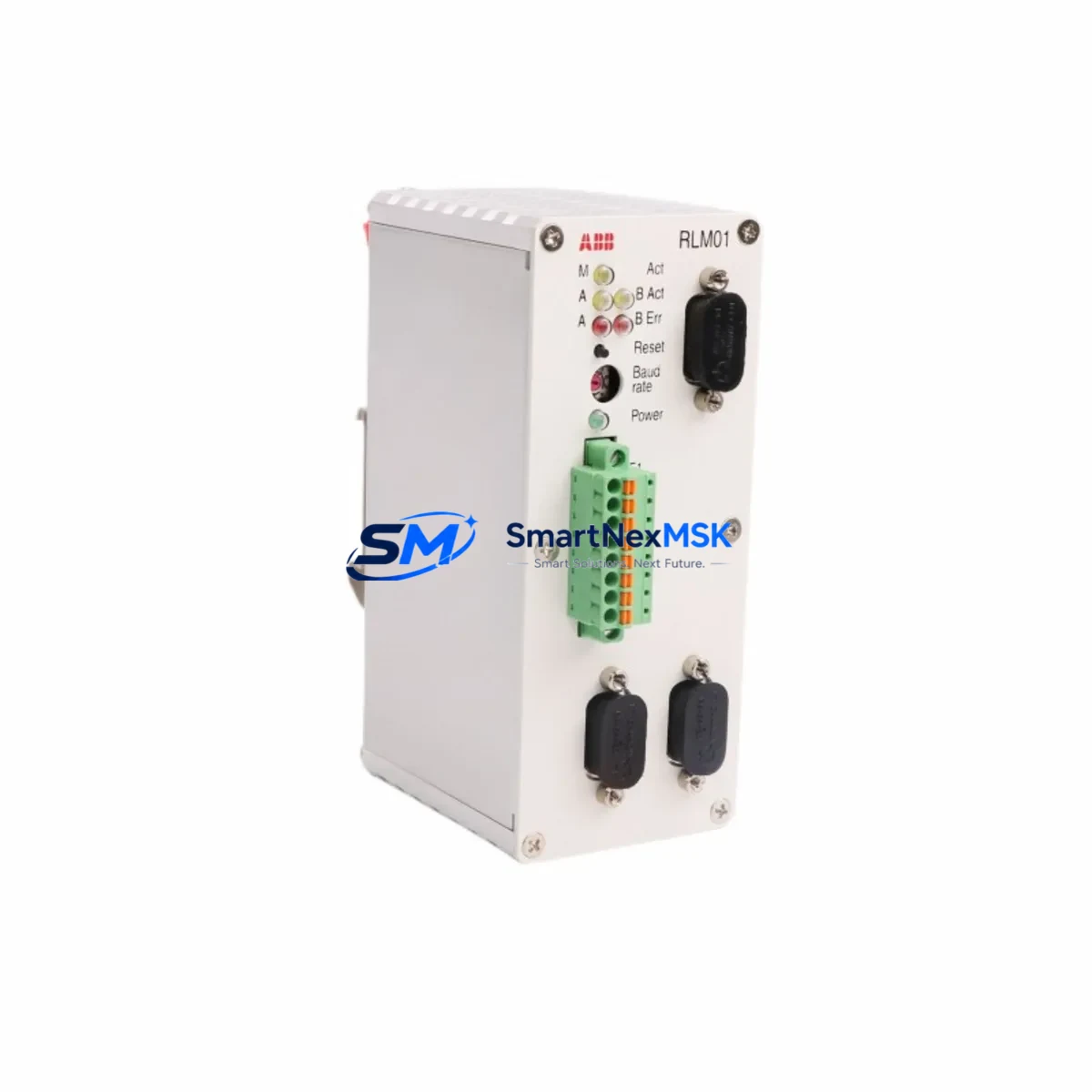
ABB RLM01 3BDZ000398R1 Retrofit-Ready Link Module for AC500 Control Systems
The ABB RLM01 (3BDZ000398R1) is a high-performance link module engineered for the AC500 PLC platform, one of ABB’s most widely deployed modular control architectures in industrial automation. Designed to serve as a direct retrofit replacement for aging or discontinued communication interface modules, the RLM01 enables seamless integration into existing control cabinets without requiring structural modifications to the backplane or rack assembly. Whether you are upgrading a legacy AC500 installation, recovering from a failed module, or migrating a production line to a more reliable communication backbone, the RLM01 3BDZ000398R1 delivers the compatibility, signal integrity, and protocol support your system demands.
Industrial facilities running long-lifecycle automation systems frequently encounter the challenge of sourcing discontinued spare parts. The RLM01 addresses this directly — it is stocked and tested to serve as a verified replacement for end-of-life link modules within the AC500 ecosystem, including earlier variants used alongside the PM571, PM581, PM591, and PM595 CPU modules. Its backplane interface aligns with the standard AC500 rack architecture, supporting both the TB511 and TB521 terminal base units without adapter hardware.
Upgrade Compatibility Table
| Parameter | Details |
|---|---|
| SKU / Part Number | RLM01 / 3BDZ000398R1 |
| Compatible Series | ABB AC500 (S500 I/O modules, PM5xx CPUs) |
| Backplane Interface | AC500 standard rack bus — compatible with TB511, TB521 terminal bases |
| Communication Protocols | PROFIBUS DP, Modbus RTU/TCP, Ethernet IP (firmware-dependent) |
| Installation Requirement | DIN rail / rack slot — no additional adapter required |
| Power Supply Compatibility | 24 VDC via backplane; verify rack power budget before installation |
| Replacement Recommendation | Direct drop-in for failed or discontinued AC500 link modules |
| Commissioning Notes | Module address must be configured via Automation Builder; verify node ID before power-on |
| Warranty | 12 months from date of shipment |
Retrofit Planning for Existing Automation Systems
A successful retrofit using the RLM01 3BDZ000398R1 begins well before the module arrives on-site. Engineers should audit the existing control cabinet to confirm available rack slots, verify the power supply capacity of the PS501 or PS560 power supply module currently installed, and document all terminal wiring on the adjacent DI581 digital input or DO581 digital output modules to avoid signal disruption during the swap.
For systems communicating over PROFIBUS DP, the RLM01 must be assigned a unique station address that does not conflict with other nodes on the segment. This is typically configured through ABB’s Automation Builder programming environment. If the existing project was developed in an older version of Automation Builder or the legacy Control Builder Plus, a project migration step may be required before the new module can be recognized correctly by the CPU — particularly when replacing modules in systems running PM571-ETH or PM581-ETH variants.
Where the retrofit involves a protocol migration — for example, moving from a serial Modbus RTU network to Ethernet-based Modbus TCP — the RLM01 can serve as the communication bridge, provided the firmware version supports the target protocol stack. Confirm the firmware revision against ABB’s compatibility matrix before deployment. In multi-rack configurations, the CI590-CS31-HA coupler or CI501-PNIO PROFINET adapter may also need to be reconfigured to reflect the updated network topology after the RLM01 is installed.
HMI screens connected to the AC500 system — whether running on ABB’s CP600 panel series or a third-party SCADA platform — should be reviewed to ensure that any data tags mapped to the link module’s communication objects remain valid after the replacement. Tag address offsets and I/O mapping tables should be exported and backed up before the module is removed from the rack.
Downtime Control During System Migration
Minimizing production downtime during a link module replacement requires a structured pre-outage preparation protocol. Before powering down the control cabinet, export the full project backup from Automation Builder, including all POU (Program Organization Unit) logic, hardware configuration files, and communication parameter sets. Store this backup on an isolated engineering workstation — not on the PLC’s onboard memory card alone.
During the physical swap, label all field wiring connected to adjacent I/O modules before disconnection. The RLM01 itself does not carry field wiring, but neighboring AI531 analog input or AO523 analog output modules may need to be temporarily unseated to access the target rack slot. Use a torque-controlled screwdriver to secure the module locking mechanism to the manufacturer’s specified value to prevent intermittent backplane contact faults after restart.
After the RLM01 is seated and the rack is powered on, perform a cold start of the CPU and allow the module to complete its self-diagnostic cycle before initiating a program download. Verify that the module’s status LED sequence matches the expected initialization pattern described in the AC500 system manual. Once communication is confirmed at the link layer, re-enable field devices incrementally — starting with non-critical I/O — before restoring full process control. This staged restart approach protects original program logic and maintains field control continuity throughout the migration window.
Retrofit Support FAQ
Q1: Is the RLM01 3BDZ000398R1 a direct replacement for all AC500 link modules?
The RLM01 is designed for the AC500 platform and is compatible with the standard S500 rack and terminal base architecture. However, compatibility depends on the specific CPU variant and firmware version in your system. We recommend confirming your existing module’s part number and CPU model before ordering. Our technical team can assist with cross-referencing.
Q2: What commissioning steps are required after installation?
After physical installation, the module must be configured in ABB Automation Builder — including assigning the correct module address, verifying the hardware configuration matches the physical rack layout, and downloading the updated project to the CPU. For PROFIBUS networks, confirm the GSD file is loaded and the station address is unique on the segment. A full I/O force test is recommended before returning the system to automatic mode.
Q3: Can the RLM01 be used in systems with mixed communication protocols?
Yes, within the constraints of the AC500 platform’s communication architecture. The RLM01 supports multiple protocol stacks depending on firmware configuration. In systems where both PROFIBUS DP and Ethernet-based protocols are active, the module’s role in the network topology should be clearly defined in the hardware configuration to avoid address conflicts or polling timeouts.
Q4: What does the 12-month warranty cover?
All RLM01 3BDZ000398R1 units ship with a 12-month warranty from the date of shipment. The warranty covers manufacturing defects and functional failures under normal operating conditions. Each unit undergoes pre-shipment functional testing. In the event of a warranty claim, we provide replacement or repair with priority handling to minimize your system downtime.
© 2026 SMARTNEXMSK. All rights reserved.
Original Source: https://smartnexmsk.com
Contact: [email protected] | +86 18259474341



