
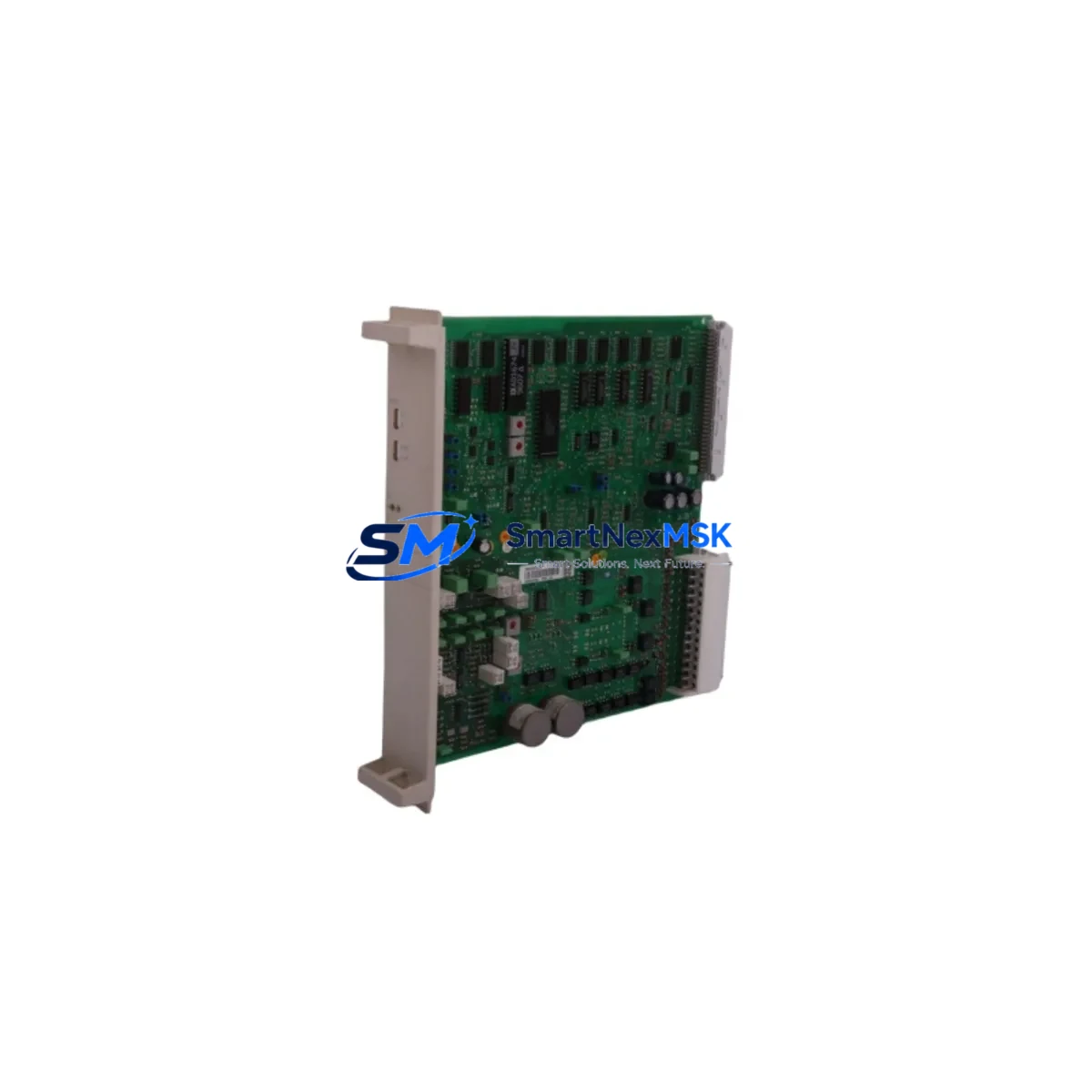
ABB RMIO-01 Maintenance-Ready Spare for ACS800 Automation
The ABB RMIO-01 is the core motor control and I/O interface board of the ACS800 series variable frequency drive platform — one of ABB’s most widely deployed industrial drive families across pulp & paper, metals, mining, water treatment, and heavy manufacturing. When this board fails, the entire drive becomes inoperable, resulting in unplanned downtime that can cost thousands of dollars per hour in lost production. Sourcing a verified, original RMIO-01 spare is the fastest path to drive restoration and system recovery.
This listing provides a genuine ABB RMIO-01 board, sourced from authorized supply channels, individually tested before shipment, and backed by a 12-month warranty. Whether you are executing an emergency replacement, building a critical spare inventory, or planning a scheduled overhaul, this unit ships ready for installation with no additional configuration required for standard ACS800 drive frames.
Spare Maintenance Table
| Parameter | Specification / Detail |
|---|---|
| SKU / Part Number | RMIO-01 |
| Brand | ABB |
| Series Compatibility | ACS800 Variable Frequency Drive Series |
| Board Function | Motor Control & I/O Interface Board |
| Product Type | Drive Control Board |
| Origin | Finland (ABB Drives Manufacturing) |
| Supply Voltage | 24 VDC (internal SMPS from drive bus) |
| Digital I/O | 6 DI / 3 DO (relay outputs) |
| Analog I/O | 2 AI / 2 AO (0–10 V / 4–20 mA selectable) |
| Communication Interface | DDCS fiber optic (for RDCO-0x adapter) |
| Fieldbus Support | Via optional RDCO / RPBA / RCAN adapter modules |
| Operating Temperature | 0°C to +50°C (drive cabinet ambient) |
| Installation | Direct board swap; DIP switch and parameter restore required |
| Maintenance Recommendation | Inspect every 12 months; replace capacitors >10 years service |
| Warranty | 12 Months — tested before shipment |
Maintenance Planning for Continuous Operation
Replacing the RMIO-01 is rarely an isolated task. Maintenance engineers and procurement teams working on ACS800 drives should treat this board replacement as an opportunity to audit the full drive cabinet and associated control circuit. A failed or degraded RMIO-01 often occurs alongside other aging components that share the same service interval.
Begin by inspecting the APOW-01 power supply board, which provides regulated DC to the RMIO-01 and other control electronics. A marginal APOW-01 can cause intermittent RMIO-01 faults that are misdiagnosed as board failure. Next, check the AINT-0x inverter control board and its fiber optic connections — dirty or cracked DDCS fiber links between the RMIO-01 and AINT board are a common source of communication faults (fault code ID 9).
If the drive uses a fieldbus adapter, verify the RDCO-02 or RDCO-04 DDCS communication module seated on the RMIO-01 is undamaged and that the fiber cables are clean and properly latched. For Profibus or DeviceNet-connected systems, the RPBA-01 or RCAN-01 fieldbus adapter should also be inspected for corrosion on the connector pins.
On the power side, check the AGPS-xx gate driver power supply and the ASCO-0x brake chopper control board if the application involves regenerative braking or hoisting. Surge events that damage the RMIO-01 frequently also stress these boards. Inspect all terminal blocks and control wiring on the X1–X4 connectors of the RMIO-01 for loose terminations, insulation degradation, or corrosion — particularly in humid or chemically aggressive environments.
For drives operating in older facilities, consider stocking the RMIO-11 (the enhanced successor variant) alongside the RMIO-01 to future-proof your spare parts inventory. Additionally, keep a spare ACS800 control panel (CDP312R or ACS-CP-C) on hand — panel faults can mimic RMIO-01 communication errors and waste diagnostic time. Finally, review the 24 VDC external control power supply feeding the drive’s control section; an undersized or failing SMPS is a silent killer of control boards across the entire ACS800 cabinet.
Site Replacement Workflow
Step 1 — Isolate and de-energize. Open the main disconnect and lock out / tag out (LOTO) the drive. Wait a minimum of 5 minutes for the DC bus capacitors to discharge below 50 VDC before opening the drive cabinet. Verify with a calibrated multimeter.
Step 2 — Document current configuration. Before removing the RMIO-01, upload the full parameter set to the CDP312R control panel or to DriveWindow software. Record DIP switch positions SW1 and SW2 on the RMIO-01 — these control analog I/O mode and termination resistor settings.
Step 3 — Board removal. Disconnect all ribbon cables, fiber optic links, and terminal block connectors from the RMIO-01. Note the RDCO module if fitted — it can be transferred to the replacement board. Remove the four mounting screws and extract the board carefully.
Step 4 — Install replacement RMIO-01. Set DIP switches to match the documented positions. Seat the board, reconnect all cables and fiber links, and reinstall the RDCO module if applicable. Torque terminal block screws to 0.5 Nm.
Step 5 — Parameter restore and commissioning. Power up the drive in local control mode. Restore the parameter backup from the panel. Verify AI/AO scaling, DI/DO assignments, and fieldbus node address. Run a no-load motor test before returning to production.
This workflow minimizes downtime to under 2 hours for a prepared maintenance team, compared to 1–3 days waiting for OEM service. Keeping a pre-tested RMIO-01 spare on the shelf reduces mean time to repair (MTTR) to the time it takes to execute the swap — not the time it takes to source the part.
Spare Parts Support FAQ
Q1: Is this RMIO-01 compatible with all ACS800 drive frame sizes?
The RMIO-01 is the standard control board used across ACS800 single drive frames (R2–R8) and cabinet drives. It is compatible with ACS800-01, ACS800-02, ACS800-04, ACS800-07, and ACS800-11 variants. Always verify the drive’s hardware manual (3AFE64527592) to confirm the exact board revision required for your firmware version.
Q2: How is the board tested before shipment?
Each RMIO-01 unit undergoes functional power-on testing, I/O continuity verification, and visual inspection for component damage, capacitor bulging, and PCB trace integrity. A test report is available upon request. Units that do not pass all checks are not shipped.
Q3: What is covered under the 12-month warranty?
The 12-month warranty covers manufacturing defects and functional failure under normal operating conditions. It does not cover damage caused by incorrect installation, overvoltage events, moisture ingress, or physical impact. Warranty claims are processed with photographic evidence and a fault description within 7 business days.
Q4: Can I stock this part for long-term system support on legacy ACS800 installations?
Yes. The RMIO-01 is an ideal long-term spare for facilities running ACS800 drives beyond their standard service life. We maintain ongoing stock and can support blanket purchase orders for multi-unit procurement. Long-term supply agreements are available for OEM integrators and maintenance contractors managing large ACS800 fleets.
© 2026 SMARTNEXMSK. All rights reserved.
Original Source: https://smartnexmsk.com
Contact: [email protected] | +86 18259474341



