
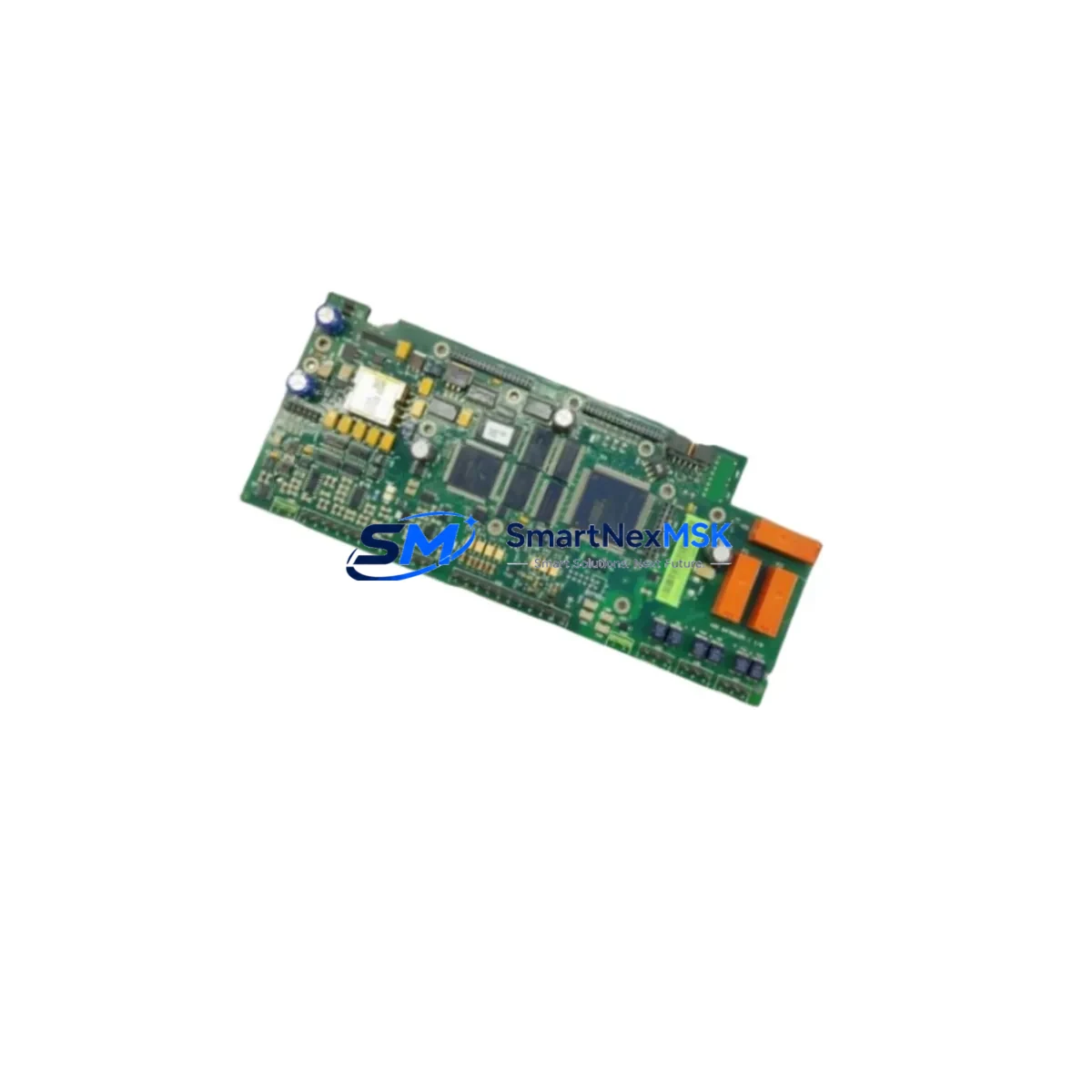
ABB RMIO-11C 3AUA0000035408 Retrofit-Ready Motor Control Interface for ACS800 Control Systems
The ABB RMIO-11C (part number 3AUA0000035408) is a motor control interface module engineered for the ACS800 series of industrial AC drives. As legacy ACS800 installations age and original RMIO boards reach end-of-life, the RMIO-11C has become the go-to retrofit solution for engineers managing drive upgrades, spare-parts shortages, and control-system modernization projects across manufacturing, water treatment, HVAC, and heavy-process industries.
SMARTNEXMSK maintains verified stock of the RMIO-11C 3AUA0000035408, sourced from authorized supply chains and subjected to outgoing functional testing before shipment. Each unit ships with a 12-month warranty covering manufacturing defects and operational failures under normal industrial service conditions.
Upgrade Compatibility Table
| Parameter | Details |
|---|---|
| Compatible Drive Series | ABB ACS800 (all standard variants including ACS800-01, -02, -04, -07, -11, -17, -31, -37) |
| Replaces / Supersedes | RMIO-11C (earlier firmware revisions), RMIO-01C, RMIO-02C (where hardware-compatible) |
| Backplane / Rack Interface | Direct plug-in to ACS800 control board slot; no adapter required |
| Communication Compatibility | DDCS fiber-optic link; compatible with RDCO-01/02/03/04 communication adapters |
| I/O Terminals | Analog inputs ×2, Analog outputs ×2, Digital inputs ×6, Digital outputs ×3, Relay outputs ×3; terminal pitch matches OEM wiring |
| Power Supply Requirement | 24 VDC auxiliary supply from drive internal SMPS; verify APBU or AINT board output capacity before swap |
| Firmware / Parameter Compatibility | Supports standard ACS800 firmware parameter sets; backup existing parameters via DriveWindow or DriveStudio before replacement |
| Installation Requirement | Drive must be powered down and DC bus discharged; ESD precautions required |
| Commissioning Tool | DriveWindow 2 / DriveStudio via RUSB-02 or RDNA-01 adapter |
| Warranty | 12 months from shipment date; covers manufacturing defects and functional failures |
Retrofit Planning for Existing Automation Systems
A successful RMIO-11C retrofit begins well before the module arrives on site. Engineers should first audit the existing ACS800 cabinet to confirm the drive frame size, internal power supply rail capacity, and the condition of the APBU-12C or APBU-44C pulse encoder interface board if encoder feedback is in use. In multi-drive installations using an NDBU-95C or NDBU-12C branching unit on the DDCS fiber ring, the replacement RMIO-11C must be assigned the correct node address to avoid communication conflicts with other drives on the same ring.
Terminal wiring on the RMIO-11C follows the standard ACS800 X1 and X2 terminal block layout. In most retrofit scenarios, the existing field wiring — including analog speed references, digital start/stop commands, and relay feedback signals — can be reconnected directly without re-termination, provided the original wiring was installed to ABB’s recommended cable segregation and shielding practices. Where the original installation used an RAIO-01 analog I/O extension module or an RDIO-01 digital I/O extension module, these can remain in service alongside the new RMIO-11C without modification.
For sites running fieldbus communication, the RMIO-11C supports all standard ACS800 fieldbus adapter modules. If the existing system uses a RPBA-01 PROFIBUS-DP adapter, an RCAN-01 CANopen adapter, or an RENA-01 Ethernet adapter, these adapters mount to the RMIO-11C option slots and retain their existing configuration after the board swap, provided the adapter firmware is compatible with the installed ACS800 drive firmware version. Engineers migrating from older PROFIBUS installations to PROFINET or EtherNet/IP should plan the protocol migration as a separate commissioning step, using the RETA-02 Ethernet adapter as the upgrade path.
In panel-builder and system-integrator applications where the ACS800 is mounted in a custom MCC or control cabinet alongside a Siemens S7-300 or Allen-Bradley ControlLogix PLC, the RMIO-11C’s digital I/O interface typically connects to the PLC’s discrete I/O modules via terminal strips. Verifying the PLC program’s drive-status logic — including fault word mapping, ready signals, and speed-actual feedback scaling — is a critical pre-commissioning step that prevents nuisance faults after the board is replaced.
Where the original system includes an ACS800 application program stored in the RMIO board’s flash memory, the program must be backed up using DriveStudio before the old board is removed. The RUSB-02 USB-to-drive adapter provides the most reliable connection for parameter backup and restore operations. After installing the RMIO-11C 3AUA0000035408, restore the parameter backup, verify macro selection, and confirm encoder feedback scaling if an RTAC-01 or RTAC-02 pulse encoder interface is present in the drive.
Downtime Control During System Migration
Minimizing unplanned downtime is the primary concern in any live-production retrofit. For the RMIO-11C replacement, the recommended approach is a planned maintenance-window swap executed in four phases: pre-shutdown preparation, board exchange, parameter restore, and functional verification.
During pre-shutdown preparation — ideally completed one to two shifts before the maintenance window — the technician should back up all ACS800 parameters and application macros via DriveStudio, photograph or document all terminal wiring on the existing RMIO board, and confirm that the replacement RMIO-11C 3AUA0000035408 has been bench-tested and is ready for installation. Having a RUSB-02 adapter and a laptop with DriveStudio pre-loaded on site eliminates delays during the commissioning phase.
The board exchange itself — powering down the drive, discharging the DC bus, removing the old RMIO board, seating the new RMIO-11C, and reconnecting terminal wiring — typically takes 20 to 40 minutes for an experienced technician. The parameter restore via DriveStudio adds another 10 to 20 minutes depending on the complexity of the application program. Functional verification, including a no-load motor run and confirmation of all I/O signals, should be completed before returning the drive to automatic control from the PLC or DCS.
For critical processes where even a planned shutdown is costly, a parallel-commissioning strategy can be used: the replacement RMIO-11C is pre-configured on a bench drive of the same frame size, parameters are loaded and verified offline, and the pre-configured board is swapped into the production drive during the shortest available maintenance window. This approach reduces live commissioning time to under 30 minutes in most cases and preserves the original control logic without risk of parameter entry errors.
Retrofit Support FAQ
Q1: Is the RMIO-11C 3AUA0000035408 a direct drop-in replacement for older RMIO board variants in the ACS800?
In the vast majority of ACS800 installations, yes. The RMIO-11C uses the same physical connector, terminal block layout, and firmware parameter structure as earlier RMIO revisions. However, engineers should verify the drive firmware version and confirm that any installed option modules — such as the RAIO-01, RDIO-01, or RTAC-01 — are compatible with the RMIO-11C hardware revision before installation.
Q2: What commissioning steps are required after installing the RMIO-11C?
After seating the board and reconnecting terminal wiring, connect a laptop running DriveStudio via the RUSB-02 adapter, restore the parameter backup, verify the application macro and motor data group (Group 99), confirm encoder feedback scaling if applicable, and perform a no-load test run. Check all digital I/O signals against the PLC or DCS I/O list before returning the drive to automatic mode.
Q3: Can the RMIO-11C be used in ACS800 drives that communicate over PROFIBUS-DP or PROFINET?
Yes. The RMIO-11C supports all standard ACS800 fieldbus adapter modules. For PROFIBUS-DP, the RPBA-01 adapter mounts directly to the RMIO-11C option slot. For PROFINET or EtherNet/IP migration, the RETA-02 adapter is the recommended upgrade path. Fieldbus adapter configuration is retained in the adapter’s own memory and does not need to be re-entered after the RMIO board is replaced.
Q4: What does the 12-month warranty cover, and what is the process for a warranty claim?
The 12-month warranty covers manufacturing defects and functional failures under normal industrial operating conditions from the date of shipment. It does not cover damage caused by incorrect installation, overvoltage events, or operation outside the module’s rated environmental specifications. To initiate a warranty claim, contact SMARTNEXMSK at [email protected] with the order number, a description of the fault, and any available fault codes from the ACS800 drive fault log. Replacement or repair will be arranged within the warranty period at no additional cost.
© 2026 SMARTNEXMSK. All rights reserved.
Original Source: https://smartnexmsk.com
Contact: [email protected] | +86 18259474341



