
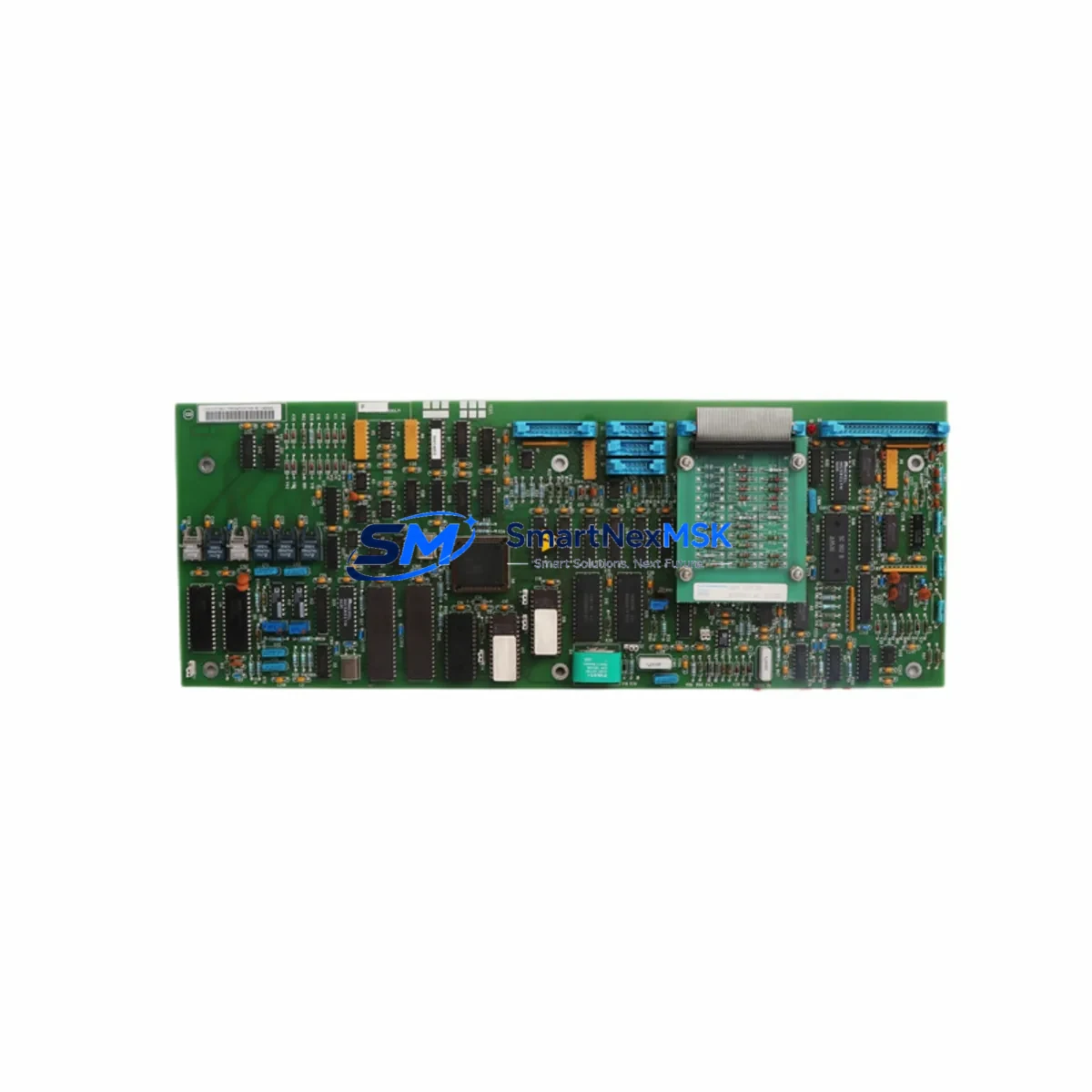
ABB SAFT103CON 57777290 Retrofit-Ready CPU Board for SAFT Series Control Systems
The ABB SAFT103CON 57777290 is a retrofit-ready CPU control board engineered for seamless integration into ABB SAFT Series AC drive systems. As legacy SAFT 400F380E (57778865) units reach end-of-life and OEM support is discontinued, the SAFT103CON 57777290 provides a verified, drop-in compatible upgrade path that preserves existing control logic, terminal wiring, and communication architecture — minimizing engineering rework and unplanned downtime.
This board is widely deployed in industrial retrofit projects involving conveyor systems, pump stations, compressor drives, and process control panels where ABB SAFT Series drives remain the backbone of the automation infrastructure. Engineers and maintenance teams sourcing this module can expect full functional parity with the original unit, including support for the SAFT Series backplane interface, onboard diagnostics, and drive parameter retention during swap-out procedures.
Each unit supplied by SMARTNEXMSK undergoes pre-shipment functional testing and is backed by a 12-month warranty. In-stock inventory ensures rapid dispatch for urgent retrofit and breakdown recovery scenarios.
Upgrade Compatibility Table
| Parameter | Details |
|---|---|
| Part Number | SAFT103CON / 57777290 |
| Replaces / Supersedes | SAFT 400F380E / 57778865 |
| Compatible Drive Series | ABB SAFT Series AC Drives |
| Board Function | CPU / Control Board |
| Backplane Interface | SAFT Series standard backplane connector |
| Communication Compatibility | Compatible with existing SAFT Series fieldbus and I/O wiring |
| Installation Requirement | Direct board swap; verify terminal mapping before power-on |
| Parameter Backup | Recommended via DriveWindow or equivalent ABB tool prior to swap |
| Commissioning Note | Re-initialize drive parameters after board replacement; verify HMI communication link |
| Warranty | 12 Months from shipment date |
| Pre-Shipment Test | Functional test completed on every unit |
| Condition | New / Refurbished (clearly stated per order) |
Retrofit Planning for Existing Automation Systems
Successful integration of the SAFT103CON 57777290 into an existing control cabinet begins with a structured pre-replacement audit. Before removing the legacy board, technicians should document the current drive parameter set using ABB DriveWindow or a compatible programming tool. This ensures that motor control parameters, ramp times, PID setpoints, and fault history can be restored to the replacement board without relying on memory or outdated paper records.
Power supply capacity is a critical checkpoint. The SAFT Series control board draws regulated DC power from the drive’s internal SAFT power supply module. Verify that the existing power supply — often a SAFI or SAFD series unit within the same rack — delivers stable voltage within the board’s specified tolerance. A degraded power supply is a common root cause of premature board failure and should be inspected or replaced as part of the retrofit scope.
Terminal wiring on the SAFT103CON follows the standard SAFT Series I/O layout. Digital input terminals for run/stop, fault reset, and speed reference should be mapped against the original wiring diagram before reconnection. If the control cabinet includes a SAIO analog I/O expansion module or a SDCS-CON series interface card from a parallel drive system, confirm that the signal references remain compatible with the replacement board’s input impedance and voltage range.
For systems using fieldbus communication — including Profibus-DP, Modbus RTU, or DeviceNet — the SAFT103CON’s communication port configuration must be verified against the existing network topology. If the drive communicates with a SIMATIC S7 PLC or an Allen-Bradley ControlLogix controller via a gateway adapter, the node address, baud rate, and telegram structure should be confirmed before the network is re-enabled. In multi-drive installations, the SAFT Series master-follower link between drives must also be re-established after board replacement.
HMI panels connected to the drive — whether a local ABB CDP312R control panel or a remote SCADA terminal — will require a communication link verification step after the board swap. If the HMI displays drive status via a serial or fieldbus connection, the communication parameters on the HMI side should remain unchanged, but the drive’s communication initialization sequence must complete successfully before the HMI will display live data.
For retrofit projects involving I/O expansion, the SAFT103CON is compatible with standard SAFT Series I/O extension modules mounted on the same backplane or in an adjacent rack slot. If the existing system uses a SAIO-01 or SAIO-02 I/O expansion card, these modules can remain in place during the CPU board swap without reconfiguration, provided the backplane addressing has not changed.
Finally, a SAFT Series programming cable — typically a USB-to-serial or RS-232 adapter compatible with ABB’s drive commissioning software — should be on hand during the retrofit to allow real-time parameter monitoring and fault diagnostics during the first power-on sequence after board installation.
Downtime Control During System Migration
Minimizing production downtime during a SAFT Series CPU board replacement requires a disciplined pre-outage preparation protocol. The most effective approach is to complete all parameter documentation, spare parts staging, and wiring verification during a scheduled maintenance window before the actual board swap begins. This reduces the live outage to the physical swap and recommissioning sequence — typically 30 to 90 minutes for a single drive, depending on cabinet complexity.
Before initiating the outage, confirm that the replacement SAFT103CON 57777290 board has been received, inspected, and tested. Do not begin the swap with an untested spare. SMARTNEXMSK ships every unit with a pre-shipment functional test report, which should be reviewed before installation.
During the swap, follow a structured lockout/tagout procedure to isolate the drive from mains power. After the board is installed and terminal connections are verified, restore power in stages: first confirm the control power supply is stable, then enable the drive’s communication link, and finally re-enable the main power stage. This staged power-on sequence allows fault detection at each layer before the motor is re-energized.
To protect the original program logic, ensure that the PLC or DCS controller upstream of the drive — whether a Siemens S7-300, ABB AC500, or Rockwell Automation ControlLogix — remains in a safe hold state during the drive outage. Configure the controller’s drive fault response to hold the last output state rather than triggering an emergency stop cascade that could affect adjacent process lines.
After recommissioning, run the drive through a no-load test cycle before reconnecting the mechanical load. Verify speed reference tracking, fault relay outputs, and fieldbus communication response before returning the drive to automatic control. Document the completed retrofit in the plant’s maintenance management system with the replacement board’s serial number and the date of installation.
Retrofit Support FAQ
Q1: Is the SAFT103CON 57777290 a direct replacement for the SAFT 400F380E 57778865?
Yes. The SAFT103CON 57777290 is the designated replacement and functional equivalent for the SAFT 400F380E 57778865. It uses the same backplane connector, terminal layout, and communication interface, allowing a direct board swap without hardware modification in standard SAFT Series drive cabinets.
Q2: Do I need to reconfigure drive parameters after replacing the board?
Yes. Drive parameters are stored on the board and will not transfer automatically. Before removing the original board, back up all parameters using ABB DriveWindow or a compatible tool. After installing the SAFT103CON, restore the parameter set and verify motor control settings, communication addresses, and I/O assignments before running the drive under load.
Q3: What wiring checks are required before powering on the replacement board?
Verify all digital input and output terminal connections against the original wiring diagram. Confirm analog reference signal polarity and voltage range. Check the fieldbus communication cable connections and ensure the network termination resistor is correctly positioned. Inspect the control power supply voltage at the board’s power input terminals before enabling the main power stage.
Q4: What warranty and testing does SMARTNEXMSK provide with this board?
Every SAFT103CON 57777290 unit shipped by SMARTNEXMSK is covered by a 12-month warranty from the date of shipment. Each unit undergoes a pre-shipment functional test to verify board operation before dispatch. In the event of a warranty claim, SMARTNEXMSK provides replacement or repair support with priority handling for production-critical applications.
© 2026 SMARTNEXMSK. All rights reserved.
Original Source: https://smartnexmsk.com
Contact: [email protected] | +86 18259474341



