
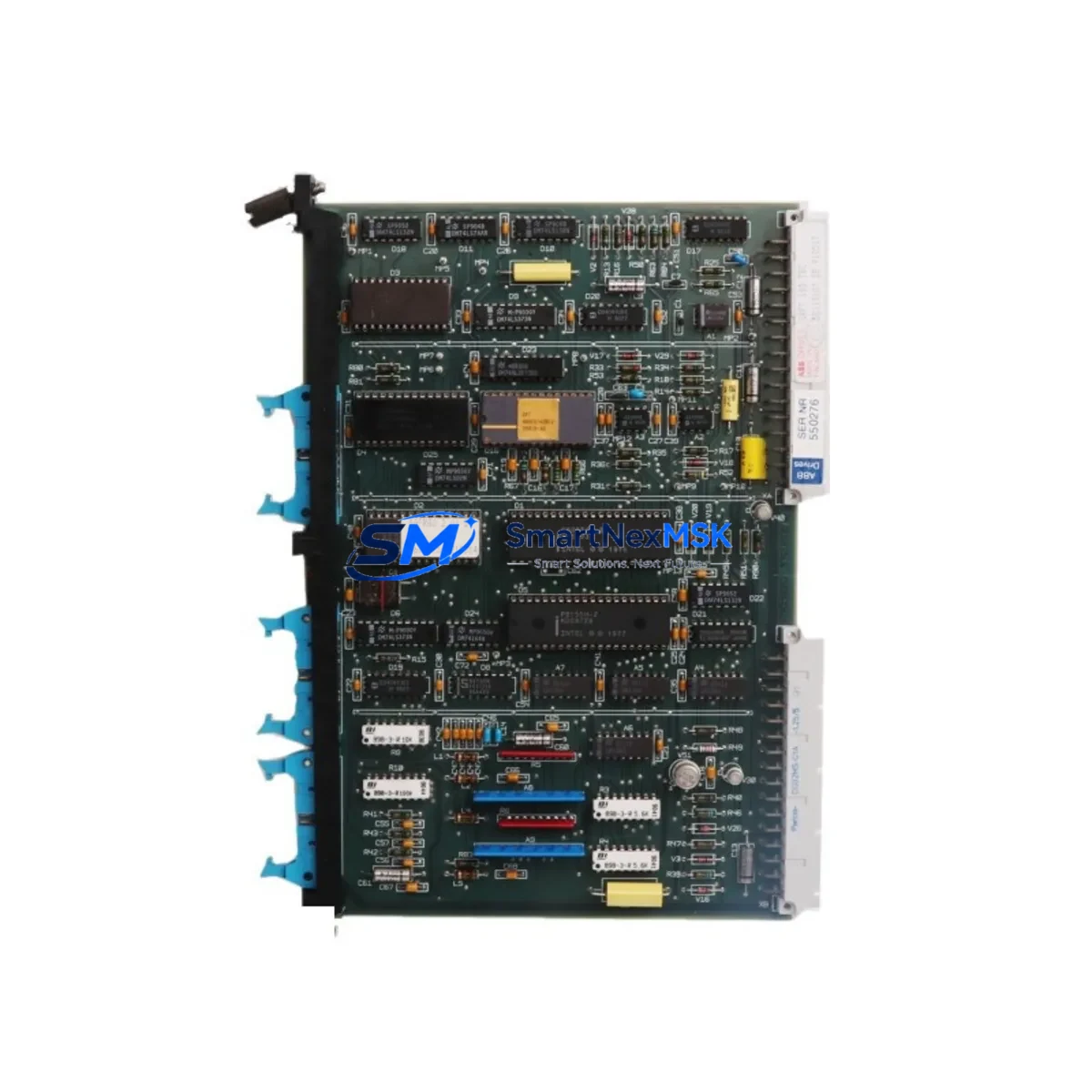
ABB SAFT185TBC Maintenance-Ready Spare for ACS600 Automation
The ABB SAFT185TBC is an original drive control board designed for the ACS600 series of AC drives, one of ABB’s most widely deployed variable frequency drive platforms in industrial automation. For maintenance engineers managing aging ACS600 installations — whether in pulp and paper, water treatment, mining, or general manufacturing — the SAFT185TBC represents a critical spare that directly governs drive logic, speed reference processing, and fault diagnostics. Sourced as a genuine original component, each unit is inspected and functionally tested prior to shipment, backed by a 12-month warranty, and available for fast worldwide delivery to minimize unplanned downtime.
When an ACS600 drive trips on a control board fault or fails to respond to speed commands, the SAFT185TBC is typically the first board-level component under investigation. Its replacement is a well-documented procedure in ABB’s ACS600 hardware manual, and having a verified spare on the shelf is the single most effective way to reduce mean time to repair (MTTR) in drive-intensive facilities. This listing is intended to support both planned maintenance cycles and emergency breakdown recovery scenarios.
Spare Maintenance Table
| Parameter | Specification / Detail |
|---|---|
| Part Number | SAFT185TBC |
| Brand | ABB |
| Compatible Series | ACS600 (ACS601, ACS604, ACS607, ACS611) |
| Board Function | Drive Control Board — speed reference, I/O logic, fault management |
| Mounting | Internal drive rack, standard ACS600 control section |
| Communication Interface | Compatible with RDCO-01/02 DDCS fiber optic adapter boards |
| Operating Temperature | 0°C to +55°C (ambient, drive enclosure) |
| Origin | Sweden (ABB original manufacture) |
| Condition | Original spare — inspected and functionally tested |
| Warranty | 12 months from date of shipment |
| Shipping | Anti-static packaging; ESD-safe handling; worldwide express available |
| Maintenance Recommendation | Replace at first sign of control fault codes (e.g., F-53, F-54); inspect every 3 years in high-cycle environments |
Maintenance Planning for Continuous Operation
Replacing the SAFT185TBC in an ACS600 drive is rarely an isolated task. A thorough maintenance engineer will treat the control board swap as an opportunity to audit the entire drive control section. Before powering the drive back up after board replacement, it is best practice to inspect the AINT board (SAFT185AIN) — the analog input board that works in tandem with the SAFT185TBC — as well as the DINT digital input board for signs of corrosion or connector wear.
The NPOW-41C power supply board should be checked for output voltage stability, as a marginal power supply is a common root cause of repeated control board failures. Similarly, the RDCO-01 DDCS communication adapter should be reseated and its fiber optic connections cleaned, since communication faults can mimic control board failures in ACS600 diagnostics.
On the I/O side, verify the terminal block wiring on the IOEC I/O extension modules (IOEC2, IOEC3) for loose connections or insulation degradation — particularly in high-vibration environments. If the drive is part of a multi-drive system using a NDBU-95 DDCS branching unit, confirm that the fiber ring topology is intact after the board swap.
For drives with panel-mounted operator interfaces, the CDP312R control panel should be tested for parameter upload/download functionality post-replacement, as the SAFT185TBC stores drive parameters in its onboard memory. In facilities running ABB’s DriveWindow or DriveAP software, a parameter backup should be performed before removal and restored after installation.
Finally, inspect the main contactor and input fuses in the drive cabinet. A control board failure caused by an upstream power quality event — voltage spikes, phase loss, or harmonic distortion — will recur if the root cause is not addressed. Surge protection devices and EMC input filters should be verified as part of any post-fault drive restoration procedure.
Site Replacement Workflow
Step 1 — Preparation: Download and save the current parameter set from the ACS600 using CDP312R or DriveWindow before powering down. Record all fault history codes from the drive’s event log.
Step 2 — Safe Isolation: Follow LOTO (Lockout/Tagout) procedures. Confirm DC bus voltage has discharged to safe levels (typically below 50V DC) before opening the drive cabinet.
Step 3 — Board Removal: Disconnect all ribbon cables and connectors from the SAFT185TBC systematically, photographing the configuration before removal. Handle the board only at designated ESD-safe points.
Step 4 — Installation: Install the replacement SAFT185TBC, ensuring all connectors are fully seated. Verify DIP switch settings match the removed board’s configuration per the ACS600 hardware manual.
Step 5 — Parameter Restore: Power up the drive in local control mode. Restore the saved parameter set. Verify motor data, speed references, and I/O assignments before returning to remote/auto mode.
Step 6 — Commissioning Check: Run the drive at low speed under no-load conditions. Confirm fault-free operation across the full speed range before returning the drive to production service.
This workflow is applicable whether replacing a failed board or performing a scheduled preventive swap on a drive that has exceeded its recommended control board service interval. Keeping a SAFT185TBC in your site spare parts inventory eliminates the lead time risk entirely — critical for facilities where a single drive controls a process-critical pump, compressor, or conveyor.
Spare Parts Support FAQ
Q: Is this SAFT185TBC an original ABB part or a compatible replacement?
A: This is an original ABB SAFT185TBC spare part, not a third-party compatible. Each unit is sourced from verified ABB supply channels, inspected for physical integrity, and functionally tested before shipment. Original parts ensure full compatibility with ACS600 firmware and eliminate the risk of parameter incompatibility that can occur with non-genuine boards.
Q: What is covered under the 12-month warranty?
A: The 12-month warranty covers manufacturing defects and functional failures under normal operating conditions. It begins from the date of shipment. In the event of a warranty claim, we provide a replacement unit or full refund after fault verification. The warranty does not cover damage caused by incorrect installation, overvoltage events, or physical mishandling.
Q: Can this board replace older SAFT185TBC revisions already installed in my ACS600?
A: Yes. The SAFT185TBC has maintained hardware and firmware compatibility across ACS600 production generations. Minor revision differences (e.g., PCB revision markings) do not affect functional interchangeability. If you are uncertain about your specific drive variant, provide your drive’s type code and serial number and we will confirm compatibility before shipment.
Q: How do you test the board before shipment?
A: Each SAFT185TBC undergoes a pre-shipment functional test that includes power-on verification, communication interface check, and I/O logic validation. The board is then packed in anti-static ESD-safe packaging with desiccant to prevent moisture ingress during transit. A test report is available upon request for quality-critical procurement processes.
© 2026 SMARTNEXMSK. All rights reserved.
Original Source: https://smartnexmsk.com
Contact: [email protected] | +86 18259474341



