
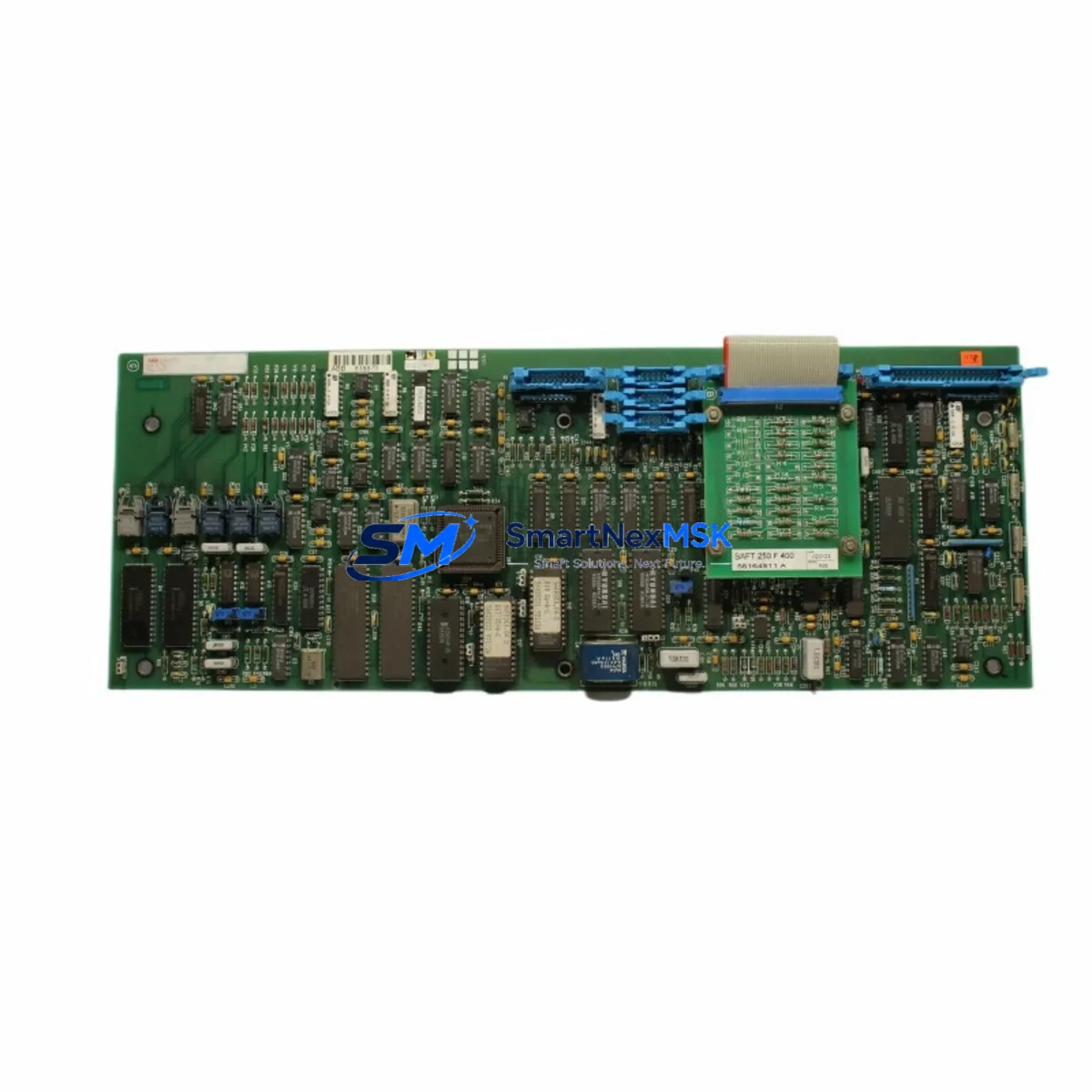
ABB SAFT187CON Retrofit-Ready Drive Control Board for SAFT Series Control Systems
The ABB SAFT187CON is a high-reliability AC drive control board engineered for seamless integration into SAFT Series variable frequency drive platforms. As legacy ABB drive systems approach end-of-life or face discontinued spare parts availability, the SAFT187CON serves as a verified retrofit-ready replacement that preserves existing control logic, terminal wiring configurations, and communication architecture without requiring full drive replacement. For industrial facilities operating aging automation infrastructure, this board represents a cost-effective path to system continuity, reduced unplanned downtime, and extended operational life for existing control cabinets.
Whether your facility is managing a planned upgrade cycle or responding to an emergency failure of a discontinued control board, the SAFT187CON is stocked and ready for immediate dispatch. Each unit undergoes pre-shipment functional testing and is backed by a 12-month warranty covering manufacturing defects and operational failures under normal industrial conditions.
Upgrade Compatibility Table
| Parameter | Details |
|---|---|
| Compatible Drive Series | ABB SAFT Series (SAFT110, SAFT115, SAFT120, SAFT125, SAFT130) |
| Board Function | AC Drive Control / Regulation Board |
| Mounting / Installation | Direct backplane slot replacement; standard DIN rail compatible enclosure |
| Communication Compatibility | Compatible with existing SAFT Series fieldbus and serial communication links |
| Terminal Wiring | Matches original SAFT Series terminal block layout; no rewiring required in most configurations |
| Replacement Recommendation | Verified drop-in replacement for discontinued SAFT187CON OEM units |
| Commissioning Notes | Verify drive firmware version; re-upload parameter sets from backup before live run |
| Warranty | 12-Month Warranty — covers manufacturing defects and operational failures |
Retrofit Planning for Existing Automation Systems
Successful retrofit of the SAFT187CON into an existing SAFT Series drive system requires a structured pre-installation assessment. Begin by auditing the power supply capacity of the control cabinet — the SAFT187CON draws regulated DC power from the drive’s internal SAFT power supply module, and any degradation in that supply will affect board stability post-replacement. Confirm that the SDCS-CON series interface connectors on the backplane are free of corrosion or mechanical damage before seating the new board.
Terminal block wiring should be documented photographically before disconnection. The SAFT Series uses a standardized I/O terminal layout, but field modifications made during original commissioning — such as added analog input scaling resistors or modified digital output relay wiring — must be preserved. Cross-reference the existing wiring against the SAFT Series hardware manual to identify any non-standard configurations before proceeding.
For facilities running PROFIBUS DP or Modbus RTU communication links to a supervisory SCADA or DCS layer, verify that the node address and baud rate settings stored in the original board’s non-volatile memory are documented. These parameters must be re-entered manually after board replacement, as they are not retained in the drive’s main parameter memory. If the system uses an ACS800 series master controller or a Symphony Plus DCS platform for supervisory control, coordinate with the control room team to confirm communication link restoration before returning the drive to service.
I/O expansion modules connected to the SAFT Series rack — including analog input/output modules, digital I/O expansion cards, and encoder feedback modules — should be left in place during the board swap. These modules communicate through the internal rack bus and do not require reconfiguration when only the control board is replaced. However, if the system includes a RETA-01 Ethernet adapter or a RDCO-02 optical communication module for fiber-based fieldbus, verify that the adapter firmware is compatible with the replacement board revision.
HMI panels connected to the drive — whether a legacy CDP312R keypad or a modern Panel Builder 800 touchscreen — will display a communication fault alarm immediately after board replacement. This is expected behavior during the initialization sequence. Allow the board to complete its self-test cycle (typically 30–60 seconds) before acknowledging alarms on the HMI. If the HMI is configured with drive-specific parameter screens, verify that all displayed values return to expected ranges after parameter restoration.
Programming cable connections for parameter upload and download should use the verified OPMP-01 or compatible USB-to-serial adapter. Ensure the drive control software — such as DriveWindow Light or DriveStudio — is configured to the correct COM port and communication speed before initiating parameter transfer. A full parameter backup from a known-good drive of the same model is the recommended baseline for restoration when the original parameter file is unavailable.
Downtime Control During System Migration
Minimizing production downtime during a SAFT187CON board replacement requires advance preparation rather than reactive troubleshooting. The recommended approach is to pre-stage the replacement board in the maintenance workshop, verify its physical condition, and confirm part number and revision compatibility before the scheduled maintenance window begins.
Where process conditions allow, schedule the board swap during a planned shutdown or low-production period. Coordinate with the operations team to confirm that the driven load — pump, fan, conveyor, or compressor — can be safely isolated and that any interlocked safety circuits are properly bypassed or held in a safe state during the maintenance interval.
Before powering down the drive, capture a full parameter backup using DriveWindow or equivalent software. Document the current fault log, operating hours counter, and any active process setpoints. This data serves as the restoration baseline and significantly reduces commissioning time after board replacement.
After installing the SAFT187CON, restore parameters from backup, verify analog and digital I/O signal levels at the terminal block using a calibrated multimeter, and perform a no-load test run before reconnecting the driven load. Confirm that the drive’s output frequency, current limit, and acceleration/deceleration ramp settings match the pre-maintenance values. Only after a stable no-load run should the load be reconnected and a supervised loaded test performed at reduced speed before returning to full production speed.
This structured approach consistently achieves board replacement and recommissioning within a 2–4 hour maintenance window for experienced technicians, keeping unplanned production loss to a minimum.
Retrofit Support FAQ
Q: Is the SAFT187CON a direct drop-in replacement for the original ABB SAFT Series control board?
A: Yes. The SAFT187CON is designed as a direct replacement for the original OEM control board used in SAFT Series AC drives. Terminal wiring, backplane connector positions, and mounting dimensions are identical to the original specification. No mechanical modifications to the drive enclosure are required.
Q: What commissioning steps are required after installing the replacement board?
A: After physical installation, restore the drive parameter set from a pre-maintenance backup using DriveWindow Light or DriveStudio. Verify communication link status on any connected fieldbus adapter (PROFIBUS, Modbus, or Ethernet). Perform a no-load test run and confirm all I/O signals are within expected ranges before returning the drive to production service.
Q: How do I verify wiring compatibility before installation?
A: Document all existing terminal block connections photographically before disconnection. Cross-reference against the SAFT Series hardware wiring diagram. The SAFT187CON uses the same terminal numbering and signal assignments as the original board. Any field-modified wiring should be noted and preserved during the swap.
Q: What does the 12-month warranty cover?
A: The 12-month warranty covers manufacturing defects and operational failures under normal industrial operating conditions. Each unit is pre-shipment tested for functional integrity. Warranty claims are supported by our technical team — contact [email protected] or +86 18259474341 for assistance.
© 2026 SMARTNEXMSK. All rights reserved.
Original Source: https://smartnexmsk.com
Contact: [email protected] | +86 18259474341



